Category: Mobile Phones

The mobile phone category of the blog gives simple, practical and useful information for anyone interested in learning how phones work. Our articles cover common repair issues, tools, hardware basics, latest trends and tips that help students and beginners understand real mobile repairing concepts and latest news and tips on smartphones. Each post is written in clear language so readers can improve their knowledge and skills and stay updated with changes in the mobile industry. Whether you are learning for a career or want to upgrade your knowledge, this section guides you step by step.

  • Advantages And Disadvantages of Wireless Phone Charging

    Advantages And Disadvantages of Wireless Phone Charging

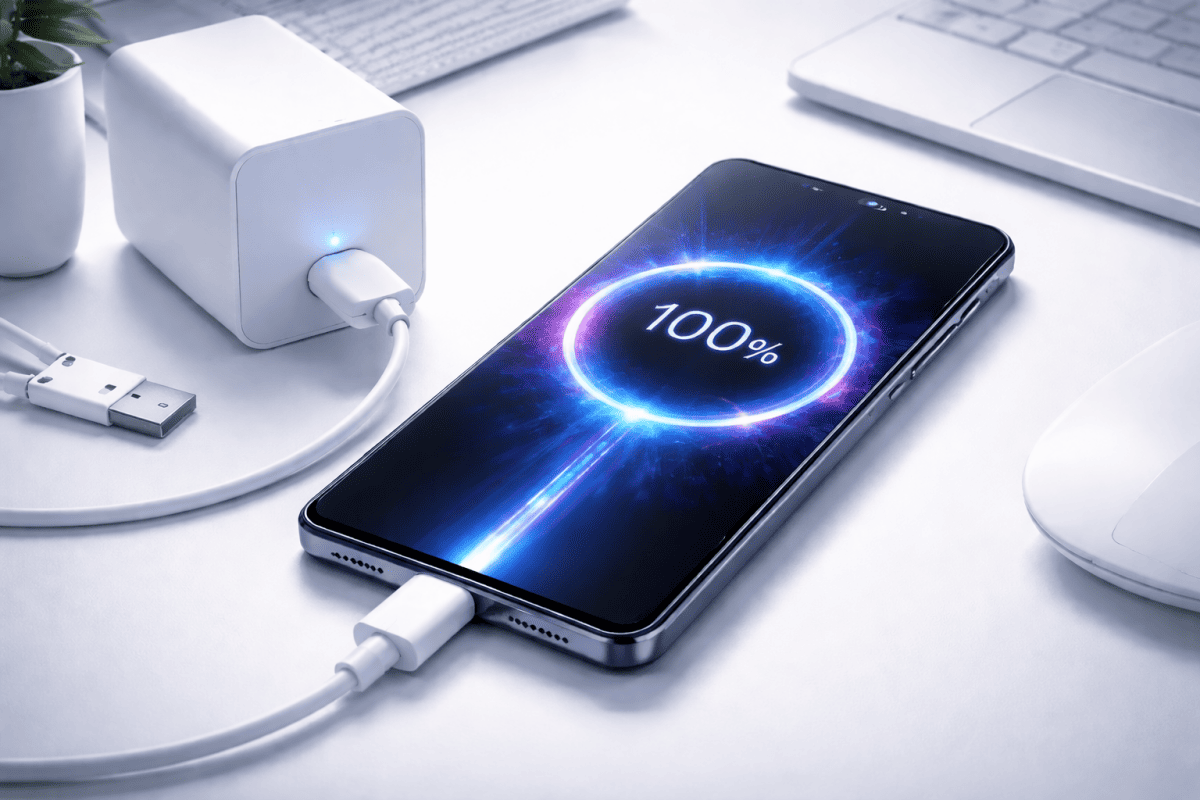
    Wireless phone charging has become quite common these days. It is a technology that has grown into a large ecosystem of different wireless charging devices, and not just for smartphones alone. These chargers can now be used in public places, offices, malls, cafés, and even at home. The rise of this technology shows how people prefer convenience over traditional wired setups.

    Although the benefits of wireless charging may seem obvious, it also has its drawbacks. So, if you are planning to switch to wireless charging, it is worthwhile to know both sides of this technology. Many mobile technicians and smartphone troubleshooting experts believe that understanding the pros and cons helps users make smarter decisions and avoid unnecessary hardware problems.

    Wireless charging removes the need for cables and connectors, and it offers a more modern way to charge devices. In this fast-changing smart world, we now depend on smart chargers for our smartphones.


    How Wireless Phone Charging Works

    Wireless charging is usually based on inductive charging. A coil inside the charger creates an electromagnetic field. Another coil inside the smartphone receives that energy and converts it into electrical power. Since the process is based on alignment and distance between coils, the positioning of the phone becomes important.

    This is the same principle used in some other consumer electronics, including headphones and smartwatches. Many brands follow Qi wireless charging standards, which ensure compatibility between different devices.

    Mobile technicians who work on cell phone diagnostics and software issues often explain that wireless charging puts less stress on charging ports, helping them last longer. But they also warn that incorrect usage or cheap chargers can still create performance issues.


    What Are the Advantages of Wireless Phone Charging?

    Below are the major benefits that users enjoy when switching to wireless charging. Many of these points have contributed to the growing demand for wireless charging stations both at home and in public spaces.


    1. Convenience

    The number one benefit of wireless charging is the simplicity it offers. You no longer have to deal with messy cords, broken cables, or loose connectors. Charging becomes as easy as placing your phone on a charging pad.

    There is no need to search for a charger or wonder which cable works with which phone. The process removes confusion between USB-C, Lightning, and older charging types. Many users feel that this single benefit is enough to justify switching.

    Wireless chargers also allow you to charge multiple devices without plugging and unplugging cables repeatedly. This reduces wear and tear and helps prevent charging port issues, a common problem mobile repair professionals deal with daily.


    2. Integration and Compatibility

    One of the best advantages of certain wireless chargers is the ability to integrate with almost all smartphones, regardless of the charging socket shape or size. A compatible charging pad supports different brands, including both Android and iOS devices.

    Also, wireless charging is not limited to smartphones. Many chargers now support:

    • Smartwatches
    • Wireless earbuds
    • Tablets
    • Portable devices with Qi receivers

    This integration creates a common charging system for various gadgets, reducing clutter and making your desk or home setup more organized.


    3. Multiple Device Charging

    Most homes today have several smartphones. Even though many phones now use USB-C, there are still differences between Apple and Android accessories. A wireless charging pad solves this by allowing different phones to be placed on the same surface and charged together.

    A multi-device wireless charging setup helps charge:

    • Smartphones
    • Tablets
    • Earbuds
    • Smartwatches

    This reduces the number of cables you need to carry. It also eliminates the need for international adapters when traveling. With the growth of fast wireless charging, even laptops may soon support this technology.

    With reverse wireless charging, some smartphones can already charge smaller devices using their internal battery. This shows how the technology is expanding and improving rapidly.

    wireless charging station

    The Disadvantages of Wireless Phone Charging

    Even though wireless charging has many benefits, it still has limitations. Users should understand these drawbacks before deciding to replace their wired chargers.


    1. Performance Limitations

    One reason wireless charging is not used everywhere is that it is still not as efficient as traditional wired charging. Many wireless chargers cannot reach the speed of a cable charger. This makes the charging process slower, which may frustrate users who need quick power boosts.

    Another concern is heat generation. Wireless chargers sometimes generate more heat than wired chargers. Excess heat is not good for lithium-ion batteries, and mobile repair experts warn that frequent overheating can reduce battery health over time.

    Read how to boost your smartphone’s battery life.

    Even though newer chargers are improving, these performance limitations still exist.


    2. Mobility Issues

    The term “wireless” can be misleading. The signals between the charger and the phone are wireless, but the charging pad itself still needs to be connected to a wall socket. This makes the charging station non-portable.

    In addition, you must keep the phone on the pad at all times. You cannot move it around or hold it comfortably while it charges. This makes it difficult to operate the phone if you need to type, browse, or make long voice or video calls.

    This lack of mobility is one of the main reasons users still prefer wired charging, especially at workplaces or while traveling.


    3. Compatibility Problems

    Although wireless chargers support many devices, compatibility issues still occur. Some smartphones do not charge properly due to:

    • Incorrect coil alignment
    • Non-standard charging pads
    • Low-quality chargers
    • Power fluctuations
    • Software restrictions

    Some users have reported that their devices do not accept power from certain wireless stations. Mobile repair professionals sometimes receive phones that appear to have charging issues, but the real reason is a faulty wireless charging pad.

    Wireless charging is a new technology in the world of gadgets; It will definately become more efficient over time and can also become truly wireless in the future.

    Because wireless charging requires precise positioning, even a small shift can interrupt the process.


    Comparing the Pros and Cons of Wireless Charging

    Wireless charging is popular because it is convenient. It removes the need for cables and offers a clean, modern experience. But as discussed, it does come with disadvantages such as heat, slow speed, and compatibility challenges.

    As of now, wireless charging is improving. Many companies are working on faster charging speeds, better heat control, and wider support across different devices. Several smartphone brands already experiment with long-distance wireless charging, where the device does not need to touch the pad.

    Industry experts believe that wireless charging will eventually replace most wired solutions once these issues are resolved.

    While comparing the pros and cons,  wireless charging is convenient and is worth giving it a try. If you are planning to buy one for yourself, don’t forget to read 12 best wireless phone chargers


    Is Wireless Charging Worth Trying?

    For daily use, wireless charging is helpful. It offers:

    • A neater workspace
    • Less stress on cables
    • Better convenience
    • Multi-device support

    But wired charging is still faster and more efficient. So, choosing between the two depends on your priorities. Many users prefer using both methods – wired charging for speed and wireless charging for convenience.


    Final Thoughts

    Wireless charging has changed the way people power their devices. If you value simplicity and convenience, wireless charging is definitely worth giving a try. If you prioritize speed and mobility, you may still prefer traditional chargers.

    When our phones are smart, our chargers should be smart too.

    Smartphone users, technicians, and mobile repair professionals all agree on one thing: wireless charging is improving, and its future looks promising. As companies continue refining charging coils, heat reduction methods, and universal standards, wireless charging is expected to become more powerful and efficient.

    Read What To Expect In Smartphones of The Future

    Are you using a wireless charger? Share your experience in the comments below. Your feedback may help others understand the real-world performance of this technology.

  • 8 Important Tips For Cell Phone Repair Technicians

    8 Important Tips For Cell Phone Repair Technicians

    I am sharing a few important tips for cell phone repair technicians that are useful for every professional who undertakes repair jobs. For those who are new to this field, this will be a good learning experience. And for those who already know these points, it will act as a simple revision and a reminder of best practices.

    In every profession, it is important to follow rules, ethics, and the right methods. This ensures safety, professionalism, and customer satisfaction. Mobile repair is a sensitive job because customers trust you with their device, their personal data, and sometimes even their business information. So, being careful and disciplined always pays off.

    Below are some valuable guidelines that have been followed by successful mobile repair technicians across the world. These tips are based on real work experience, industry standards, and lessons learned on the job.


    1. You Should Have All the Necessary Tools

    A professional workstation must always have all the required tools. Mobile repair is a wide field and requires both basic tools and specialized tools.

    A smartphone technician should keephave the below tools:

    • Precision screwdrivers
    • Opening tools
    • Anti-static brushes
    • Spudgers and tweezers
    • Multimeter
    • Heat gun or separator machine
    • Magnifying lamp
    • Cleaning solutions
    • Soldering equipment (if you repair hardware faults)

    A workstation that is well stocked always motivates the technician. It saves time and helps complete repairs without delays. Technicians who lack tools often damage parts unknowingly, especially when working on delicate components.

    Man is a tool using animal.
    Without tools he is nothing;
    With tools he is all.
    – Thomas Carlyle

    Modern smartphones require specialized instruments for tasks such as screen replacement, water damage cleaning, battery calibration, and motherboard repairs. Having organized and well-maintained tools helps achieve better results and increases efficiency.


    2. While Dismantling a Phone

    You should always remember the order in which you dismantled the phone. When you reassemble it, you need to go in the same reverse sequence. If you forget the method, you will waste time and may miss important steps.

    Earlier, it was challenging because many handsets were sliders, flippers, and complicated designs. Today, smartphones follow a more standard pattern, which makes disassembly easier. However, the internal components are more delicate, so extra care is needed.

    Be especially careful with LCD screens and display units, as they are among the most expensive and fragile parts of any phone. Even slight pressure at the wrong point can crack the display.

    Many technicians sharpen their dismantling skills through professional courses. For example, Prizm Institute’s online cell phone repair training course teaches students everything from basics to advanced troubleshooting, including disassembly and diagnosis.


    3. Replacing All the Screws Back in Place

    When you put back the screws after fixing the phone, ensure that you place every screw in its correct slot. Every screw has a specific length and size. If you put a longer screw in a smaller slot, you may damage the internal components or break the thread.

    If due to carelessness you misplace some screws, use screws of the same type, size, and shape. Using the wrong screws can cause serious alignment problems. Handsets with missing screws look unprofessional and may cause rattling or internal movement.

    Replacing screws properly maintains:

    • Tight alignment
    • Stability
    • Warranty safety
    • Customer trust

    Technicians must never ignore this step because it impacts the overall quality of the repair.

    If you want to improve your safety skills, you should also read safety measures to be followed by cell phone repair technicians.


    4. Always Keep the Work Area Neat and Clean

    Your work environment speaks a lot about you. A messy workstation reflects badly on your character and reduces your confidence. A clean and organized workbench always gives better results.

    A neat workplace:

    • Prevents losing screws and small components
    • Improves focus
    • Saves time
    • Reduces dust-related issues
    • Increases professionalism

    Many experienced technicians say that cleanliness improves accuracy and reduces mistakes when dealing with tiny components like ICs, connectors, and flex cables.

    If you want to increase your output and reduce errors, keeping a clean workstation is one of the simplest and most effective tips.

    Never stop doing your best just because one person doesn't give you credit.

    5. All the Spare Parts Should Be Available

    When you accept a phone repair job, make sure you have all the necessary spare parts. A professional technician always keeps stock of the most commonly required parts, such as:

    • Batteries
    • Charging ports
    • Display screens
    • Camera modules
    • Speakers and mic units
    • Back panels
    • Buttons and flex cables

    Keeping these spares reduces waiting time for customers. It also increases your efficiency because you can complete repairs on the same day.

    This practice is extremely important in the mobile repair business because speed and reliability matter. Customers appreciate technicians who repair their phones quickly and professionally.

    You can also read our 10 killer tips to be successful in cell phone repair business to grow your business more.

    Always look for ways to save time and increase productivity. This is the key to success in a competitive industry.


    6. Keep the Customer’s SIM and Memory Card Safely

    When you accept a handset for repair, always keep the SIM card and memory card safely. Losing these items can cause major problems, as they may contain personal or business information.

    Follow a proper system such as:

    • Label a small box or pouch
    • Write the customer’s name
    • Note the model number
    • Add the receipt number if needed

    This helps you return everything quickly when the customer comes back. You won’t need to search through drawers and waste time.

    Organized handling of customer items builds trust and shows professionalism.


    7. Ensure That the Customer’s Data Is Secure

    Data is often more important than the phone itself. Customers store:

    • Contacts
    • Photos
    • Messages
    • Business files
    • Login details
    • Important documents

    So while repairing a phone, never delete data unless absolutely necessary. If you must reset the phone or wipe storage, always take a backup first.

    Most importantly, get the customer’s written or verbal consent before deleting anything. This protects both you and your customer.

    The importance of data protection,customer privacy and all tips related to data are taught in Prizm Institute’s mobile software repairing course.

    Data security is a critical and essential part in the repair industry.


    8. Take Assistance From the Internet

    The internet is a powerful tool for technicians. If you are confused while fixing a fault, search online for solutions. Many technicians across the world share their knowledge, repair tricks, and step-by-step guides.

    Sometimes, the solution to a complicated issue may be surprisingly simple. Searching online helps you learn faster and gain confidence.

    When searching on Google, always try:

    • Text search
    • Image search
    • Video search

    This helps you understand the problem better. Platforms like YouTube, forums, and manufacturer manuals often provide repair diagrams, motherboard layouts, and fault explanations.

    You should also consider reading these misconceptions about cell phone repair.

    Expert tip: Always verify solutions before applying them. Authentic sources and experienced technicians provide more reliable information.


    Final Thoughts

    Following these tips for cell phone repair technicians will help you improve your skills and become a trusted expert. Good habits build a strong reputation in the repair world. Customers prefer technicians who repair their devices safely, neatly, and efficiently.

    These tips will help you:

    • Work faster
    • Reduce mistakes
    • Gain customer trust
    • Increase your income
    • Build long-term clientele

    Professional repair is not only about fixing a device. It is also about handling customers responsibly, protecting their data, using the right tools, and keeping your workplace organized.

    If you have additional tips to share, please mention them in the comments below. And if you found this post useful, share it with others in the mobile repair community.

  • If Smartphones Didn’t Exist, Which Gadgets Would We Be Forced To Use?

    If Smartphones Didn’t Exist, Which Gadgets Would We Be Forced To Use?

    First the invention of the feature phone came in as a boon to humans, and the upgrade of that same feature phone into the modern smartphone turned out to be another great reward to mankind. Today, most people cannot imagine their routine without a smartphone close at hand. It has become such an essential part of daily life that many consider themselves incomplete without it.

    In simple words, smartphones are not only a necessity. They feel like an extension of our body. Without them, many of us would feel helpless or disconnected. This dependency has grown because smartphones replaced many older devices. Most gadgets used in the past have either become obsolete or have been merged into the smartphone we use today.

    For example, gadgets like cassette players, telex machines, fax machines, film roll cameras, and even early music players have been replaced by mobile phones. What once required several different machines can now be done through one single device. Smartphones have been called “smart” for a reason. The word itself means clever. When this cleverness is added to a phone, it becomes a tool that thinks for you and reduces the effort needed for everyday tasks.

    In this article, we will explore what gadgets we would still be forced to use if smartphones didn’t exist. Many of these devices are remembered today only in nostalgic conversations or seen in museums, but at one time they were essential.

    Let us dive into the list.


    #1 Wrist Watch

    Several years back, many people never left home without wearing a wristwatch. It was the simplest way to check the time. Older watches could show the time of only one city. Today, smartphones have replaced them almost completely. Your phone shows time for several cities at once, sets alarms, and acts as a stopwatch and timer.

    If smartphones didn’t exist, the wristwatch would still be a compulsory accessory. People would rely on it daily, just as they once did. Even though digital watches and smartwatches exist, they would not function the same without smartphone connectivity.


    #2 Telex Machine

    The telex machine was one of the earliest ways to send written messages electronically. Not many people today know about this device. It allowed organizations to communicate through typed messages before email and SMS existed.

    If smartphones didn’t exist, telex machines might still be used in offices, especially in places where formal communication was required. Today, mobile phones have replaced them completely because messaging apps and SMS provide faster and easier communication.


    #3 Fax Machine

    After telex machines, fax machines entered the scene and became extremely popular. These machines helped people send photocopies of documents from one place to another. Companies and government offices depend heavily on fax during its peak time.

    With smartphones, sending documents has become simple. Apps like WhatsApp or email allow users to scan and share documents instantly. If smartphones didn’t exist, the fax machine would still be a must-have device for business communication.

    Even today, some offices still keep fax machines for emergencies or formal requirements, but their usage has decreased drastically.

    if smartphones didn't exist, we would be asleep 4 hours earlier every night.

    #4 Music Player

    There was a time when music lovers carried several different types of music players. These included cassette players, CD players, iPods, and Sony Walkmans. These devices were often large and required storage of physical tapes or discs.

    Smartphones have combined all of these features into one device. You can stream music online, download your favorite tracks, create playlists, and listen anywhere. If smartphones didn’t exist, people would still carry separate music players or depend on bulky gadgets.

    For many users, even computer repair experts today note how smartphones have replaced desktops or laptops for music and video consumption.


    #5 Voice Recorder

    Voice recorders or Dictaphones were used mainly by journalists, lawyers, students, and office staff. These devices helped record interviews, lectures, or reminders.

    Today, a smartphone can record audio with a single touch. The quality is also better, and the files can be shared easily. Without smartphones, voice recorders would still be in heavy use, especially in workplaces and educational institutions.


    #6 Radio

    While fewer people listen to FM radio today, smartphones still include a built-in radio feature. Radio once played a major role in entertainment and news broadcasts. Families gathered to listen to songs, announcements, and special programs.

    If smartphones didn’t exist, radios would still be a common device at home. Portable radios would be used for entertainment during travel. Smartphone makers have included FM radios to keep this experience alive.


    #7 Camera

    Old-fashioned cameras involved a lot of effort. You needed to purchase a camera with the right lens, buy photographic film rolls, and develop the pictures in a darkroom. A simple mistake ruined the entire film.

    Digital camera technology changed everything. And when smartphones adopted these cameras, photography became easier for everyone. Today, a smartphone’s camera is used for travel, events, business, and even professional work.

    If smartphones didn’t exist, people would still carry cameras everywhere. Photographers would depend heavily on film cameras, and the process of developing photos would still be slow and costly.


    #8 VCR and DVD Player

    The VCR used big cassettes and required constant care. Later, DVD players replaced them with small discs. But even DVDs became corrupt with small scratches. Today, video streaming on smartphones has eliminated the need for these devices.

    If smartphones didn’t exist, DVD players might still be the main source of movies and entertainment. Families would keep collections of discs instead of streaming apps.


    #9 PCs and Laptops

    In this modern age, PCs and laptops are a necessity. They help in working, studying, and browsing the internet. Smartphones have not fully replaced computers, but they have reduced our dependence on them.

    Smartphones help with typing, browsing, data management, and even troubleshooting small tasks such as Windows troubleshooting, fixing slow PC issues, or looking up data recovery software. They also help users handle simple tasks without switching on a computer.

    There was a hot argument going on between Apple supporters and haters after Apple touted the iPad Pro as a computer.

    If smartphones didn’t exist, people would still carry laptops everywhere for even basic work. Many quick tasks would become time-consuming, and the convenience of having internet access in your pocket would disappear.

    The debate about whether tablets like the iPad Pro can be considered computers shows how smartphones have changed expectations in the tech world.


    #10 Gaming Machines

    Before smartphones, gaming was possible only on consoles like PlayStation, Nintendo, or portable devices like Game Boy and PSP. These devices were expensive and not easy to carry everywhere.

    With smartphones, gaming became popular worldwide. Casual gamers find everything they need in mobile games. Only professional or dedicated gamers still use consoles.

    If smartphones didn’t exist, gaming machines would still be the main source of entertainment during free time. People would need separate devices to enjoy simple games, puzzles, and arcade experiences.


    #11 Phones Themselves

    This point may sound unusual, but it is true. Mobile phones were created for voice communication. Today, that feature is used the least. People remember using rotary dial phones and push-button phones before smartphones arrived.

    If smartphones didn’t exist, people would still depend on landlines or basic mobile phones for calling. Communication would be slower, and long-distance connections would not be as simple as tapping a screen.

    Today’s Smartphone
    Is Much More Versatile Than
    A Swiss Army Knife

    Smartphones have removed the bulk, wires, and limitations that earlier phones had. They made communication easier, faster, and more organized.

    Read How many gadgets do you think your smartphone replaces?


    Other Gadgets That Smartphones Replaced

    There are many more gadgets that smartphones have replaced silently. These include:

    • Calculators
    • Digital diaries
    • Magnetic compasses
    • Flashlights
    • Alarm clocks
    • Calendars

    These items do not sell much today because smartphones offer all these features by default. Even professionals in hardware problems diagnosis, PC maintenance tips, and other tech fields use smartphones as quick tools.

    Smartphones have not only replaced gadgets but have also made them more powerful and convenient. You can also go through our article that explains how smartphones are manufactured.


    Final Thoughts

    To sum it up, if smartphones didn’t exist, we would need to carry bags full of gadgets to perform simple tasks. From calling to photography, music to navigation, and browsing to entertainment, everything would require a separate device. Life would certainly be more complicated.

    The smartphone has compacted all these tools into one small, easy-to-carry unit. Whether you need them regularly or only sometimes, everything is available in your pocket. With a simple swipe or tap, you become a user of multiple technologies combined into one.

    At the same time, it is wise to use smartphones responsibly and avoid wasting too much time on them. Technology should improve life, not distract from it. Whether you need it or not or you use it or not, you should also know how to avoid wasting too much time on your smartphone.

    We would love to know your thoughts. Share your experiences and tell us which gadgets you miss the most from the past.

  • 8 Ways To Make Your Smartphone Battery’s Charge Last Longer

    8 Ways To Make Your Smartphone Battery’s Charge Last Longer

    Where smartphones are concerned, the average time spent by users on these handsets can range from one hour to several hours daily. Many people use their phones nonstop for communication, browsing, entertainment, studying, and work. This puts constant pressure on the battery. One can easily imagine the amount of power consumed by these devices throughout the day.

    If the battery provided by the manufacturer stays stable, that is good. But if it drains faster than expected, it becomes a matter of concern. A weak or fast-draining battery affects productivity and also reduces the performance of the device. Just like you face hardware problems or do Windows troubleshooting when a laptop slows down, your phone also needs small adjustments to run efficiently.

    Here, we share useful and practical tips on how to make your smartphone battery’s charge last longer. These suggestions work on both Android and iOS and are effective on all battery capacities.


    #1 Switch Off Startup Apps

    When you power on the handset, some apps from the operating system and a few apps installed by you start automatically. This uses processing power and battery life in the background. Turning off unnecessary startup apps helps a lot. It reduces battery usage, speeds up the phone at startup, and makes your device feel lighter.

    Technicians in mobile and computer repair fields often find that too many auto-start apps are a hidden reason behind fast battery drain and slow internet issues. So, disable all apps that you do not need during startup. Your battery will last longer, and your phone will run smoother.


    #2 Decrease Screen Brightness

    Your display uses the most power in your handset. More brightness consumes a lot of battery. Lowering the brightness helps save power instantly.

    Modern phones come with adaptive brightness. While useful, it sometimes keeps the brightness higher than necessary. Adjusting it manually when indoors or at night increases battery life.

    OLED and AMOLED screens also save power when dark mode is used. So, enabling dark themes can help reduce battery drain, just as PC maintenance tips help optimize energy consumption on computers.


    #3 Turn Off Vibration Mode

    It is not always necessary to keep the vibrating alert on in all profiles. Vibration is created by a small motor inside the phone, and motors require more power to rotate. So, vibration alerts drain more battery than sound alerts.

    Keeping vibration only on silent mode is a better option. Turning off vibration for calls and keyboard typing can make a noticeable difference in battery life. Many technicians who handle hardware problems also say that older vibration motors put extra load on weak batteries.

    Read How Do You Know When It’s Time to Replace Your Battery?


    #4 Use Power Saving Mode

    Both iOS and Android have a low power mode option. It is also called power saver or battery saver. It reduces background activity, limits visual effects, and pauses non-essential processes. This helps the phone run longer on a single charge. Many phones today also have ultra power saving mode which is the ultimate option and can make your battery last for even 10 hours when its just having 10% charge.

    ultra battery power saving mode in smartphones

    You can enable this mode manually or set it to turn on automatically at a certain battery level. Experts who study smartphone performance agree that using low power mode does not harm the battery. Instead, it prevents fast draining and avoids unnecessary heat. Here are many cell phone battery myths you should stop believing.

    Users who multitask heavily—similar to handling data recovery software or fixing a blue screen error on a computer—benefit greatly from keeping this mode active during long hours.


    #5 Turn Off Data, WiFi, GPS, and Bluetooth When Not Needed

    Keeping Data, Wi-Fi, GPS, Bluetooth, Hotspot, and NFC on when not required drains battery quickly. These features keep searching for signals, which silently uses power.

    Switch them on only when needed. Always check them frequently, as they may turn on accidentally due to taps or pocket touches.

    GPS drains the highest among these. Turning it off when not using navigation can extend your phone’s charge significantly.


    #6 Use Airplane Mode

    When the phone is turned on, the antenna searches for mobile network signals, Wi-Fi networks, and other connections. If the signal is weak, the phone increases its search power. This causes heavy battery drain.

    Airplane mode helps in such situations. If you do not want to be disturbed while watching a movie, studying, writing, or listening to songs, turning on airplane mode saves power and reduces network search strain.

    Experts also recommend airplane mode in low-network areas because constant signal searching heats the battery and drains charge faster.

    There’s been a lot of progress in smartphones, but why can’t we have more powerful batteries? Researchers and scientists need to work a lot harder on this front.


    #7 Do Not Overcharge

    Every phone battery has a limit. Keeping your charger plugged in even after it is fully charged is not ideal for long-term battery health. Overcharging may slowly damage the battery, reduce its lifespan, and in some cases cause swelling.

    Always unplug your charger once the battery reaches 100%. If your phone supports optimized charging, enable it. This slows down charging after a certain level and protects the battery.

    Technicians who repair phones daily strongly advise avoiding unnecessary overnight charging unless the device manages charging safely.

    Read 8 Etiquettes Of Using Cell Phones

    You should also know how to avoid spending too much time on your smartphone.


    #8 Use a Power Bank Wisely

    A power bank does not directly improve battery health, but it ensures you can continue your work when the battery runs low. If you run out of power while traveling or working, a high-quality power bank is helpful.

    Choose certified power banks from reputed brands. Low-quality power banks may deliver unstable voltage and harm the battery. Professionals working in mobile and computer repair fields often warn about this.

    A power bank should be used only when needed and not as a replacement for good charging habits.


    Extra Expert Tips To Make Your Battery’s Charge Last Longer

    Avoid Extreme Heat

    Heat damages lithium-ion batteries. Avoid direct sunlight and heavy gaming when the device is already warm.

    Update Software Regularly

    Updates often include fixes that improve battery performance.

    Check Battery Usage

    Identify apps that consume too much power and reduce their background activity.

    Restart Your Phone Occasionally

    Restarting clears hidden processes and improves performance, similar to rebooting a PC after Windows troubleshooting.

    Here is also a very useful read related to the question whether background apps really drain battery on smartphones or not?


    Final Thoughts

    There are many simple ways to make your smartphone battery’s charge last longer. Small changes, like lowering brightness, turning off vibration, enabling power-saving modes, or disabling unused connections, can make a big difference. These steps are easy to follow and help your phone run more efficiently every day.

    If you know more practical ways to save battery power, feel free to share them. Your suggestions may help others improve their device performance.

    I am sure there are many more ways to increase battery life. Please let me know if I have left something or you have any more suggestions in the comments below.

  • How are Smartphones Made? The Entire Manufacturing Process Explained

    How are Smartphones Made? The Entire Manufacturing Process Explained

    Smartphones have become such an important part of our lives that we often forget how complex these devices really are. We use them every day, yet very few people stop to ask a simple question: how are smartphones made? From the first idea to the final packaged device, the journey of a smartphone is long, detailed, and involves many experts and technologies. Understanding this process gives us a deeper appreciation for the device we carry in our pockets.

    When a company decides to launch a new phone, it already has years of previous models, research data, and user feedback. This means it does not need to start from zero. The design teams study older models, look at customer complaints, and analyze market trends. They also observe new technologies that can be included. By improving the previous version and adding modern features, the company creates a better and more refined smartphone.

    Below is a complete explanation of the manufacturing process, including the main stages that every smartphone goes through before reaching the customer.


    1. Making the Prototype

    The first step begins with an idea. The product planning team discusses what features the new phone should have, what design it must follow, and what improvements are expected. Once these ideas are finalized, they are handed to the research and development team.

    Design and Aesthetic Prototype

    The R&D team creates a non-working prototype. This version focuses only on external design, weight, size, and overall look. It does not function, but it helps everyone visualize the product. Key decision-makers inspect this prototype and suggest changes. The goal is to make the device attractive, comfortable to hold, and user-friendly.

    Once the design is approved, the team begins working on the internal structure.

    Most of world’s smartphone manufacturing today is being done in China. 

    prototype of a smartphone

    Internal Hardware Planning

    The next stage involves the electronics engineering team. They select the processor, memory, battery size, and screen type. The engineers decide how the smartphone components will fit inside the case. They also choose the camera modules, sensors, and wireless systems.

    Every part used in a smartphone — from the chipset to the charging port — must be compatible with one another. Engineers test different combinations until they find the most reliable and efficient setup.

    After assembling the internal parts, the prototype becomes a working model. This is then tested for basic performance. If it performs well, it goes back to the senior team for approval.


    2. Software Installation

    Once the hardware design is finalized, the software team steps in. They install the operating system, essential drivers, and basic applications. The operating system may be Android with a custom interface or a completely different ecosystem, depending on the manufacturer.

    Software-Hardware Compatibility

    The hardware and software must work smoothly together. If there is any incompatibility, the device may overheat, freeze, or drain battery too quickly. Therefore, engineers test the software for stability, speed, and smooth functioning.

    Specialists in mobile technology development analyze how the software behaves under heavy use, poor network conditions, or low battery. They check the camera app, storage system, performance of sensors, and overall interface experience.

    At this stage, major design changes are difficult because the prototype has already been approved. The goal now is to make everything stable for mass production.

    Read How to buy the best smartphone?

    Read What is fairphone? Why should you conside buying it?


    3. Testing Phase

    Before a smartphone enters the production line, it goes through strict testing procedures. Companies do not want defective products reaching the market.

    testing of smartphones

    Hardware Tests

    These tests include:

    • Drop tests to check durability
    • Bend tests to ensure frame strength
    • Pressure tests
    • Water resistance tests, if the device is designed for it
    • Battery safety tests

    Components like processors, displays, speakers, antenna systems, and storage chips are examined using special equipment.

    Software Tests

    The software team checks:

    • System stability
    • Boot speed
    • App compatibility
    • Network connectivity
    • Camera performance
    • Security functions

    Phones are tested under different temperatures, network conditions, and long usage cycles.

    Only after passing both hardware and software rounds does the prototype qualify for production.

    4. Mass Production

    Once the final model is approved, mass production begins. Large-scale manufacturing happens in multiple steps, often across several countries.

    Component Sourcing

    Smartphone components come from various suppliers around the world. This includes:

    • Displays
    • Processors
    • Memory chips
    • Camera sensors
    • Batteries
    • Frames and back covers

    Some brands produce their own parts, while others depend on suppliers.

    OEM Manufacturing

    Many companies outsource manufacturing to OEM factories (Original Equipment Manufacturers).
    Foxconn is one of the biggest names in this industry. It manufactures devices for brands like Apple, Xiaomi, Amazon, and many others.

    OEM plants have large production lines where thousands of workers and robots assemble phones. Precision machines solder circuits, fit tiny chips, and attach screens. Skilled workers perform tasks that require accuracy, such as attaching cameras and checking alignment.

    Assembly Line

    During assembly:

    1. The motherboard is fitted with the processor, memory, and chips.
    2. The display is attached carefully.
    3. The battery is installed.
    4. Cameras, speakers, sensors, and buttons are added.
    5. The frame and back cover are sealed.
    6. Software is installed automatically using special tools.

    Each smartphone passes through quality checks before moving to the next stage.

    If you’re interested in learning how smartphones are assembled or repaired, many institutes offer cell phone repair training that teaches handling, disassembly, and reassembly.

    Foxconn is one of the major companies which manufactures devices on behalf of some of the top companies like Apple, Xiaomi, Nintendo, Amazon, etc. It has large manufacturing plants in many countries, the biggest being in Shenzhen, Zhengzhou, and Kunshan, among many other cities and provinces in China.

    You can learn assembling and disassembling of iPhones and other smartphones by enrolling into cell phone repair training conducted by Prizm Institute.

    During mass production, smartphones usually are codenamed to avoid leak of information related to specification and design.


    5. Packaging Stage

    Once the phones pass performance tests, they move to the packaging area. Here, each phone is:

    • Cleaned
    • Placed in a protective film
    • Packed with accessories like charger, cable, SIM tool, and user manual
    beautiful smartphone packaging

    Package design is important because it reflects the brand’s identity.

    Read Start Your Own Smartphone Company for $1,000

    Read How Will Your Future Smartphones Look Like?


    6. Shipping and Distribution

    The final stage involves shipping. Smartphones are transported in bulk to:

    • Distributors
    • Warehouses
    • Retail stores
    • Online sellers
    Shipping and Distribution of smartphones

    From there, the devices reach customers across the world.


    Understanding the Complete Manufacturing Process

    To summarize the journey:

    1. Idea and planning
    2. Prototype creation
    3. Hardware selection
    4. Software installation
    5. Testing phase
    6. Mass production
    7. Packaging
    8. Global distribution

    This complex chain involves thousands of workers, pieces of machinery, advanced robotics, global suppliers, and strict quality standards. Every smartphone you buy has gone through an enormous amount of planning and effort.


    Why This Process Matters

    Knowing how smartphones are made helps users appreciate:

    • The engineering behind mobile technology
    • The importance of each component
    • The skill required for production
    • The value of proper quality testing
    • The reason phones differ in price and features

    It also highlights how global the smartphone industry is. Many parts come from different countries, and assembly happens in specialized industrial zones.

    Enjoyed this post? Please share it!

  • 5 Tips To Avoid Spending Too Much Time On Your Cell phone

    5 Tips To Avoid Spending Too Much Time On Your Cell phone

    Smartphones have become a constant part of daily life. Many people use their phones from the moment they wake up to the moment they fall asleep. This habit seems harmless at first, but it often leads to stress, distraction, and a loss of valuable time. Too much phone usage can also affect relationships, sleep quality, and productivity.

    If you feel that your device is taking control of your routine, it is a good idea to change this pattern. Reducing screen time does not mean giving up your phone. It simply means creating a better balance. These practical tips will help you regain control and improve the way you use your smartphone. Before reading the tips to avoid spending too much time on your smartphone, you should can find out whether you are really addicted to your smartphone or not?


    1. Set Clear Time Limits

    One of the best ways to reduce phone usage is to create fixed time boundaries. When you set a time limit for calls, messages, and apps, you avoid scrolling endlessly. Decide how many minutes a day you will spend on social apps, messaging, and entertainment. Once the time is over, put the phone aside.

    This method helps you stay focused during meals, conversations, and personal time. You begin to enjoy moments with family and friends without constant interruptions. Your phone should fit into your day—not occupy it completely. Being strict with these limits builds discipline and makes room for a more peaceful routine.

    Change Your Habits to Change Your Life – Anonymous

    To follow this tip more easily, you can use built-in features like digital wellbeing tools, app timers, or screen-time controls. These tools remind you gently when you cross your limit.


    2. Turn Off Non-Essential Notifications

    Notifications are one of the main reasons people keep checking their phones. A sound, a vibration, or even a small flashing light can break your focus. Sometimes you may check your phone even when the alert came from someone else’s device.

    The simplest solution is to turn off notifications that are not important. Keep alerts only for calls, essential messages, or apps you really need. Silence everything else. When your phone stays quiet, your mind stays calm. You no longer feel the urge to grab the device every few minutes.

    Experts in digital habits often say that fewer alerts result in higher concentration and better mental health. You can decide fixed times to check your updates instead of reacting instantly. This keeps your mind relaxed and helps you enjoy the present moment without distractions.


    3. Reduce Social Media Usage

    Social apps are designed to keep you scrolling. Endless posts, videos, and photos pull you deeper without you realizing how much time has passed. If you want to limit phone usage, reducing time on these platforms is essential.

    Start by deleting apps you rarely use. Then, limit your time on major platforms. You can decide to check social media only twice a day. You can also replace scrolling with healthier activities like reading, walking, or talking to people face-to-face.

    Many psychologists believe that spending too much time online affects mood, sleep, and attention span. Reducing usage helps you feel lighter and more productive. You begin to focus on things that truly matter, not just digital updates.


    4. Avoid Using Your Phone Before Bedtime

    A lot of people have replaced bedtime reading with phone browsing. This habit seems harmless, but it often leads to late-night usage and poor sleep. The strong light from screens makes it harder for your mind to relax. You may watch video after video or chat longer than expected. Before you know it, half the night has passed.

    Create a rule for yourself: no phone at least one hour before bed. Keep the device on a table or charger instead of placing it near your pillow. Use this time to talk to your partner, read a few pages of a book, or simply unwind. A peaceful mind helps you sleep better.

    Relationship experts often say that putting your phone away during the night helps couples connect better. You get time to communicate, laugh, and enjoy each other’s company without screens stealing the moment. We have listed a few manners and etiquettes of using cell phones


    5. Take a Complete Break Occasionally

    Sometimes the best solution is to disconnect fully. If you are traveling with family or spending time with friends, try leaving your phone behind or turning it off. Keep only one phone in the group for emergencies. This allows you to enjoy the surroundings, the people, and the moments without interruptions.

    A digital break refreshes your mind. You notice things you usually ignore. You enjoy real conversations. You feel lighter and more present. Many people who take phone-free days say they gain more clarity and peace.

    Taking small breaks also helps you identify how dependent you are on your phone. Once you see the benefits, it becomes easier to develop healthier habits. Most importantly, after taking a break, stay alert and do not fall back into overuse.

    Additional Helpful Tips

    6. Keep Your Phone Out of Reach During Important Tasks

    When studying, working, or doing something important, place your phone in another room. This prevents you from checking it unconsciously.

    7. Create “Phone-Free Zones”

    Decide areas where phones are not allowed. For example: the dining table, your bedroom, or the study area. This helps create healthier boundaries.

    8. Use a Basic Clock Instead of Your Phone Alarm

    Many people grab their phones in the morning to turn off the alarm and immediately start scrolling. Using a simple clock solves this problem.

    9. Replace Screen Time With Positive Activities

    Try walking, exercising, journaling, cooking, or meeting friends in person. When you fill your day with better activities, you naturally use your phone less.

    10. Track Your Screen Time Weekly

    Most phones show how many hours you spend on apps. Review this weekly to stay aware and improve your habits.


    Popular Apps That Help Reduce Screen Time

    Below are some well-known apps trusted worldwide:

    1. Digital Wellbeing (Android)

    Built-in tool that tracks screen time, sets app timers, creates focus modes, and helps control phone usage.

    Where to get it: Google Play Store – Digital Wellbeing (Android)

    2. Screen Time (iOS)

    Apple’s built-in feature for setting daily limits, blocking apps, and creating downtime schedules.

    3. Forest

    A fun app that helps you stay focused by growing a virtual tree whenever you avoid touching your phone.

    Where to get it:

    Official Website: Forest App

    Google Play Store – Forest: Focus for productivity (Android)

    Apple App Store – Forest: Focus for productivity (iOS)

    4. StayFree

    A detailed screen time tracker that shows your app usage and gives reminders when you cross limits.

    Where to get it: Google Play Store – StayFree (Android)

    6. Freedom

    Used worldwide by students and professionals to block apps and websites across multiple devices.

    Where to get it: Google Play Store – Freedom Site/App Blocker (Android)

    Try Minimalist Phone Launcher For Android Users

    Minimalist Phone Launcher transforms your device into a calm, distraction-free tool. It replaces flashy icons and endless menus with a clean, simple home screen that shows only what you truly need. By letting you block apps and notifications, hide clutter and enable grayscale or blank spaces, this launcher helps you spend less time mindlessly browsing.

    It guides you toward thoughtful use rather than constant tapping. For anyone seeking to cut down screen time and improve focus, Minimalist Phone Launcher offers an effective and user-friendly way to reclaim attention and boost productivity.

    Where to get it: Google Play Store – Minimalist Phone Launcher (Android)


    Why Reducing Phone Time Matters

    Too much screen time can lead to stress, neck pain, anxiety, and lack of focus. Your relationships may also suffer if you keep checking your phone while someone is speaking to you. Children watch and copy these habits, which builds unhealthy patterns for them too.

    By setting boundaries, you take care of your mental and emotional health. You also protect your time and give importance to the people around you. A small change in behavior can create a big difference in your lifestyle.

    Experts in digital wellbeing also say that reducing phone time improves sleep and productivity. When your mind is free from constant notifications, you think better and work better.

    Now that when you have quit a bad habbit, ensure that you do not fall prey to it again. This is very important.


    Final Thoughts

    Smartphones are useful tools, but overuse can affect your happiness and relationships. These simple tips help you build a healthier connection with your device. When you control your phone, you control your time. You feel calmer, more focused, and more connected to the world around you.

    Try one tip at a time. Slowly, you will build stronger habits. Enjoy the real moments in life, not just the digital ones.

    You can share your thoughts in the comments and let others know how you manage your screen time. Your experience may inspire someone else to create a positive change too.

    Read 6 Reasons Smartphones Have Replaced Computers and Laptops

    Read How To Make Your Computer Run As Fast As A Ferrari

    Please share your thoughts in the comments below. Please also share this post among your friends on facebook and twitter.

  • 6 Tips To Protect Your Smartphone From Damage

    6 Tips To Protect Your Smartphone From Damage

    Smartphones have become a major part of daily life. We use them for work, communication, banking, travel, entertainment, and more. Because our devices hold so much personal data, it is important to protect your smartphone from physical harm. Even a small crack, scratch, or water splash can lead to costly repairs or a complete loss of data.

    The good news is that most damage can be prevented with simple habits. These updated tips are based on real repair-shop experiences, expert suggestions, and common mistakes users make every day. Each tip is easy to follow and helps you keep your phone safe, secure, and long-lasting.


    1. Use a High-Quality Screen Protector

    The display is the most delicate part of any handset. Modern screens are strong, but they can still crack from a small drop or sharp pressure. A single repair can cost a lot, especially for AMOLED and OLED models.

    Using a tempered glass screen protector is one of the easiest ways to reduce the risk. It acts as a shield against scratches, fingerprints, and sudden impacts. Good quality glass also helps keep the touch response smooth and clear.

    Make sure you choose a protector that:

    • Fits your exact model
    • Has edge-to-edge coverage
    • Does not reduce touch sensitivity

    It is best to apply a protector the same day you buy your phone. This prevents tiny scratches from forming on the original display.

    Read Top 10 Brands of Touchscreen Protectors


    2. Choose a Strong Protective Case

    Today’s smartphones are thinner, lighter, and more slippery. Because of this, accidental drops are extremely common. A sturdy protective case helps absorb shock and prevents dents, cracks, and internal damage.

    You do not need an expensive brand. Even a simple silicone or TPU case provides good protection. For people who travel often or work outdoors, using a rugged or shockproof case is even better.

    When choosing a case, ensure it:

    • Fits tightly
    • Covers the sides, edges, and corners
    • Gives a better grip
    • Has raised edges to protect the camera and LCD

    Cases with textured backs reduce slipping and help you hold the phone comfortably.


    3. Avoid Keeping Your Phone With Sharp Objects

    Many users keep their phones in pockets or bags along with keys, coins, and pens. These sharp objects can scratch the display or damage the back panel. Even metal dust can enter the charging port or speaker openings.

    It is safer to keep your phone in a separate pocket or small pouch inside your bag. Avoid placing it in the back pocket of tight jeans because the phone may bend when you sit.

    Also keep your device away from small children. Kids often pull, throw, or press the screen too hard, which can result in serious physical damage.

    If your children often ask for your phone, you can give them an old device with games so your primary phone stays safe.

    If you do not have a heart to refuse your kids your personal phones, please buy them some old working phones loaded with games to avoid regretting later.


    4. Waterproof the Device Properly

    Water is one of the biggest reasons phones get damaged. A few seconds of exposure can cause short circuits, corrosion, or complete failure of the motherboard. Even sweat and humidity can affect the sensors and speaker.

    If your phone does not have an IP67 or IP68 rating, it is important to use a waterproof case. These cases protect the device during rains, beach trips, poolside activities, or outdoor sports.

    If you travel often, also keep:

    • A waterproof pouch
    • A zip-lock bag
    • A moisture absorber pack in your bag

    In case your phone gets wet, turn it off immediately and avoid charging it. Many repair technicians say that charging a wet phone leads to more internal damage than the water itself. If in case your phone gets water logged, please read our guide to fix water logged cell phones.


    5. Hold the Device With a Firm Grip

    Many drops happen because users hold their phones loosely or use them with one hand while multitasking. Modern phones are larger, so grip becomes important.

    Using a grip accessory like:

    • A ring holder
    • A pop socket
    • A strap attachment

    can help you hold the device firmly. When taking photos or typing in a crowded area, use both hands for better control.

    If you still drop the device, and damage occurs, learning basic repair skills can help. Many institutes teach repair techniques that allow users to fix small issues or understand when a device needs expert help.


    6. Do Not Leave Your Phone Unattended

    Leaving your phone on an unstable surface increases the chance of falls. Placing it near the edge of a table, on a car dashboard, or on a soft bed is risky. Pets or kids can knock it down without noticing.

    Always keep your device in a safe, visible place. Avoid giving the phone to very young children. They may accidentally delete files, change settings, or drop the phone while playing.

    If you are storing sensitive data, enable:

    • Screen lock
    • Fingerprint or face unlock
    • Automatic backup

    This ensures your information stays safe even if the phone falls or gets lost. We also recommend keeping your phone in a fixed spot at home or work to avoid accidental slips.

    Prizm Institute also known as Prizm Mobile Institute conducts course in repairs of mobile phones and tablets. You can join this courses to learn repairing skills yourself and become a certified technician in a few months.

    Read How To Buy The Best Smartphone – Smartphone Buying Guide


    Final Thoughts

    Smartphones are expensive and hold important digital memories. Protecting them is not difficult, but it requires awareness and small daily habits. Using a good case, applying a strong screen protector, keeping the phone away from water, and handling it carefully can save you from high repair bills.

    As technology advances, smartphones have become more powerful but also more delicate. Following these simple tips can help extend the life of your device and keep it looking new for a long time.

    Always stay mindful of where you place your phone and how you carry it. A little care goes a long way in ensuring your device stays safe and functional.

    Please let us know your views in the comments below. We would love to know your opinion. Please also share this article on facebook and other social platforms.

  • What is Fairphone? Why Should You Consider Buying It?

    What is Fairphone? Why Should You Consider Buying It?

    Most of us use smartphones every day, but very few people stop to think about how these devices are made or who makes the materials inside them. Modern smartphones look sleek and advanced, yet the process behind them often hides harsh realities. In many regions, especially in central Africa, essential minerals like gold, tin, tungsten, and tantalum are mined under unsafe and unfair conditions. Workers, including children in some areas, face low wages, dangerous environments, and very little protection. These issues have been reported for years by global human rights organizations.

    In response to these concerns, a unique company stepped forward and created something different—a phone designed to challenge the traditional smartphone industry. This idea led to the creation of Fairphone, a brand that focuses on fairness, repairability, and environmental responsibility. It has become one of the most talked-about ethical smartphone brands in 2026.


    What Is Fairphone?

    Fairphone is a smartphone brand based in Amsterdam, Netherlands. The company began as a social initiative that aimed to create awareness about conflict minerals and poor labor conditions in the electronics industry. Over the years, it has grown into a full-scale manufacturer known globally for its ethical values and transparent approach.

    Visit Fairphone’s official website

    The goal of the company is simple: build phones that cause minimal harm to people and the planet. Every part of their production—from sourcing materials to assembling the handset—is done with fairness and responsibility in mind. While no company can be 100% perfect, Fairphone openly shares the steps it is taking, what it has achieved, and what challenges still remain. This transparency is a major reason why many users trust the brand.

    You’re not just buying a smartphone,

    you’re buying into an ethical ecosystem.

    – Newsweek


    Ethical Material Sourcing

    Modern smartphones require several rare minerals. Many of these are mined in regions where conflict, unsafe labor, and exploitation are still common. Fairphone tries to break this cycle by sourcing materials responsibly.

    Here are the key materials used in Fairphone devices:

    1. Tantalum and Tin

    Fairphone sources these minerals from conflict-free mines. These suppliers follow strict guidelines to ensure miners work in safe conditions and receive fair wages.

    2. Gold

    The brand uses Fairtrade-certified gold, which is mined under ethical standards that protect workers and the environment. Fairtrade gold also ensures that miners receive better compensation compared to conventional gold mining operations.

    3. Tungsten

    The company continues to work with partners to increase the availability of traceable and conflict-free tungsten. Although challenges still exist in this area, Fairphone publicly documents progress each year.

    4. Recycled Plastics and Metals

    Fairphone uses recycled plastic for the phone casing and other small parts. The aim is to reduce the amount of new plastic produced and cut down on electronic waste—one of the fastest-growing waste categories in the world.

    According to Fairphone’s official reports and independent sustainability analysts, the brand consistently ranks as one of the most ethical and transparent smartphone manufacturers in Europe.


    Fairphone and Sustainability in 2025

    One of the biggest strengths of Fairphone devices is their modular design. Unlike most smartphones that are sealed shut, Fairphone models can be opened easily. Users can replace parts like the battery, screen, cameras, and USB port using simple tools. This makes the device last much longer than a typical smartphone.

    In a statement by the company in 2024, CEO Eva Gouwens explained:

    “A longer-lasting phone is the simplest way to reduce environmental impact.”

    This modular approach supports the right-to-repair movement, which has gained strong momentum in the EU and many other countries. Fairphone users save money because they can repair the device themselves instead of buying a new phone every two or three years. This reduces both e-waste and manufacturing emissions.

    Fairphone’s repairability score remains among the highest on independent platforms like iFixit, which rates devices based on how easy they are to repair.

    Read How To Select And Buy The Best Smartphone


    Why Fairphone Costs More Than a Budget Smartphone

    Some people wonder why Fairphone models cost more compared to budget brands. The reason is not related to performance or marketing. Ethical sourcing, fair wages, safe factory conditions, and sustainable materials naturally increase the cost of production.

    Buyers of Fairphone are not just paying for a device. They are supporting:

    • Responsible mining
    • Safe working environments
    • Living wages
    • Recyclable materials
    • A longer-lasting product
    • Reduced electronic waste

    This makes the brand attractive to people who care about environmental and social impact.


    Fairphone Models and Features in 2025

    Fairphone continues to improve its devices every year. The most recent models offer:

    • Long software support
    • Modular parts for easy repairs
    • Strong battery life
    • Good-quality cameras
    • Clean and secure Android experience

    While Fairphone phones are not designed to compete with flagship cameras or high-end gaming devices, they provide reliable performance for everyday tasks. Most importantly, they are built with responsible production practices, which is rare in today’s smartphone market.

    For complete specifications visit https://www.gsmarena.com/fairphone_6-13955.php

    For an unbiased description of Fairphone, please visit https://en.wikipedia.org/wiki/Fairphone


    Why You Should Consider Buying Fairphone

    1. Ethical Production

    Fairphone supports safe labor practices, fair wages, and conflict-free materials. When you buy a Fairphone, you support these values.

    2. Long Life and Easy Repair

    The modular design allows you to replace damaged parts quickly. Even beginners can repair basic modules using online guides.

    3. Good Environmental Impact

    Using recycled materials and reducing waste makes Fairphone one of the greenest smartphone brands available.

    4. Transparent Business Practices

    Fairphone publicly shares its supply chain details, sustainability goals, and challenges. This builds trust and shows the company’s dedication to being fair.

    5. Support for Right-to-Repair Movement

    Many countries are now encouraging repair-friendly electronics. Fairphone has been a leader in this movement since its first model.


    Final Thoughts

    Fairphone is more than just another smartphone. It is a statement. It challenges the traditional electronics industry and proves that ethical production is possible. Users who choose Fairphone support a fairer supply chain, safer working conditions, and a cleaner environment.

    As the need for sustainable technology grows in 2025, Fairphone stands out as a strong example of how a modern device can be built with care, fairness, and transparency. If you want a phone that aligns with responsible values and lasts longer than most regular smartphones, Fairphone is a brand worth considering.

    Please do let us know your views about the fairphone in the comments below.

  • 5 Rumors About Cell Phone Repairs That You Should Ignore

    5 Rumors About Cell Phone Repairs That You Should Ignore

    Many people nowadays fix their phones after searching the internet for solutions. Along with good working solutions there are plenty of incorrect suggestions written by novices which tend to misguide people. 

    Prevalent are some rumors or myths which are running through cell phone users. As rumors always tend to be rumors and not facts, it is better you read this and get to know what these rumors really are.

    1.  Cell phone repair costs too much

    Most people think that if they would need their cell phones to be repaired they will have to pay through their nose to get their handsets repaired. WRONG. Agreed that there do exist some black sheep in this repairing business but then there are many honest Abduls also in the same trade. Not everybody is ready to fleece their customers. Maybe you may have had some bad experience once or twice in life but you do will come across many good repair centers/technicians that are very reasonable in their repair services and charges.

    Sometimes some spares are not easily available locally and these have to be shipped from outside, so what you are paying is not just for service but also for the parts which are going to be used in your handset. So perish the thought that cell phone repair is far too expensive. You can also learn to fix cell phones through Prizm Institute’s cell phone repair book.

    2. If a third-party center repairs my phone, warranty will be void

    If your cell phone needs to be repaired and you have still some time left in your warranty period, you have a feeling that if you give the phone to some other service center for repairs other than the company’s authorized service center, your warranty on the handset will be void.

    But if your phone is water logged or the display is damaged or broken, you have already exhausted your warranty, because the warranty does not apply to the fore mentioned damages. Also if the problem is just related to software or settings and the phone can be fixed without dismantling it, then you do not lose the warranty.

    cell phone repair myths

    3. Your handset will never be the same after repair

    This is all hearsay. This is truly a rumor. It is in fact very much possible that if your handset has broken due to you accidentally dropping it, it can easily be fixed. This is because by dropping the handset you may have broken its LCD. There are least chances that the motherboard may have got damaged. So by just changing the LCD, your handset will be as good as new.

    One thing is that if your handset is old or a low sales model in your country, then there may be difficulty in getting the spares, but if you search the internet for it,  then you are bound to get it from somewhere and get it fixed.

    4. Water Damaged Phones can be fixed with rice

    One perception is that if your phone is waterlogged and if you bury your handset in dry uncooked rice then due to moisture absorbing property in rice, it absorbs all the moisture from the phone and the phone starts working again. This is not true. Rice does have affinity to absorb moisture as well as water but it absorbs the water that is on the outside.

    What about the water that has seeped inside the phone which cannot be dried unless you use a blower or a hair dryer or you just keep the phone for a couple of days without using it. So this is just a rumor that water logged phones can be fixed by burying it in rice.

    Read How to repair water damaged phones

    5. Every phone can be easily repaired

    Some people think that any handset can be easily repaired. They are to some extent right but not fully right because in any given man-made machine there comes a stage when it crosses the limit when it can be brought back to life. This also implies to mobile phones because there comes a stage when the handset has to be discarded because it is beyond repair or you will have to spend so much on it for repairs with which you can buy a better and new handset. You may consider this option if you are an antique lover and you can have this as a museum piece. Ha Ha Ha.

    Don’t be so quick to believe what you hear because lies spread quicker than the truth!

     – Anonymous

    You can also validate or debunk internet rumors and other stories of unknown or questionable origin at snopes.com

    Read 36 Cell Phone Repair Business Name Ideas

    There are many more myths and rumors prevalent among people about cell phone repair. Please let us know if there are more to add to the list in the comments below. Please also consider sharing this article among your friends.

  • 8 Mistakes Committed By Most Cell Phone Repair Technicians

    8 Mistakes Committed By Most Cell Phone Repair Technicians

    Since mobile phones are the current rage of this age, there are technicians in this field who are working since the advent of this invention. After so many years have passed the technicians have by now become expert as well as professionals. No matter how expert one is, mistakes can be committed by anybody. These errors may slow down the repair process, affect customer satisfaction, or damage the device further.

    This detailed guide explains the most common mistakes made by technicians and how to avoid them. Every point is based on practical experience, honest observations, and real issues faced in repair shops. The aim is to help new and experienced technicians work in a more professional, safe, and accurate manner.

    8 Common Mistakes Committed By Most Cell Phone Repair Technicians

    1. Not repairing in the estimated time

    This is one of the biggest problem with most technicians. There can be several reasons for the delay. It could be due to delay in troubleshooting the fault. Sometimes the fault in the handset is hard to detect and it may take a very long time to rectify the fault.

    One other reason for the delay could be unavailability of spare parts. But delay due to mere laziness is a definite no-no. Repairing the phone and completing the job on time sends a strong message to the customers about how much particular as well as punctual you are.

    Unnecessary delay due to poor time management creates a bad impression. Customers judge a technician not only by skills but also by punctuality. Completing repairs on time builds trust, shows commitment, and improves the technician’s reputation. It also increases repeat customers and referrals. Keeping a clear schedule, updating customers regularly, and planning inventory can prevent such delays.

    Start by doing what’s necessary; then do what’s possible; and suddenly you are doing the impossible.

    -Francis of Assisi

    2. Not replacing all screws after reassembling

    This is a very common and careless mistake. When a mobile phone is dismantled, some technicians are very careless and they just go about placing the screws on the workbench. Now while fixing the phone, they misplace the screws and when they reassemble the handset they fall short of these screws. Some technicians just leave these slots empty, while some of them use other unmatching screws which is bound to damage the original threads in the slots.

    The best way to overcome this common mistake is to keep all the screws and other small parts in a small tray or a magnetic mat. This way you will be ensured that you have replaced all the parts and screws back in place and you have by no means left out anything that has to be replaced. Using different trays for different models of opened handsets will also help you to dismantle many handsets simultaneously.

    Read How to start a mobile repairing business from home


    3. Not Asking the Customer for Correct Problem Details

    Many technicians skip an important step—understanding the issue directly from the customer. Many technicians do not ask the customer about the reason or cause for the fault in their phone. Instead if the customer is asked about the problem you can straight away know the exact problem and start working on it thus saving your precious time. If the technician asks the right questions, the root cause becomes clear.

    Also make it a point to ask the customer about the history of the handset and whether he had already given it to someone else for repairs before for this same fault or some other fault. This way you will know if the handset was already opened before or not.

    Proper communication avoids misunderstandings and ensures transparent service.

    4. Not searching the internet for research and solutions

    Today, almost every repair solution is available online. But still many technicians try to fix the handset with trial and error method and do not take the pains of searching the internet for the solution, thus wasting a lot of time.

    Remember that in todays world, if you are not using internet for solutions to your problems, you are missing out on a great source of useful information. So it would be advisable that you lookup for solutions on the net and most of the time you are bound to be lucky to get the solutions for the trickiest of faults. You can also look for videos on Youtube.

    Here are some of the best websites and resources where you can learn cell phone repair easily for free. Beginners, novices as well as do-it-yourselfers can visit these websites to gain more knowledge and enhance their skills in cell phone repair.

    You have to seek solutions in text search, image search as well as video search.

    Technicians should regularly check:

    • Text guides
    • Image search results
    • Video tutorials
    • Forums and repair communities

    Websites, discussion boards, and YouTube channels provide practical solutions that are proven to work. Many advanced-level repairs become easier when you know what to look for. Using online resources improves knowledge, boosts confidence, and helps technicians fix even the toughest faults.

    5. Ignoringing the basic safety rules

    The basic safety rules for repairing should be followed so as not to damage the handset nor hurt oneself while carrying on the work.

    Basic safety rules include:

    • Disconnecting the battery before any repair
    • Using anti-static tools
    • Handling hot air stations and soldering irons with care
    • Avoiding metal tools on powered circuits
    • Using protective equipment when needed

    Please read  Cell Phone Repair – Safety And Precautions

    6. Not repairing in a professional manner

    A technician’s work should always look clean, organized, and professional. Customers can instantly differentiate between good-quality work and careless work. Many technicians are very careless while repairing a handset. The job that they do is shoddy and also looks awful if watched closely. All procedures and techniques should be carried out in a professional manner.

    Soldering work done by many technicians is very amateurish. The solder flux applied all over should be cleaned up after the work is completed. It is utmost important that a professional technician does a clean job that gets a feeling whether it is factory fitted or if it is fixed at a service center.

    A technician should always aim to give a result that looks like the phone was repaired in an official service center. This builds a strong reputation and shows genuine expertise.

    For further reference, please read how to solder electronic components

    professionalism means consistency of quality

    7. Not following the fault finding steps

    As the handset comes in for repairs, many technicians do not go step by step in fault finding. Instead they just go about by dismantling the phone and carrying out the hardware rectification.

    A proper repair process generally includes:

    1. Inspecting the phone externally
    2. Checking battery condition
    3. Testing with another charger or cable
    4. Checking the charging port or buttons
    5. Testing the display
    6. Verifying software issues
    7. Only then opening the handset

    Skipping these steps can lead to wrong diagnosis and unnecessary repairs. A structured approach saves time and helps identify the correct fault quickly. It is utmost important that repair work of an electronic gadget should go as per the professional repair methods.

    8. Unnecessarily working on the motherboard and chips

    Some technicians unnecessarily start working on the motherboard without any reason. They fiddle with the motherboard as well as the chips applying heat or just reflowing. Working on the motherboard should be the last step while fixing any hardware fault.

    Heating, reflowing, and touching components on the motherboard should be the last option, not the first.

    Building Skills and Avoiding These Mistakes

    The mobile repair industry keeps growing every year. Skilled and responsible technicians are always in demand. Training programs, practice sessions, and online learning all help in improving skills. Working with discipline and patience increases success in every repair job.

    If you want to learn mobile repair from basics to advanced troubleshooting, joining a professional institute can help. Practical training, expert guidance, and hands-on experience make the learning process faster and easier.

    You can also learn how to repair cell phones by joining Prizm Institute. The training starts from basics and goes up to troubleshooting of faults.

    Read 6 Advantages of Choosing Mobile Phone Repair As a Career

    Please let us know your opinions in the comments below. Please also share this article among your friends and fellow technicians.