Introduction
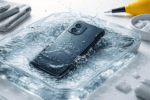
Few moments are more stressful than watching your phone fall into water!
It could slip into a sink, bucket, swimming pool, or even get soaked in rain. In panic, most people grab the phone and rush to do something—often the wrong thing.
The most common advice you hear is: “Put it in rice.”
But here’s the truth: rice is not the best solution, and in many cases, it makes things worse.
This article explains what really works when your phone gets wet.
You’ll learn five instant, practical steps that professionals follow, what mistakes to avoid, and how to improve your chances of saving your smartphone—whether it’s an Android phone or an iPhone.
The goal is simple:
- Reduce damage
- Prevent short circuits
- Give your phone the best possible chance to survive
No hype. No myths. Just clear, real-world guidance.
Why Water Is Dangerous for Phones
Modern smartphones are compact electronic devices. Inside them are:
- Tiny circuits
- Battery connections
- Chips and sensors
- Charging ports and speakers
Water itself is not always the biggest problem. Impurities in water—like salt, minerals, soap, or dirt—conduct electricity. When water reaches internal components, it can cause:
- Short circuits
- Corrosion over time
- Permanent damage if powered on while wet
This is why what you do in the first few minutes matters more than anything else.
First Things First: Stay Calm and Act Fast
Panic leads to mistakes.
Your phone usually has a short grace period before serious damage occurs.
If you act correctly within the first few minutes, the chances of recovery improve significantly.
Step 1: Take the Phone Out of Water Immediately and Switch It Off
What to do
- Remove the phone from water as quickly as possible
- Switch it off immediately
- If the screen is off, do not turn it on
Why this matters
Electricity + water = damage.
Keeping the phone powered on allows current to flow through wet circuits, which can instantly kill components.
Important tips
- Do not check notifications
- Do not unlock the phone
- Do not press random buttons
If the phone shuts off by itself, do not try to restart it.
Step 2: Remove Case, SIM Card, Memory Card, and Accessories
What to remove
- Phone cover or case
- SIM card tray
- Memory card (if present)
- Wired earphones or cables
Why this helps
- Trapped water continues to seep inside
- Accessories block airflow
- SIM trays often hold moisture
Removing these parts allows:
- Faster drying
- Less internal corrosion
- Better inspection for water entry
Extra care
- Gently dry the SIM and memory card separately
- Do not insert them back until the phone is fully dry
Step 3: Gently Dry the Outside (Do NOT Shake or Blow)
This step sounds simple, but many people damage their phones here.
What to do
- Use a soft, dry cloth or tissue
- Gently pat the phone dry
- Keep ports facing downward
What NOT to do
- ❌ Do not shake the phone
- ❌ Do not blow into charging ports
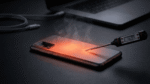
- ❌ Do not use a hair dryer or heater
Why shaking is harmful
Shaking forces water deeper into the phone, spreading it to areas that may have been dry before.
Why heat is dangerous
Hair dryers and heaters:
- Push water inside with air pressure
- Damage battery and internal glue
- Cause uneven drying
Step 4: Use Proper Drying Methods (Why Rice Is Not Recommended)
The rice myth explained
Rice is often recommended because it absorbs moisture.
However:
- Rice absorbs very slowly
- Rice dust can enter charging ports
- It does not remove moisture trapped deep inside
Better alternatives
If available, use:
- Silica gel packets (found in shoe boxes, bags, electronics)
- Desiccant packs
- Dry, ventilated environment
How to dry properly
- Place the phone in an airtight container
- Add silica gel packets around it
- Keep the phone powered off
- Leave it for 24–48 hours
If you don’t have silica gel:
- Place the phone in a dry room
- Use a fan (indirect airflow)
- Avoid humidity
Step 5: Wait Before Powering On (Patience Saves Phones)
This is the hardest step—and the most important.
Minimum waiting time
- 24 hours for light splashes
- 48 hours or more for full immersion
Before turning it on
- Ensure no moisture is visible
- Charging port feels dry
- No fog inside camera lens
First power-on test
- Turn it on without charging
- Check:
- Screen response
- Speaker sound
- Touch accuracy
If the phone behaves oddly:
- Switch it off again
- Do not keep testing repeatedly
What If the Phone Fell in Salt Water, Toilet, or Pool?
Not all water is the same.
Salt water (sea water)
- Extremely corrosive
- Damage happens faster
- Professional cleaning is strongly recommended
Toilet water
- Contains chemicals and bacteria
- Rinse gently with clean distilled water only if advised by a technician
Swimming pool water
- Chlorine causes corrosion
- Internal cleaning may be required
In these cases, home drying alone may not be enough.
Common Mistakes That Kill Wet Phones
Avoid these at all costs:
- Turning the phone on “just to check”
- Plugging it into a charger
- Using hair dryers or sunlight
- Shaking aggressively
- Believing rice will fix everything
- Ignoring water damage warnings
Most phones that die after water exposure fail because of human mistakes, not water alone.
Water Resistance vs Waterproof: Know the Difference
Many modern phones advertise water resistance.
What water resistance means
- Tested under controlled conditions
- Protection decreases over time
- Not guaranteed after drops or repairs
Important reality
- Water resistance is not waterproof
- Warranty usually does not cover water damage
So even if your phone claims IP rating protection, you should still follow all safety steps.
When Should You Visit a Repair Technician?
Seek professional help if:
- Phone doesn’t turn on after 48 hours
- Screen flickers or shows lines
- Speaker sounds muffled
- Phone heats up
- Charging doesn’t work
Professional technicians can:
- Open the phone safely
- Clean corrosion using proper solutions
- Prevent long-term damage
Early inspection often saves phones that would otherwise fail weeks later.
Pros and Cons of DIY Phone Drying
Pros
- Immediate action reduces damage
- No cost involved
- Useful for mild water exposure
Cons
- Limited effectiveness for deep water entry
- Cannot clean internal corrosion
- Risky without technical knowledge
DIY steps are first aid, not a guaranteed cure.
Frequently Asked Questions (FAQs)
1. Can a phone really survive water damage?
Yes, many phones survive if powered off quickly and dried correctly. Speed and correct action matter most.
2. Is rice completely useless?
Rice is not dangerous, but it is inefficient. Better drying options exist and work faster.
3. How long should I wait before charging a wet phone?
At least 48 hours, and only after confirming it is completely dry.
4. What if my phone turns on but behaves strangely?
Turn it off immediately. This may indicate internal moisture or corrosion.
5. Does putting a phone in sunlight help?
No. Sunlight causes uneven heating and can damage the battery and screen.
6. Are newer phones safer from water damage?
They are more resistant, not immune. Water damage can still occur.
7. Should I open the phone myself?
Only if you have technical experience. Otherwise, you risk further damage.
Conclusion
Dropping your phone in water is stressful, but it doesn’t always mean the end.
The five instant steps—powering off, removing accessories, gentle drying, proper moisture absorption, and patience—can dramatically improve survival chances.
Remember:
- Do not rush
- Do not use heat
- Do not rely on rice
- Do not power on too early
Treat water exposure like an emergency—but handle it calmly and correctly.
If problems appear later, professional inspection is the safest next step. Acting wisely today can save you from permanent damage tomorrow.