Tag: guide

  • 8 Best Websites to Learn Mobile Repairing Online for FREE

    8 Best Websites to Learn Mobile Repairing Online for FREE

    Learning a technical skill doesn’t always require expensive courses or long academic programs. Some skills grow best through practice, curiosity, and the right guidance — and mobile repairing is one of them. Whether you’re planning to become a technician or simply want to repair phones confidently at home, the internet provides a wealth of free resources that can help you get started.

    Today, more people are choosing practical careers that allow them to earn quickly while learning at their own pace. A mobile repair technician is one such role. The demand for phone repair services continues to grow as smartphones become more advanced and more expensive to replace. The good news? You can begin learning the foundations of repair without paying anything.

    “Skills grow when you practice, and they shine when you apply them.”

    Below is a carefully chosen list of the best free websites to learn mobile repairing online. This updated list removes outdated sources and includes only the most trustworthy, relevant, and high-value platforms available today.

    Each resource has been selected for clarity, depth, and usefulness — whether you’re a beginner or already repairing phones.


    Why Learn Mobile Repairing Online?

    Before diving into the websites, here’s why free online learning works so well:

    • You learn at your own speed.
    • You don’t spend money until you’re sure you like the field.
    • You can practice with old or unused devices.
    • You get exposure to real repair cases, not just theory.
    • You build confidence before joining a professional course.

    Free learning doesn’t replace formal training, but it gives you a strong foundation so that advanced concepts become much easier later.


    The Best Websites to Learn Mobile Repairing Online for Free

    1. iFixit — The World’s Largest Online Repair Manual

    iFixit is one of the most trusted names in the repair world. It is famous for its detailed step-by-step guides, high-quality images, and simple explanations that even beginners can follow.

    iFixit covers almost every major smartphone brand, including:

    • Apple
    • Samsung
    • Xiaomi
    • Google Pixel
    • OnePlus

    What makes it special is its clear instructions and its “right-to-repair” philosophy, which encourages users to repair their own devices instead of throwing them away.

    Why iFixit is great for beginners

    • Easy-to-follow repair instructions
    • High-resolution photos for each step
    • Tool recommendations
    • Free access without login
    • Covers hundreds of smartphone models

    You can learn everything from battery replacements to screen repairs and even board-level fixes. For beginners, starting here gives a practical idea of how mobile components fit and function together.


    2. AllGSMtips.com – Clear, Practical Mobile Repair Guidance

    AllGSMtips.com has been around for years and remains a helpful resource for learning mobile repair techniques. The blog-style website provides tips, how-to articles, and troubleshooting guidance for different phone problems.

    Allgsmtips.com has a lot of guides, tutorial and tips on how to repair cell phones. There are many articles that will increase your knowledge and interest in the field.

    What makes AllGSMtips useful

    • Practical, experience-based explanations
    • Tips on common faults and how to fix them
    • Guides for beginners and intermediate learners
    • Focus on real technician challenges

    Even though the design is simple, the content is solid. It teaches you real-world repair logic rather than just theory. For someone learning mobile repair online, this kind of direct guidance saves time and avoids confusion.


    3. YouTube – The Largest Free Mobile Repair Classroom

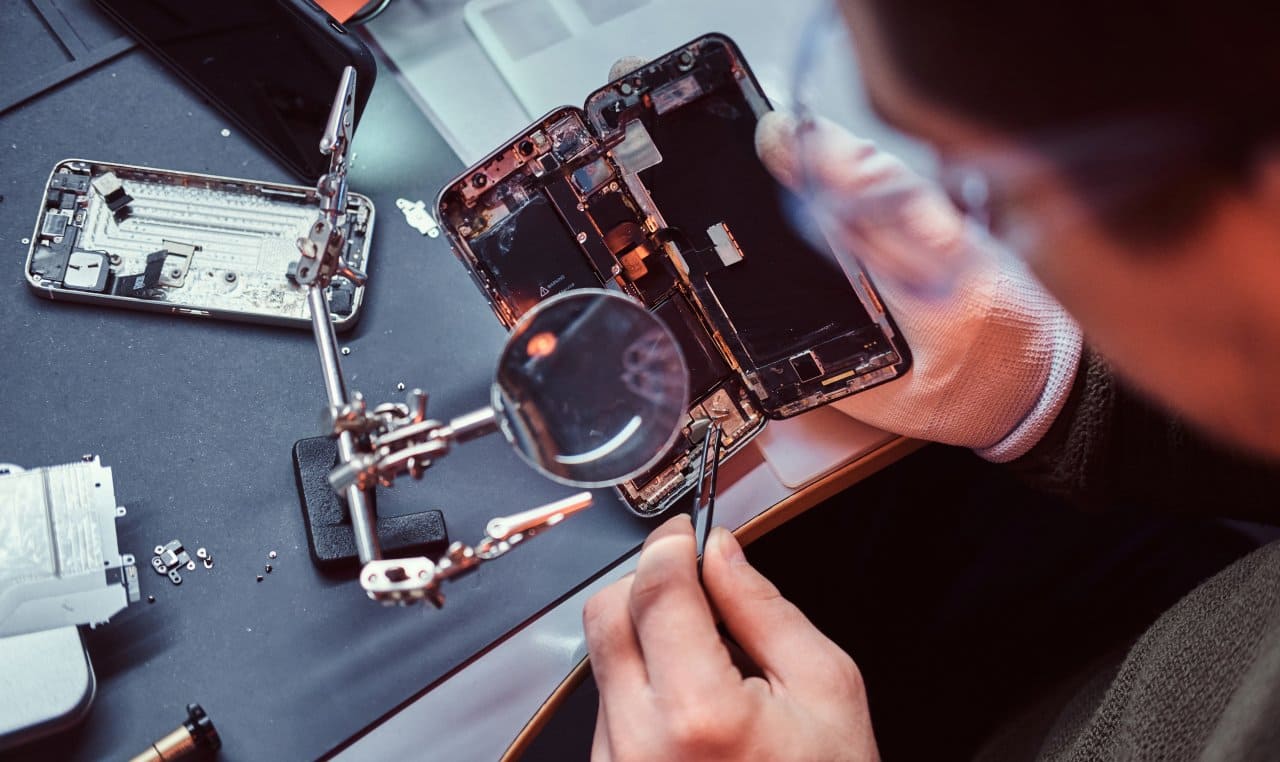
    YouTube remains one of the most powerful free learning platforms in the world. You can find tutorials on almost every repair topic — from basic disassembly to complex chip-level fixes.

    Several channels are dedicated entirely to mobile repair. They offer practical knowledge with real examples, making it easier to understand how repairs work in actual shops.

    What you can learn on YouTube

    • How to open different phone models
    • Diagnosing common issues
    • Soldering and microsoldering basics
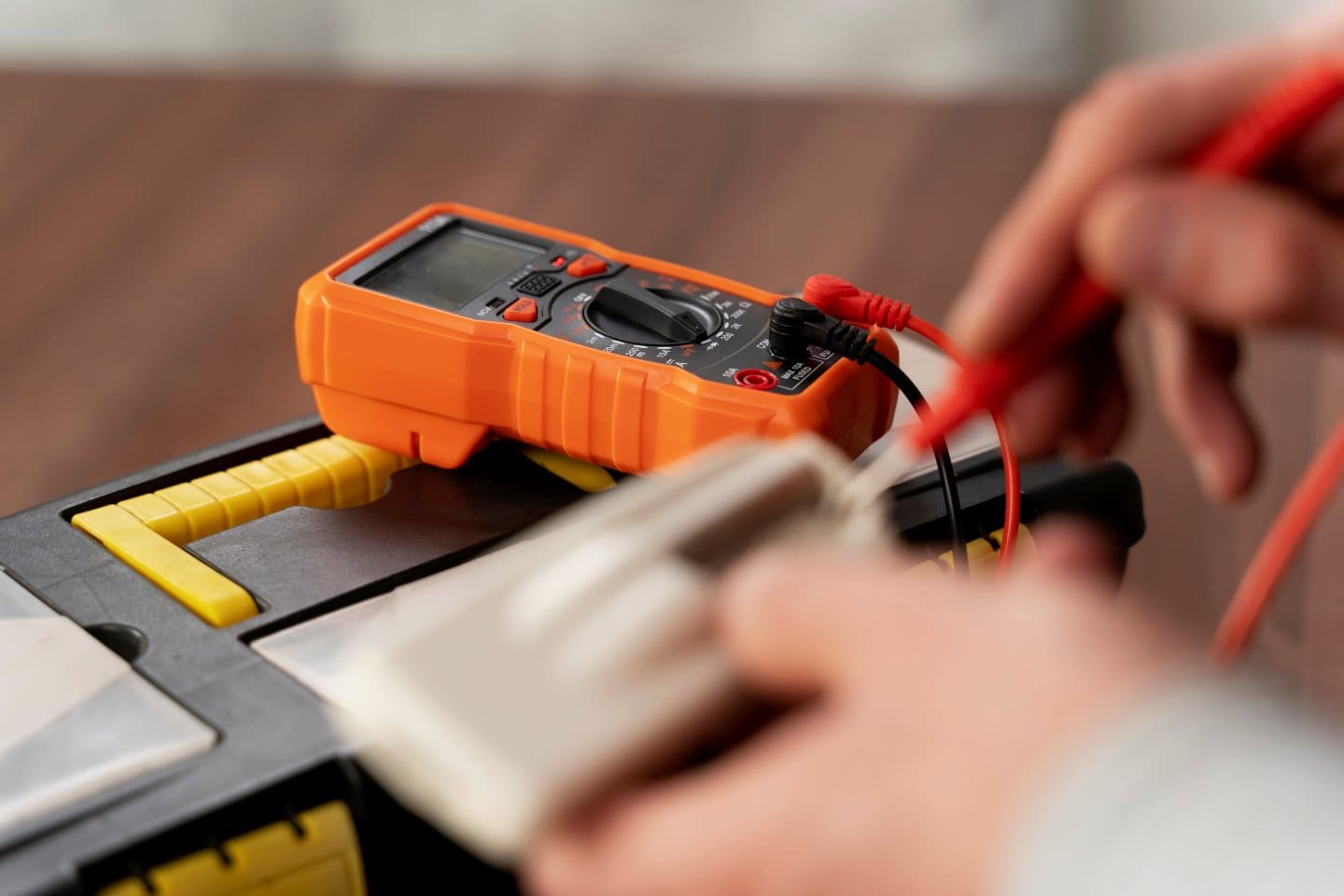
    • Using multimeters and repair tools
    • Water damage repair
    • Screen, battery, and charging issues

    “Every expert was once a beginner who watched one extra video and tried one more time.”

    The advantage is the variety. You’ll find videos from technicians around the world, each with a unique repair style. This gives you exposure to different approaches, tips, and tricks that you won’t learn in textbooks.


    4. GSMHosting Forum — The Oldest and Most Trusted Repair Community

    If you want practical solutions from real technicians, GSMHosting Forum is the place to go. It is one of the largest online communities for mobile repair professionals.

    Forums remain valuable because they allow you to ask questions and receive multiple solutions for the same problem. You learn how different technicians handle the same issue differently.

    Why GSMHosting is valuable

    • Thousands of real repairs discussed
    • Troubleshooting advice from experienced technicians
    • Searchable database of past questions
    • Active members from all over the world
    • Perfect for both beginners and advanced learners
    gsm forum for cell phone repair technicians

    If you ever face a unique problem while repairing a phone, you will almost always find someone who has already solved it and shared the steps here.


    5. Cellphonerepairtutorials.blogspot.com – Old but Valuable Repair Knowledge

    This blog is not fancy, but it contains some of the most straightforward mobile repair explanations available online. Many technicians use Cellphonerepairtutorials.blogspot.com when they are learning and the information is still useful for beginners.

    Why this blog is still relevant

    • Good explanations of common repair problems
    • Simple language, easy for beginners
    • Covers basic handset issues
    • Focus on fault-finding and troubleshooting

    It may not be updated frequently, but the fundamentals of mobile repair haven’t changed. Basic fault identification, common error patterns, and hardware behavior remain similar across generations. That’s why this blog continues to be a helpful starting point for beginners.tronics is a major advantage.


    6. MobileRepairingOnline.com – Organized and Beginner-Friendly Learning

    MobileRepairingOnline.com offers a structured and organized format for learning. The articles are indexed clearly, making it easy to browse and follow along.

    Why it’s great for beginners

    • Systematic layout
    • Covers basic and intermediate topics
    • Easy explanations and visuals
    • Useful for revising concepts

    You’ll find content on charging problems, display issues, network faults, and handset basics. For newcomers who want to understand the fundamentals step by step, this site is extremely helpful.


    7. Alison Mobile Repair Basics — One of the Most Popular Free Courses

    Alison offers a free structured course on the basics of mobile device repair. It provides a clear introduction to various mobile components and common issues.

    Course highlights

    • Mobile hardware basics
    • Software troubleshooting
    • Safe handling practices
    • Step-by-step instructions
    • Free assessments

    The simple language and systematic layout make it ideal for complete beginners.

    After completing the basic modules, you’ll understand:

    • What is inside a mobile phone
    • How different parts work
    • How to identify common issues
    • How to follow safe repair practices

    This course is a great starting point before moving on to more advanced platforms like REWA.


    8. Prizm Institute Blog — Tips, Mistakes, Techniques & Real Technician Advice

    Prizm Institute’s blog continues to be a reliable resource for practical repair knowledge. The content is concise, easy to understand, and focused on real technician problems.

    The blog provides:

    • Tips for beginners
    • Troubleshooting guides
    • Mistakes to avoid
    • Repair tool suggestions
    • Safety rules
    • Business advice for technicians

    It is especially helpful for people planning to start a repair career or shop.

    Examples of helpful reads include:

    • Important tips for phone repair technicians
    • Common mistakes most technicians make
    • Safety rules to protect devices and yourself
    • How to succeed in the repair business

    The information is practical, experience-based, and written for people who want real-world skills rather than theory.

    Read 8 Safety Rules To Be Followed By Cell Phone Repair Technicians


    Additional Tips to Learn Mobile Repairing Effectively

    Learning from websites alone isn’t enough. Here are some simple tips to speed up your learning process:

    1. Practice on old or dead phones

    Start with phones that no one is using. Practice opening, closing, and identifying components.

    2. Buy basic tools

    You don’t need advanced equipment at the beginning. Start with:

    • Screwdrivers
    • Plastic opening tools
    • Tweezer set
    • Multimeter
    • Heat gun (optional)

    3. Watch before practicing

    This reduces your chances of making mistakes.

    4. Build patience

    Phone repair requires steady hands and calm focus.

    5. Learn from multiple sources

    Different experts explain the same concept in different ways. Learning from various sources exposes you to better methods.

    Conclusion

    Learning mobile repairing has never been easier. With the help of free online resources, you can understand the basics, practice with simple tools, and fix common issues confidently. These platforms give you a strong foundation so you can move towards professional-level training when you’re ready.

    Remember, repair is a skill built through repetition. The more phones you open, diagnose, and fix, the faster you grow. Even small achievements boost confidence.

    Start with simple repairs. Study consistently. Practice safely. And slowly, you’ll develop the hands-on expertise that separates a beginner from a skilled technician.

    “Every repair you complete teaches you something new – keep learning, keep improving.”

    Note: While these websites are great for beginners and DIY learners, the best way to truly master mobile repairing is through structured training under an experienced instructor. This list is meant to help you start learning basics and improve your understanding.

    If you want to build a professional career as a mobile repair technician, you can join join our mobile repairing course and learn the skills needed to work confidently in the field.

  • How to Start a Cell Phone Repair Business at Home (Step-by-Step)

    How to Start a Cell Phone Repair Business at Home (Step-by-Step)

    The mobile repair industry has grown rapidly, and the demand for skilled technicians continues to rise as smartphones become more complex and expensive to replace. Many people around the world now prefer repairing their devices instead of buying new ones, which makes home-based phone repair a practical and profitable opportunity.

    Starting small—right from your home—is one of the smartest ways to enter this business. It reduces costs, lowers risks, and gives you time to build confidence before expanding into a full service center. If planned well, a home-based repair business can become a strong stepping stone toward a full-time repair shop or even a multi-technician company.

    “Every successful business begins with a small, confident step—consistency turns that step into a journey.”

    This guide explains how to start a cell phone repair business at home in a simple, practical, and globally applicable way.


    Why Start a Home-Based Phone Repair Business?

    A home setup allows you to learn, experiment, and grow without the pressure of heavy investment. With millions of smartphone users worldwide, the market is large and continuously expanding. Even a small part-time business can generate good income if managed properly.

    Before you begin, it helps to understand the advantages and disadvantages of running your repair service from home.


    Advantages of Starting a Home-Based Repair Business

    1. Low Startup Cost

    The biggest advantage is the small financial requirement.
    You avoid expenses such as:

    • Shop rent
    • Staff salaries
    • Store interiors
    • Utility bills
    • Large inventory requirements

    Most beginners need only basic tools, a clean workspace, and a small stock of popular spare parts.

    2. Flexible Working Hours

    Working from home allows you to:

    • Set your own schedule
    • Accept repairs at convenient times
    • Manage studies, another job, or family commitments
    • Work late nights or weekends if needed

    Flexibility makes the business suitable for students, part-time earners, and stay-at-home professionals.

    3. Higher Profit Margins

    When expenses are low, most of what you earn becomes profit.
    You don’t share revenue with staff or pay commercial rent.

    Technicians who deliver high-quality work often get repeat customers, which further improves income.

    4. Personalized Service

    Customers appreciate technicians who:

    • Communicate clearly
    • Repair quickly
    • Offer honest advice

    Home-based businesses often build stronger relationships and customer loyalty because of the personal attention they provide. For more advantages of home based business, you should also read top 10 advantages of a home based business.


    Disadvantages of Running a Repair Business From Home

    1. Lower Productivity

    Working at home can bring distractions like:

    • Family interruptions
    • TV or noise
    • Irregular routine
    • Lack of discipline

    This reduces the number of repairs you complete each day unless you follow a structured work plan.

    2. Limited Space and Customer Reach

    A home workshop cannot accommodate:

    • Multiple technicians
    • Heavy foot traffic
    • Larger equipment
    • Large spare parts inventory

    Some customers may prefer visiting a shop on the main road instead of a home location.

    3. Professional Image Challenges

    Some clients view home-based services as less professional, especially in urban areas.
    However, good service quality and strong customer reviews can overcome this perception quickly.


    Is a Home-Based Repair Business Right for You?

    If you prefer:

    • Low investment
    • Flexible working hours
    • Slow, steady growth
    • Learning at your own pace

    …then starting at home is a great option.

    You can always expand later once your income becomes stable. It is always better to take smaller risks rather than taking big leaps and at the same time be more successful in cell phone repair business.

    “Success rarely arrives overnight—build the foundation first, and the results will follow.”


    How to Start Your Cell Phone Repair Business at Home

    Here is a clear, step-by-step process that works anywhere in the world.


    1. Learn the Necessary Skills

    Repairing smartphones requires proper training. Modern phones use complex hardware, tiny components, and several parts. To succeed, you must understand:

    • Parts of a cell phone
    • Chip-level concepts
    • Display technologies
    • Battery and charging systems
    • Software flashing
    • Operating system issues
    • Water-damage treatment
    • Soldering and microsoldering (optional but useful)

    You can learn through:

    • A reputable cell phone repair training course
    • Online courses
    • Free tutorials and repair guides
    • Practical hands-on practice

    Look for training that also teaches business management, customer handling, and pricing strategies. You can learn cell phone repair at any cell phone repair school.

    Some technicians also gain experience by working at a local repair shop before starting their own service. Additionally, you can also browse these websites to learn mobile phone repair online for free!

    Practical Tip:
    Don’t rush. Work on practice boards and old phones before repairing customer devices.


    2. Set Up Your Home Workstation

    A proper workstation improves your speed, accuracy, and confidence. Choose a quiet corner such as:

    • Study room
    • Spare bedroom
    • Garage
    • Basement
    • Partitioned office area

    Your workspace should have:

    • A sturdy table and comfortable chair
    • Good lighting
    • A magnifying lamp
    • Anti-static mat
    • Storage drawers for parts
    • Electric outlets for tools

    Keep your workstation clean and organized to avoid losing screws or damaging components.

    cell phone repair home workstation

    Essential Tools You Will Need

    Depending on your service level, you may need:

    • Screwdriver sets
    • Opening tools
    • Tweezers
    • Soldering iron and hot air gun
    • Multimeter
    • UV lamp for OLED/GLUE repairs
    • Battery tester
    • Cleaning alcohol
    • Heat pad
    • Mobile vice stand

    Start simple. You can upgrade tools as your business grows.

    Read 20 Killer Tips To Be More Successful in Cell Phone Repair Business


    3. Maintain an Organized Spare Parts Inventory

    Spare parts are a major part of phone repair. Customers expect quick repairs, so having common parts in stock is important. Popular parts include:

    • Screens (mostly for mid-range models)
    • Charging flex cables
    • Batteries
    • Back glass panels
    • Buttons and speakers
    • Tempered glass
    • Connectors

    Use labeled boxes or containers to store parts clearly. Keep separate boxes for:

    • iPhone parts
    • Android parts
    • Repaired vs. faulty components

    Buy parts from trusted suppliers to avoid quality issues. As your business grows, order in bulk to reduce cost.


    4. Create Your Business Identity

    Every successful business needs:

    • A name
    • A logo
    • A simple brand message

    Choose a name that is:

    • Easy to pronounce
    • Clear about what you do
    • Unique
    • Memorable

    A good identity builds trust and differentiates you from competitors. Here is an excellent article to help you choose the best cell phone repair business names.

    If possible, design:

    • A digital business card
    • A WhatsApp catalog
    • A small flyer
    • A simple website or Google Business Profile

    These help clients reach you easily.


    5. Check Local Legal Requirements

    Laws differ from country to country, but most small businesses need basic compliance, such as:

    • Business registration
    • Tax registration or GST/VAT ID
    • Service invoices
    • Repair documentation

    If handling customer data (e.g., photos on phones), maintain strict privacy and confidentiality, which increases trust.

    Consult a local advisor or small business consultant if needed.


    6. Plan Your Logistics and Workflow

    A smooth workflow ensures faster repairs and satisfied customers. Decide:

    How customers will contact you:

    • Phone call
    • WhatsApp
    • Facebook
    • Google Business Profile
    • Local classifieds

    How phones will be received:

    • Customers drop them at your home
    • You offer pickup and drop (optional)
    • You provide on-site repair for simple issues (optional)

    Optional On-Site Service Mention (as requested)

    For small repairs like battery replacements or software fixes, you may choose to visit customers locally.
    Offer this only if you feel confident and safe, and charge a small convenience fee.


    7. Start Advertising Your Home-Based Business

    Marketing is essential, especially because you don’t have a storefront.

    Online Marketing Strategies

    • Create a Google Business Profile
    • Post repairs and tips on Instagram or Facebook
    • Share before/after repair photos
    • Ask customers for reviews
    • Run small local ads (optional)

    Offline Marketing Strategies

    • Place a small board outside your home
    • Distribute flyers in your neighborhood
    • Offer referral discounts
    • Inform friends, neighbors, and colleagues

    A strong reputation grows faster than any advertisement.
    Good service = good word of mouth.


    8. Manage Time, Money, and Customer Trust

    To build a sustainable business:

    Be honest

    Never replace working parts with low-quality alternatives.
    Explain repairs clearly and transparently.

    Be punctual

    Complete repairs on time.
    People depend heavily on their phones.

    Keep records

    Maintain a simple log of:

    • Repairs
    • Costs
    • Customer details
    • Spare parts used

    Offer warranties where possible

    Even a 7-day or 15-day service warranty builds credibility.


    9. Expand Slowly and Strategically

    Once your income becomes stable, you may:

    • Rent a small shop
    • Offer more repairs (e.g., tablets, laptops)
    • Hire another technician
    • Sell accessories
    • Sell used/refurbished phones
    • Provide screen protection services
    • Offer data recovery or unlocking services

    Expansion should be slow but steady.
    The goal is long-term growth, not overnight success.


    Final Summary

    Starting a cell phone repair business at home is one of the most practical small-business ideas today. It requires low investment, provides flexible working hours, and offers high earning potential if you deliver quality service.

    To succeed, you need:

    • Proper repair skills
    • A clean workstation
    • Good spare parts
    • Honest communication
    • Smart advertising
    • Patience and consistency

    If you stay committed and continue learning, your home-based business can grow into a respected repair brand.

    Read How to Learn Cell Phone Repair & Be a Certified Technician

    Read How to Make More Profit in Mobile Phone Repairing Business

  • Best Smartphone Screen Size: How to Choose the Right One?

    Best Smartphone Screen Size: How to Choose the Right One?

    When you decide to upgrade your smartphone, screen size becomes one of the most important factors. Today’s phones are more than just communication tools. They have become our entertainment hubs, work companions, travel guides, gaming devices, and even personal organizers. Because so much of your daily life happens through your display, choosing the right smartphone screen size matters more than ever.

    Modern phones come in a wide range of sizes, and each category suits a different kind of user. Some people want a compact phone that fits in any pocket. Others want a giant display for gaming or watching movies. Many users prefer a balanced size that feels comfortable while offering enough space for multitasking.

    “The best screen size is the one that fits your life, not just your hand.”

    This guide simplifies the decision-making process. We’ll explore the real-world sizes sold today and help you find the perfect fit based on comfort, usage, ergonomics, and personal preference.


    Why Screen Size Matters More Than Ever

    Smartphones have replaced multiple devices — cameras, music players, computers, GPS units, and even books. A bigger or smaller screen can change how enjoyable these tasks feel. For example:

    • A larger display makes gaming, video streaming, and reading much easier.
    • A smaller phone improves one-hand use and portability.
    • People who work on the go benefit from mid-size displays that balance comfort and productivity.

    Before choosing a phone, think about how you use it every day. Do you stream OTT shows? Take notes? Take calls all day? Play games? Or do you just want something light and easy to carry?

    Apart from screen size, you should also know how to check the specifications and select the best smartphone for yourself


    Understanding Modern Smartphone Screen Sizes

    Today’s phones fall into four broad categories:

    1. Compact phones — around 5.8″ to 6.1″
    2. Standard mid-size phones — around 6.2″ to 6.5″
    3. Large phones — around 6.6″ to 6.9″
    4. Foldable and tablet-sized displays — 7″ and above when unfolded

    Instead of looking only at numbers, you must also consider:

    • Screen-to-body ratio
    • Aspect ratio (like 20:9 or 19.5:9)
    • Usable display area
    • Weight and thickness
    • Your hand size and grip comfort

    A 6.5-inch phone today often feels similar to an older 5.5-inch phone because displays have become taller and bezels have almost disappeared.


    Compact Screen Size (5.8″ – 6.1″)

    Perfect for users who value portability and ease of use.

    Pros

    • Easy to hold and operate with one hand
    • Fits comfortably in pockets, handbags, or small pouches
    • Lightweight and ideal for long calls
    • Great for seniors or users with smaller hands
    • Less chances of accidental slips

    These phones still offer powerful hardware and great displays, especially in premium smartphones.

    Cons

    • Not ideal for gamers who want a wide field of view
    • Smaller keyboard area may reduce typing comfort for some
    • Watching movies or reading long documents may not feel as immersive

    Best For

    • Minimalists
    • Commuters
    • Business users who prefer compact devices
    • Students who want a lightweight daily-use phone

    Mid-Size Screen (6.2″ – 6.5″) — The Most Popular Category

    This size range is the ideal middle ground for many users. It offers excellent usability without making the phone feel bulky.

    Pros

    • Comfortable for both one-hand and two-hand use
    • Great for streaming, reading, and light gaming
    • Better battery sizes and improved thermal performance
    • A balanced viewing and typing experience
    • Works well for multitasking and productivity

    Most flagship and mid-range phones fall in this category because they appeal to the widest audience.

    Cons

    • May feel slightly large if you prefer compact designs
    • One-handed use can still be difficult depending on the model

    Best For

    • Everyday users
    • Students
    • Professionals
    • Anyone who wants a well-balanced smartphone

    Large Screen Size (6.6″ – 6.9″)

    Ideal for entertainment lovers, gamers, and heavy multitaskers.

    Pros

    • Superb for watching movies, editing videos, and immersive gaming
    • Spacious screen improves typing and scrolling
    • Great for reading PDFs, designing, or sketching on apps
    • Often paired with powerful processors and large batteries

    A large display feels almost like carrying a mini-tablet in your hand.

    Cons

    • Not pocket-friendly for many people
    • Can be uncomfortable during long calls
    • Heavy and harder to operate with one hand
    • More expensive to repair if the display breaks
    • Requires sturdy grip and good-quality cases

    Best For

    • Content creators
    • Avid gamers
    • Users who watch videos frequently
    • People who work from their phone

    Foldable Phones and Tablet-Size Screens (7″+ unfolded)

    Foldables are the newest trend and continue to evolve. When opened, they offer a large display similar to a small tablet.

    Pros

    • Excellent for multitasking and split-screen usage
    • Perfect for reading, designing, or productivity tasks
    • Great for entertainment with near-tablet screen space
    • Offers two experiences: compact and expanded

    Cons

    • Expensive
    • Delicate hinge and inner display
    • Requires careful handling
    • Thicker and heavier than normal smartphones

    Best For

    • Professionals
    • Tech lovers
    • People who want both a phone and a tablet in one device
    history of cell phone screens

    What Should You Consider Before Choosing a Smartphone Screen Size?

    Choosing the right size becomes easier when you understand your personal usage. Here are the key factors:


    1. Hand Size and Grip Comfort

    If your phone slips often or feels uncomfortable, the screen is too big. Try this simple test:

    ➡️ Wrap your hand around the phone. If your thumb cannot reach half the screen, the size may be too large for one-hand use.


    2. Daily Routine and Usage Pattern

    Different users benefit from different sizes:

    • Office workers → prefer mid-size for email and documents
    • Gamers → need large screens
    • Travelers → want compact phones
    • Students → prefer mid-size for versatility

    3. Battery Life

    Larger screens consume more power, but they also come with bigger batteries. Compact phones save power but often have smaller battery capacity.


    4. Display Quality

    A large screen is not automatically better. You must also consider:

    • AMOLED vs LCD
    • Refresh rate (60Hz, 90Hz, 120Hz)
    • Brightness levels
    • Color accuracy

    A high-quality mid-size AMOLED display is better than a low-quality large display.


    5. Portability

    If you travel daily, commute, or walk a lot, a compact phone is easier to handle. Large phones may feel bulky in jeans pockets.


    6. Repair Costs

    Replacing a large or foldable display is much costlier than repairing a compact display. Consider long-term repair expenses.


    7. Work vs Entertainment Balance

    Ask yourself:

    • Am I buying this phone mainly for Netflix, YouTube, or gaming?
    • Do I read e-books or edit documents often?
    • Do I want a lightweight phone for calls and social media?

    Your answer will guide you to the right size.


    Comparison Table: Which Screen Size Fits Your Need?

    CategoryScreen SizeBest ForPortabilityOne-Hand UseEntertainment
    Compact5.8″–6.1″Daily tasks, callingExcellentEasyModerate
    Mid-Size6.2″–6.5″Balanced usageGoodMediumGood
    Large6.6″–6.9″Gaming, movies, productivityAverageDifficultExcellent
    Foldables7″+Multitasking, design workLowHardOutstanding

    “Choosing a smartphone is not about inches. It’s about comfort today and convenience tomorrow.”


    How Modern Display Ratios Affect Real-World Usability

    Older smartphones had wider bezels and shorter displays with 16:9 ratios. Modern screens are taller (19.5:9, 20:9, 21:9), which makes even larger displays feel slimmer and easier to use.

    This is why a 6.7-inch phone today may feel more comfortable in your hand than a 5.5-inch phone from years ago. At Prizm Institute, the students enrolling into mobile servicing course are taught about all major smartphone specifications to consider and check while buying them.

    More screen, same hand comfort — that’s the advantage of modern display engineering.


    Which Screen Size Should You Choose? (Simple Guide)

    Here is a quick way to decide:

    Choose a compact phone if you want:

    ✔ One-hand use
    ✔ Lightweight design
    ✔ Easy portability

    Choose a mid-size phone if you want:

    ✔ Balance between comfort and entertainment
    ✔ Good gaming + good portability
    ✔ Best overall value

    Choose a large phone if you want:

    ✔ Stunning visuals and immersive experience
    ✔ Best for gaming and movies
    ✔ More space for reading and document editing

    Choose a foldable phone if you want:

    ✔ Tablet-like workspace
    ✔ Premium multitasking
    ✔ Cutting-edge features


    Conclusion: Your Perfect Smartphone Screen Size Depends on You

    There is no universal “best” smartphone screen size. The perfect size is the one that fits your lifestyle, daily habits, comfort level, and preferences. With modern technology, every size category brings its own strengths.

    Whether you want a compact device, a balanced mid-size phone, a large immersive display, or a foldable powerhouse, the right choice is the one that makes your life easier.

    Think about how you use your phone every day — that answer will guide you toward the ideal display.

  • All About Alfa Mobile Store Irla, Vile Parle, Mumbai – The Famous Electronics Shop

    All About Alfa Mobile Store Irla, Vile Parle, Mumbai – The Famous Electronics Shop

    Alfa Stores, often also referred to as Alfa Mobile Store, Alfa Electronics or Alfa Irla, is one of the most popular gadget destinations in Mumbai. Located in Irla, Vile Parle West near Cooper Hospital and Prime Mall, this shop has earned a strong reputation for selling electronic products at competitive prices. For many Mumbaikars, the store has become a trusted place to buy smartphones, tablets, cameras, laptops, and home appliances.

    People who want genuine products and transparent pricing often choose this store over many other gadget outlets. Over the years, Alfa has become more than just a mobile store. It has grown into a complete electronics hub and one of the most-recognized offline markets in Mumbai.

    “A trusted store is one where people return not for discounts, but for confidence.”


    What Makes Alfa Store Popular Among Shoppers?

    Alfa is known for providing a wide variety of electronic devices under one roof. Customers often say that the shop offers models and gadgets that are not easily found in regular malls or local markets. Many imported products also arrive here before they reach other offline stores.

    alfa stores irla mumbai logo

    Some popular items found here include:

    • Mobile phones of all major brands
    • Tablets and iPads
    • Latest laptops and MacBooks
    • Smartwatches and accessories
    • Gaming consoles like PlayStation and Xbox
    • High-quality headphones and speakers
    • Cameras, lenses, and photography gear
    • Small home appliances and kitchen gadgets

    The store also stocks rare electronic items and hard-to-find imported gadgets that attract tech enthusiasts from all over Mumbai. Prizm Institute, which guides students about gadgets during its mobile training programs, also considers Alfa Store one of the most reliable offline shops for purchasing smartphones and accessories in Mumbai.

    Apart from electronics, Alfa also sells:

    • Perfumes
    • Imported Chocolates
    • Sauces
    • Cosmetics
    • Sunglasses
    • Clothing & Footwear
    • Gift items
    • Watches
    • Clocks

    However, its true identity still lies in being a leading electronics shop in Irla with a loyal customer base.


    The Shopping Experience at Alfa Stores Irla

    Alfa Stores is almost always crowded, especially during weekends and festivals. Customers travel from Andheri, Santacruz, Bandra, Jogeshwari, Goregaon, Kandivali, Borivali, and many other parts of the western suburbs. People from Navi Mumbai, Thane, and even other districts of Maharashtra make special visits to Irla to shop from Alfa.

    The shop has four sections—Alfa 1, Alfa 2, Alfa 3, and Alfa 4.
    Each section is dedicated to a different category of products, which makes browsing easier. Because of Alfa’s popularity, the nearby area itself is commonly known as Alfa Market and Irla Market, filled with stalls, mobile accessory shops, and small vendors who benefit from the heavy footfall Alfa brings to the locality.

    The biggest reason people choose this store is straightforward:

    They get a wide range of products at good prices without compromising on quality.

    Many customers who prefer offline shopping over online platforms visit Alfa for peace of mind. They get to check the device, compare models, and interact with staff before making a purchase. This personal touch is what keeps the store thriving in the age of e-commerce.


    Why People Prefer Alfa Over Other Stores

    Customers often list the following reasons:

    • Huge variety of electronics
    • Competitive pricing compared to many offline stores
    • Genuine and original products
    • Good discounts during festive seasons
    • One of the oldest and most trusted electronics shops in Mumbai
    • Availability of imported gadgets not found elsewhere
    • Easy access from major locations like Andheri and Vile Parle

    Many popular personalities—including models, actors, and business professionals—also shop here. Its reputation has remained strong for decades, making it a landmark electronics store in Vile Parle.


    Nearby Alternatives for Gadget Shopping in Mumbai

    Although Alfa is a top choice, some other reliable offline gadget and mobile stores in Mumbai include:

    • Zoop, Charni Road
    • Khazana Collection, Kalina
    • Top 10 Stores, multiple branches across Mumbai

    These stores also offer a good range of electronics and smartphone accessories, but Alfa’s long-standing reputation still places it ahead for many buyers.


    Customer Tips Before Shopping at Alfa Irla

    To make the most of your shopping experience at this electronics store, consider the following tips:

    1. Compare models before visiting

    Alfa has many options. Check online reviews first so you know what to look for.

    2. Avoid peak hours

    Evenings and weekends are extremely crowded. Weekdays are calmer.

    3. Ask about warranty clearly

    Ensure the product has a valid manufacturer warranty, especially for imported items.

    4. Keep payment options ready

    The store accepts multiple payment modes, but having cash or UPI helps speed up billing.

    5. Check prices across sections

    Sometimes, the same model may be available in more than one Alfa outlet.

    6. Inspect the product physically

    Since this is an offline gadget store, always check the device before buying.

    7. Visit during festival sales

    The store offers attractive prices during Diwali, Eid, and other festive seasons.


    Address, Contact & Location Information

    Address:
    5 & 6, Dadi House, Irla Society Road,
    Vile Parle (West), Mumbai – 400056, Maharashtra, India

    Phone Numbers:
    (022) 26713459
    (022) 26719696

    Landmarks:
    Cooper Hospital and Prime Mall

    Nearest Railway Stations:

    • Vile Parle (Western Line)
    • Andheri (Western & Metro Line)

    The area is well connected by bus, auto, and private vehicles, making it easy for customers to reach the store from across the city. Parking is an issue here. You can pay and park near Khadi store.


    Why Alfa Irla Continues to Dominate Mumbai’s Electronics Market

    Alfa has kept its reputation intact due to:

    • Trust built over decades
    • Quick product turnover
    • Updated stock of latest gadgets
    • Reliable quality
    • Transparent pricing
    • Strong customer loyalty

    Even as online shopping grows, Alfa continues to thrive because many shoppers want a real, hands-on buying experience. They prefer checking their smartphones or cameras in person rather than depending solely on online listings.

    “Offline stores survive not only by selling products, but by selling trust.”

    Alfa Irla has managed to build exactly that trust.


    Final Thoughts

    If you are in Mumbai and love exploring gadgets, Alfa Store in Irla, Vile Parle is a must-visit. You can find everything from the latest smartphones to cameras, laptops, wearables, accessories, and even unique imported devices. The prices are competitive, the variety is excellent, and the experience feels far more personal than buying online.

    Whether you are upgrading your mobile, buying a gift, or exploring tech products, Alfa continues to remain one of the best electronics markets in the city.

  • 15 Signs of Cell Phone Addiction and How to Stop It

    15 Signs of Cell Phone Addiction and How to Stop It

    Have you ever felt your phone vibrate, only to find no message at all? Many people today check their smartphone even when there is no notification. They refresh apps repeatedly, open social media without thinking, or reach for their phone the moment they feel bored. These habits may seem harmless, but they can indicate a growing dependence on your device.

    This guide explains the 15 signs of cell phone addiction and how to stop it, using simple explanations and practical steps. With rising screen time and constant notifications, understanding these warning signs has become essential for students, professionals, parents, and anyone seeking a healthier digital life.

    Smartphone usage has increased because these devices offer everything – work, chats, entertainment, shopping, banking, navigation, and more. But when digital tools start controlling our daily routine, it becomes important to pause and check the impact on our mental and physical well-being. Do you call it an addiction or merely a habit that you are very closely associated with?

    “Technology is a powerful servant, but a dangerous master.”
    This thought captures the balance we must strive for.

    Let’s explore why this type of dependence develops and how to identify it early.


    Why People Develop Mobile Phone Addiction

    Smartphones make life convenient. We can message friends, attend online classes, book tickets, watch videos, or manage finances from one device. This convenience works like a reward system. Every notification, like, message, or update creates a small dose of happiness in the brain. Over time, people start seeking that feeling again and again.

    Many psychologists explain that smartphone overuse works similarly to other behavioral addictions. It triggers the release of dopamine, a chemical linked to pleasure and reward. This is why people keep checking their phones even without a reason.

    Some common reasons people develop this habit include:

    • Fear of missing out on updates
    • Constant access to entertainment
    • Social validation through likes and comments
    • Stress, loneliness, or boredom
    • Habitual scrolling without awareness
    • Increased dependence on digital tools

    Devices are built to keep us engaged. Endless scrolling, notifications, and personalized feeds make it even harder to disconnect.

    But how do you know when usage becomes harmful? The signs below will help you evaluate your behavior honestly.


    Understanding Overuse vs. True Addiction

    Using your phone for work, study, or communication is normal. Many people rely on devices for productivity and learning. But when usage starts affecting your sleep, focus, relationships, or mental health, it becomes a matter of concern.

    Overuse looks like:

    • Checking your phone often
    • Keeping it beside you all day
    • Using it before bed

    You should know that when it comes to smartphone addiction, it has to be a little more serious as cell phone addiction has dangerous side effects. For example, when you use your smartphone to fill emotional voids or to distract yourself from unpleasant feelings it can be considered addiction.

    Addiction looks like:

    • Feeling anxious without your phone
    • Ignoring people around you
    • Using the phone to escape stress
    • Being unable to control the urge to check

    A person may not realize they are addicted until habits become deeply ingrained. The list below helps highlight unhealthy patterns.


    15 Signs You May Be Addicted to Your Smartphone

    1. You feel you use your phone less than you actually do

    Screen time reports often surprise people. They think they used it for an hour, but the actual time is much higher.

    2. You procrastinate using your smartphone

    You delay tasks because scrolling feels easier than starting work.

    3. You lose track of time

    You unlock your phone for “one minute” but end up spending half an hour.

    4. You prefer texting instead of meeting people

    Digital communication replaces face-to-face conversations.

    5. Your daily usage keeps increasing

    You notice you are spending more time online than before.

    6. You wish you had more time on your phone

    You feel excited about phone time rather than real-world activities.

    7. You sleep with your phone beside you

    You keep it under your pillow or close to your bed, even at night.

    8. You respond instantly to messages

    You pause your activity immediately when a notification arrives.

    9. You use your phone while driving or walking

    This is extremely dangerous, yet many people do it without thinking.

    10. You believe your phone is essential for productivity

    You justify usage even when it distracts you.

    11. You feel uneasy without your phone

    Even a short period without it makes you uncomfortable or anxious.

    12. You keep your phone in your pocket at all times

    You feel the need to stay connected, even during conversations.

    13. You eat while browsing

    Meals become scrolling sessions instead of mindful eating.

    14. You cannot resist checking your phone repeatedly

    You open apps again and again, even without new updates.

    15. You feel you cannot function without your phone

    Every activity—studying, relaxing, exercising—needs phone support.

    Agreeing to several of these signs does not automatically classify you as addicted. But it is a warning that you should take control before habits worsen.

    “If your phone takes all your attention, your real life fades into the background.”

    15 Signs You’re Addicted to Your Cell Phone

    How Smartphone Addiction Affects Your Life

    Even mild dependence can lead to bigger issues:

    Mental Effects

    • Stress from constant notifications
    • Anxiety when phone is not nearby
    • Reduced attention span
    • Difficulty focusing on work or study

    Physical Effects

    • Eye strain
    • Neck and back pain
    • Sleep problems
    • Headaches from screen brightness

    Social Effects

    • Less quality time with family
    • Reduced face-to-face conversations
    • Misunderstandings due to distraction

    Behavioural Effects

    • Continuous multitasking
    • Impulsive unlocking
    • Loss of interest in hobbies

    Understanding the impact helps you value the need for balance.


    How to Stop Cell Phone Addiction — Practical Steps

    Breaking this habit is possible with awareness and simple changes. You may not need to quit using your phone completely. You only need to regain control over your digital habits.


    1. Turn Off Non-Essential Notifications

    Most notifications are unnecessary. Disable:

    • Social media alerts
    • Promotional messages
    • App updates
    • Game reminders

    This reduces interruptions and improves focus.


    2. Set Screen Time Limits

    Use built-in screen time features to control usage. Limit:

    • Social media
    • Video apps
    • Games

    Small restrictions can create big changes.


    3. Avoid Using Your Phone in Bed

    The blue light and notifications disturb sleep. Keep your phone on a table, not under your pillow.


    4. Create Phone-Free Zones

    Avoid phones:

    • During meals
    • In the bathroom
    • While studying
    • During family time

    This builds discipline.


    5. Start Using Traditional Alternatives

    Use:

    • A notebook instead of notes app
    • An alarm clock instead of your phone
    • A wristwatch instead of checking time repeatedly

    This reduces unnecessary unlocking.


    6. Reduce Social Media Usage

    Take breaks from apps that drain your time. Many people find success with:

    • 7-day detox
    • Limited login time
    • Uninstalling apps temporarily

    7. Do Not Check Your Phone Immediately After Waking Up

    This prevents your mind from starting the day with distractions.


    8. Practice Real Conversations

    Meet friends in person. Join a hobby class. Talk to family without your phone in hand.


    9. Turn On Grayscale Mode

    A black-and-white screen makes apps less attractive.


    10. Keep Your Phone Out of Reach While Working

    Place it in another room while studying or working. This improves productivity.


    11. Track Your Usage Honestly

    Check your daily usage report. Awareness is the first step to improvement.


    12. Use Apps Designed to Reduce Addiction

    There are apps that block distractions, stop notifications, or lock specific apps during study time.


    13. Replace Phone Time with Healthy Habits

    Try:

    • Walking
    • Reading
    • Meditation
    • Exercise
    • Music
    • Art

    Find something enjoyable offline.


    14. Talk to Someone if You Feel Overwhelmed

    If addiction feels uncontrollable, speak to a counselor. Many specialists help with digital dependence.


    15. Set Clear Daily Goals

    When your day has structure, you will use your phone less. Create a simple to-do list and follow it.


    Balancing Digital Life With Real Life

    Smartphones are helpful tools. They connect us, help us learn, and support our work. The problem begins when we use them without awareness.

    Healthy usage means:

    • Being present in the moment
    • Knowing when to disconnect
    • Using technology as a tool, not a companion

    Remember: Your phone is smart. But you must stay smarter than your phone.

    With mindfulness and simple habits, anyone can break the cycle of excessive usage and build a healthier relationship with technology.

    Of course, people use a lot of smartphones for their own benifits – to call, to use internet, to socialize and a for lot many things. But at the same time, continuous use of this gadget can be dangerous for health as well as your social life.

    Please also read 5 Tips To Avoid Spending Too Much Time On Your Cell phone to get rid of this cell phone addiction.

  • Mobile Repairing Markets in Mumbai for Wholesale Spare Parts and Accessories

    Mobile Repairing Markets in Mumbai for Wholesale Spare Parts and Accessories

    Every mobile technician and shop owner in Mumbai must know where to buy wholesale mobile accessories, spare parts, tools, and repair items at the best possible prices. The city has several well-known markets where both bulk buyers and retail customers visit daily. These places offer a wide range of spare parts, repairing tools, mobile covers, chargers, and accessories at competitive rates.

    This guide gives a detailed overview of the mobile repairing markets in Mumbai for wholesale spare parts and accessories, helping shop owners and technicians source affordable and good-quality products.

    These insights come from field experience, technician feedback, and practical guidance shared by Prizm Institute, a training centre known for its mobile repairing course in Mumbai and business support for students.


    Why Understanding These Markets Is Important

    To run a successful mobile repair business, you need:

    • Access to reliable spare parts
    • Good-quality tools
    • Competitive wholesale prices
    • Trustworthy suppliers
    • Knowledge of market trends
    • Awareness of which markets specialise in what products

    As many technicians say,
    “A good repair begins with the right spare part.”
    This is why knowing the right market saves time, reduces expenses, and improves customer satisfaction.

    Every city in India has its own clusters of mobile spare part markets. Just like Gaffar Market in Delhi and Jagdish Market in Hyderabad, Mumbai also has several famous wholesale hubs.

    All shops around the world import their goods from China from Shenzhen and Guangzhou – the two most famous cities for wholesale purchase of smartphone accessories and spare parts.

    Below is a complete list of Mumbai’s best mobile repair and accessories markets prepared by Prizm Institute – the training institute that conducts the best mobile repairing course in Mumbai. At Prizm Institute, we also provide guidance to all our students on how to start their own mobile repairing shop or business.


    Products Available in These Mobile Wholesale Markets

    These markets offer almost everything related to mobile repairing and accessories, including:

    Accessories:

    • Chargers
    • Headphones and Bluetooth devices
    • Tempered glass
    • Back covers
    • Ear buds and bluetooth neckbands
    • USB data cables
    • Mobile stands

    Spare Parts:

    • Displays (LCD/OLED)
    • Charging connectors
    • Speakers and mic
    • Camera modules
    • Batteries
    • Touch panels
    • Vibrator motors
    • Middle frames

    Repairing Services:

    Many shops also provide:

    • Quick repairing
    • Chip-level Motherboard & EMMC repairing
    • Flashing & Unlocking

    Top Mobile Spare Parts and Accessories Markets in Mumbai


    1. Orchid City Centre (City Centre Mall) – Mumbai Central

    Orchid City Centre, popularly known as City Centre, is one of the biggest wholesale clusters for mobile accessories and spare parts in Mumbai. Earlier, the mall had food and fashion stores, but over time it transformed into a major wholesale hub.

    There are more than 1200 small shops, mostly between 80–100 sq. ft. The second floor mainly hosts wholesalers who supply across Mumbai and other cities.

    You can find:

    • Displays for almost all brands
    • Batteries
    • Tempered glass
    • Covers and cases
    • Earphones and Bluetooth accessories
    • Chargers
    • Repairing tools
    • Mobile stands and decorative items

    Some mobile repairing shops also function inside the mall and offer quick repair services.

    Address:

    City Centre Mall
    Bellasis Road, Mumbai Central
    Opp. Sahil Hotel & BEST Depot
    Mumbai – 400008

    Nearest Railway Station:

    • Western Line: Mumbai Central (5–7 minutes walking)
    • Central Line: Byculla (take a bus or taxi)

    Parking available in basement at nominal charges (Rs 30). Closed on Sundays.


    2. Sahara Market – Mohammed Ali Road

    Sahara Market is one of the oldest wholesale areas for spare parts and accessories in south Mumbai. It is located near CST Station and is known for its narrow lanes packed with shops selling mobile covers, chargers, displays, batteries, tools, and much more. It is exactly opposite Manish Market – the next market in this list.

    The market has around 500 small shops, and most are visited by mobile repair technicians, wholesalers, and retailers from Mumbai and other parts of Maharashtra.

    The market also has several skilled repairers who offer quick services at budget prices. Earlier, before the big fire incident, Sahara Market and Manish Market were the main hubs in Mumbai.

    Behind Sahara Market is Musafir Khana, known for Chinese toys, electronic gadgets, and unique accessories—worth exploring if you are already in the area.

    Address:

    Sahara Market
    Opp. Manish Market, Musafir Khana Road
    Mumbai – 400001

    Nearest Railway Station:

    • CST
    • Masjid Bunder
      Closed on Sundays.

    3. Manish Market – Crawford Area

    Manish Market is another historic marketplace known since the early days of mobile repairing in Mumbai. Before smartphones became popular, this market was famous for electronic gadgets, cordless phones, speakers, and television accessories.

    Today, Manish Market is known for:

    • Mobile repairing shops
    • Unbranded mobile phones
    • Grey market phones
    • Second-hand and refurbished devices
    • Phone unlock and flashing services

    Many senior technicians in Mumbai have set up their repair shops here. One of the oldest mobile repair shops, Shetty Mobile (Canara Telecom), is located in this market.

    While Manish Market has a good number of repairers and device sellers, most buyers prefer purchasing spare parts from nearby Sahara Market as prices tend to be lower there.

    Manish Market is exactly opposite Sahara Market which was mentioned earlier in this list.

    Address:

    Manish Market
    Palton Road, Near Crawford Market
    Fort, Mumbai – 400001

    Nearest Railway Station:

    • CST
    • Masjid Bunder
      Closed on Sundays.

    4. Nathani Shopping Centre – Opp. Mumbai Central

    Nathani Shopping Centre is one of the newer entries in Mumbai’s mobile accessories market. It is located right opposite Mumbai Central Station, making it a convenient stop for anyone traveling by train.

    The shopping centre includes shops selling:

    • Mobile accessories
    • Spare parts
    • Repair components
    • General electronics

    Since it is still developing, its long-term success will depend on customer response and business growth over time. Earlier, a similar mall—Aditya Shopping Arcade in Grant Road—did not succeed as expected, but Nathani Centre shows potential due to high footfall in the area.


    5. Platinium Mall (Rubberwala Mall) – Grant Road

    Platinium Mall is located near Grant Road and includes multiple shops selling mobile accessories, parts, and other small electronic items. Although not as large as Orchid City Centre, it still attracts buyers who prefer Grant Road’s accessibility.

    Shops typically stock:

    • Chargers
    • Bluetooth devices
    • Tempered glass
    • Budget phone covers
    • Small spare parts
    • Repair tools

    Motivational Quote

    “In the mobile repair business, knowing the right market is as important as knowing the right tool.”


    Tips for Buying Spare Parts & Accessories in Wholesale Markets

    Shopping in these wholesale zones requires alertness and smart negotiation. Here are practical tips that experienced technicians often follow:

    1. Compare Prices Across Shops

    Do not buy from the first shop you visit. Check at least 3–4 shops for:

    • Display prices
    • Battery quality
    • Accessory variety

    Wholesale markets often have wide price differences.

    2. Bargain Smartly

    Bargaining is common. Many shops quote higher prices initially. If you buy multiple pieces, your price will drop further.

    3. Mention That You Are a Shop Owner

    If you tell them you run a shop or buy in bulk, they will offer lower prices instantly.

    4. Ask for Visiting Cards

    If a shop offers good quality at fair prices, collect their contact card for future orders.

    5. Be Cautious During Repairs

    Some technicians in busy markets may replace original parts with cheap duplicates if customers are not watching. Always get repairs done in front of you.

    6. Inspect Parts Before Purchase

    Check:

    • Touch response of displays
    • Battery manufacturing date
    • Connector compatibility
    • Originality of the accessory

    7. Understand Retail vs. Wholesale Rates

    Retail customers pay more. Technicians get discounted rates for quantity purchases.


    Buying Mobile Accessories Online in Bulk

    If traveling to markets is difficult, you can order spare parts online from reliable websites:

    • aliexpress.com
    • superekart.com
    • maxbhi.com

    These platforms offer spare parts, tools, LCDs, and accessories at reasonable prices, though delivery times may vary.


    Informational Quote

    “Your business grows faster when your suppliers are trustworthy.”


    Is Visiting Wholesale Markets Worth It?

    Yes, for most technicians and shop owners, visiting these markets is beneficial because:

    • You can check parts in person
    • Immediate replacements are easier
    • Wide variety available
    • Negotiation gives better pricing
    • You understand new trends and products
    • You can build long-term supplier relationships

    Many mobile shops across Mumbai depend on these markets for daily operations.


    Final Thoughts

    Mumbai is one of the biggest hubs for mobile repair and accessories in India. These wholesale markets provide technicians and shop owners with affordable and good-quality products. From large malls like Orchid City Centre to traditional lanes of Sahara Market and Manish Market, each place has something unique to offer.

    Knowing where to buy, how to bargain, and how to evaluate parts can help you run a profitable mobile repair business. With the right sourcing strategy, technicians can deliver better service, increase customer satisfaction, and grow their business steadily.

    Read How to Start A Mobile Phone Repairing Business Shop In India

    Read How to Make More Profit In Mobile Repairing Business

    Do you need any more tips or advice?

    If you have any questions regarding any of the markets mentioned above or if you need any specific tip or advice regarding purchase, please let us know in the comments below.

  • Android vs iOS – Which is the Best Operating System And Who Is The Winner?

    Android vs iOS – Which is the Best Operating System And Who Is The Winner?

    Android vs iOS has been the biggest rivalry in tech industry for the best part of the last decade. Google’s Android and Apple’s iOS are the only two operating systems used in smartphones and tablets today. Windows is finished, period.

    Android which is more PC-like than iOS in that its interface and basic features are generally more customizable from top to buttom. While iOS is more secure but less customizable.

    The first Android phone, the T Mobile G1 (or the HTC dream in the United States) appeared in October 2008. The first iPhone was launched in June 2007. Since then, both these operating systems have changed substantially.

    In this article, I will list the pros and cons of both iOS and Android as well as significant differences between the two platforms.

    Android vs iOS – Comparison on the Basis of Features

    1. Hardware:

    Hardware is where there is a significant difference between iPhone and Android.

    Apple makes iPhones, so it has a very tight control over how the software and hardware work in sync. On the other hand, Google offers its Android software to every handset maker including Samsung, HTC, LG, Sony, Motorola, etc. This is in addition to Google’s own brand of Pixel phones which were launched in 2016. This is one of the main reason Android phones vary widely in size, weight, features and quality.

    Higher priced Android phones tend to be of high quality and fairly reliable while cheaper models may overheat, freeze up frequently or break. IPhones have also had hardware issues, but they are of high quality.

    If you are planning to buy an iPhone, you just need to pick your model. While if you are going for an Android, you have to pick both a brand and a model, which can be confusing and overwhelming. On the other hand, if you think the other way, you also have a of lot of options to suit your budget, features and tastes.

    2. Battery Life:

    The batteries in early iPhone models required a charge nearly every day, but that no longer the same. In recent models, you can go 2 days at a time without needing a charge.

    The case of battery is more complex in Android due to a large variety of models which differ in terms of brands, chipsets and screen sizes. Some Android phones have more than 6 inches screen and other features that burn much more battery life. There isn’t a clear winner in Android versus iOS battery life, however Android can deliver devices that works much longer than iPhones on a single charge.

    3. Security:

    If you are concerned about the security of your smartphone, there’s only one choice – iPhone.

    The reasons for this are myriad and too long to completely go into here. For the shorter version, consider these two facts.

    According to one study, 97% of all malware, viruses, worms, etc affected Android while 0% attacked the iPhone.

    Even the head of Google’s Android team had admitted ‘we cannot guarantee that Android is designed to be safe….If I had a company dedicated to malware, I should be addressing my attacks on Android.’

    4. App Selection:

    Apple’s iOS used to boast of the best app store, but Android has made huge strides in matching it in recent years. These days, nearly every app you can think of is available for both platforms i.e iOS and Android.

    However, iPhone still has a slight edge here, because the platform generally gets new apps first and these apps tend to get updates for new features more quickly. In a few cases, the iOS version of a given app can look better than the Android version seemingly with more care put towards the design.

    5. Software features and interface:

    Android and iOS both are getting updated regularly with new features which increase productivity and bring ease of access.

    Historically, iOS was considered to be a more user-friendly operating system compared to Android. However, its not true anymore. Both platforms have become extremely polished and easy to use. But, in general, iOS is slightly simpler and more streamlined while Android offers more features to power users.

    6. Digital assistants:

    iPhone has Siri, Android phones have Google Now. Both do a similar job, but their capabilities differ. Google Now isn’t really a virtual assistant you can have a conversation wit, whereas Siri does at least try.

    Both can be used to set alarms, reminders, get directionscheck cinema timings, sending text messages and emails using dictation.

    However Siri tends to do a better role at understanding the task in hand and is less likely to dish up web search results.

    ios vs android. who is better and the winner?

    Android versus iOS – Pros and Cons

    Android Pros and Cons

    Android Pros:

    1. A wide variety of phones to choose.
    2. Most phones have expandable store.
    3. Its open source, so it is easy to customize.

    Android Cons:

    1. More susceptible to malware.
    2. Unless you buy a phone that is not attached to a carrier, you will find lots of pre-installed (bloatware) apps.

    iOS Pros and Cons

    iOS Pros:

    1. Less chances of malware
    2. Curated app store
    3. Both hardware and software are controlled by a single company (Apple)

    iOS Cons:

    1. Walled-garden ecosystem
    2. Customization is limited
    3. No expandable storage

    iOS has better selection of apps and premium content all wrapped up in a one stop shopping environment. What we have about Android is the ability to truly personalize and customize the user experience. I also like how Android integrates better with social networking services for contacts and sharing content, plus the free turn by turn GPS navigation, Gmail and Early life support.

    The iOS powered iPhone is a good pick for Apple fans who use Mac computers and Macbooks since the devices can integrate seamlessly. Plus iPhones are extremely polished with strong security and handy features.

    Andoid on the other hand is a good pick for users who want more options in terms of both hardware and software. You will get Android phones with a variety of sizes and features.

    For me, The Winner is iOS (due to security and simplicity)

    iOS is my favorite OS as I weigh the following reasons higher: design, security, updates, ecosystem and apps. With iOS you are guaranteed timely updates to your phone’s software. That also means you get vital security patches for your devices security.

    Unless you have a Pixel or a Nexus, you may never get the latest software updates and vital security patches. On the other hand, Apple also prioritizes user privacy, so that your personal information won’t be stored or read by it. Its all encrypted and Apple isn’t using your data to sell ads. Google’s business model is based on mapping your data for information so as to better market products and tailor ads to you.

    Apple also has a better ecosystem of apps and games. If you are a mobile gamer or fanatic of apps, iOS is probably best for you. Since Apple strictly controls the app store with more specific guidelines, its apps are more consistent and well designed. Android is trying to standardize the play store’s offering, but still it has a long way to go.

    Obviously, both Android and iOS are more or less evenly matched, so you can’t go wrong with either. I just believe that security, simplicity and good design are very important and iOS leads the way on these fronts.

    Second Thoughts

    Both Android and iOS have far more similarities than differences! You will surely see a lot of enhancements in both of these operating systems in future smartphones. Realistically, different reasons are important to different people. So you should just pay attention to the ones that count for you and make your decision based on your preferences.

    Its better if you read How to select the best smartphone to know the features you need to check before buying your next smartphone.

    Please let me know your opinion in the comments below. Please consider sharing this article on facebook and other social sites.

    By Rishi Devanpalli

    Ex-student, Prizm Institute

    If you wish to write articles for us as well, please see our guidelines on the write for us page.

    Note: The opinions expressed in this article are the author’s own and do not necessarily reflect the view of Prizm Institute.

  • 5 Best Short-Term Technical Courses for Students to Learn Quickly

    5 Best Short-Term Technical Courses for Students to Learn Quickly

    Most students spend their precious vacations playing games like cricket, watching movies, or hanging out with friends. While enjoying yourself is important, wasting the entire vacation without learning a new skill is something many students regret later. Vacations offer the perfect opportunity to learn something useful for your future. Investing even a small part of this time in developing a skill can help you grow, gain confidence, and prepare for real-world work.


    Utilizing Your Vacations Wisely

    Playing and relaxing are important for every growing student. But using a portion of your vacation for something productive helps you become more mature and knowledgeable. There are many practical skills students can learn during holidays. Some useful options are:

    • Swimming
    • Electrical wiring
    • Handwriting improvement
    • Graphics designing (DTP)
    • Computer programming
    • Ethical hacking
    • Basic computer repair
    • Animation or photo editing

    Students who do not have time to attend classes physically can still learn online. Platforms like Coursera and Skillshare offer hundreds of skill-based courses for beginners and advanced learners. They also provide training in digital marketing, data analytics, app development, and more.

    Ambition is the first step to success. The second step is action. 

    Online learning is flexible, affordable, and ideal for students who want to gain knowledge without strict schedules.


    What About Career-Oriented Technical Courses?

    Many students, especially those who have completed 10th (SSC), 12th (HSC), diploma programs, or graduation, are interested in job-oriented technical courses. These courses allow them to build a career even if they are not sure about pursuing higher studies immediately.

    Prizm Institute conducts several technical programs designed for students who want hands-on, practical training. The institute offers flexible timings, so even students continuing their regular education can join part-time batches.

    time is precious so waste it wisely

    Some students who could not complete 10th standard also join these programs to build a quick career. Fast-track batches are available for those who want to learn these skills in a shorter time.


    Why Should Students Join Vacation Courses?

    Vacation courses offer many benefits:

    • They help students gain valuable skills that can be used in the future.
    • They increase maturity, confidence, and responsibility.
    • They introduce students to practical fields like electronics, repair work, and basic engineering concepts.
    • For hobby lovers, these courses allow them to explore their passion for electronics or gadgets.

    Students from different parts of Mumbai and nearby regions enroll in these programs. Many even travel from other states to learn gadget repair and hardware skills because these courses are practical, job-focused, and easy to understand.


    Which Are the Best Technical Courses for Students in Vacations?

    Below are some of the best short-term technical courses for students who want to learn quickly and build real-world skills.


    1. Mobile Repairing Course

    The mobile repairing course at Prizm Institute teaches students to repair all types of mobile phones. Training includes both hardware and software repair, making it a complete mobile troubleshooting program.

    After completing the training, students can fix common faults such as:

    • Dead mobile phones
    • Charging issues
    • Screen replacement
    • Speaker, mic, and network problems
    • Short circuits
    • Liquid damage faults

    Students also learn software-level repairs like flashing, unlocking, and troubleshooting Android and iPhone devices.

    This is one of the best short-term technical courses because mobile phones are widely used and the demand for repair technicians is always high. Students can take this course to increase electronic knowledge or build a full-time career.

    Read 6 Advantages of Choosing Mobile Phone Repair As a Future Career


    2. Tablet Repairing Course

    The tablet repairing course focuses on repairing tablets and iPads. Since tablets are similar to smartphones, this training has now been combined with the mobile repairing course, so students do not need to enroll separately.

    Learners are taught:

    • Tablet hardware repairs
    • Touchscreen replacement
    • Power and charging issues
    • Software troubleshooting

    Tablet repair skills are valuable because many students, professionals, and families use these devices for work and studies.


    3. Laptop Repairing Course

    Prizm Institute’s laptop repairing program covers both beginner and advanced levels. Students learn how to repair laptops and notebooks, diagnose faults, and handle chip-level motherboard repairs.

    This course is ideal for:

    • Students already working in computer repair
    • Those wanting to add laptop services to their business
    • Beginners who want to learn from scratch

    The training helps students fix hardware problems, perform Windows troubleshooting, and solve issues like:

    • Overheating
    • Slow performance
    • Broken screens
    • Charging faults
    • Software errors

    Laptop repair is a high-demand field, and students can easily earn a good income after completing the course.


    4. Computer Hardware and Networking Course

    The course hardware and networking course teaches students to repair, maintain, and troubleshoot all types of desktop PCs.

    It is a complete program covering:

    • PC assembly
    • Installation of operating systems
    • Driver configuration
    • Identifying hardware problems
    • Fixing slow PC issues
    • Networking basics
    • Internet and LAN troubleshooting

    With this course, students can work as computer hardware technicians and support engineers. Companies hire such professionals to maintain office systems, networks, and security settings.

    This is one of the best short-term technical courses for students who want a job quickly.


    5. Basic Computer Operating Course

    This training is specifically for students who join any of the above programs but do not know how to operate a computer.

    It helps them understand:

    • Basic Windows operations
    • File management
    • Internet browsing
    • Email usage
    • Software installation

    This foundational knowledge makes it easier for them to learn technical subjects in other courses.


    Online Cell Phone Repair Training

    For students who live far away or cannot attend classes due to time restrictions, Prizm Institute also offers an online cell phone repair training. This home-learning program allows students to learn mobile repairing at their own pace.

    The course covers:

    • Basic electronics
    • Hardware diagnosis
    • Software tools
    • Fault finding
    • Repair techniques

    Many students find this option helpful because it eliminates travel, saves time, and offers flexible learning. There are several other certificate courses in India after 10th and 12th for those students who want to take short-term courses and start their careers directly.


    Facilities Provided to Students

    Prizm Institute ensures high-quality training with:

    1. Excellent Training Standards

    The institute provides modern tools, professional labs, and updated course material.

    2. Wide Range of Courses

    Students can choose any course based on interest. Multiple courses can be learned together with adjusted batch timings.

    3. Experienced Teaching Staff

    Instructors are skilled, experienced, and passionate about their subjects. Good teacher-student bonding helps learners grow faster.

    4. More Practical Training

    Unlike many institutes, Prizm Institute focuses heavily on hands-on practicals, which is essential in all technical fields.

    5. Job Assistance

    Vacancies from service centers, repair shops, and companies are forwarded to students. Many find employment soon after completing their courses.


    Conclusion – Which Is the Best Vacation Course for Students?

    All the courses listed above are among the best short-term technical courses available for students. They offer strong career prospects, practical learning, and excellent earning opportunities. Students can choose a course that matches their personality, interests, and long-term goals.

    Vacations are the perfect time to build new skills. Whether you choose mobile repairing, laptop servicing, computer hardware, or networking, each course helps you grow and prepares you for the future.

    Make the most of your vacation by learning something meaningful — your future self will thank you.

  • How Long Should You Keep Your Smartphone? When It’s Time to Upgrade

    How Long Should You Keep Your Smartphone? When It’s Time to Upgrade

    Smartphones today serve so many functions for both personal and business needs. This has made it difficult for many people to go even a single day without their phones. Our dependence has grown because smartphones handle communication, entertainment, banking, navigation, and daily work. But as technology moves fast, it becomes hard to keep up with newer systems and devices.

    Once your smartphone starts getting old, you will notice it working slower. Apps may crash. Storage may feel tight. Software updates may stop. Some applications may even refuse to install. When this happens, the question naturally comes to mind: How long should you keep your smartphone before it is time to change it?

    This is an important question, especially because buying a new smartphone can be expensive. It can also feel overwhelming when you learn that right after upgrading, a better version is already on the way. If you like using the latest models, you can go for easy instalment plans and upgrade regularly. But just because you can upgrade often, does not mean you must.

    Understanding the right time to replace your smartphone helps you avoid unnecessary expenses and keeps your device running smoothly.


    Distinguishing Between Smartphone Wants & Needs

    Before buying a new smartphone, it is important to analyse what exactly you need, not what you are simply tempted to buy. Even though technology keeps changing every day, the difference between one generation and the next may not always be significant.

    Most of the time, the changes are in:

    • Font styles or sizes
    • Colour variations
    • Design shape
    • Minor improvements in camera
    • Slightly better security features

    If your current phone—whether iPhone or Android—still satisfies your needs, there is no real reason to spend money on a new model.

    If you use your phone mainly for simple tasks like:

    • Calling and texting
    • Taking photos
    • Making notes
    • Surfing the internet
    • Occasional gaming
    • Social media usage

    then your current smartphone can easily last several years. For basic functions, even older devices work well unless they have hardware problems or battery issues.

    Every year, new features appear in smartphones. Some features genuinely make life easier, while others are attractive but not necessary. You should also know the things you need to check before buying a new smartphone. Before deciding on upgrading your phone, its always better to compare the advantages and disadvantages.


    Advantages of Moving to a New Smartphone

    Switching to a new phone offers several benefits, especially for people who use their smartphones heavily or need updated software for work.

    Latest specifications

    New devices come with faster processors, better cameras, and improved hardware.

    Advanced technology

    Each new generation offers improvements in display quality, battery performance, and AI features.

    Faster processing power

    Apps open quicker. Multitasking becomes smoother. Games run better.

    More features

    You may get improved security tools, better night photography, or stronger battery optimization.

    Upgrading feels refreshing, especially if your old device has become slow. Many smartphone troubleshooting experts agree that older models tend to show lag, app crashes, and storage issues after a few years. It can also be useful to know whether buying a new phone or a used phone is the better choice before making a decision.


    Disadvantages of Moving to a New Smartphone

    However, there are also drawbacks:

    High cost

    New smartphones can be very expensive, especially flagship models.

    Data transfer takes time

    Moving all your old data, photos, chats, and contacts to the new phone requires patience.

    You need to reinstall apps and games

    This is a tedious task and takes time depending on your internet speed.

    Adjusting to a new phone can be difficult

    If your daily schedule is busy, learning new settings or gestures can feel tiring.

    For many users, these disadvantages are major reasons why they prefer keeping their existing device for longer.


    Why You Cannot Use a Smartphone Forever

    Even if you use your phone only for basic needs, there will come a time when it no longer feels smooth. It may not be displayed in stores anymore. Accessories may become difficult to find. New apps may stop installing. And the biggest issue: software updates eventually end.

    how much is the span life of a cell phone?

    Without updates, your phone becomes less secure and may stop supporting important applications. Whether you use your phone for business or personal work, there comes a point where upgrading becomes necessary to stay compatible with the latest software.

    Every electronic device has a lifespan. Smartphones are no different. As with all gadgets, there is a life span of a smartphone as well after which it becomes either obsolete or very difficult to use Understanding how long a phone can realistically last helps you make better decisions.


    How Long Should You Keep Your Smartphone?

    There is no single correct answer. The ideal time depends on performance, personal needs, and phone condition. Still, here are common upgrade patterns:

    Every 6 Months?

    This is only for people who always want the latest design or for reviewers and mobile tech enthusiasts. Not needed for most users.

    Every Year?

    People who rely heavily on their phones for work or content creation may upgrade yearly for better cameras and updated features.

    Every 2 Years?

    This is the most common cycle. Many users find that their phones start showing signs of slowdown after two years. Battery health also reduces.

    Every 3 Years or More?

    Some phones, especially premium models, work smoothly for 3–4 years if maintained well. Many users prefer this cycle.

    Only When Your Phone Stops Working!

    A practical approach – many people upgrade only when the phone becomes unusable, fails to start, or cannot run essential apps.

    Smartphone repair experts often say that most devices remain usable for 2–3 years, after which performance decline becomes noticeable.


    Signs That It’s Time to Upgrade Your Smartphone

    If you are unsure whether to replace your phone, look for these signs:

    1. Your phone is slow, freezes, or crashes

    Older devices struggle with new apps and heavier tasks.

    2. Battery drains quickly

    Battery performance drops naturally over time. A weak battery can affect daily usability.

    3. Your phone no longer receives software updates

    This can affect security and compatibility.

    4. Apps stop installing or updating

    This is a strong indication that your device is outdated.

    5. Hardware problems appear often

    Buttons, speakers, charging ports, or cameras may stop functioning properly.

    6. Storage is always full

    Even after cleaning, you may still struggle for space.

    7. Accessories become hard to find

    Cases, batteries, and other parts may not be available anymore.

    If multiple signs appear, upgrading becomes a practical decision.

    Read Smartphones of the Future – What Should We Expect?


    How Long Does a Smartphone Really Last?

    Most smartphones can last:

    2–3 years on average

    This is the most common replacement period. Battery health declines, apps grow heavier, and software support ends.

    3–4 years for premium models

    If maintained well, high-end phones can work longer but may still lag with newer apps.

    5 years with light usage

    If you only use basic functions, you may stretch the lifespan further, but performance will decrease gradually.

    No matter how well you care for your phone, internal components age, and technology evolves. Eventually, your device will feel outdated.


    So, When Is the Right Time to Upgrade?

    If you want to stay updated with new technology and you have the budget, upgrading every 2–3 years is the ideal balance.

    If you do not want to spend often, you can continue using your phone until it becomes too slow or stops receiving updates.


    Conclusion

    If you want to stay up-to-date with the latest trends and technology and if you have the money, you can buy a new smartphone every year. But if you prefer saving, you can use your device longer. Since most smartphones become outdated in about 2–3 years, it is better not to stretch them much beyond that.

    Whenever you upgrade to a new model, do not forget to recycle the old phone. The environment is just as important as our smartphones and even more!

    If you found this article helpful, please consider sharing it.
    We would also love to hear your views. Share your thoughts in the comments below.

  • 8 Important Tips For Cell Phone Repair Technicians

    8 Important Tips For Cell Phone Repair Technicians

    I am sharing a few important tips for cell phone repair technicians that are useful for every professional who undertakes repair jobs. For those who are new to this field, this will be a good learning experience. And for those who already know these points, it will act as a simple revision and a reminder of best practices.

    In every profession, it is important to follow rules, ethics, and the right methods. This ensures safety, professionalism, and customer satisfaction. Mobile repair is a sensitive job because customers trust you with their device, their personal data, and sometimes even their business information. So, being careful and disciplined always pays off.

    Below are some valuable guidelines that have been followed by successful mobile repair technicians across the world. These tips are based on real work experience, industry standards, and lessons learned on the job.


    1. You Should Have All the Necessary Tools

    A professional workstation must always have all the required tools. Mobile repair is a wide field and requires both basic tools and specialized tools.

    A smartphone technician should keephave the below tools:

    • Precision screwdrivers
    • Opening tools
    • Anti-static brushes
    • Spudgers and tweezers
    • Multimeter
    • Heat gun or separator machine
    • Magnifying lamp
    • Cleaning solutions
    • Soldering equipment (if you repair hardware faults)

    A workstation that is well stocked always motivates the technician. It saves time and helps complete repairs without delays. Technicians who lack tools often damage parts unknowingly, especially when working on delicate components.

    Man is a tool using animal.
    Without tools he is nothing;
    With tools he is all.
    – Thomas Carlyle

    Modern smartphones require specialized instruments for tasks such as screen replacement, water damage cleaning, battery calibration, and motherboard repairs. Having organized and well-maintained tools helps achieve better results and increases efficiency.


    2. While Dismantling a Phone

    You should always remember the order in which you dismantled the phone. When you reassemble it, you need to go in the same reverse sequence. If you forget the method, you will waste time and may miss important steps.

    Earlier, it was challenging because many handsets were sliders, flippers, and complicated designs. Today, smartphones follow a more standard pattern, which makes disassembly easier. However, the internal components are more delicate, so extra care is needed.

    Be especially careful with LCD screens and display units, as they are among the most expensive and fragile parts of any phone. Even slight pressure at the wrong point can crack the display.

    Many technicians sharpen their dismantling skills through professional courses. For example, Prizm Institute’s online cell phone repair training course teaches students everything from basics to advanced troubleshooting, including disassembly and diagnosis.


    3. Replacing All the Screws Back in Place

    When you put back the screws after fixing the phone, ensure that you place every screw in its correct slot. Every screw has a specific length and size. If you put a longer screw in a smaller slot, you may damage the internal components or break the thread.

    If due to carelessness you misplace some screws, use screws of the same type, size, and shape. Using the wrong screws can cause serious alignment problems. Handsets with missing screws look unprofessional and may cause rattling or internal movement.

    Replacing screws properly maintains:

    • Tight alignment
    • Stability
    • Warranty safety
    • Customer trust

    Technicians must never ignore this step because it impacts the overall quality of the repair.

    If you want to improve your safety skills, you should also read safety measures to be followed by cell phone repair technicians.


    4. Always Keep the Work Area Neat and Clean

    Your work environment speaks a lot about you. A messy workstation reflects badly on your character and reduces your confidence. A clean and organized workbench always gives better results.

    A neat workplace:

    • Prevents losing screws and small components
    • Improves focus
    • Saves time
    • Reduces dust-related issues
    • Increases professionalism

    Many experienced technicians say that cleanliness improves accuracy and reduces mistakes when dealing with tiny components like ICs, connectors, and flex cables.

    If you want to increase your output and reduce errors, keeping a clean workstation is one of the simplest and most effective tips.

    Never stop doing your best just because one person doesn't give you credit.

    5. All the Spare Parts Should Be Available

    When you accept a phone repair job, make sure you have all the necessary spare parts. A professional technician always keeps stock of the most commonly required parts, such as:

    • Batteries
    • Charging ports
    • Display screens
    • Camera modules
    • Speakers and mic units
    • Back panels
    • Buttons and flex cables

    Keeping these spares reduces waiting time for customers. It also increases your efficiency because you can complete repairs on the same day.

    This practice is extremely important in the mobile repair business because speed and reliability matter. Customers appreciate technicians who repair their phones quickly and professionally.

    You can also read our 10 killer tips to be successful in cell phone repair business to grow your business more.

    Always look for ways to save time and increase productivity. This is the key to success in a competitive industry.


    6. Keep the Customer’s SIM and Memory Card Safely

    When you accept a handset for repair, always keep the SIM card and memory card safely. Losing these items can cause major problems, as they may contain personal or business information.

    Follow a proper system such as:

    • Label a small box or pouch
    • Write the customer’s name
    • Note the model number
    • Add the receipt number if needed

    This helps you return everything quickly when the customer comes back. You won’t need to search through drawers and waste time.

    Organized handling of customer items builds trust and shows professionalism.


    7. Ensure That the Customer’s Data Is Secure

    Data is often more important than the phone itself. Customers store:

    • Contacts
    • Photos
    • Messages
    • Business files
    • Login details
    • Important documents

    So while repairing a phone, never delete data unless absolutely necessary. If you must reset the phone or wipe storage, always take a backup first.

    Most importantly, get the customer’s written or verbal consent before deleting anything. This protects both you and your customer.

    The importance of data protection,customer privacy and all tips related to data are taught in Prizm Institute’s mobile software repairing course.

    Data security is a critical and essential part in the repair industry.


    8. Take Assistance From the Internet

    The internet is a powerful tool for technicians. If you are confused while fixing a fault, search online for solutions. Many technicians across the world share their knowledge, repair tricks, and step-by-step guides.

    Sometimes, the solution to a complicated issue may be surprisingly simple. Searching online helps you learn faster and gain confidence.

    When searching on Google, always try:

    • Text search
    • Image search
    • Video search

    This helps you understand the problem better. Platforms like YouTube, forums, and manufacturer manuals often provide repair diagrams, motherboard layouts, and fault explanations.

    You should also consider reading these misconceptions about cell phone repair.

    Expert tip: Always verify solutions before applying them. Authentic sources and experienced technicians provide more reliable information.


    Final Thoughts

    Following these tips for cell phone repair technicians will help you improve your skills and become a trusted expert. Good habits build a strong reputation in the repair world. Customers prefer technicians who repair their devices safely, neatly, and efficiently.

    These tips will help you:

    • Work faster
    • Reduce mistakes
    • Gain customer trust
    • Increase your income
    • Build long-term clientele

    Professional repair is not only about fixing a device. It is also about handling customers responsibly, protecting their data, using the right tools, and keeping your workplace organized.

    If you have additional tips to share, please mention them in the comments below. And if you found this post useful, share it with others in the mobile repair community.