The Hidden Risk Most Buyers Miss
A used iPhone can look perfect on the outside. Clean body. Smooth touch. Good battery.
But inside, things can be very different.
Motherboard repairs are one of the most serious hidden issues in a smartphone. These repairs are not always visible. Many sellers do not disclose them. And once you buy the phone, problems may start showing slowly.
- Random restarts
- Network drops
- Face ID failure
- Heating issues
- Sudden dead phone
This article walks you through a real-world, practical checklist to identify such phones before you spend your money.
First, What Exactly Is a Motherboard in a Phone?
The motherboard – also called the logic board in iPhones – is the main circuit that connects everything.
It controls:
- Processor performance
- Storage and memory
- Camera functions
- Network signals
- Charging and power flow
If this board is damaged or repaired poorly, the entire phone becomes unreliable.
Important insight:
Cosmetic condition does not reflect motherboard condition. A phone can look brand new but internally be heavily repaired.
Why Motherboard Repairs Are a Big Deal
Not all repairs are bad. But motherboard-level repairs are different.
Common reasons for motherboard repair:
- Water damage
- Short circuit during charging
- Drop impact causing internal cracks
- Failed IC chips like audio IC or baseband IC
What makes it risky:
- Repairs require micro-soldering
- Quality depends on technician skill
- Cheap repairs often fail again
In simple words:
A repaired motherboard is like a patched engine. It may work, but reliability is uncertain.
A Real Repair Shop Scenario (From Experience)
In our mobile repair training setup, a customer once brought an iPhone 11 purchased from a local reseller.
At first glance:
- Body condition: Excellent
- Battery health: 88 percent
- Display: Original
But within 3 days:
- Network kept dropping
- Phone showed “No Service” randomly
Diagnosis revealed:
- Baseband IC rework done earlier
- Soldering quality was poor
- Board had heat marks
Repair cost estimate: ₹6,000+ with no guarantee.
Customer had bought the phone for ₹24,000 thinking it was a great deal.
Lesson: Always check beyond surface-level condition.
The Smart Buyer’s Checklist (Use This Before You Pay)
1. Check IMEI Consistency
Dial *#06# and compare:
- IMEI on screen
- IMEI on box (if available)
- IMEI in Settings
Mismatch can indicate board replacement or tampering.
2. Inspect Network Stability
Insert your SIM and check:
- Signal strength consistency
- Call connectivity
- Mobile data speed
Warning signs:
- Sudden No Service
- Calls dropping frequently
- Weak signal compared to other phones
These often point to baseband IC issues.
3. Test Face ID or Touch ID Carefully
Motherboard issues can affect biometric systems.
- Face ID not working? Could be sensor or board issue
- Touch ID failure? May indicate logic board repair
Important: If seller says “just sensor issue”, verify properly.
4. Check True Tone Display
Go to Display settings:
- If True Tone missing, it may indicate display replacement
- Not directly motherboard-related, but suggests repair history
Combine this with other checks.
5. Run Camera and Flash Test
Open camera and test:
- Front camera
- Rear camera
- Flash
Look for:
- Camera lag or freeze
- Black screen
- Flash not syncing
These can be linked to motherboard circuits.
6. Heating and Performance Check
Use the phone for 10-15 minutes:
- Open apps
- Watch video
- Use camera
Watch for:
- Excessive heating
- Lag or stuttering
- Sudden restart
These often indicate power IC or CPU-related issues.
7. Check Charging Behavior
Plug charger and observe:
- Does it charge smoothly?
- Any fluctuation?
- Gets very hot while charging?
Motherboard repairs often affect charging IC circuits.
8. Look for Signs of Opening
Physically inspect:
- Screw marks
- Slight gaps in frame
- Dust inside camera lens
These indicate the phone has been opened before.
Not always bad, but raises caution.
Deep Inspection Tips (What Technicians Look For)
If you really want to be safe, visit a repair shop before buying.
Technicians check:
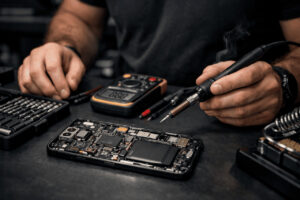
- Board under microscope
- Soldering quality
- Missing shields
- Replaced IC chips
Common visible signs:
- Burn marks
- Uneven solder
- Flux residue
These are strong indicators of past motherboard work.
Quick Comparison: Good vs Risky Used iPhone
| Factor | Healthy Device | Risky Device |
|---|---|---|
| Network | Stable | Drops randomly |
| Heating | Normal | Excessive |
| Face ID | Works | Disabled |
| Charging | Smooth | Fluctuates |
| Body | Sealed properly | Signs of opening |
| Performance | Consistent | Lag or restart |
Common Myths That Mislead Buyers
Myth 1: “Battery health is everything”
Reality:
Battery health says nothing about motherboard condition.
Myth 2: “If it works now, it’s fine”
Reality:
Motherboard issues often appear after days or weeks.
Myth 3: “Authorized repair means safe”
Reality:
Even repaired devices can fail if internal damage was severe.
Practical Buying Tips That Actually Work
Always Prefer:
- Seller who allows full testing
- Device with original bill (if possible)
- Slightly higher price for peace of mind
Avoid:
- “Urgent sale” deals
- Prices too good to be true
- Sellers refusing SIM test
Smart move:
Test the phone with your own SIM and charger.
Pros and Cons of Buying a Used iPhone
Pros
- Lower cost compared to new
- Premium build quality at budget price
- Good performance even after years
Cons
- Hidden repair risks
- No warranty (in most cases)
- Battery replacement may be needed
- Potential motherboard issues
A Small but Powerful Trick
Record a short video while testing the phone:
- Show IMEI
- Test features
- Capture condition
This helps if disputes happen later.
FAQs
1. Can a repaired motherboard iPhone work normally?
Yes, but reliability is uncertain. It may fail anytime depending on repair quality.
2. How do I know if an iPhone motherboard was repaired?
Check for heating, network issues, and signs of opening. A technician inspection is the most reliable method.
3. Is it safe to buy a refurbished iPhone?
Yes, if purchased from a trusted source with warranty. Avoid unknown sellers.
4. What is the most common motherboard issue in iPhones?
Baseband IC failure and audio IC issues are very common.
5. Should I avoid all repaired phones?
Not necessarily. Minor repairs are fine. Avoid poorly repaired motherboard devices.
6. Does Apple repair motherboard issues?
Apple usually replaces the device instead of repairing the board at component level.
Final Thoughts – Buy Smart, Not Fast
A used iPhone can be a great deal. But only if you check it properly.
The biggest mistake buyers make?
They trust appearance.
Instead:
- Test deeply
- Ask questions
- Observe behavior
- Take your time
A few extra minutes of checking can save thousands of rupees and a lot of frustration.
If possible, take the phone to a trusted mobile repair technician before finalizing.
That one step can make all the difference.