Category: Mobile Phones

The mobile phone category of the blog gives simple, practical and useful information for anyone interested in learning how phones work. Our articles cover common repair issues, tools, hardware basics, latest trends and tips that help students and beginners understand real mobile repairing concepts and latest news and tips on smartphones. Each post is written in clear language so readers can improve their knowledge and skills and stay updated with changes in the mobile industry. Whether you are learning for a career or want to upgrade your knowledge, this section guides you step by step.

  • How to Increase Profit in Your Mobile Repairing Business: Complete Guide

    How to Increase Profit in Your Mobile Repairing Business: Complete Guide

    The mobile repairing business has grown rapidly as smartphones continue to dominate the market. With millions of mobile devices in use, the demand for repair services is very high. Smartphones, whether basic, mid-range, or advanced, often face hardware damage and software issues. Because of this constant need, the mobile repair industry has become one of the most stable and profitable small-business opportunities.

    If you plan to start a mobile repairing business, you can do well by following the right strategies. With a small initial investment and proper skills, this industry can offer strong returns and long-term growth. Many successful repair shops began with basic tools and expanded over time through expertise and excellent customer service.


    Mobile Phone Repair Business Overview

    A mobile repair shop can be highly profitable when managed professionally. The best part is that you can begin the business with limited capital. The entry barrier is low, and the profit margin is often high because customers prefer repairing over replacing their devices. People also look for quick, reliable, and affordable repair services. If you can offer these, your business can grow steadily.

    There are different business models in the mobile repair industry:


    1. Storefront Repair Shop

    Setting up a physical repair shop or service center is one of the most popular ways to start. While this requires moderate investment, it creates trust among customers. A well-organized store provides:

    • A visible and reliable location
    • Space to store tools, spare parts, and accessories
    • The ability to handle multiple repair requests
    • Higher walk-in customer traffic
    • Better branding and marketing opportunities

    A physical store builds confidence because customers can meet you directly and hand over their devices with trust. With the right setup, you can also expand to offer services like mobile accessories, refurbished phones, or data transfer services.


    2. Work-From-Home Repair Business

    This model is ideal if your budget is limited. You can work from home and offer doorstep mobile repair services to customers. This business model helps build strong customer relationships because of the personal touch and convenience.

    Benefits include:

    • No rent expenses
    • Low investment
    • Flexible working hours
    • High trust among returning customers

    However, the volume of customers may be lower than a storefront business. You will need strong marketing, referrals, and online promotion to grow steadily.

    Choose the business model that fits you best. Once you decide on one, focus on running it in a steady and growth-oriented way.


    Important Tips to Make More Profit in Mobile Repairing Business

    To run a successful repair business, you must combine technical skill, smart strategy, and good customer service. Below are key tips to increase profits and grow sustainably.


    1. Choose a Good Shop Name

    A memorable and simple name makes a strong first impression. Your shop name should sound trustworthy and easy to recall. A good name becomes free marketing because satisfied customers talk about your services with others.

    A professional name of your mobile shop helps build brand identity, which is essential in a competitive market.


    2. Select the Right Location

    Location plays a major role in determining footfall and sales. A good repair shop location should be:

    • Easy to access
    • Close to commercial and residential areas
    • Visible from the main road
    • Near markets, colleges, or bus stops

    Avoid areas where mobile repair shops are already crowded. Look for a location where there is demand but fewer competitors. A well-selected location can significantly increase your monthly profit.


    3. Advertising & Marketing Strategies

    Marketing is essential for every business, including mobile repair services. You must promote your shop so people in your area know about it.

    Offline marketing ideas:

    • Flyers and pamphlets
    • Posters in local markets
    • Newspaper ads
    • Signboards and street banners
    • Using a standee outside your shop with offers

    You may also give freebies like tempered glass or phone covers during your opening week. This attracts crowds and helps build local visibility. Here are many good publicity ideas for your mobile phone repair business which can give you very good results.

    Online marketing ideas:

    • Google Business Profile
    • Local SEO
    • WhatsApp promotion
    • Facebook and Instagram ads
    • Posting customer reviews and before-after repair photos

    Online presence builds trust and brings customers who search for “mobile repair near me.”

    Marketing does not need to be expensive. Even low-cost promotional activities can bring great results when done consistently.


    4. Hire Expert Technicians

    Skilled technicians are the backbone of your repair shop. Your staff should be trained in:

    • Mobile hardware repairs
    • Software troubleshooting
    • Screen replacements
    • Battery issues
    • Charging port repair
    • Water damage solutions
    • Advanced chipset repairs

    If you have repair knowledge yourself, it becomes easier to manage quality. If not, invest in hiring well-trained technicians. Skilled employees may cost more, but they help you earn more because customers trust shops that provide quick and reliable repairs.

    Good technicians also help reduce returns and complaints, improving your reputation. You should also ensure that you do mobile software repairing like flashing and unlocking unlike many others that only provide hardware repairing but do not offer software services.


    5. Provide Fast and High-Quality Service

    People depend heavily on their phones, and they cannot stay without them for long. Quick service builds trust. You should ensure:

    • Fast diagnosis
    • On-time delivery
    • Transparent communication
    • Fair pricing
    • Genuine spare parts

    Offer mobile software services as well, such as unlocking, flashing, and backup solutions. Many shops only handle hardware repairs, so offering both gives you a competitive advantage.

    When you take on a repair job, always assure customers of quick service. Fast delivery builds trust and helps your business earn a strong reputation.

    Providing pick-up and drop facilities can also attract more customers, especially busy professionals. You must always ensure quick service and delivery of repaired devices of the customers. This will build their trust in your services. Thus, they will always look forward to your mobile repairing services whenever the need arises. 


    6. Offer Unique Customer Services

    To stand out from competitors, offer something extra. Some ideas include:

    • Free phone cleaning
    • Free tempered glass installation
    • Discount on second repair
    • Free check-up and diagnosis
    • Loyalty cards

    Always think about ways to retain existing customers. A satisfied customer can bring many new customers through word-of-mouth, which is the strongest form of marketing.


    7. Advanced Level Repairs

    Most repair shops provide basic services like screen replacements or battery swaps. But few offer advanced repairs such as:

    • Chip-level repair
    • Motherboard tracing
    • IC replacement
    • Water damage recovery
    • Micro-soldering

    If your shop offers these advanced services, you will attract more customers and earn higher profits because these repairs have higher margins.

    Customers who cannot get their phone repaired elsewhere will happily pay extra to fix complex issues.


    8. Competitive Pricing Strategy

    In the beginning, set your pricing slightly lower to attract new customers. Once your business becomes well-known and trusted, you can increase prices gradually.

    Combine pricing with value-added services. For example:

    • Free accessories
    • Discount bundles
    • Special festival offers
    • Combo deals

    Customers love offers and discounts. These tactics increase footfall and overall profit.


    9. Keep an Eye on Competitors

    Competition is strong, especially in busy markets. You must monitor what other repair shops are doing:

    • Are they offering new services?
    • Are their prices lower?
    • What freebies are they giving?
    • How are they marketing themselves?

    Study their strategy and improve yours. Never let your services fall behind. The goal is to deliver better quality, better pricing, and better customer experience than your competitors.


    10. Offer More Services to Increase Profit

    Apart from mobile repair, you can add many side services to increase your earnings. These include:

    • Selling mobile accessories
    • Selling SIM cards
    • Mobile recharge services
    • Selling new phones
    • Selling used and refurbished smartphones
    • Data transfer services
    • Downloading apps, games, and firmware
    • Screen guards and phone covers

    Offering more services brings more customers and higher daily income.


    11. Additional Income Services

    Some repair shops also provide extra services that are not directly related to mobile repair but help bring more customers. These include:

    • Photocopy/Xerox
    • Instant money transfer
    • Ticket booking (bus, train, flight)
    • Bill payment services
    • Online documents filling

    Adding these small services increases daily walk-ins and helps boost overall profit.

    Read How to Start A Mobile Phone Repairing Business Shop In India

    Read 20 Killer Tips To Be Successful In Cell Phone Repair Business


    Conclusion

    The mobile phone repair business can be highly lucrative when done smartly. Focus on offering professional service, honest communication, skilled repairs, fast delivery, competitive pricing, and excellent customer care. Invest in skilled technicians, stay updated with new tools, advertise consistently, and offer extra services to attract more customers.

    If you follow these tips, your repair business can grow steadily and bring long-term success.

  • Smartphone vs Tablet: Which Device Should You Buy? Best Option

    Smartphone vs Tablet: Which Device Should You Buy? Best Option

    Technology has changed the way we work, study, and stay connected. A few years ago, computers were the main digital tools for communication and entertainment. Today, smartphones and tablets have taken over many of those roles. Both devices offer fast processors, long battery life, and powerful apps. But choosing between a smartphone and a tablet is not always easy. Each device serves a different purpose, and the right choice depends on your needs.

    In this guide, we compare smartphone vs tablet in a simple, honest, and practical way. We will review how they differ in size, portability, performance, features, productivity, media use, gaming, calling, creativity, battery life, and price. By the end, you will know exactly which device suits your lifestyle.

    Before comparing these devices, it helps to understand what they actually are.

    Understanding Smartphones, Phablets, and Tablets

    Smartphone

    A smartphone is a compact mobile device designed for communication, apps, browsing, photography, and daily tasks. Most smartphones have screens between 5 inches and 6.5 inches and are easy to operate with one hand. They combine portability with powerful features, making them ideal for everyday use.

    Phablet

    A phablet is a large smartphone that sits between a phone and a tablet in size. Phablets typically have screens from 6.5 inches to 7 inches, offering more space for videos, gaming, and multitasking. While still portable, they often require two hands for comfortable use due to their bigger display.

    Tablet

    A tablet is a larger touchscreen device, generally ranging from 7 inches to 13 inches. It provides a bigger display for reading, watching movies, studying, and creative work. Tablets offer many computer-like functions while remaining lightweight and easy to carry. The iPad and Android tablets are popular examples.


    1. Portability: Which Device Is More Convenient?

    Portability is where smartphones shine. A smartphone fits easily into your pocket, bag, or hand. You can carry it anywhere without effort. Because of their compact size and light weight, smartphones are the most convenient everyday device. The screens of phones have increased to a large extent over the years and hence we might see more bigger smartphones in the future.

    Tablets, on the other hand, are larger and need a pouch or case. They range from 7 to 13 inches, making them less pocket-friendly. While they are thinner and lighter than laptops, tablets still require a dedicated space in your backpack.

    Verdict:

    If you want a device you can use anytime and anywhere, a smartphone is the better choice.


    2. Ease of Use and Grip

    Smartphones are designed for one-hand use. You can text, scroll, take photos, or make calls with one hand, even while standing or walking.

    Tablets usually need two hands because of their larger size. You will also need a surface if you plan to type for long periods. Reading or browsing on a tablet for too long can become tiring if you hold it with one hand.

    Verdict:

    For quick tasks and daily convenience, the smartphone wins.


    3. Media and Entertainment Experience

    When it comes to watching movies, reading e-books, or browsing photos, the tablet offers a much better experience.

    The bigger screen makes videos more enjoyable, text easier to read, and apps more comfortable to use. Tablets are excellent for:

    • Streaming movies
    • Reading digital books
    • Watching YouTube
    • Viewing presentations
    • Learning from online courses

    Smartphones can play all kinds of media, but the small screen limits comfort, especially for long videos or detailed graphics.

    Verdict:

    For entertainment and reading, the tablet is the clear winner.


    4. Calling and Messaging

    Smartphones are built for communication. Calling, texting, video calling, and messaging apps work flawlessly on phones. With a smartphone, communication is quick and smooth.

    Some tablets support SIM cards and allow calling, but holding a large tablet to your ear looks awkward. Most users rely on tablets only for video calls or messaging apps.

    Verdict:

    For communication, smartphones are unmatched.


    5. Performance and Features

    Both smartphones and tablets come with a wide range of features. The performance depends mainly on the model and price.

    Modern smartphones offer:

    • Fast processors
    • High RAM
    • Sharp cameras
    • AI features
    • Fast charging
    • 5G connectivity

    Tablets also offer strong performance, especially the high-end ones. They are excellent for:

    • Reading documents
    • Watching content
    • Studying
    • Light productivity
    • Drawing (with stylus support)

    However, smartphones often get better cameras and AI features, while tablets focus more on screen size and battery life.

    Verdict:

    For advanced features like photography and AI, go for a smartphone.
    For large-screen productivity and media use, choose a tablet.


    6. Productivity: Which One Helps You Work Better?

    If you want to do office tasks, read documents, or attend online classes, the tablet offers more comfort. The larger display is helpful for:

    • Writing emails
    • Reading PDFs
    • Editing documents
    • Joining online meetings
    • Using split-screen apps

    Many tablets also support keyboard attachments and digital pens, turning them into mini-workstations.

    Smartphones can handle these tasks too, but the small screen makes them less suitable for long working sessions.

    Verdict:

    For work and study, the tablet performs better.

    At the end of the day, the base features of all these smart devices are relatively the same. The device you should buy depends primarily on your needs.


    7. Creativity: Drawing, Notes, and Design

    Tablets are excellent creative tools. Many support styluses like:

    • Apple Pencil
    • Samsung S Pen
    • Universal stylus pens

    These pens allow precise writing, sketching, editing, and designing. Tablets support professional apps for drawing, animation, and graphic design.

    Smartphones support styluses too, but the small screen reduces comfort and creativity flow.

    Verdict:

    For art, design, and note-taking, the tablet is the best choice.


    8. Gaming Experience

    Both devices support gaming, but the experience differs.

    Smartphones offer:

    • High-refresh-rate displays
    • Fast processors
    • Better portability

    Tablets deliver:

    • Bigger screens
    • More immersive gameplay
    • Longer sessions without eye strain

    Casual games feel great on phones, while graphic-rich games look better on tablets.

    Verdict:

    For casual gaming → Smartphone
    For immersive gaming → Tablet


    9. Battery Life

    Tablets generally have larger batteries, which means longer screen-on time. They are perfect for reading, watching movies, and studying for long hours.

    Smartphones are used more heavily throughout the day for calls, messages, and apps, so the battery drains faster.

    Verdict:

    For long usage sessions, the tablet wins.


    10. Cost and Value for Money

    Smartphones come in a wide range of prices. Entry-level smartphones are cheap, while top-end flagship models can be very expensive.

    Tablets also vary in cost but are often more affordable than flagship phones. However, high-end tablets like the iPad Pro can be quite expensive.

    Verdict:

    Both are available in different price ranges. Choose based on your primary needs.


    Conclusion: Smartphone vs Tablet — Which One Should You Buy?

    Choosing the right device depends on your lifestyle and purpose.

    Buy a Smartphone if you want:

    • A device for calling and communication
    • A compact tool for daily use
    • A good camera
    • Easy portability
    • All-in-one convenience

    Buy a Tablet if you want:

    • A large screen for reading or watching videos
    • A device for students or office tasks
    • A tool for drawing or creative work
    • Better gaming experience
    • Long battery life

    Both devices are powerful and useful. But the best device is the one that matches your needs. Make a list of what matters most to you—portability, screen size, creativity, battery life, or work—and choose accordingly.

  • 6 Reasons Why Smartphones Have Replaced Computers and Laptops

    6 Reasons Why Smartphones Have Replaced Computers and Laptops

    “Good things come in small packages” – this timeless saying makes perfect sense when we look at modern smartphones. A single pocket-sized device now handles tasks that once required several gadgets. If you look around, you will notice how deeply smartphones have blended into our daily lives. Built with advanced hardware and intelligent software, the modern mobile phone is no longer just a tool for calling, texting, or saving contacts. It has evolved into a powerful device that has replaced many traditional machines, including personal computers and laptops.

    Smartphones pack cutting-edge processors, strong batteries, fast internet support, high-quality cameras, and thousands of useful apps. This combination has strengthened their position as the preferred device for communication, entertainment, payments, learning, and even work. As smartphone technology continues to grow, laptop and desktop sales have slowed down in many regions. The shift is clear: for many daily tasks, people now prefer their phones over a bulky computer.

    Today, it is almost impossible to imagine a day without our phones. From sending emails and browsing the internet to online payments, quick entertainment, banking, and socializing — everything happens with a few taps. But what exactly has made smartphones such strong competitors to computers?

    Here are the key reasons why smartphones have gradually replaced laptops and desktop PCs.


    1. Powerful Processors and Improved Storage Capacity

    Computers were once valued for their strong CPUs and ability to process large amounts of data quickly. But today’s smartphones are mini-computers in every sense. Many flagship and mid-range phones now use multi-core processors that can compete with mid-level laptop CPUs in everyday tasks.

    These chips handle gaming, video editing, multitasking, and app usage smoothly. Think of the flagship smartphones of today and you will realise that these modern day minicomputers, which are enabled with beefier batteries, are equally adept in handling huge volumes of data owing to their superior processing powers that are comparable to that of a mid-range desktop computer.

    Most smartphones come with 64 GB to 512 GB internal storage, and cloud storage options such as Google Drive, iCloud, and OneDrive further expand capacity. This reduces the need to depend on a computer for storing photos, videos, and documents. With better data security, faster SSD-like storage, and strong system optimization, smartphones have become reliable primary devices for many users.

    The day is not far when the omnipresent smartphones will eventually become the only computer that we ever know!


    2. 24/7 Internet Access and Work-from-Anywhere Convenience

    Smartphones offer constant internet connectivity through Wi-Fi and mobile data. This always-online access allows users to check email, respond to messages, create documents, manage schedules, attend virtual meetings, and browse the web instantly.

    With mobile versions of tools like Google Workspace, Microsoft Office, and cloud-based storage, working from a phone has become extremely convenient. Even while traveling or during late-night hours, users can complete urgent tasks directly from their smartphones.

    Faster mobile networks, including 4G and 5G, have improved browsing speed, file transfers, and streaming, making computers less necessary for everyday online activities.


    3. Everything at Your Fingertips With Mobile Apps

    Mobile apps have completely changed how we use technology. Today, more than 80% of digital time on phones is spent using apps. These apps simplify tasks that once required computers, physical visits, or manual processes.

    Before smartphones, people relied on computers, shops, banks, newspapers, and specialized gadgets for basic tasks such as:

    • Checking bank statements
    • Paying bills
    • Finding restaurants
    • Online shopping
    • Reading news
    • Checking navigation
    • Monitoring health
    • Playing games
    • Taking photos or videos

    Now, all of this and more can be done directly from a smartphone.

    Apps like:

    • Mobile banking apps for instant money transfers
    • Zomato and Restaurant Finder for food discovery
    • Google Maps for real-time navigation
    • E-commerce apps for shopping
    • News apps for instant updates
    • Health tracking apps for heart rate and fitness data
    • High-resolution camera apps for photography

    Every function that once required a computer or a separate device is now just a tap away. Bigger screens, better battery life, cloud sync, and stronger processors have made smartphones the ideal tool for everyday life.

    With one smartphone taking care of so many diverse needs, it is not surprising that these intelligent phones have gradually made many devices, including the computers, a secondary choice for many.


    4. Smooth Browsing With Responsive Website Designs

    Computers once offered a better browsing experience because websites were designed mainly for large screens. Early smartphones struggled with poorly optimized websites, making navigation difficult.

    However, the rise of responsive web design solved this problem. Websites now automatically adjust to any device size using:

    • Fluid grids
    • Scalable images
    • CSS media queries
    • Mobile-first design principles

    This ensures that browsing on a smartphone is almost as smooth as using a laptop. With clear text, easy navigation, and fast mobile-friendly layouts, users prefer phones for quick searches, online shopping, and social media.


    5. Instant Search With AI-Powered Virtual Assistants

    Typing long searches on a mobile keyboard was once inconvenient. But AI-based virtual assistants such as Siri, Google Assistant, and Cortana have transformed the mobile search experience.

    You can now:

    • Ask questions using natural voice
    • Set reminders
    • Send messages
    • Search the web
    • Play music
    • Control smart home devices

    These assistants like Siri provide personalized suggestions based on browsing habits, location, and previous searches. With mobile searches now surpassing desktop searches in many countries, smartphones have clearly become the preferred device for quick information access.


    6. Cost-Effective and Value Packed

    While premium phones can be expensive, a wide range of budget and mid-range models offer excellent features at affordable prices. When compared to the cost of a new computer or laptop, smartphones provide:

    • A camera
    • A gaming device
    • A communication tool
    • A navigation system
    • A portable entertainment screen
    • A work device
    • A health tracker

    All in one.

    This makes smartphones a more economical and accessible option for most users.


    Conclusion

    Smartphones have evolved into powerful, multi-functional devices that offer convenience, portability, and strong performance. With advanced apps, fast internet, AI assistants, better hardware, and affordable pricing, they have become indispensable tools that meet both personal and professional needs.

    While computers and laptops still play a crucial role in specialized tasks like programming, design, or large-scale data work, smartphones remain the primary device for everyday activities. As technology continues to improve, their role will only grow stronger.

  • How to Learn Cell Phone Repair & Become A Certified Technician – Easy Guide

    How to Learn Cell Phone Repair & Become A Certified Technician – Easy Guide

    Smartphones have become a huge part of our lives. Because of this, the need for skilled mobile repair technicians has grown rapidly. Many students and young people want to learn cell phone repair and build a stable career, but they often do not know where to begin. Learning mobile repair becomes easy when you follow the right steps and train using the right methods.

    If you are passionate about gadgets and enjoy understanding how things work, this profession can be a perfect match. Learning how to repair phones is not very difficult, but it requires patience, practice, and proper training. You must learn how to open phones, replace parts, handle tools safely, solve software issues, and most importantly, troubleshoot faults correctly.

    This friendly guide explains how to learn cell phone repair step by step, how to select the right training institute, and how to gain practical experience to become a certified mobile technician.


    Why Mobile Repair Is a Great Skill to Learn

    Before diving into the steps, it is important to understand why this field is growing so fast.

    • Almost everyone uses smartphones today
    • New phones are expensive, so many people prefer repairing instead of replacing
    • Repair technicians are in high demand in every city
    • You can work from home, start your own shop, or take a job in a service center
    • It requires low investment and offers good earning potential

    With millions of smartphones in the market, the demand for certified mobile repair technicians keeps increasing. This makes it a great career option for students, dropouts, and professionals looking for extra income.


    6 Simple Steps to Learn Cell Phone Repair


    1. Complete Your Basic Academic Education

    Even though mobile repair is a skill-based profession, your academic studies still matter. Basic education helps improve:

    • Communication skills
    • Confidence
    • Problem-solving ability
    • Professional behavior

    You do not need a high degree to become a technician, but completing at least your school education builds a strong foundation. Education is very important and helps us stand out in the community while making ourselves a personality, may it be in a technical or a non-technical career. 

    it is no secret that a good education has the power to change a life.

    Many students also learn mobile repair along with their studies because the course is short and easy to manage.


    2. Get Familiar With Smartphones and Operating Systems

    To diagnose phone problems, you must first understand how smartphones function. Start using different phones and learn:

    • How settings work
    • How apps behave
    • How each operating system handles updates
    • How Android, iOS, and other systems differ

    Spend time using different smartphones. Explore menus, settings, backup options, resets, network settings, and storage options. This helps you identify the difference between the hardware and software faults after learning how these devices function.

    Being familiar with popular models from companies like Apple, Samsung, Xiaomi, OnePlus, Oppo, and Vivo helps you learn repair techniques more easily.


    3. Join a Good Mobile Repair Training Institute

    Choosing the right training institute is one of the most important steps. A good institute will teach:

    • Mobile hardware repair
    • Mobile software repair
    • Tools handling
    • Soldering and microsoldering
    • Troubleshooting
    • Advanced motherboard repair

    A good institute also provides practical training, assignments, and real device experience.

    You are welcome to join Prizm Institute which conducts its own mobile repairing course at its training center in Mumbai. If you do not have the time or access to a training institute, you can  join the self-study cell phone repair course and learn all the repair skills professionally to give yourself a boost and make it big in cell phone repair industry.

    The quality of training depends on both the institute and its trainers. However, gathering knowledge depends on the student. Also ensure that the training course covers both mobile hardware and mobile software repairing course.

    A good certification helps you begin your career with confidence. It builds trust and makes it easier to start a business or get hired.

    Applying what you have learnt comes later at the start of the career. Becoming the master of a trade helps, but the value of certification after completing the course helps build trust when applying for jobs or starting your own business.


    4. Buy Tools and Practice on Old or Dead Phones

    Practicing on dead or old phones is one of the best ways to improve your skills. When you repair these devices repeatedly, you will learn:

    • How to disassemble and assemble different models
    • How to replace screens, charging ports, speakers, and batteries
    • How to clean and inspect motherboards
    • How to identify faulty components
    • How to use tools properly

    Basic tools you should have:

    • Screwdriver set
    • Plastic openers
    • Suction cup
    • Tweezers
    • Soldering iron (basic)
    • Multimeter
    • Isopropyl alcohol for cleaning

    Once your confidence increases, you can buy a full professional toolkit with hot air guns, microscopes, and precision soldering tools.


    5. Gain Real Experience

    Your training institute will teach you the basics, but real experience comes only when you start working.

    Experience improves:

    • Speed of work
    • Accuracy
    • Troubleshooting
    • Customer communication
    • Confidence

    You can work at a service center, at a repair shop, or with a senior technician to build your experience. Even three to six months of real-world practice can sharpen your skills greatly.

    With experience, you will learn how to solve complicated issues like:

    • Short-circuit faults
    • Motherboard problems
    • Charging IC damage
    • Network faults
    • Display and touch failures
    • Software crashes

    As you solve more problems, you become a more valuable mobile repair technician.


    6. Learn From the Internet and Stay Updated

    Mobile technology keeps changing. Every year, new features, new chipsets, new display types, and new repair techniques arrive. That is why technicians must keep learning continuously.

    Use the internet wisely:

    • Watch repair tutorials on YouTube
    • Read mobile repair blogs
    • Follow technical forums
    • Join technician groups on social media
    • Learn software tools and flashing methods
    • Explore troubleshooting guides

    Even advanced technicians use the internet daily to stay updated. New solutions, jumper diagrams, schematics, and repair tips keep coming. Staying updated helps you repair new models faster and smarter.

    learn cell phone repair quote

    From disassembly guides to jumper solutions, there are various guides and tutorials available on the internet for beginners as well as experts that will improve your knowledge and teach you many new tricks and techniques.


    How to Become a Certified Mobile Repair Technician

    Getting certified improves your credibility. Training institutes provide certificates once you complete your course, proving you have:

    • Theoretical knowledge
    • Practical repair ability
    • Basic and advanced repair training

    Many companies and shops prefer certified technicians. It also helps you get listed on online repair platforms for home services.


    What Is the Scope for Mobile Repair Technicians?

    Smartphone usage is growing every day. As phones become more expensive, people prefer repairing instead of replacing. This increases demand for skilled technicians.

    Here is why the future looks bright:

    • Millions of smartphones are purchased every year
    • Repairs are cheaper than buying a new device
    • Accidental damage is common
    • People look for trusted technicians near them
    • New models require updated repair knowledge

    Technicians who learn new skills and stay updated can earn well and grow quickly.


    What Can You Do After You Get Trained?

    Once you finish training and gain some experience, you can:

    Start Your Own Mobile Repair Shop

    Low investment, high demand, good profits. A cell phone repair business does not need a huge amount of investment.

    Work in a Mobile Repair Service Center

    Steady income, regular customers, stable job.

    Work From Home

    Repair for neighbors, friends, and online leads.

    Start a Part-Time Repair Service

    Great option for students and working professionals.

    Join Online Repair Platforms

    Many companies now connect technicians with customers directly.

    Sell Accessories and Spare Parts

    A great side business to increase earnings.

    Even if you don’t want a full-time business, you can still save money by repairing your own and your family’s phones.


    Extra Tips to Become a Successful Mobile Repair Technician

    Here are a few more points to help you grow faster:

    • Use good-quality spare parts to build customer trust
    • Maintain cleanliness and safety at your workplace
    • Give clear cost estimates before starting repairs
    • Always back up data when needed
    • Learn basic laptop, tablet, and iPad repair for more income
    • Build good customer relationships
    • Stay updated with new tools and repair technology

    A technician who delivers honest and high-quality service always gets repeat customers.


    Quick Summary: How to Learn Cell Phone Repair

    • Complete your basic education
    • Get familiar with smartphones
    • Join a certified mobile repair course
    • Buy tools and practice on old phones
    • Gain real experience
    • Use the internet to keep learning

    Read 6 Advantages of Choosing Mobile Phone Repair As a Career


    Conclusion

    Learning cell phone repair is one of the smartest career choices today. It is simple to learn, affordable, and offers excellent earning potential. Anyone with interest and dedication can become a certified mobile repair technician.

    Whether you want a stable job, extra income, or your own repair business, this skill gives you the freedom to create your own path. Start learning step by step, keep practicing, and grow your confidence. With time and experience, you can become a trusted technician with a strong customer base.

    If you have any questions or want to share your repair journey, feel free to comment below!

  • How to Choose the Right Power Bank for Your Phone (Complete Buying Guide)

    How to Choose the Right Power Bank for Your Phone (Complete Buying Guide)

    Technology has been advancing at an incredible pace. Today, a single smartphone gives us access to entertainment, communication, productivity tools, academic resources, and creative apps. It has replaced dozens of devices we once used separately. Because of this, we carry our phones everywhere. But even with all these improvements, one problem continues to trouble users — battery life.

    The more useful a smartphone becomes, the more we use it, and the faster its battery drains. This is why power banks have become a must-have accessory. A power bank acts like a portable energy backup that helps you keep your device alive throughout the day.

    Even though smartphone brands try to offer larger batteries and improved efficiency, most users still struggle to get through a full day without charging. Bigger displays, high-refresh-rate screens, 5G usage, GPS, camera-heavy apps, and constant notifications all consume power rapidly.

    Quick charging and software features like power-saving modes help to some extent, but they do not solve everything. For many people, a reliable power bank is the only practical solution.

    You should also know how a powerbank works

    This power bank buying guide will help you understand what to look for and how to buy the best power bank for your mobile phone without confusion.


    🟦 What You Must Know Before Choosing a Power Bank

    1. Battery Capacity (mAh)

    Capacity is the first thing people check. It is measured in milliampere-hours (mAh). The higher the number, the more charge cycles the power bank can provide.

    A simple rule is:
    Your power bank should always have at least twice the capacity of your phone battery.

    For example:

    • Phone battery: 3000mAh
    • Ideal power bank: 6000mAh or above

    This accounts for natural energy loss that occurs during charging. If you want your phone to charge multiple times, go even higher — like 10,000mAh or 20,000mAh.

    A 20,000 mAh power bank can charge a 5000 mAh phone about four full times.

    Important points about capacity:

    • Very cheap power banks often inflate the mAh rating, so choose trusted brands.
    • Larger capacity = heavier and bulkier.
    • Smaller power banks (2000–5000mAh) are useful only for emergency top-ups, not full charges.

    For travelers, gamers, vloggers, and remote workers, 20,000mAh or even 30,000mAh models are more practical.

    Read: The 11 Best Battery Packs to Keep Your Gadgets Going


    2. Manufacturer & Build Quality

    The brand matters more than many people realise. A poorly built power bank can damage your smartphone permanently.

    Trusted brands use quality batteries, stable circuits, and better protection layers. Unknown brands may cut corners to offer low prices.

    Why brand matters:

    • Better safety systems
    • Accurate capacity ratings
    • Long-lasting battery cells
    • Stable performance

    Power banks usually come with lithium-ion or lithium-polymer cells. Both work well, and the difference is minimal for regular users. What truly matters is the quality of manufacturing and the safety features.

    Read A Brief history of powerbanks


    3. Connectivity Options & Number of Output Ports

    Power banks today support multiple output types:

    • USB-A
    • USB-C
    • Micro-USB (older)
    • Wireless charging pads

    Having multiple ports allows you to charge different devices:
    phones, tablets, smartwatches, Bluetooth earphones, portable speakers, and more.

    Why ports matter:

    • More ports = charge more devices at once.
    • USB-C ports often support faster output.
    • Some power banks offer bi-directional USB-C which allows both input and output.

    If you switch phones (like Android to iPhone), multiple output options ensure your power bank remains useful.

    Wireless charging power banks have also become popular, offering more convenience.


    4. Input & Output Power (Fast Charging Support)

    This is one of the most important parts of the power bank buying guide.

    Input Power

    Input power decides how fast the power bank itself charges.

    Higher input = faster self-charging
    Examples:

    • 5V/1A → Very slow
    • 5V/2A → Faster
    • USB-C PD → Much faster

    If you buy a high-capacity power bank (20,000mAh+), choose one with fast input to avoid waiting hours to recharge it.

    Output Power

    This is how fast the power bank charges your device.

    Most phones today support fast charging:

    • 10W
    • 18W
    • 22.5W
    • 33W
    • 45W
    • 65W or higher for some brands

    Choose a power bank that supports fast charging standards such as:

    • Quick Charge (QC)
    • Power Delivery (PD)
    • SuperVOOC / Warp / Dash (brand-specific)

    If you buy a slow-output power bank, your phone may take 2–3 hours longer to charge.


    5. LED Indicators & Display Screen

    Charging indicators are essential. They show:

    • How much battery is left
    • Whether fast charging is active
    • Charging input status

    Some premium power banks come with a digital display that shows the exact percentage. This is more accurate than LED dots.

    how to buy the best powerbank.

    6. Your Usage Pattern

    Choosing the right power bank depends heavily on how you use your phone.

    Heavy Users:

    • Long travel
    • Gaming
    • Vlogging
    • Instagram Reels, YouTube, editing apps
    • 5G browsing

    These users should consider 20,000mAh or 30,000mAh models with fast charging.

    Light Users:

    • Only need emergency battery backup
    • Mostly near charging points
    • Occasional trips

    A 10,000mAh power bank is usually enough.


    7. Quality and Safety Features

    This is where you should never compromise. Cheap power banks may overheat, swell, or damage your device.

    Look for these safety protections:

    • Overcharge Protection
    • Short Circuit Protection
    • Overheat Protection
    • Surge Protection
    • Intelligent Power Management
    • Certified battery cells
    quality and safety features of power banks

    Good brands clearly mention safety layers. If specifications look vague, avoid the product.


    8. Weight and Portability

    Higher capacity means more weight. But new models now use improved lithium-polymer cells, making them lighter.

    If you travel daily and prefer something light, choose a compact 10,000mAh model with USB-C.

    If weight does not matter and you want all-day backup, go for a high-capacity model.

    You may find power banks with more than 50,000 mAh, but they are very big and heavy. It’s better to avoid them unless you really need that much power.


    9. Price & Value for Money

    A high-quality power bank does not always mean expensive.

    Before buying, compare:

    • Capacity
    • Build quality
    • Charging speed
    • Safety features
    • Warranty
    • Port options

    Sometimes the same model is priced differently across online stores, so compare before buying.

    Do not buy extremely cheap products—they often use recycled batteries and weak circuits.


    10. Reviews & Real User Experience

    Before buying, check reviews from people who have used the power bank for at least a few months. Early reviews can be misleading.

    You can find helpful comments on:

    • YouTube
    • Reddit
    • Amazon verified reviews
    • Tech forums

    Offline buyers can ask for feedback from people who purchased the same model. Real experience is always more reliable than advertising. If you want to buy electronic devices offline, alfa mobile store is also a good option.


    🟦 New Points to Consider (Updated for Modern Power Banks)

    11. Pass-Through Charging

    Some power banks allow you to charge the power bank itself while it charges your phone.
    Useful for travelers.

    12. Smart Circuit Technology

    Power banks now automatically detect your device’s required current and adjust output.
    This protects battery health.

    13. Solar Power Banks

    Great for camping or areas without electricity.
    Not very fast, but useful as emergency backups.

    14. GaN Technology

    New GaN-based power banks offer:

    • Faster charging
    • Better efficiency
    • Smaller size
    • Lower heat

    These are becoming popular for users who want compact, high-speed charging.


    🟩 Conclusion: How to Buy the Best Power Bank

    Choosing the best power bank depends on:

    • Your usage needs
    • Battery capacity
    • Charging speed
    • Brand quality
    • Safety protections
    • Port options
    • Price vs. features

    The right power bank makes your life easier, especially when traveling or working outdoors.
    With the help of this power bank buying guide, you should now be able to choose the best option confidently.

  • Android vs iOS – Which is the Best Operating System And Who Is The Winner?

    Android vs iOS – Which is the Best Operating System And Who Is The Winner?

    Android vs iOS has been the biggest rivalry in tech industry for the best part of the last decade. Google’s Android and Apple’s iOS are the only two operating systems used in smartphones and tablets today. Windows is finished, period.

    Android which is more PC-like than iOS in that its interface and basic features are generally more customizable from top to buttom. While iOS is more secure but less customizable.

    The first Android phone, the T Mobile G1 (or the HTC dream in the United States) appeared in October 2008. The first iPhone was launched in June 2007. Since then, both these operating systems have changed substantially.

    In this article, I will list the pros and cons of both iOS and Android as well as significant differences between the two platforms.

    Android vs iOS – Comparison on the Basis of Features

    1. Hardware:

    Hardware is where there is a significant difference between iPhone and Android.

    Apple makes iPhones, so it has a very tight control over how the software and hardware work in sync. On the other hand, Google offers its Android software to every handset maker including Samsung, HTC, LG, Sony, Motorola, etc. This is in addition to Google’s own brand of Pixel phones which were launched in 2016. This is one of the main reason Android phones vary widely in size, weight, features and quality.

    Higher priced Android phones tend to be of high quality and fairly reliable while cheaper models may overheat, freeze up frequently or break. IPhones have also had hardware issues, but they are of high quality.

    If you are planning to buy an iPhone, you just need to pick your model. While if you are going for an Android, you have to pick both a brand and a model, which can be confusing and overwhelming. On the other hand, if you think the other way, you also have a of lot of options to suit your budget, features and tastes.

    2. Battery Life:

    The batteries in early iPhone models required a charge nearly every day, but that no longer the same. In recent models, you can go 2 days at a time without needing a charge.

    The case of battery is more complex in Android due to a large variety of models which differ in terms of brands, chipsets and screen sizes. Some Android phones have more than 6 inches screen and other features that burn much more battery life. There isn’t a clear winner in Android versus iOS battery life, however Android can deliver devices that works much longer than iPhones on a single charge.

    3. Security:

    If you are concerned about the security of your smartphone, there’s only one choice – iPhone.

    The reasons for this are myriad and too long to completely go into here. For the shorter version, consider these two facts.

    According to one study, 97% of all malware, viruses, worms, etc affected Android while 0% attacked the iPhone.

    Even the head of Google’s Android team had admitted ‘we cannot guarantee that Android is designed to be safe….If I had a company dedicated to malware, I should be addressing my attacks on Android.’

    4. App Selection:

    Apple’s iOS used to boast of the best app store, but Android has made huge strides in matching it in recent years. These days, nearly every app you can think of is available for both platforms i.e iOS and Android.

    However, iPhone still has a slight edge here, because the platform generally gets new apps first and these apps tend to get updates for new features more quickly. In a few cases, the iOS version of a given app can look better than the Android version seemingly with more care put towards the design.

    5. Software features and interface:

    Android and iOS both are getting updated regularly with new features which increase productivity and bring ease of access.

    Historically, iOS was considered to be a more user-friendly operating system compared to Android. However, its not true anymore. Both platforms have become extremely polished and easy to use. But, in general, iOS is slightly simpler and more streamlined while Android offers more features to power users.

    6. Digital assistants:

    iPhone has Siri, Android phones have Google Now. Both do a similar job, but their capabilities differ. Google Now isn’t really a virtual assistant you can have a conversation wit, whereas Siri does at least try.

    Both can be used to set alarms, reminders, get directionscheck cinema timings, sending text messages and emails using dictation.

    However Siri tends to do a better role at understanding the task in hand and is less likely to dish up web search results.

    ios vs android. who is better and the winner?

    Android versus iOS – Pros and Cons

    Android Pros and Cons

    Android Pros:

    1. A wide variety of phones to choose.
    2. Most phones have expandable store.
    3. Its open source, so it is easy to customize.

    Android Cons:

    1. More susceptible to malware.
    2. Unless you buy a phone that is not attached to a carrier, you will find lots of pre-installed (bloatware) apps.

    iOS Pros and Cons

    iOS Pros:

    1. Less chances of malware
    2. Curated app store
    3. Both hardware and software are controlled by a single company (Apple)

    iOS Cons:

    1. Walled-garden ecosystem
    2. Customization is limited
    3. No expandable storage

    iOS has better selection of apps and premium content all wrapped up in a one stop shopping environment. What we have about Android is the ability to truly personalize and customize the user experience. I also like how Android integrates better with social networking services for contacts and sharing content, plus the free turn by turn GPS navigation, Gmail and Early life support.

    The iOS powered iPhone is a good pick for Apple fans who use Mac computers and Macbooks since the devices can integrate seamlessly. Plus iPhones are extremely polished with strong security and handy features.

    Andoid on the other hand is a good pick for users who want more options in terms of both hardware and software. You will get Android phones with a variety of sizes and features.

    For me, The Winner is iOS (due to security and simplicity)

    iOS is my favorite OS as I weigh the following reasons higher: design, security, updates, ecosystem and apps. With iOS you are guaranteed timely updates to your phone’s software. That also means you get vital security patches for your devices security.

    Unless you have a Pixel or a Nexus, you may never get the latest software updates and vital security patches. On the other hand, Apple also prioritizes user privacy, so that your personal information won’t be stored or read by it. Its all encrypted and Apple isn’t using your data to sell ads. Google’s business model is based on mapping your data for information so as to better market products and tailor ads to you.

    Apple also has a better ecosystem of apps and games. If you are a mobile gamer or fanatic of apps, iOS is probably best for you. Since Apple strictly controls the app store with more specific guidelines, its apps are more consistent and well designed. Android is trying to standardize the play store’s offering, but still it has a long way to go.

    Obviously, both Android and iOS are more or less evenly matched, so you can’t go wrong with either. I just believe that security, simplicity and good design are very important and iOS leads the way on these fronts.

    Second Thoughts

    Both Android and iOS have far more similarities than differences! You will surely see a lot of enhancements in both of these operating systems in future smartphones. Realistically, different reasons are important to different people. So you should just pay attention to the ones that count for you and make your decision based on your preferences.

    Its better if you read How to select the best smartphone to know the features you need to check before buying your next smartphone.

    Please let me know your opinion in the comments below. Please consider sharing this article on facebook and other social sites.

    By Rishi Devanpalli

    Ex-student, Prizm Institute

    If you wish to write articles for us as well, please see our guidelines on the write for us page.

    Note: The opinions expressed in this article are the author’s own and do not necessarily reflect the view of Prizm Institute.

  • What to Expect in Future Smartphones: Upcoming Features & Innovations

    What to Expect in Future Smartphones: Upcoming Features & Innovations

    First introduced in the late 20th century, the humble cell phone of the 90s has transformed beyond imagination. What once was a simple device for calls and messages is now a powerful mini-computer capable of performing countless tasks. Today’s smartphone has evolved rapidly to match changing user needs, new mobile technology trends, and the rise of digital lifestyles across the globe.

    With billions of users depending on smartphones daily, it is clear that these devices will remain essential in the future. The demand for smarter, faster, safer, and more intuitive phones continues to rise. And although current smartphones already feel advanced, the next generation of mobile devices will take innovation to an entirely new level.


    Present Use of Smartphones

    Look around and you will find smartphones fulfilling almost every daily need. They have replaced several traditional devices by integrating their key features into one pocket-sized machineand is fulfilling the day-to-day needs of millions of consumers who cannot imagine their lives without the support of this integral device that has cleverly outdated many essential devices by incorporating their key functionalities. 

    Today, a smartphone allows you to:

    • Capture high-quality photos and videos
    • Entertain yourself with apps, movies, and games
    • Pay bills and transfer money
    • Check account balances
    • Read e-books
    • Create presentations
    • Draft and send emails
    • Book taxis, trains, and flights
    • Browse the internet
    • Communicate with anyone worldwide
    • Locate nearby shops, ATMs, and hospitals
    • Lock/unlock smart cars
    • Control your smart TV
    • Track your health metrics
    • Predict the weather

    Smartphones have become an all-in-one multimedia and productivity tool, replacing cameras, MP3 players, GPS devices, calculators, alarm clocks, torches, and sometimes even laptops.


    What Does the Future Hold for Smartphones?

    Seeing the wide range of features in today’s phones, our handy smartphone already performs a plethora of wondrous functions, one would be tempted to believe that the high-performing smartphone has finally accomplished its utmost potential with no room for any improvement. But the truth is the opposite. Mobile manufacturers continue to push boundaries with upcoming features & innovations powered by AI, machine learning, faster processors, enhanced sensors, and smarter operating systems.

    Research labs, tech giants, and startups are actively experimenting with advanced technologies that will shape tomorrow’s phones. Some concepts are already in early development, while others are still being tested. Either way, the future of smartphones is full of exciting possibilities.

    future smartphone technology

    Below are some of the most promising innovations that give us a glimpse of what to expect in future smartphones.


    The Road Ahead for Smartphones – What Should We Expect in Future Devices?


    1. Beefier Battery Life

    Smartphone users want more power. With apps, gaming, streaming, and video calling consuming more energy, future phones are expected to feature stronger batteries that last for days.

    Researchers are working on:

    • Graphene batteries
    • Silicon-based cells
    • Faster lithium charging
    • AI-based power management

    Imagine a phone that stays alive even after hours of video streaming or AR usage. You can already find smartphone batteries of 7000 mAh and more. That is the kind of improvement the industry is pushing toward.


    2. Next-Level Wireless Charging Technology

    Wireless charging has already become common, but it is still evolving. In the coming years, we can expect:

    • Long-distance wireless charging
    • Over-the-air charging in homes and public spaces
    • Multi-device charging pads
    • Faster wireless power transfer

    A future where smartphones never need to be plugged in is not far away. This may also lead to smaller batteries, giving space for more advanced sensors and hardware inside phones.

    (If you want to explore this further, you should also read the advantages and disadvantages of wireless phone charging. in our related blog.)


    3. Advanced Speech Recognition & Interpretation

    Voice assistants like Siri, Google Assistant, and Alexa have changed how we interact with technology. But the future holds even more:

    • Personalized voice recognition
    • Real-time language translation
    • Natural conversation-style communication
    • Greater accuracy in context detection

    You may soon handle complex tasks simply by speaking to your phone. You could ask for data, request summaries, search the internet, or manage your schedule with natural, fluid conversations.


    4. More Intuitive & Predictive Smartphones

    Future smartphones will do more than respond—they will anticipate your needs.

    You may receive prompts like:

    • “You have 20 minutes before your meeting. Shall I start the presentation mode?”
    • “It looks like rain. Don’t forget your umbrella.”
    • “Traffic is heavy. You may want to start early for your computer class.”

    Phones will learn from your behavior, schedule, and location patterns. Your device will act like an intelligent personal assistant that understands your routine and helps you save time.

    We just provided a sneak peek into all that is in store for you in the near future as your futuristic smartphone gears up to delight you with many more of such friendly reminders and helpful forewarnings in the form of your very own skilled and intuitive virtual assistant – one who always has your best interests in mind and who strives hard to learn from your distinct usage patterns to provide you with appropriate and bespoke suggestions that are uniquely customised to you!


    5. Massive AI Upgrades Beyond Current Capabilities

    AI is already present in smartphones today – face detection in photos, smart galleries, voice assistants, and predictive typing. It won’t be wrong to say that a hitherto unforeseen AI revolution is waiting to engulf the world of smartphones in the coming years. But future AI will be far more powerful.

    Upcoming features may include:

    • AI that predicts user behavior
    • Smart suggestions based on your habits
    • Real-time personal coaching (health, productivity, travel)
    • Automated organization of files, photos, and emails
    • Smarter camera AI that adjusts settings perfectly

    In a discussion forum that sought the opinion of users regarding what all they would like their smartphones to do in future, someone remarked, “When I am drunk, it should ask me, “Are you sure you want to call this person?””

    Such statements might be figments of imagination for now but it’s hard to dismiss them in the near future. With the ongoing evolution of AI, these incredible thoughts may very well be a reality in future with the emergence of brainy ‘superphones’ that will be empowered with impressive decision-making and predictive skills to analyse and decode user behaviour patterns seamlessly!

    Imagine phones that analyze your daily routine, help you make decisions, and even alert you about potential issues before they happen. This level of deep learning and mobile intelligence could redefine user experience.


    6. Built-In Presentation & Projection Tools

    Future smartphones are likely to include:

    • Mini projectors
    • Laser-based projection displays
    • Wireless screen casting with zero lag

    Since these sophisticated devices are frequently used for office work, hence, more and more smartphones may be manufactured with in-built projectors to enable you to use your phone to setup presentations even while you are on the move or when you do not have access to a meeting room to project your content.

    Professionals may soon project presentations directly from their phone onto a wall without needing a laptop or meeting room setup.


    7. Transparent, Flexible & 3D Screens

    Display technology will transform dramatically in the next-gen mobile devices.

    Expected features include:

    • Transparent screens
    • 360-degree viewable displays
    • 3D holographic visuals
    • Foldable and rollable screens
    • Bezel-less and under-display camera systems
    • Wearable phone screens

    The future smartphone will soon double up as your secretary.

    Transparent smartphones could create immersive augmented reality experiences. Foldable phones may evolve into wrist-wearable devices that function as both a phone and a personal computer.


    8. Enhanced Augmented Reality (AR)

    AR is already used in navigation, shopping, gaming, and education. But future smartphones will push AR to new heights. By bringing virtual reality close to the real world through use of computer-generated graphics, sound, video and GPS data, AR allows you to capture live video imagery by pointing your phone’s camera at the surrounding places, buildings etc. and then presenting you with relevant information pertaining to the live views in the form of information overlay on your live screen. 

    Expected AR improvements:

    • More accurate live-view recognition
    • Real-time object and environment mapping
    • AR-based digital assistants
    • Travel and shopping guidance through AR overlays
    • Better integration with smart glasses and wearable devices
    augmented reality future

    Instead of searching online for restaurants, museums, or routes, your phone may display information instantly on the screen as you point the camera around.


    Additional Future Smartphone Innovations

    To strengthen this article with updated developments, here are more upcoming features predicted by major tech experts:

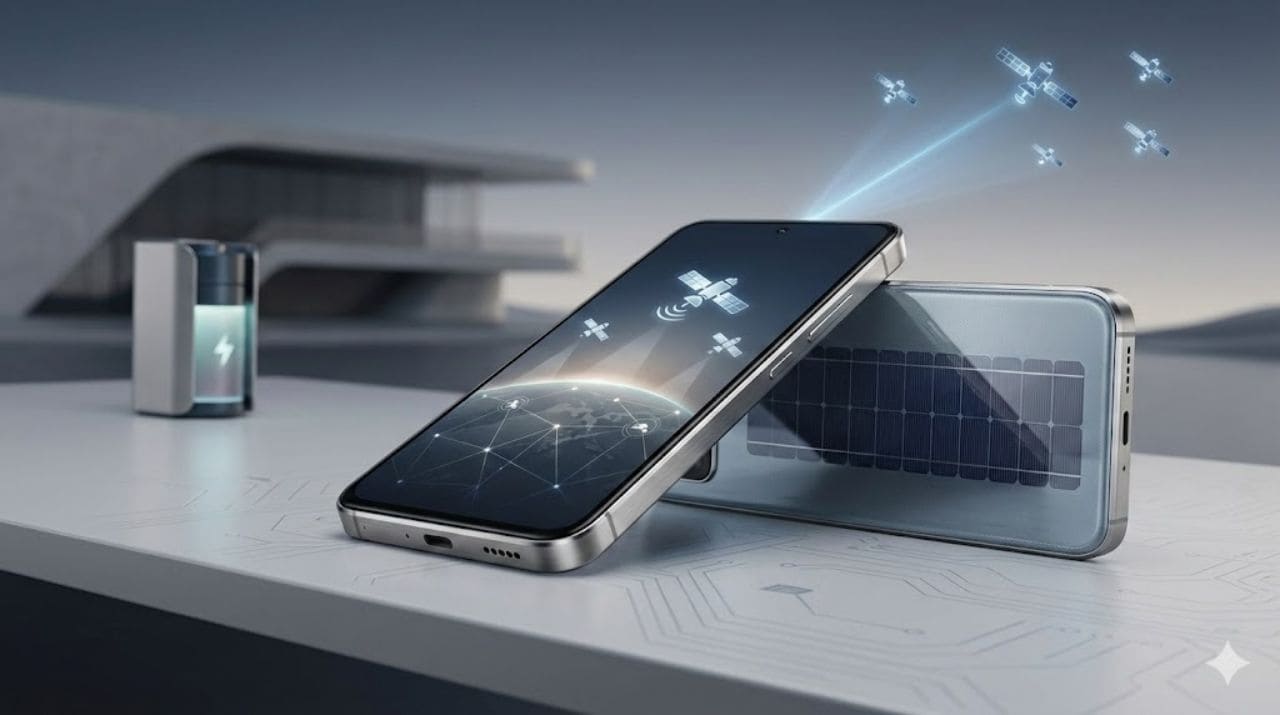
    • Satellite Connectivity in All Phones

    Phones will directly connect to satellites for emergency communication, even without mobile networks.

    • Advanced Biometric Security

    Future sensors may analyze:

    • Heartbeat patterns
    • Vein mapping
    • Brain-wave signatures

    These biometric methods will enhance safety and reduce the chances of unauthorized access.

    • Sustainable & Eco-Friendly Phones

    Manufacturers are testing:

    • Recyclable materials
    • Modular components
    • Energy-efficient processors
    • Low-impact batteries

    Future smartphones may have longer life cycles with upgradeable parts.

    • Ultra-Fast Connectivity (6G and Beyond)

    Experts predict data speeds faster than what we can imagine, enabling:

    • Instant downloads
    • High-quality holographic calls
    • Real-time cloud computing

    Conclusion

    From battery improvements and wireless charging to ultra-intelligent AI and advanced AR, the future of smartphones is both exciting and unpredictable. While we can analyze trends and research ongoing innovations, no one can foresee the exact pace at which mobile technology will evolve.

    One thing is certain – smartphones will continue to integrate connectivity, productivity, entertainment, convenience, and personal assistance into one seamless experience. These powerful devices will become even more central to our lives, blending technology into our routines in ways we never imagined.

    What features would you like to see in future smartphones?
    Share your thoughts in the comments below!

  • 14 Proven Ways to Extend Your Smartphone’s Life

    14 Proven Ways to Extend Your Smartphone’s Life

    If you wish to extend your smartphone’s life, then you must follow certain simple yet important precautions. The tips mentioned here, when followed with care and consistency, can help keep your phone in good condition for a longer time. These habits not only protect the phone but also help maintain the battery, charger, and other accessories that support daily performance.

    Smartphones today are delicate electronics. Even a small mistake can lead to expensive repairs, hardware problems, or battery issues. Many mobile repair professionals and technicians share similar advice because most phone faults happen due to improper handling or lack of basic care. With a bit of attention, you can easily prolong the life of your mobile phone without spending extra on repairs.

    Below are 14 proven tips that work for all smartphone models, whether Android or iPhone.


    1. Protect the Screen With a Screen Guard and Case

    The screen is the most sensitive part of any smartphone. Protect it with a quality screen guard. If possible, use a shock-proof plastic or leather case to cover the handset. This prevents scratches, cracks, and accidental damage from everyday use. Read our tips to protect your smartphone from damage article.

    Modern smartphones have strong glass, but they can still break from minor falls. A good case also protects the edges and back panel, which can be costly to replace.

    A strong case today can prevent costly repairs tomorrow.


    2. Charge the Battery the Right Way

    There is a common myth that a phone battery should fully drain before charging again. This belief was true only for older battery types like Nickel Cadmium and Nickel Hydride.
    Today’s devices use Lithium-Ion (Li-ion) or Lithium-Polymer (Li-Po) batteries, which work differently.

    Some important points:

    • You can charge your battery whenever needed.
    • Avoid letting your phone reach 0% very often.
    • Use original or certified chargers.
    • Avoid cheap accessories that may harm your battery or motherboard.

    Using the wrong charger can lead to battery swelling, overheating, or internal damage. Smartphone troubleshooting experts often see battery-related faults caused by low-quality chargers or incompatible adapters.


    3. Enable Phone Lock and SIM PIN

    Always enable a phone lock and the SIM PIN. This prevents misuse if the phone is lost or stolen. It also stops unauthorized access to your calls, contacts, and apps.

    Security features like fingerprint, face unlock, and pattern lock are easy to use and provide an added layer of safety.


    4. Handle Your Phone With Care

    Most electronic gadgets are delicate, especially phones. Rough handling can damage internal circuits or loosen components.
    Avoid unnecessary shaking or dropping the phone. Even minor falls can create hidden hardware problems which may not show immediately.

    Mobile diagnostics experts confirm that many motherboard issues come from small drops that users ignore.


    5. Clean Your Phone Properly

    To clean your smartphone, wipe it with a soft cloth.
    If the cover is dirty, you may use mild detergent, but be extremely careful so that liquid does not enter the phone through the openings.

    Do not use harsh chemicals. Avoid spraying liquids directly onto the device.


    6. Keep Your Phone in a Cool, Dry Place

    Heat is one of the biggest enemies of smartphones.
    Always keep your phone in a cool, dry area and avoid high-temperature environments.

    Some important tips:

    • Do not leave your phone inside a parked car.
    • Avoid exposing it to direct sunlight for long periods.
    • Be careful during monsoon or rainy seasons. Moisture can quickly damage internal components.

    Moisture damage is one of the most common reasons phones require motherboard repairs.


    7. Keep Your Phone Away From Children

    Children may unknowingly drop, press, or mishandle the phone. They also tend to install unnecessary apps or accidentally delete important data.

    In many cases, the data inside the phone is more important than the device itself, so keeping it safe is essential.


    8. Never Press the Screen Hard

    Do not apply pressure on the display. Pressing too hard may cause:

    • Smudges
    • Black spots
    • Cracked pixels
    • Touch problems

    Screens today are sensitive and designed to respond to light touches. Excess pressure can damage the internal layers.


    9. Use Only Authorized or Trusted Service Centers for Repairs

    If your phone needs repair, always go to an authorized or trusted service center. Inexperienced technicians can cause more harm than good.

    A wrong screw, poor soldering, or cheap spare parts can lead to permanent damage. Reliable centers use proper tools, follow safety procedures, and provide genuine parts.

    You can also get your cell phone repaired at Prizm Institute’s mobile repairing center in Mumbai


    10. Be Careful When Keeping the Phone in Your Pocket

    Do not keep sharp objects like keys or coins in the same pocket as your phone. They can scratch the screen or damage the phone body.

    Also, avoid keeping your phone in your back pocket. Sitting can bend the device, damage the display, or put pressure on internal components.

    Many bending problems seen in repair workshops come from phones stored in back pockets.


    11. Do Not Try to Open the Phone Yourself

    Unless you are trained in electronics, never attempt to open your phone.
    A single mistake can cause:

    • Broken connectors
    • Torn flex cables
    • Short circuits
    • Damaged sensors

    Professional technicians use specialized tools for opening smartphones safely. Self-repair attempts often lead to higher repair bills later.


    12. Keep Your Phone Away From Magnetic and Radio Devices

    Strong magnetic or radio waves can interfere with the phone’s internal components.
    It is best to keep your smartphone away from:

    • Heavy speakers
    • Strong magnets
    • Industrial equipment
    • Old radio devices

    This helps prevent data corruption or interference with sensors like the compass.


    13. Avoid Overloading Your Storage and Apps

    Although not in the original article, this is an important tip for modern devices.
    Phones slow down when:

    • Storage is almost full
    • Too many apps run in the background
    • There are unnecessary media files

    Keep your phone optimized by:

    • Clearing cache regularly
    • Uninstalling unused apps
    • Backing up old photos
    • Updating apps to fix software issues

    This improves speed and extends your phone’s usable life.


    14. Restart Your Phone Regularly

    Restarting clears temporary files, resets background processes, and improves performance.
    Mobile repair professionals recommend restarting your phone at least once every few days to avoid unnecessary lag and improve battery efficiency.


    Additional Tip: If Your Phone Falls Into Water

    If you ever drop your phone in water:

    • Remove the battery immediately, if removable.
    • Do NOT switch on the phone to check if it works.
    • Dry it using a soft cloth.
    • Place it in a ventilated area.
    • Visit a repair center as soon as possible.

    Turning the phone on while it is still wet can cause short circuits and permanent motherboard damage.


    Final Thoughts

    These were some essential tips to prolong the life of your mobile phone. By following these simple habits, you can extend your smartphone’s life and keep it running smoothly for years.

    If we missed any valuable tip, please let us know in the comments below.

  • Feedback of Mobile Phone Repair Training Conducted For BMC School Students

    Prizm Institute had recently conducted mobile phone repair training in Mumbai for students of a BMC run Government aided school in association with a reputed NGO  based in Mumbai, India. It was a pleasure for us to train the young school students. The students were of class Ninth, while some were from 7th std and 8th std.

    The first day when we started the training, one school teacher of the BMC School told me, “Padh likh kar koi fayda nahi!” which means Education is useless! Further he said that this is the type of training which will be more beneficial to students. Although I do not fully agree with him on this statement, he meant to say that education should lead to employment. That is obviously important!

    mobile repairing training by prizm institute for BMC school students in Vakola, Mumbai.

    The training went on for a period of about 1 month until all the topics were covered. The entire mobile repairing course was conducted in Hindi language. We tailored almost the entire course to suit the persona and IQ of these cute students.

    Feedback of our training

    Pros

    • Many of the interested students attended the class even after working in night shifts or doing household chores thereby indicating their interest and sense of responsibility.
    • Most of the students should be able to fix atleast the basic to intermediate type faults of all mobile phones and tablets.
    • These students can easily start their career in mobile repairing.

    Cons

    • A few of the students were either completely uninterested or irresponsible and did not attend the classes regularly
    • Some of the students were very much interested in this training but lacked the caliber and ability to make it big in this field.
    education is the most important tool which you can use to change the world

    Candidates receiving mobile repair training should fit the below criteria

    Students who have failed and have decided not to study further or students who are not interested in studying academically are more suitable and likely to benefit a lot. Students who are already studying may continue their studies further thereby creating a gap between training and entering the industry.

    If they want to start their career in mobile repairing after completing their studies, it will be too long a gap and hence they may forget many things they had learned and may not be able to perform various repair procedures taught.

    The type of technical training provided by us is such that if a candidate does not practice on what he/she has learned for more than six months, he is more likely to forget many topics and techniques gradually. The ideal choice of candidates will be students who are interested, have a sense of responsibility and want to willfully enter the mobile phone repair industry the day they finish the training from us.

    The other option can be to charge some nominal fee from every student which will be refundable only if the student attends class regularly and passes the examination at the end of the training. This is because some students do not give importance to anything that is provided to them for free.

    Conclusion

    Mobile phone repair is a very good option for students who do not want to study further or have not succeeded academically. There is a lot of scope in this field with good career prospects. They can either work as a technician or open their own repair shops with very little investment.

    Our only concern is that the candidates should take advantage of the training to make a living out of it. The receiver of the training should be able to make a career in it be it part-time or full time. They  should also have the ability to understand the topics covered in mobile repairing course syllabus.

    There should be more emphasis on the choice of the candidates and the selection process should be very rigorous. So what we felt is only those students who are capable and interested in making a career in mobile repairing should be selected.

    All the NGOs and social organizations conducting technical and vocational courses should evaluate the success ratio of students getting properly trained and therby employed so that their efforts get the desired results.

  • 10 Surprising Things Your Smartphone Can Actually Do

    10 Surprising Things Your Smartphone Can Actually Do

    Smartphones today have become an integral part of our lives. We depend on them throughout the day for personal tasks, work, and entertainment. Even after installing dozens of apps, most people use their smartphones only for basic functions like paying bills, taking photos, or booking a cab. But these devices can do so much more. This small computer in your pocket can perform tasks that once required several different gadgets.

    Modern smartphones perform hundreds of functions that previously needed separate devices. They have replaced tools like scanners, music players, GPS devices, and even remote controls. You can read our recent article on the number of gadgets we would be forced to buy if smartphones didn’t exist.

    There are also excellent discussions on Quora on how to use your smartphone more effectively. You should know all the ways by which you can maximize the output of a smartphone. Many users are unaware of the advanced tools and features already built into their phones. Learning these features helps you maximize your phone’s output and solve many tasks without additional tools.

    So let us explore some surprising things you can do with your smartphone, including a few updated features recently added to newer devices.


    1. Lock, Unlock, and Start Your Car

    For people who frequently misplace their car keys, modern smartphones offer a solution. Apps like Viper SmartStart allow you to lock or unlock your car without touching your keys. Some cars even support digital car keys, allowing you to start the engine with your phone.

    Newer models from leading car manufacturers now support NFC-based keyless entry, meaning your smartphone replaces the traditional key entirely. This also improves security because digital keys can be revoked or shared temporarily.

    You can start, control or locate your vehicle from virtually anywhere from your iPhone or Android smartphone.


    2. Monitor Your Heart Rate and Basic Health Stats

    You can install apps like Instant Heart Rate to measure your pulse by placing your fingertip on the camera. Within seconds, your phone shows a reading. While earlier versions were not highly accurate, newer smartphones include dedicated health sensors that track:

    • Heart rate
    • Blood oxygen levels
    • Stress patterns
    • Sleep quality

    Some phones also connect with smart accessories for more accurate readings. This eliminates the need for expensive health gadgets for basic monitoring.


    3. Project an Augmented Reality Map on Your Car Windshield

    Driving becomes difficult in fog, rain, or heavy traffic. Apps like HUDWAY can project a navigation map onto your car’s windshield. Just place your phone on the dashboard and follow the projected display.

    With modern advancements, AR-based navigation is becoming more common. Some smartphones now support live AR lane guidance, showing arrows directly on the road through your camera view.


    4. Turn Your Smartphone Into a Handy Tool

    Numerous apps can turn your phone into a spirit level, helping you align shelves, furniture, or frames. These tools use the phone’s sensors to measure angles with precision.

    Many smartphones also offer:

    • Compass tools
    • Measurement apps
    • Sound level meters
    • Flashlight utilities

    All of these eliminate the need to purchase separate equipment.


    5. Search Images in Your Camera Roll

    If you have an Android device, apps like Google Lens can search for information about any picture in your gallery. You can point the camera at a building, product, or object and instantly find details online.

    This is helpful for identifying:

    • Plants
    • Animals
    • Text
    • Products
    • Landmarks

    You can even translate text on images instantly using this feature.


    6. Digitize and Scan Old Negatives

    If you have old photographic negatives lying around, you can bring them back to life. Apps such as Helmut Film Scanner let you digitize negatives easily using your phone’s camera.

    Newer models also support AI-enhanced restoration, which repairs faded colors and improves clarity. This helps you save old memories without buying special scanning equipment.


    7. Measure Height, Distance, and Width Using the Camera Lens

    Smartphones with LiDAR or depth sensors can measure almost anything. You can measure:

    • Room dimensions
    • Furniture
    • Objects at a distance
    • Height of a person
    • Space needed for new items

    Several apps allow you to create a digital floor plan, take 3D measurements, or estimate the size of large objects your tape measure cannot reach.


    8. Turn Your Phone Into a Baby Monitor

    There are many apps that let you monitor your baby’s sleep. These apps can detect movement or sound and send alerts to another number. You can place your phone near the baby and receive notifications instantly.

    Some apps also include live camera streaming, allowing parents to check on their baby from wherever they are.


    9. Control Your Television and Other Electronics

    If you’ve misplaced your TV remote, your smartphone can help. Many phones have built-in IR blasters or apps that connect through Wi-Fi. These apps can control:

    • Televisions
    • Air conditioners
    • Projectors
    • Audio systems
    • Set-top boxes

    This helps replace multiple remotes with one easy solution.


    10. Use It as a Barcode and QR Code Scanner

    Smartphones can scan barcodes and QR codes printed on food packets, newspapers, posters, and products. This feature helps you find product details, compare prices, or access special offers instantly.

    Apps like Google Lens even allow scanning handwritten notes and converting them into digital text.


    NEW Surprising Smartphone Features Added Recently

    To make the article updated, here are additional modern smartphone functions many users don’t know about:


    11. Real-Time Language Translation

    Your smartphone can translate speech in real time. Apps like Google Translate or built-in translation tools help you talk to people in different languages instantly.

    Newer models also support live translation during calls, which is extremely useful for travelers.


    12. Detecting Objects Using AI

    With advanced AI tools, smartphones can now identify objects, ingredients, or even troubleshoot minor household issues. These features help users diagnose small hardware problems or understand what an unknown device may be.


    13. Document Scanning With Auto Cropping

    Your phone can scan documents and automatically:

    • Crop edges
    • Enhance clarity
    • Remove shadows
    • Convert to PDF

    This replaces bulky scanners and makes sharing documents easier.


    14. Using Your Phone as a PC (Desktop Mode)

    Some smartphones allow you to connect to a monitor and use a desktop interface. This helps with tasks like typing, browsing, and multitasking without needing a laptop.


    15. Detecting Nearby Devices and Lost Items

    Phones can help locate lost devices, keys, or headphones using:

    • Bluetooth tracking
    • Ultra-wideband (UWB) sensors
    • Smart tags

    This makes finding misplaced items extremely easy.

    These were some of the unknown things you could do with todays smartphone. Learn what you should expect in future smartphones.


    Final Thoughts

    These were some of the surprising things you can do with your smartphone. Modern smartphones offer far more value than basic calling and texting. They help in many areas of life, from health monitoring to remote control, scanning, navigation, and everyday problem-solving.

    Your smartphone has many hidden features you may not be using. It can even help you save money by eliminating the need for many separate tools and gadgets.

    So what are you waiting for? Start exploring your smartphone and unlock its full potential.

    We would love to know your thoughts. Share your opinions in the comments below.