Tag: iOS

  • How to Recover Permanently Deleted Photos and Videos from iPhone

    How to Recover Permanently Deleted Photos and Videos from iPhone

    Losing precious photos or important videos from your iPhone can feel frightening. One accidental tap on Delete and the memories you thought were safe disappear in seconds. But the good news is this: many deleted files can still be recovered, even if they seem gone forever.

    Before you panic, remember something important:

    “Your data may vanish in a moment, but smart recovery steps can bring it back when you act quickly.”

    In this detailed guide, you’ll learn all the reliable ways to recover permanently deleted photos and videos from an iPhone—whether you use iCloud, iTunes/Finder, a data recovery app, or a professional recovery service.

    This article explains everything step-by-step in plain, simple words so that anyone can follow the process with confidence.


    What “Permanently Deleted” Actually Means on an iPhone

    Many iPhone users believe that when a photo or video is deleted, it disappears instantly. But that’s not true.

    There are three stages of deletion:

    1. Deleted but still inside “Recently Deleted”

    Photos and videos stay in the Recently Deleted folder for about 30 days. You can restore them instantly from there.

    2. Removed from device storage but still recoverable from backups

    If the item is removed from Recently Deleted, it may still exist in:

    • iCloud Photos backup
    • iCloud device backup
    • iTunes/Finder backup
    • Third-party cloud apps
    • Local Mac photo library

    3. Physically overwritten

    Only after the system writes new data over the deleted file does it become nearly impossible to recover.

    Because of this, acting fast increases your chance of success.


    🔍 Before You Begin: Critical Steps to Improve Recovery Success

    Taking a few precautions before attempting recovery will protect your chances.

    1. Stop using your iPhone

    The more you use the device, the more likely it overwrites deleted files.

    2. Turn off iCloud Photos temporarily

    This stops syncing that might delete files from everywhere.

    Go to:
    Settings → Apple ID → iCloud → Photos → Turn Off Sync

    3. Check other Apple devices

    Your photos may still exist on your:

    • iPad
    • Mac Photos app
    • iCloud.com

    4. Check third-party apps

    Many users unknowingly back up their photos in:

    • Google Photos
    • OneDrive
    • Dropbox
    • Amazon Photos

    Method 1: Recover from “Recently Deleted” (Fastest & Easiest)

    This is the first place you should check.

    Steps

    1. Open the Photos app.
    2. Go to Albums.
    3. Scroll down to Recently Deleted.
    4. Select the photos or videos you want.
    5. Tap Recover.

    If the images are there, you’re done—no advanced recovery needed.


    Method 2: Recover from iCloud Photos

    If iCloud Photos was enabled, your media may still exist online.

    Check using iCloud.com

    1. Visit iCloud.com and log in.
    2. Open Photos.
    3. Look in All Photos and Recently Deleted.
    4. Restore your files if available.

    Why this works well

    • Sometimes deleted files sync slower across devices.
    • Some users disable automatic deletion in Settings.

    Method 3: Restore from an iCloud Backup (Full Device Restore)

    If the photos existed when your last iCloud backup was created, this method works.

    ⚠ Important

    This method replaces your current iPhone data.
    Backup your phone before restoring.

    Steps

    1. Go to Settings → General → Transfer or Reset iPhone → Erase All Content.
    2. Restart the iPhone.
    3. Choose Restore from iCloud Backup during setup.
    4. Select a backup created before the deletion.

    Best For

    • Recently deleted files that are no longer in the Photos app
    • Users who regularly back up their iPhone

    Method 4: Recover Using iTunes/Finder Backup (Mac or Windows)

    This method does not require iCloud and works offline.

    Steps

    1. Connect your iPhone to your computer.
    2. Open Finder on Mac or iTunes on Windows.
    3. Select your device.
    4. Choose Restore Backup.
    5. Pick the backup created before deletion.

    When this method shines

    • You turned off iCloud Photos
    • You keep regular encrypted backups
    • You use your Mac for photo storage

    Join Prizm Institute’s mobile software repairing course to learn flashing and unlocking of Android smartphones and iPhones.


    Method 5: Use a Trusted Data Recovery Tool (Without Resetting Your iPhone)

    If you don’t want to wipe your device, a data recovery tool is your best option.

    These tools scan your iPhone’s database to retrieve deleted files that are not yet overwritten.

    Popular recovery tools include:

    • Dr.Fone Data Recovery
    • iMobie PhoneRescue
    • Tenorshare UltData
    • Disk Drill iOS Recovery

    How they work

    1. Install the software on your computer.
    2. Connect your iPhone via USB.
    3. Let the software scan for deleted items.
    4. Preview photos and videos found.
    5. Recover the files to your computer.

    Advantages

    • No need to erase your iPhone
    • Quick scanning
    • Recovers photos, videos, chats, and app media

    Limitations

    • Cannot recover files that are already overwritten
    • Quality varies by app
    • Paid versions usually needed for full recovery

    Method 6: Check Third-Party Cloud Accounts (Surprisingly Common)

    Many iPhone users have auto-upload enabled without realizing it.

    Check cloud storage apps like:

    • Google Photos
    • OneDrive
    • Dropbox
    • Amazon Photos
    • Mega

    Why this works

    These apps keep separate backups and don’t delete files when you delete them from your iPhone—unless you manually remove them inside the cloud app.


    Method 7: Check Apps That Store Media Internally

    Some apps store photos internally instead of your Camera Roll.

    You may find lost media inside:

    • WhatsApp
    • Telegram
    • Snapchat Memories
    • Instagram Archive
    • Files app downloads
    • Notes attachments
    • Email downloads

    Sometimes, WhatsApp images appear again if your WhatsApp backup is restored.


    Method 8: Use Apple Support or a Professional Data Recovery Service

    If the data is extremely valuable—wedding photos, baby videos, business records—you may want professional help.

    When to choose a recovery lab

    • iPhone won’t turn on
    • Liquid damage
    • Physical damage
    • Recovery software cannot detect your storage
    • Deleted files are extremely important

    What recovery labs can do

    Advanced tools can access the NAND storage directly (chip-level recovery), which offers higher success rates. They help you recover lost data due to Jailbreak, device damage, stolen device, water damage, black screen of death, factory reset, iPhone stuck at Apple logo and lot more.

    “Sometimes saving your memories is worth more than saving your phone.”


    🎯 Why iPhone Photo and Video Recovery Works

    iPhones use advanced storage systems. When you delete a file:

    • It is not removed instantly
    • The system moves it to a “pending delete” state
    • Until overwritten, recovery is possible

    This is why the first rule is:

    Stop using the device immediately after accidental deletion.

    This simple step alone increases success rates dramatically.


    🔧 Bonus: How to Prevent Future Photo and Video Loss

    Avoiding data loss is far easier than recovering it.

    Here are essential protection methods:


    1. Enable iCloud Photos

    This syncs every photo and video across Apple devices.


    2. Use more than one cloud backup

    Use at least one of these in addition:

    • Google Photos
    • OneDrive
    • Amazon Photos
    • Dropbox

    3. Create regular computer backups

    Use Finder or iTunes to back up your device weekly.


    4. Export photos to a hard drive

    A simple folder backup prevents major data loss.


    5. Turn on “Optimize iPhone Storage” carefully

    This saves space but may confuse which files exist locally.


    🧩 Frequently Asked Questions (FAQ)

    1. Can permanently deleted photos be recovered if there is no backup?

    Yes, sometimes—using a recovery tool or professional data recovery service.

    2. How long does iCloud keep deleted photos?

    Usually around 30 days in the Recently Deleted folder.

    3. Do Apple Stores recover deleted photos?

    Apple Stores help with diagnostics but do not perform deep recovery.

    4. Are recovery apps safe to use?

    Most reputable apps are safe when downloaded from official websites.

    5. Do iPhones keep deleted photos forever?

    No. Once overwritten, they are impossible to retrieve.

    Conclusion

    Recovering permanently deleted photos and videos from your iPhone is possible through several proven methods. Whether you rely on iCloud, iTunes/Finder backups, a recovery app, or professional help, there is almost always a chance to retrieve your lost memories – especially if you act quickly.

    Take your time, follow the steps carefully, and choose the recovery method that fits your situation best.

    If your data is extremely valuable, consider expert help. For everything else, the tools and techniques shared in this guide should be enough to bring your photos and videos back safely.

  • Android vs iOS – Which is the Best Operating System And Who Is The Winner?

    Android vs iOS – Which is the Best Operating System And Who Is The Winner?

    Android vs iOS has been the biggest rivalry in tech industry for the best part of the last decade. Google’s Android and Apple’s iOS are the only two operating systems used in smartphones and tablets today. Windows is finished, period.

    Android which is more PC-like than iOS in that its interface and basic features are generally more customizable from top to buttom. While iOS is more secure but less customizable.

    The first Android phone, the T Mobile G1 (or the HTC dream in the United States) appeared in October 2008. The first iPhone was launched in June 2007. Since then, both these operating systems have changed substantially.

    In this article, I will list the pros and cons of both iOS and Android as well as significant differences between the two platforms.

    Android vs iOS – Comparison on the Basis of Features

    1. Hardware:

    Hardware is where there is a significant difference between iPhone and Android.

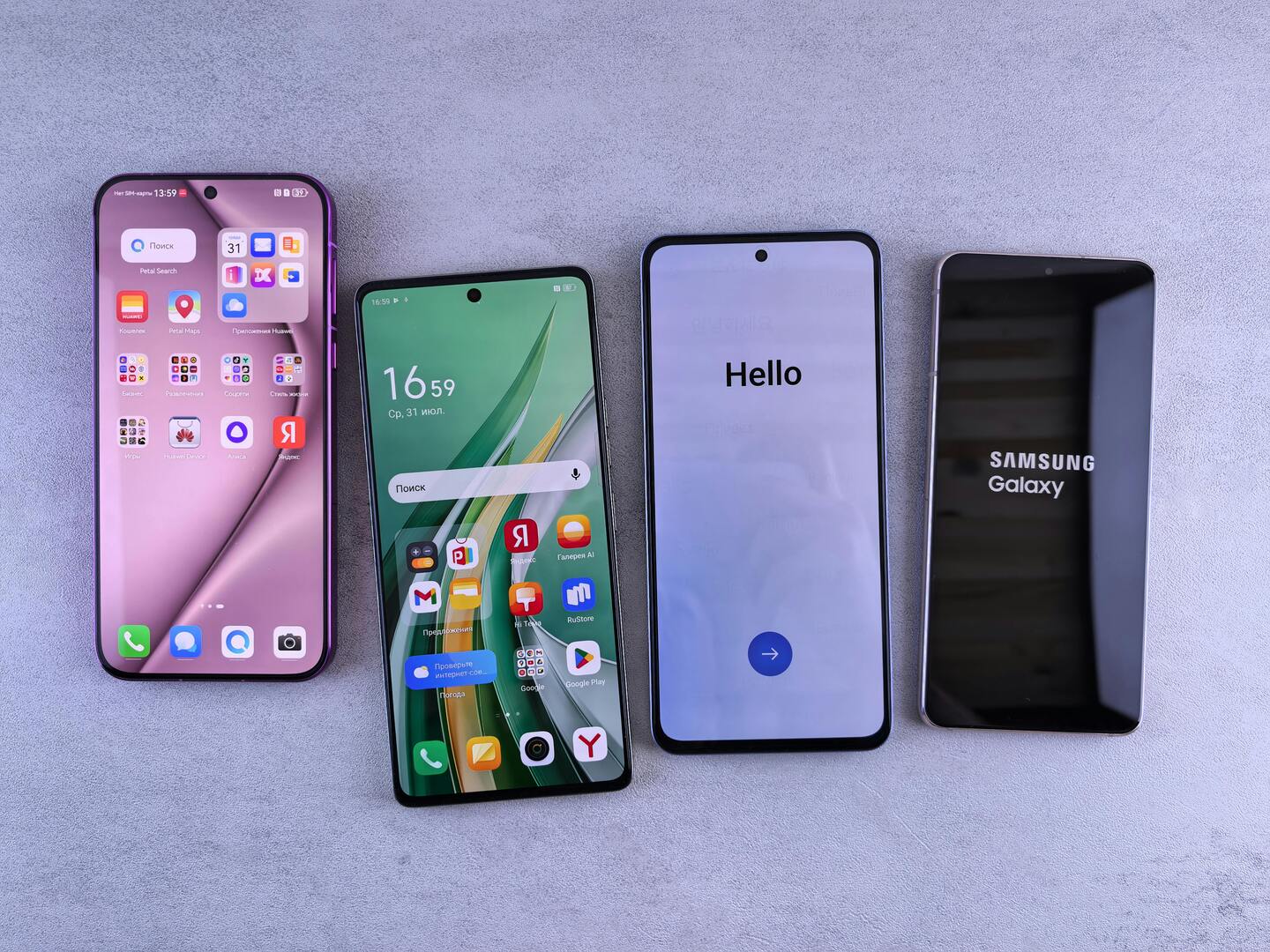
    Apple makes iPhones, so it has a very tight control over how the software and hardware work in sync. On the other hand, Google offers its Android software to every handset maker including Samsung, HTC, LG, Sony, Motorola, etc. This is in addition to Google’s own brand of Pixel phones which were launched in 2016. This is one of the main reason Android phones vary widely in size, weight, features and quality.

    Higher priced Android phones tend to be of high quality and fairly reliable while cheaper models may overheat, freeze up frequently or break. IPhones have also had hardware issues, but they are of high quality.

    If you are planning to buy an iPhone, you just need to pick your model. While if you are going for an Android, you have to pick both a brand and a model, which can be confusing and overwhelming. On the other hand, if you think the other way, you also have a of lot of options to suit your budget, features and tastes.

    2. Battery Life:

    The batteries in early iPhone models required a charge nearly every day, but that no longer the same. In recent models, you can go 2 days at a time without needing a charge.

    The case of battery is more complex in Android due to a large variety of models which differ in terms of brands, chipsets and screen sizes. Some Android phones have more than 6 inches screen and other features that burn much more battery life. There isn’t a clear winner in Android versus iOS battery life, however Android can deliver devices that works much longer than iPhones on a single charge.

    3. Security:

    If you are concerned about the security of your smartphone, there’s only one choice – iPhone.

    The reasons for this are myriad and too long to completely go into here. For the shorter version, consider these two facts.

    According to one study, 97% of all malware, viruses, worms, etc affected Android while 0% attacked the iPhone.

    Even the head of Google’s Android team had admitted ‘we cannot guarantee that Android is designed to be safe….If I had a company dedicated to malware, I should be addressing my attacks on Android.’

    4. App Selection:

    Apple’s iOS used to boast of the best app store, but Android has made huge strides in matching it in recent years. These days, nearly every app you can think of is available for both platforms i.e iOS and Android.

    However, iPhone still has a slight edge here, because the platform generally gets new apps first and these apps tend to get updates for new features more quickly. In a few cases, the iOS version of a given app can look better than the Android version seemingly with more care put towards the design.

    5. Software features and interface:

    Android and iOS both are getting updated regularly with new features which increase productivity and bring ease of access.

    Historically, iOS was considered to be a more user-friendly operating system compared to Android. However, its not true anymore. Both platforms have become extremely polished and easy to use. But, in general, iOS is slightly simpler and more streamlined while Android offers more features to power users.

    6. Digital assistants:

    iPhone has Siri, Android phones have Google Now. Both do a similar job, but their capabilities differ. Google Now isn’t really a virtual assistant you can have a conversation wit, whereas Siri does at least try.

    Both can be used to set alarms, reminders, get directionscheck cinema timings, sending text messages and emails using dictation.

    However Siri tends to do a better role at understanding the task in hand and is less likely to dish up web search results.

    ios vs android. who is better and the winner?

    Android versus iOS – Pros and Cons

    Android Pros and Cons

    Android Pros:

    1. A wide variety of phones to choose.
    2. Most phones have expandable store.
    3. Its open source, so it is easy to customize.

    Android Cons:

    1. More susceptible to malware.
    2. Unless you buy a phone that is not attached to a carrier, you will find lots of pre-installed (bloatware) apps.

    iOS Pros and Cons

    iOS Pros:

    1. Less chances of malware
    2. Curated app store
    3. Both hardware and software are controlled by a single company (Apple)

    iOS Cons:

    1. Walled-garden ecosystem
    2. Customization is limited
    3. No expandable storage

    iOS has better selection of apps and premium content all wrapped up in a one stop shopping environment. What we have about Android is the ability to truly personalize and customize the user experience. I also like how Android integrates better with social networking services for contacts and sharing content, plus the free turn by turn GPS navigation, Gmail and Early life support.

    The iOS powered iPhone is a good pick for Apple fans who use Mac computers and Macbooks since the devices can integrate seamlessly. Plus iPhones are extremely polished with strong security and handy features.

    Andoid on the other hand is a good pick for users who want more options in terms of both hardware and software. You will get Android phones with a variety of sizes and features.

    For me, The Winner is iOS (due to security and simplicity)

    iOS is my favorite OS as I weigh the following reasons higher: design, security, updates, ecosystem and apps. With iOS you are guaranteed timely updates to your phone’s software. That also means you get vital security patches for your devices security.

    Unless you have a Pixel or a Nexus, you may never get the latest software updates and vital security patches. On the other hand, Apple also prioritizes user privacy, so that your personal information won’t be stored or read by it. Its all encrypted and Apple isn’t using your data to sell ads. Google’s business model is based on mapping your data for information so as to better market products and tailor ads to you.

    Apple also has a better ecosystem of apps and games. If you are a mobile gamer or fanatic of apps, iOS is probably best for you. Since Apple strictly controls the app store with more specific guidelines, its apps are more consistent and well designed. Android is trying to standardize the play store’s offering, but still it has a long way to go.

    Obviously, both Android and iOS are more or less evenly matched, so you can’t go wrong with either. I just believe that security, simplicity and good design are very important and iOS leads the way on these fronts.

    Second Thoughts

    Both Android and iOS have far more similarities than differences! You will surely see a lot of enhancements in both of these operating systems in future smartphones. Realistically, different reasons are important to different people. So you should just pay attention to the ones that count for you and make your decision based on your preferences.

    Its better if you read How to select the best smartphone to know the features you need to check before buying your next smartphone.

    Please let me know your opinion in the comments below. Please consider sharing this article on facebook and other social sites.

    By Rishi Devanpalli

    Ex-student, Prizm Institute

    If you wish to write articles for us as well, please see our guidelines on the write for us page.

    Note: The opinions expressed in this article are the author’s own and do not necessarily reflect the view of Prizm Institute.

  • How To Select And Buy The Best Smartphone

    How To Select And Buy The Best Smartphone

    Most people buy a new smartphone every 2 to 3 years. This is because the features and specifications of the old smartphone get outdated over a period of time and there are better options available.

    If you do not know the latest trends, you may make mistakes and the specifications of your new cell phone may not be up to the mark as per your needs.

    So instead of repenting later, you have to understand what specifications you are being provided in the new smartphone before buying it. There are many specs like processor, camera quality, RAM, storage, screen size, battery, fast charging, 5G support, etc that you have to know before deciding on the brand and model of your choice. It is not easy to choose the handset which is the most suitable for you as there are countless models available, including many from Chinese manufacturers.

    If you are planning to buy a used phone, please read our second-hand mobile phone buying guide. It is important to understand new phone vs used phone buying guide before taking a final decision.

    Before proceeding further, I would like to specify here that…

    If you are an Apple fan, you will most probably buy the latest iPhone available.

    While if you are a Samsung Galaxy or a Sony Xperia loyalist, you are also most likely to buy their latest flagship model.

    But there are many others all over the world who are searching for good smartphones at an affordable price that suits their pockets. They have a wide range of choices from among Apple iPhone, Samsung, Sony, Motorola, Xiaomi, Vivo, Oppo, OnePlus, Realme, Nothing, Tecno, Infinix, etc.

    The features mentioned below are according to today’s standards and if you read this later, these specifications will obviously be upgraded further. Smartphones continue to evolve rapidly with new technologies every year. It is also obvious that we are going to see a lot of advancements in smartphones of the future.

    Specifications to watch for before buying a smartphone

    1. Price

    The first decision you have to make is how much you are willing to spend on your new phone. You should know the price range of the handset you want. You can increase your budget if you plan to use installment or EMI facilities.

    2. Operating System

    This is the first thing you have to decide. It will help you shortlist your options.

    You now have only two practical choices:

    iOS: iPhone Operating System. Apple users prefer to buy the latest iPhone.
    Android: Gives you plenty of choices from different brands in all price segments.

    Windows, Blackberry OS, Firefox, Symbian, and other older operating systems are outdated and not in use anymore.

    In Android phones, also check the Android version. In 2025, you should prefer a phone running Android 13, 14 or the latest available version, with assured software updates for at least 2–3 years.

    3. Brand

    Selecting a good brand is important. Good brands provide better quality, long-term updates, and reliable after-sales service. Chinese brands are giving tough competition, but only a few maintain high quality over time. Choose a brand that has a strong presence in your country.

    While selecting a brand, you should always go for brands which have a good presence in your country. Otherwise, it becomes a problem to get spares and accessories of that model when you need them.

    4. CPU

    The CPU is the backbone of performance. It should be fast enough to give smooth performance in daily use.

    Earlier we had dual-core and quad-core processors. Now modern phones use advanced chipsets like:

    • Apple A17 / A18 series
    • Qualcomm Snapdragon 8 Gen series
    • MediaTek Dimensity series

    Clock speed, architecture, and efficiency also matter. A latest Snapdragon or Apple processor will always perform better than older or low-quality processors.

    5. GPU

    The GPU processes all images and videos. A good GPU improves the experience while playing games, watching videos, or doing any graphic-intensive task. Modern phones have strong GPUs, and some even support hardware-based AI processing for better photos and videos.

    6. RAM

    RAM is needed to store temporary data of apps. If RAM is less, the phone will lag.

    Earlier 2 GB or 3 GB was enough. Today, you need:

    • At least 6 GB RAM for smooth performance
    • 8 GB or 12 GB for gaming or heavy multitasking

    Basic users who use only WhatsApp and simple apps can work with 4–6 GB.

    7. Phone Memory (Storage)

    Today your phone should have at least 128 GB internal storage.
    64 GB becomes full very fast because apps, photos, videos, and system files take more space now.

    Many phones also offer 256 GB, 512 GB, or even 1 TB storage.
    If the phone does not have expandable storage via microSD card, always choose a higher storage variant.8. Camera

    Megapixels are not the only factor. Sensor size, lens quality, and image processing matter more.

    Modern phones also offer:

    • OIS (Optical Image Stabilization)
    • EIS (Electronic Image Stabilization)
    • Night Mode
    • AI scene detection
    • 4K or 8K video recording
    • High frame rates (60fps, 120fps)

    Judge a camera by clicking photos and zooming them. If the details fade quickly, the sensor is weak.

    Front cameras should also have good quality, especially if you take selfies or video calls.

    9. Display

    A good display enhances user experience.

    Check:

    Resolution: FHD+ or higher is preferred

    • Refresh rate: 90Hz or 120Hz gives smoother scrolling
    • Brightness: Higher brightness helps with outdoor visibility
    • Screen type: OLED is better than IPS and TFT

    LCD resolution can be segregated into:

    • HD (High Definition): 720 x 1280 . It is also called 720p.
    • FHD (Full High Definition): 1080 x 1920. It is called 1080p.
    • QHD (Quad High Definition): 1440 x 2560. It is also called 1440p.
    • UHD (Ultra High Definition, 4K): 2160  x 3840. it is also called 2160p

    See the list of various display resolutions at Wikipedia at https://en.wikipedia.org/wiki/Graphics_display_resolution

    In brightness, check nits also . It shows how bright a phone’s display can get. Higher nits help you see the screen clearly even in strong sunlight.
    A good modern smartphone should offer at least 800–1200 nits, while premium models go much higher.

    Phones today also come with Corning Gorilla Glass 5, 6, Victus, or Victus+ for better protection.

    10. Camera

    The camera is one of the most important features for many smartphone buyers. Whether you click photos for social media, work, or personal memories, checking the camera properly before buying helps you avoid disappointment later.

    1. Do Not Judge the Camera Only by Megapixels

    Many people think higher megapixels mean better photos. This is not always true. Camera quality depends on the sensor, image processing, and software optimization, not just the megapixel number.

    A 12 MP or 48 MP camera from a good brand can perform better than a higher megapixel camera with poor processing.


    2. Check the Camera Specifications Carefully

    Before buying, always check the camera specifications mentioned on the box, official website, or trusted review pages. Focus on these key points:

    • Sensor size – Bigger sensors usually capture better light
    • Aperture (f/ number) – Lower f-number helps in low-light photos
    • Image stabilization – Optical or electronic stabilization improves clarity
    • Lens type – Wide, ultra-wide, macro, or telephoto

    Avoid relying only on marketing terms like “AI camera” or “professional camera.”


    3. Take Sample Photos in Different Conditions

    If possible, visit a store and test the camera yourself. Click photos in:

    • Good lighting
    • Indoor lighting
    • Low-light or evening conditions

    Check sharpness, colors, focus speed, and detail. Zoom in to see if the image remains clear or becomes noisy.


    4. Test the Front Camera as Well

    The selfie camera is important for video calls and social media. Check:

    • Skin tone accuracy
    • Focus on face
    • Video quality during movement

    Many phones have strong rear cameras but average front cameras.


    5. Check Camera App Features

    Open the camera app and see if it is easy to use. Look for:

    • Night mode
    • Portrait mode
    • HDR support
    • Video stabilization options

    A simple and responsive camera app improves real-world usage.

    A good smartphone camera is not about numbers. It is about how well the phone captures real moments.


    6. Watch Real-Life Camera Samples Online

    Before finalizing your purchase, search for real camera samples taken by normal users. This gives a better idea than promotional images.


    7. Understand Your Usage Before Choosing

    If you mostly click photos in daylight, mid-range cameras are sufficient. For night photography or video recording, choose a phone with better sensor and stabilization.

    To improve your pictures, also read how to take the best quality photos from your phone. The guide shares practical tips that work on both Android phones and iPhones.

    11. Battery

    Battery capacity is important. Most phones today offer:

    • 4500 mAh to 7000 mAh batteries

    Check for fast charging, which is a major feature now. Many phones support:

    • 30W, 65W, 80W, 100W, or even 150W fast charging
      Premium mobile phones also support wireless charging and reverse wireless charging as well.

    Battery health is also important. Brands now use better power optimization to reduce battery drain.

    Note: More mAh value means bigger size batteries which leads to phone becoming heavier. This is why bigger brands limit the mAh value to around 4000.

    You should also have a powerbank to assist you while travelling or in an emergency. Please read our guide on how to buy the best powerbank for your mobile phone.

    12. Screen Size

    Screen sizes today commonly range from 6.1 to 6.8 inches due to narrow bezels and taller aspect ratios. Choose according to your comfort.

    Smaller phones (below 6 inches) are very rare today.
    Bigger displays are good for gaming and videos but may feel uncomfortable for one-hand use.

    Read whats the perfect smartphone screen size for you.

    13. Launch Date

    Always check the launch date. Older models may have outdated specs or limited software update support. Prefer phones launched within the last 6 to 12 months.

    14. Updates

    Big brands provide regular updates. Smaller companies often fail here.
    For Android phones, check the number of Android version upgrades and security updates promised by the brand.

    In 2025, many brands offer 3-4 years of updates.

    Additional Features you also have to check

    In addition, you also have to check a few more specifications and features.

    5G Support

    5G lets your phone use faster mobile internet. Pages open quicker, videos stream smoothly, and downloads finish in seconds. Most new phones now support 5G as standard.

    Wi-Fi 6 or Wi-Fi 7

    Wi-Fi 6 and Wi-Fi 7 offer stronger and faster wireless connections. They give better speed and stable performance, especially in homes where many devices are connected at the same time.

    Bluetooth 5.2 or Higher

    Bluetooth 5.2 provides better range, clearer audio quality, and lower power use. It is helpful when using wireless earphones, smartwatches, or sharing files quickly.

    NFC

    NFC allows you to make quick contactless payments and pair devices with a single tap. It is useful for apps like Google Pay and for scanning NFC tags.

    Dual SIM

    A Dual SIM phone lets you use two mobile numbers at the same time. It is convenient for people who want separate numbers for work and personal use.

    Fingerprint Sensor (In-Display or Side-Mounted)

    A fingerprint sensor helps you unlock your phone quickly and safely. In-display sensors are inside the screen, while side-mounted ones are placed on the power button.

    Face Unlock

    Face unlock uses your front camera to recognize your face and unlock your phone. It is simple and quick, but works best in good light.

    Phone Weight (Below 200g)

    A phone that weighs below 200 grams feels more comfortable to carry and use. Heavier phones may feel bulky during long use.

    Build Quality, IP Rating & Durability

    Good build quality means the phone feels solid and lasts longer.
    An IP rating shows protection against dust and water. For example, IP67 or IP68 means the phone can survive accidental splashes or rain.
    Durable phones also have strong frames and good glass protection to handle daily wear and tear.

    Where can you find and know the specs and reviews?

    The manufacturer’s website highlights only the best features. To see complete details, check popular review sites:

    You can also Google “model name + specs.”

    If you need the best specs, you have to spend more. Flagship phones are expensive but offer top performance.

    Many people get fooled by low prices. Always read reviews before buying.

    Avoid brands that do not have a presence in your country. Repairing becomes very difficult and spare parts may not be available.

    Read 8 Manners And Etiquettes Of Using Cell Phones

    Please share this article among your friends on Facebook and Twitter.


    If you think any tip is missing or want more updates, feel free to let me know!