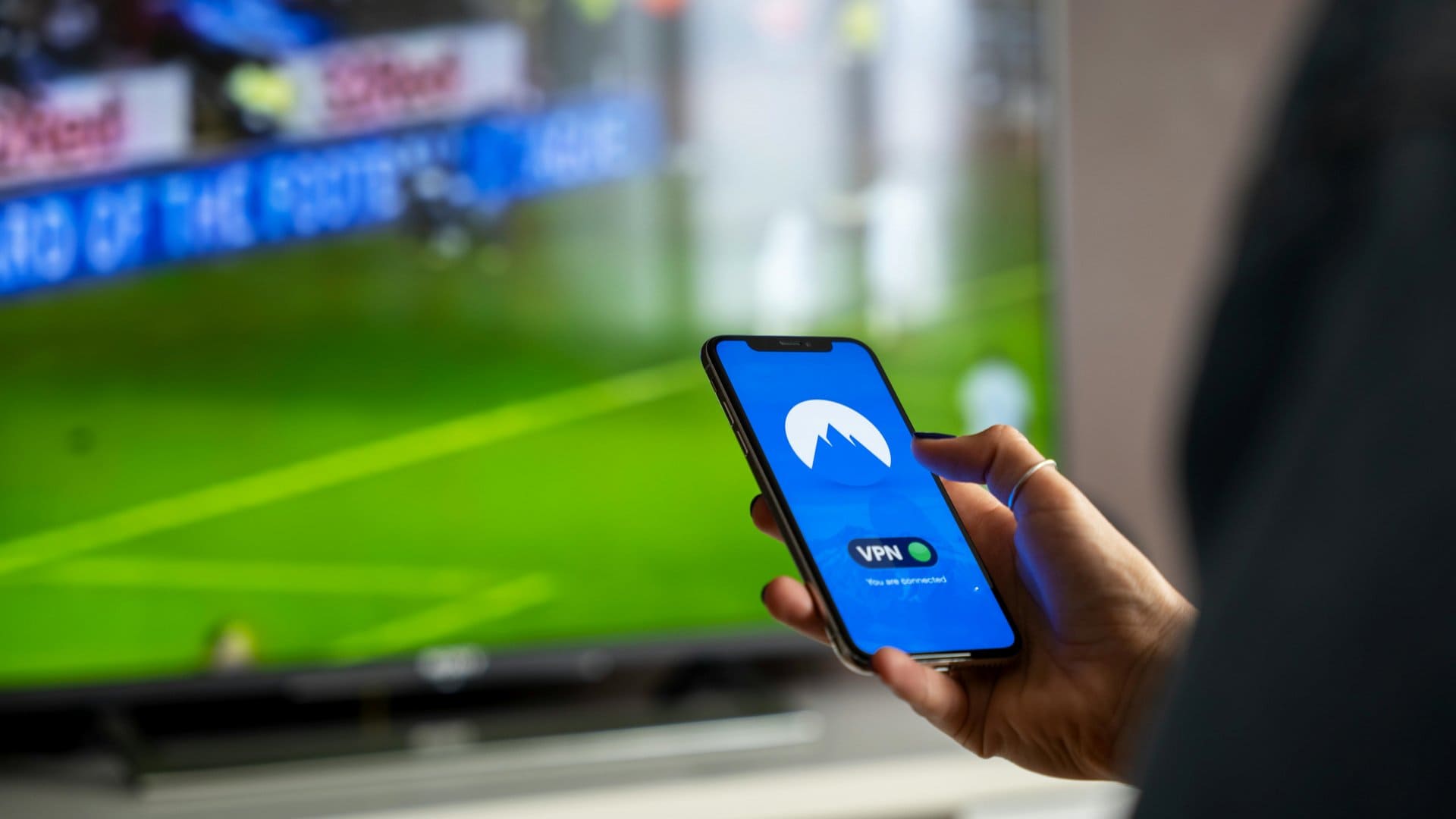
Using a smartphone without thinking about privacy has become quite normal. We connect to public Wi-Fi, install many apps, and browse websites every day. In this environment, many people hear about VPNs and wonder: Do I really need a VPN on my phone? Can I use one for free? Is it safe?
This guide answers those questions in simple language. You will learn what a VPN is, why people use free VPNs on phones, and how to use a free VPN on Android and iPhone safely. No technical background is required.
What Is a VPN?
A VPN (Virtual Private Network) creates a secure connection between your phone and the internet.
In simple terms:
- Your phone connects to a VPN server.
- Your internet traffic goes through that server instead of directly to websites.
- Your real IP address is hidden, and data is encrypted.
Think of a VPN as a private tunnel for your internet activity.
What a VPN Does on Your Phone
- Encrypts your internet data
- Hides your real location (IP address)
- Protects you on public Wi-Fi
- Helps access region-restricted content
Why Use a Free VPN on Your Phone?
Many people start with a free VPN because it is easy, fast to try, and does not require payment details. Below are the most common and valid reasons.
1. Protect Your Privacy on Public Wi-Fi
Public Wi-Fi networks (cafes, airports, hotels) are often unsecured.
Without a VPN:
- Your data can be intercepted
- Login details may be exposed
With a VPN:
- Your data is encrypted
- Hackers on the same network cannot easily see your activity
This is one of the most practical uses of a VPN on a smartphone.
2. Hide Your IP Address
Your IP address can reveal:
- Approximate location
- Internet provider
- Browsing patterns
A VPN replaces your real IP with the VPN server’s IP. This adds a basic layer of privacy while browsing on your mobile device.
3. Access Blocked or Restricted Content
Some websites and apps are limited by region.
A VPN can help:
- Access websites blocked on certain networks
- View content not available in your country
Free VPNs usually offer limited locations, but they can still be useful for basic access.
4. Reduce Tracking on Mobile Networks
Mobile carriers and some apps track browsing behavior.
A VPN:
- Makes tracking more difficult
- Prevents easy profiling based on IP address
It does not make you anonymous, but it improves privacy.
5. Try VPN Technology Before Paying
A free VPN is a good way to:
- Understand how VPNs work
- Check performance on your phone
- Decide if a paid VPN is worth it later
Is a Free VPN Safe to Use on Your Phone?
This is an important question. The answer is yes and no.
When a Free VPN Can Be Okay
A free VPN can be acceptable if:
- You use it for light browsing
- You avoid sensitive activities
- The app is transparent about limits
When a Free VPN Is Not a Good Idea
Avoid free VPNs if you plan to:
- Do online banking
- Enter passwords frequently
- Share personal or confidential data
Common Limitations of Free VPNs
Most free VPNs come with:
- Data limits
- Slower speeds
- Fewer server locations
- Ads inside the app
These limitations are normal and expected.
Important Risks to Know Before Using a Free VPN
To stay safe, you should understand the risks clearly.
1. Data Logging
Some free VPNs may:
- Log browsing activity
- Collect usage data
Always check:
- Privacy policy
- Data collection statements
2. Ads and Tracking
Many free VPN apps:
- Show ads
- Use trackers to earn revenue
This reduces privacy benefits but does not always make them dangerous.
3. Battery and Performance Impact
VPNs run in the background and may:
- Use more battery
- Slightly slow down your phone
This effect is usually small but noticeable on older devices.
How to Choose a Safe Free VPN for Your Phone
Before installing any VPN app, keep these points in mind.
Key Things to Look For
- Clear privacy policy
- No request for unnecessary permissions
- Good user reviews
- Transparent data limits
Permissions to Be Careful About
A VPN app should not need:
- Access to contacts
- Camera access
- Microphone access
If it asks for these, avoid it.
How to Use a Free VPN on Android (Step-by-Step)
Using a VPN on Android is simple. Most Android phones support VPN apps directly.
Step 1: Open Google Play Store
- Search for a free VPN app
- Check ratings and reviews
- Read the app description carefully
Step 2: Install the VPN App
- Download and install the app
- Open it after installation
Step 3: Create an Account (If Required)
Some free VPNs ask you to:
- Sign up with email
- Use a guest mode
Choose the option you are comfortable with.
Step 4: Allow VPN Connection
Android will show a message:
- “Allow VPN connection?”
Tap Allow. This is required for the VPN to work.
Step 5: Connect to a Server
- Choose a free server location
- Tap Connect
Once connected, you will see a VPN icon in the status bar.
Step 6: Use the Internet Normally
You can now:
- Browse websites
- Use apps
- Watch videos (within data limits)
How to Use a Free VPN on iPhone (Step-by-Step)
iPhones also support VPN apps through iOS settings.
Step 1: Open the App Store
- Search for a free VPN app
- Check reviews and update history
Step 2: Install and Open the App
- Download the app
- Launch it
Step 3: Allow VPN Configuration
iOS will ask:
- “Allow VPN configurations?”
Tap Allow and authenticate with Face ID, Touch ID, or passcode.
Step 4: Connect to a Free Server
- Choose a free location
- Tap Connect
The VPN icon will appear at the top of your screen.
Step 5: Disconnect When Not Needed
To save battery:
- Disconnect VPN when finished
- Reconnect only when required
Using Built-In VPN Settings (Advanced Users)
Both Android and iPhone have manual VPN settings, but these usually require:
- VPN server address
- Username and password
Most free VPN services do not provide manual details, so apps are easier for beginners.
Best Practices for Using a Free VPN on Your Phone
Follow these tips for a better and safer experience.
Do This
- Use VPN mainly on public Wi-Fi
- Disconnect when not needed
- Update the VPN app regularly
- Read privacy policies
Avoid This
- Using VPN for sensitive transactions
- Keeping VPN on all the time
- Installing unknown VPN apps
Free VPN vs Paid VPN: Quick Comparison
| Feature | Free VPN | Paid VPN |
|---|---|---|
| Cost | Free | Monthly/Yearly |
| Speed | Limited | Faster |
| Data Limit | Yes | Usually unlimited |
| Privacy | Basic | Stronger |
| Ads | Often | No ads |
A free VPN is good for learning and light use. Paid VPNs are better for heavy or sensitive usage.
⭐ Top 5 Free VPN Apps for Android & iPhone
Here are some of the best free VPN apps you can use on your smartphone for basic privacy, security, and browsing needs. These options are well-reviewed by experts and work on Android and iOS devices, with real features rather than just trial periods.
🔐 1. Proton VPN Free (Android & iPhone)
Best for privacy and unlimited data
Key Features:
- Unlimited data (no monthly cap) — uncommon for free VPNs.
- Strong no-logs policy and good encryption.
- Easy-to-use app on both Android and iOS.
- No ads or tracking inside the app.
- Works well for general browsing and basic privacy.
Why it’s great: Unlike many free VPNs that limit how much you can use them, Proton VPN lets you stay connected as long as you want without selling your data or serving ads — ideal for privacy-focused users on mobile.
📱 2. PrivadoVPN Free (Android & iPhone)
Best overall free VPN with good speeds
Key Features:
- 10 GB of free data per month — generous for casual use.
- Fast connection speeds (often competitive with paid options).
- Several server locations even on the free tier.
- Works with some streaming content (like Netflix, where allowed).
- Simple, beginner-friendly interface.
Why it’s great: PrivadoVPN is one of the most popular free options because it combines usable data limits with good speeds and privacy basics — perfect for Android and iPhone users who want more than just a basic tunnel.
🌍 3. Windscribe Free (Android & iPhone)
Good all-around free VPN with extra tools
Key Features:
- Up to 10 GB monthly data on the free plan (with email sign-up).
- Server access in several countries.
- Built-in ad and malware blocking in some versions.
- Supports multiple simultaneous devices.
- Works on Android and iPhone.
Why it’s great: Windscribe’s free tier gives you extra tools like ad blocking and broader server choices — a nice upgrade if you want features beyond basic VPN routing.
📲 4. Hotspot Shield Basic (iPhone Free Option)
Best free option with unlimited data (but limited speed)
Key Features:
- Unlimited data on free tier (no cap).
- Simple, easy interface for quick connection.
- Strong encryption and basic privacy protections.
Limitations:
- Free mobile speeds can be limited (e.g., ~2 Mbps).
- Only a few server locations available on the free plan.
Why it’s great (for iPhone users): When you want unlimited data without worrying about monthly caps, Hotspot Shield is one of the few free VPNs that offers it — ideal for casual browsing and social media.
📱 5. Super Unlimited Proxy (Free VPN for iPhone)
Easy, no-cost VPN with global access
Key Features:
- Unlimited time and bandwidth.
- Simple one-tap connect.
- Works across regions to access global content.
- Very high number of downloads and positive reviews.
Limitations:
- Free proxy-style VPN may not offer the same privacy protections as paid services.
- Feature set is basic compared to others listed above.
Why it’s great: If your priority is simple, unlimited browsing rather than deep privacy, this free VPN app makes it fast and easy.
🧠 Quick Tips Before You Choose
- Check data limits: Many free VPNs restrict how much you can use each month.
- Look at privacy policies: Some free VPN apps may collect and share data if their privacy practices aren’t strong.
- Expect slower speeds: Free tiers often throttle performance compared to paid plans.
Common Myths About VPNs on Phones
“VPN Makes Me Completely Anonymous”
This is false. A VPN improves privacy but does not guarantee anonymity.
“Free VPNs Are Always Dangerous”
Not always. Some are safe for limited use if chosen carefully.
“VPN Will Break My Internet”
A VPN may slightly slow speed, but it should not break your connection.
When Should You Definitely Use a VPN on Your Phone?
You should strongly consider using a VPN when:
- Using public Wi-Fi
- Traveling
- Accessing blocked websites
- Avoiding basic tracking
When You Should Avoid Using a Free VPN
Avoid free VPNs when:
- Doing banking or payments
- Entering sensitive passwords
- Handling private work data
Frequently Asked Questions (FAQs)
1. Is it safe to use a free VPN on my phone?
Yes, it can be safe for basic use like browsing or using public Wi-Fi, as long as you choose a reputable app. Avoid using free VPNs for banking, payments, or sensitive personal data.
2. Does a free VPN work on both Android and iPhone?
Yes. Most free VPN apps support both Android phones and iPhones. You can download them from the Google Play Store or Apple App Store and start using them in a few minutes.
3. Will a free VPN slow down my internet speed?
Usually, yes. Free VPNs often have limited servers and bandwidth, which can make the connection slower, especially during peak times. This is normal with free services.
4. Can I use a free VPN all the time on my phone?
It’s better to use a free VPN only when needed, such as on public Wi-Fi. Keeping it on all the time may drain battery faster and use up limited free data.
5. Do free VPNs really hide my location?
Free VPNs can hide your real IP address and show a different location, but the protection is basic. They improve privacy, but they do not make you completely anonymous online.
Final Thoughts
Using a free VPN on your phone can be helpful if you understand its limits. It is a practical tool for improving privacy, especially on public Wi-Fi, and for learning how VPNs work on Android and iPhone.
The key is to use free VPNs wisely:
- Choose reputable apps
- Avoid sensitive activities
- Disconnect when not needed
If your needs grow, you can later consider a paid VPN. For beginners, a free VPN is a reasonable starting point.