Introduction
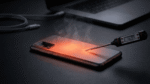
If your phone’s back cover is lifting, the screen looks slightly raised, or the device no longer sits flat on a table, there is a strong chance the phone battery has swollen. Many people notice this and continue using the phone, assuming it is a minor issue or just normal wear and tear.
In reality, a swollen phone battery is dangerous and should never be ignored.
Battery swelling is a clear sign that something inside the battery has gone wrong. While the phone may still turn on and work for a while, the risk of fire, explosion, or serious injury increases the longer the problem is ignored.
This article explains:
- What a swollen phone battery means
- Why phone batteries swell
- The real risks involved
- Common myths and mistakes
- What you should do immediately
- How to prevent battery swelling in the future
This guide is written for everyday users of Android phones, iPhones, and other smartphones, with no technical background required.
What Is a Swollen Phone Battery?
A swollen phone battery is a battery that has expanded beyond its normal size due to internal chemical reactions. This expansion is usually visible as:
- A bulging back panel
- A lifted or cracked screen
- The phone rocking when placed on a flat surface
Most modern smartphones use lithium-ion batteries. These batteries are sealed units. When something goes wrong inside them, gases build up. Since the battery casing cannot release this gas safely, it inflates like a balloon.
Swelling is not cosmetic damage. It is a warning sign of internal battery failure.
Why Do Phone Batteries Swell?
Battery swelling does not happen without reason. It is almost always caused by one or more of the following factors.
1. Battery Aging and Wear
Lithium-ion batteries degrade over time. Every charge cycle slowly reduces battery stability.
As batteries age:
- Chemical reactions become less efficient
- Internal resistance increases
- Heat generation rises
After 2–3 years of regular use, many phone batteries begin to show signs of wear. Swelling is one of the final stages of battery aging.
Example:
Users often report swelling after noticing rapid battery drain or overheating for several months.
2. Overheating
Heat is one of the biggest enemies of phone batteries.
Common causes of overheating include:
- Charging the phone on beds or sofas
- Using the phone heavily while charging
- Leaving the phone in a hot car
- Gaming or video streaming for long hours
Excessive heat accelerates chemical breakdown inside the battery, leading to gas formation and swelling.
3. Overcharging and Poor Charging Habits
Modern phones are designed to stop charging at 100%, but poor habits still matter.
Risky habits include:
- Charging overnight every day
- Using low-quality or fake chargers
- Charging from unstable power sources
- Fast charging continuously in hot conditions
Over time, these habits stress the battery and increase swelling risk.
4. Physical Damage
Dropping your phone or bending it can damage the battery internally.
Even if the phone looks fine from the outside, internal layers may be compromised. This damage can trigger slow chemical reactions that lead to swelling weeks or months later.
5. Manufacturing Defects or Low-Quality Replacement Batteries
While rare in branded phones, defects can occur.
The risk is much higher when:
- Using cheap replacement batteries
- Repairing phones at unauthorized shops
- Installing non-original battery units
Poor-quality batteries often lack proper safety controls.
Is a Swollen Phone Battery Dangerous?
Yes. A swollen phone battery is dangerous.
Battery swelling significantly increases the risk of:
- Fire
- Explosion
- Toxic gas release
- Damage to the phone’s screen and internal components
A swollen battery is unstable. Any additional stress – heat, pressure, or charging – can trigger a serious incident.
What Are the Real Risks of Using a Swollen Battery?
1. Fire Hazard
Swollen batteries can ignite if punctured or overheated. Lithium-ion battery fires spread quickly and are difficult to control.
2. Explosion Risk
In extreme cases, internal pressure can cause the battery casing to rupture violently.
3. Injury to Users
Burns, cuts from shattered screens, and smoke inhalation are real risks.
4. Damage to the Phone
Swelling can crack the display, damage internal circuits, and permanently ruin the device.
Warning Signs You Should Never Ignore
Stop using your phone immediately if you notice:
- Back cover bulging outward
- Screen lifting or separating from the frame
- Phone not lying flat on a table
- Unusual heating even during light use
- Burning or chemical smell
- Sudden battery percentage drops
These signs indicate a serious battery problem.
Common Myths About Swollen Phone Batteries
Myth 1: The phone still works, so it’s safe
Reality: A working phone can still be dangerous.
Myth 2: Swelling will go away on its own
Reality: Swelling only gets worse over time.
Myth 3: Only old phones have swollen batteries
Reality: New phones can swell if overheated or damaged.
Myth 4: Removing the bulge fixes the issue
Reality: Puncturing a battery is extremely dangerous.
What To Do Immediately If Your Phone Battery Is Swollen
Follow these steps carefully.
Step 1: Stop Using the Phone
- Do not charge it
- Do not press or squeeze it
- Do not try to “finish one last task”
Step 2: Power Off the Device
Turn off the phone if possible. If the screen is unresponsive, leave it as is.
Step 3: Move It to a Safe Place
Place the phone on a non-flammable surface, away from heat, sunlight, and people.
Step 4: Do Not Attempt DIY Fixes
Never:
- Puncture the battery
- Freeze it
- Heat it
- Bend it back into shape
Step 5: Visit an Authorized Service Center or Good Repair Shop
Get your phone battery replaced. Battery replacement should be handled by trained professionals using proper safety procedures.
What To Do If a Swollen Battery Catches Fire
- Do not pour water on it
- Keep distance immediately
- Move away from flammable objects
- Call emergency services if the fire spreads
Lithium-ion fires require special handling.
Normal Phone Heating vs Dangerous Battery Swelling
| Normal Phone Heating | Dangerous Battery Issue |
|---|---|
| Slight warmth during use | Phone too hot to touch |
| Heats while charging | Heat even when idle |
| No physical change | Bulging or swelling |
| Stops heating after unplug | Heat continues |
Battery Safety Checklist for Families & Children
- Keep phones away from children while charging
- Do not allow kids to use phones plugged into chargers
- Avoid charging devices on beds or cushions
- Never give children phones with damaged or swollen batteries
- Stop use immediately if the phone overheats
Battery Safety Standards Used in Smartphones
Modern smartphones include thermal protection circuits, overcharge protection, and automatic shutdown features to reduce battery risks. Batteries are tested for heat, impact, and electrical stress. These systems lower risk but cannot compensate for unsafe usage or damaged batteries.
How Long Can You Safely Keep a Swollen Battery? And Can You Continue Using a Phone With a Swollen Battery?
No. Replace it at the earliest to avoid any exploding incident.
Continuing to use a phone with a swollen battery is unsafe, even if:
- The phone still turns on
- Charging seems normal
- Swelling looks minor
Many users continue using swollen battery for months but it is extremely risky. Battery failure can escalate without warning.
- There is no safe time window
- Risk increases the longer it’s ignored
- Storage should be temporary and cautious
How to Prevent Phone Battery Swelling
- Avoid extreme heat exposure
- Use certified chargers only
- Do not charge phones on soft surfaces
- Replace batteries every 2–3 years
- Avoid cheap battery replacements
- Keep phone software updated
Good habits greatly reduce risk.
Pros and Cons of Lithium-Ion Phone Batteries
Pros
- High energy density
- Lightweight
- Fast charging support
Cons
- Sensitive to heat
- Degrades over time
- Risky if damaged
Is Battery Swelling Covered Under Warranty?
Battery swelling may be covered under warranty if it is caused by a manufacturing defect and the device is within the warranty period. Most smartphone companies provide battery warranty for 6 months to 1 year, while swelling due to heat, physical damage, or normal aging is usually not covered.
Quick Decision Guide: Swollen Phone Battery
- Using it → ❌ Unsafe
- Charging it → ❌ Dangerous
- Storing briefly → ⚠️ Use caution
- Replacing the battery → ✅ Strongly recommended
Frequently Asked Questions (FAQs)
1. Is a swollen phone battery dangerous even if it’s small?
Yes. Any visible swelling means internal failure.
2. Can a swollen battery explode suddenly?
It can, especially if heated, punctured, or charged.
3. Is it safe to charge a swollen battery once?
No. Charging increases heat and pressure.
4. Does battery swelling mean my phone is ruined?
Not always. Battery replacement may restore safe use.
5. Can software updates fix battery swelling?
No. Swelling is a physical battery issue.
6. Should I store a swollen phone at home?
Only temporarily, in a cool and safe place, until repaired.
Conclusion
A swollen phone battery is not a minor issue or cosmetic defect. It is a clear safety warning that should never be ignored. Swelling indicates internal battery failure and significantly increases the risk of fire, explosion, and injury.
The safest response is immediate action: stop using the phone, avoid charging it, and get professional help as soon as possible. With proper awareness and safe charging habits, most battery swelling cases can be prevented.
Your safety is worth more than any smartphone.