Tag: battery

  • Does Charging Your Phone Overnight Damage the Battery?

    Does Charging Your Phone Overnight Damage the Battery?

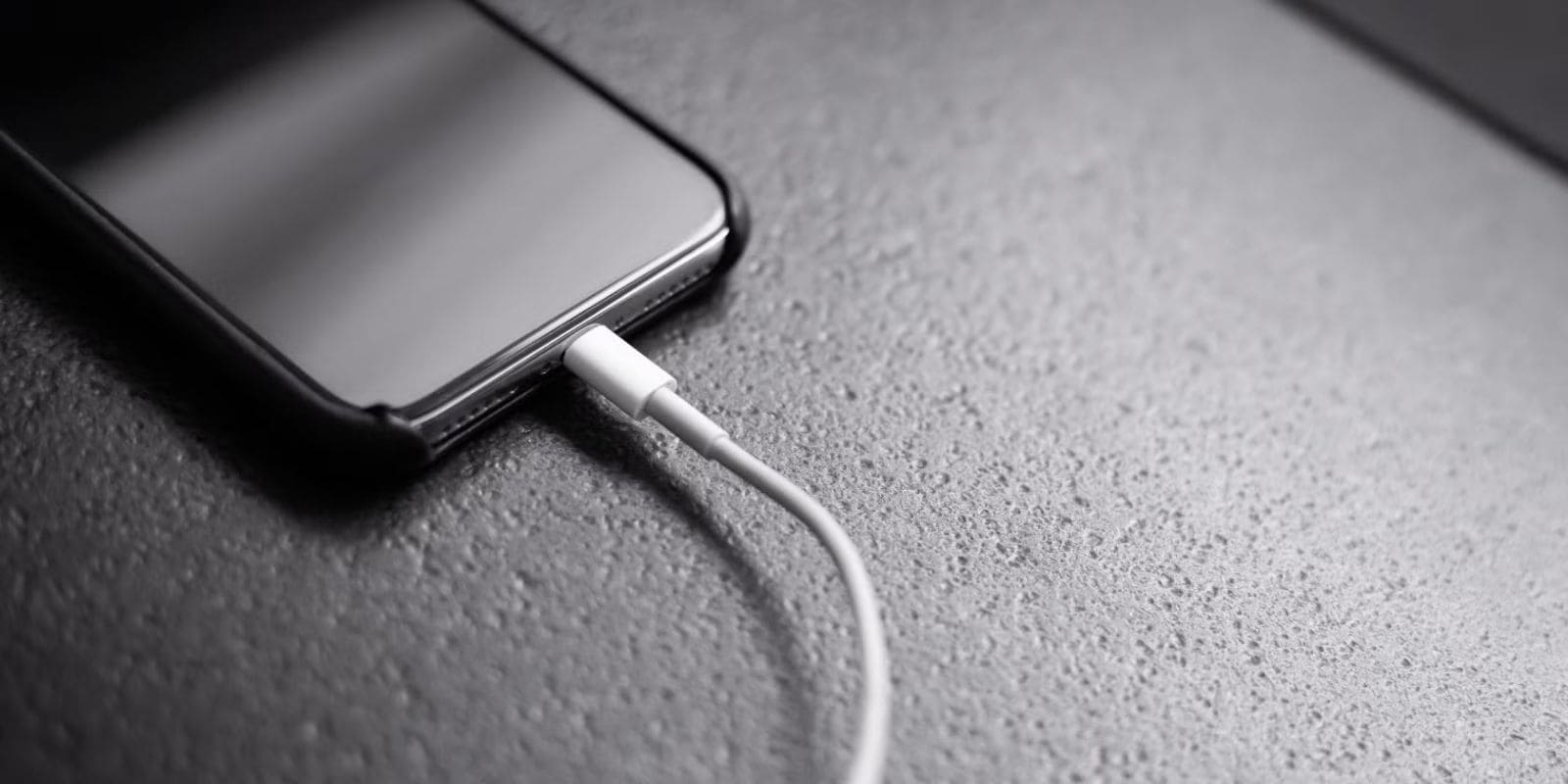
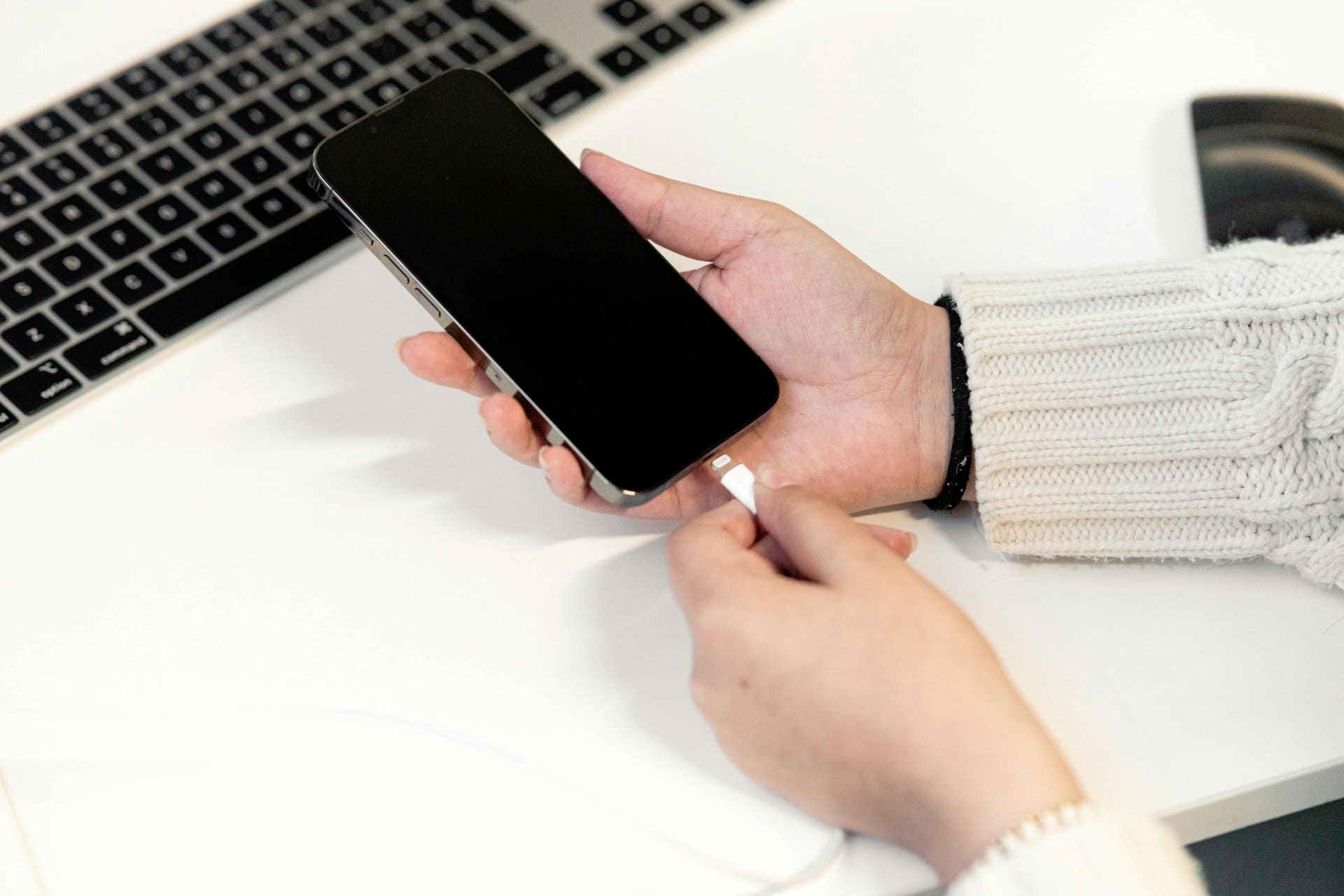
    Leaving your phone plugged in overnight is one of the most common habits among smartphone users. You charge your device before sleeping, unplug it in the morning, and repeat the cycle daily. But a big question keeps coming up:

    Does charging your phone overnight damage the battery?

    You may have heard mixed answers. Some say it ruins the battery. Others say modern phones are smart enough to handle it. The truth lies somewhere in between.

    This guide explains how phone batteries actually work, what really happens during overnight charging, which habits cause battery damage, and how to charge your mobile phone safely without stress or myths.

    “A battery does not fail suddenly. It weakens slowly, based on how it is treated every day.”

    Let’s break it down in simple words.


    Understanding Smartphone Batteries (In Simple Terms)

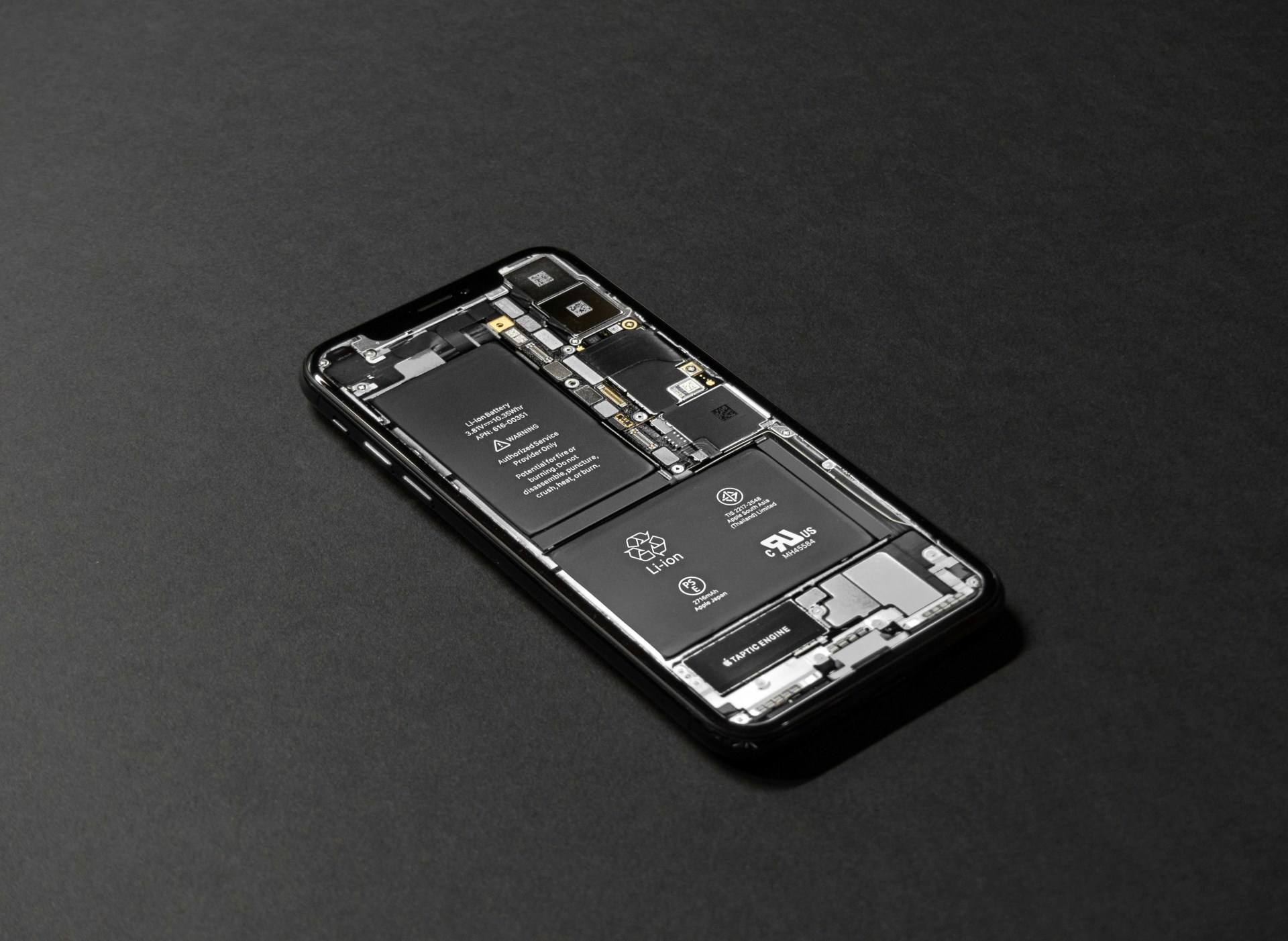
    Almost every modern smartphone — Android phone or iPhone — uses a lithium-ion or lithium-polymer battery. These batteries are lightweight, powerful, and designed for daily charging.

    Key facts you should know:

    • Phone batteries do not overcharge like old batteries
    • They have built-in protection circuits
    • Charging is controlled by the phone’s software and hardware

    When your mobile phone reaches 100% charge, it automatically stops taking power. Electricity does not keep flowing into the battery endlessly.

    So technically, overnight charging does not “overcharge” the battery. Here are some myths about very fast high watt charging of smartphones which we have busted.

    But that is not the full story.


    What Actually Happens When You Charge Overnight?

    To understand the impact, you need to know how charging works in stages.

    Charging Stages Explained

    1. Fast charging phase (0%–70%)
      The battery charges quickly. Heat is produced.
    2. Slower charging phase (70%–90%)
      Charging speed reduces to protect battery health.
    3. Trickle charging (90%–100%)
      The phone takes very small amounts of power to stay full.

    When you leave your smartphone plugged in overnight:

    • The battery reaches 100%
    • Charging stops
    • The phone uses small power bursts to maintain full charge

    This cycle repeats if the phone drops to 99% and goes back to 100%.

    ⚠️ This repeated top-up is what causes long-term battery wear, not overcharging.


    The Real Issue: Heat, Not Overcharging

    Heat is the biggest enemy of any phone battery.

    Overnight charging becomes risky when heat builds up for long hours.

    Common heat-causing situations include:

    • Phone kept under a pillow or mattress
    • Thick phone cover trapping heat
    • Charging on a soft surface like a bed
    • Using a cheap or damaged charger

    Heat slowly degrades battery chemistry, reducing capacity over time.

    A battery exposed to heat daily will age faster, even if charging limits are in place.


    Is Overnight Charging Safe for Modern Phones?

    Short Answer: Mostly yes — with conditions

    Modern devices are designed to handle overnight charging safely. Brands like Apple, Samsung, Google, Xiaomi, and others use smart charging systems.

    Many phones now include features such as:

    • Optimized battery charging
    • Adaptive charging based on your routine
    • Charging pause at 80% or 90% until morning

    These features reduce stress on the battery.

    However, overnight charging is not completely harmless if done carelessly.


    When Overnight Charging Can Damage Your Battery

    Overnight charging can shorten battery life if:

    • The phone stays hot for hours
    • Low-quality charger or cable is used
    • Power fluctuations occur
    • Phone is kept at 100% constantly
    • Battery is already old or degraded

    In repair centers, technicians often see batteries failing early due to heat exposure combined with overnight charging habits.


    Common Myths About Charging Overnight (Explained)

    Myth 1: Charging overnight explodes the battery

    ❌ False. Explosions are extremely rare and usually caused by faulty batteries or chargers.

    Myth 2: The phone keeps charging at 100%

    ❌ False. Charging stops automatically once full.

    Myth 3: Overnight charging kills battery instantly

    ❌ False. Damage happens slowly over months or years.

    Myth 4: New phones don’t need charging care

    ❌ False. Even advanced smartphones need proper charging habits.

    Before proceeding further, you can go through many more battery and charging related myths and their actual truths.


    The Ideal Charging Range for Battery Health

    Battery experts agree on one key point:

    Lithium batteries last longest when kept between 20% and 80%.

    Why this matters:

    • 0% stresses the battery
    • 100% also stresses the battery
    • Mid-range charge reduces chemical wear

    Charging to 100% occasionally is fine. Doing it daily for long hours is not ideal.


    Best Charging Practices (Technician-Approved)

    If you want your phone battery to last longer, follow these simple habits.

    1. Avoid Daily Overnight Charging (If Possible)

    Occasional overnight charging is okay. Daily overnight charging is not ideal.

    Charging in the evening and unplugging before sleep is better.


    2. Keep the Phone Cool While Charging

    • Place the phone on a hard surface
    • Remove thick covers during charging
    • Never keep it under pillows

    Cool charging = longer battery life


    3. Use Original or Certified Chargers Only

    Cheap chargers may:

    • Deliver unstable voltage
    • Cause overheating
    • Damage charging IC and battery

    Always use original or certified fast chargers.


    4. Enable Optimized Charging Features

    Most phones offer battery protection features. Turn them on.

    Examples include:

    • Optimized Battery Charging
    • Adaptive Charging
    • Charging Limit (80% or 85%)

    These features reduce overnight battery stress.


    5. Avoid Charging From 0% Daily

    Letting your phone die every day is worse than overnight charging.

    Try to plug in around 20–30% battery level.


    6. Do Not Use the Phone While Charging Overnight

    Gaming, video streaming, or hotspot use while charging generates heat.

    Charging + usage + heat = faster battery aging


    iPhone vs Android: Is There Any Difference?

    iPhone Charging Behavior

    iPhones use advanced battery health management:

    • Learns your daily routine
    • Holds charge at 80% overnight
    • Completes charging before you wake up

    This reduces battery wear significantly.


    Android Phone Charging Behavior

    Many Android brands offer:

    • Adaptive charging
    • Charging limits
    • Smart battery protection

    However, budget Android phones may lack advanced features. Charging habits matter more for them.


    How Technicians Identify Battery Damage from Charging Habits

    In service centers, battery damage from poor charging habits shows as:

    • Battery health below 80%
    • Phone heating during charging
    • Sudden battery percentage drops
    • Fast drain even when idle
    • Phone shutting down at 20–30%

    Most of these issues are caused by heat and full-charge stress over time.


    Signs Your Battery Is Already Affected

    If you notice these signs, overnight charging may be contributing:

    • Battery drains quickly
    • Phone heats up during normal use
    • Charging becomes slow
    • Battery percentage jumps randomly
    • Phone shuts down unexpectedly

    At this stage, changing charging habits can slow further damage but may not reverse it.


    Should You Stop Charging Overnight Completely?

    Not necessarily.

    Occasional overnight charging is fine.
    Careless daily overnight charging is not.

    If overnight charging is your only option:

    • Keep the phone uncovered
    • Use a good charger
    • Enable battery protection features
    • Avoid heat

    These steps reduce risk significantly.

    “Good battery health is not about perfection. It is about consistency.”


    Battery Replacement vs Battery Care

    Replacing a battery is possible, but:

    • Original batteries cost more
    • Cheap replacements degrade faster
    • Improper replacement risks device damage

    Proper charging habits can delay replacement by years.


    Quick FAQs (Featured Snippet Friendly)

    Does charging your phone overnight damage the battery?

    Not immediately. Modern phones stop charging at 100%, but heat and constant full charge can reduce battery lifespan over time.

    Is it better to charge to 80%?

    Yes. Keeping the battery between 20% and 80% helps maintain long-term health.

    Can overnight charging cause phone explosion?

    No. Explosions are extremely rare and usually linked to faulty batteries or chargers.

    Should I unplug my phone at 100%?

    If convenient, yes. It reduces battery stress.

    Is fast charging bad overnight?

    Only if it causes heat. Fast charging itself is safe when properly controlled.


    Final Thoughts: The Smart Way to Charge Your Phone

    Charging your smartphone overnight is not as dangerous as many people think. Modern devices are designed to handle it. However, battery health depends on how often and how carefully you charge.

    The real enemy is heat and constant full charge, not the charger itself.

    If you want your phone battery to last longer:

    • Avoid unnecessary overnight charging
    • Keep the device cool
    • Use quality accessories
    • Enable smart charging features

    Small habits make a big difference over time.

    A phone battery is like a muscle. Treat it gently, and it will serve you longer.

  • Do Background Apps Really Drain Battery on Smartphones?

    Do Background Apps Really Drain Battery on Smartphones?

    Smartphone users often hear one common tip: “Close background apps to save battery.”
    It sounds logical. More apps running must mean more battery drain, right?

    But modern mobile phones, whether Android devices or iPhones, work very differently than older phones. Many popular battery-saving tips are outdated, misunderstood, or only partially true.

    Understanding how background apps actually work is the key to better battery life — not blindly closing everything.

    This guide explains the reality behind background apps and battery drain, using clear language, real-world examples, and technician-level insights. You’ll learn what really affects your phone battery, when background apps are a problem, and what you should do instead.

    “Battery problems are rarely caused by one app alone. They are usually the result of how the system, apps, and user habits work together.”


    What Are Background Apps on a Smartphone?

    Background apps are applications that are not actively open on your screen but still exist in the phone’s memory.

    Examples include:

    • WhatsApp syncing messages
    • Email apps checking for new mail
    • Fitness apps tracking steps
    • Music apps paused but not closed
    • Cloud apps backing up photos

    On modern smartphones:

    • Apps do not continuously run at full power in the background
    • Most apps enter a sleep or suspended state
    • The operating system controls how much power they can use

    In simple terms: background does not always mean active.


    How Modern Smartphones Manage Background Apps

    Both Android and iOS are designed to protect battery life automatically.

    Android Background App Management

    Android uses systems like:

    • App standby buckets
    • Doze mode
    • Background execution limits
    • Adaptive battery (AI-based)

    These features:

    • Restrict apps that you don’t use often
    • Limit background CPU usage
    • Delay background tasks when the phone is idle

    iPhone Background App Management

    iOS is even more aggressive:

    • Suspends apps completely when not needed
    • Allows limited background activity only for approved tasks
    • Uses Background App Refresh selectively

    In normal conditions, background apps are heavily controlled by the system.


    Do Background Apps Really Drain Battery?

    The Short Answer

    Most background apps do NOT significantly drain battery on modern smartphones.

    The Real Answer

    It depends on what the app is doing, not simply whether it is open in the background.

    Background apps drain battery only when they:

    • Actively use GPS or location services
    • Sync data constantly
    • Run poorly optimized code
    • Abuse background permissions
    • Use mobile data aggressively
    • Trigger frequent wake-ups

    A paused or suspended app consumes almost zero battery. Here is a list of many more cell phone battery related myths which have been debunked and you should stop believing them!


    The Biggest Battery Drainers (Not Just Background Apps)

    From a technician’s perspective, these are the real battery killers:

    1. Screen and Display

    • High brightness
    • High refresh rate
    • Always-on display
    • HDR content

    The display uses more power than most apps combined.


    2. Mobile Network and Signal Strength

    • Weak signal forces the phone to boost radio power
    • Constant switching between towers drains battery
    • 5G in low-signal areas increases power use

    “A phone struggling for signal drains faster than one running ten apps.”


    3. Location Services

    Apps using:

    • GPS
    • Bluetooth scanning
    • Wi-Fi scanning

    Navigation apps, ride-hailing apps, and fitness trackers are common examples.


    4. Poorly Optimized or Rogue Apps

    Some apps:

    • Ignore background limits
    • Keep waking the CPU
    • Continuously sync data
    • Show hidden ads or trackers

    These apps cause abnormal battery drain even when not in use.


    5. System-Level Issues

    • Software bugs
    • Corrupt updates
    • Battery calibration errors
    • Old firmware conflicts

    Closing Background Apps: Helpful or Harmful?

    On Modern Phones

    Force-closing apps repeatedly can:

    • Increase CPU usage when reopening
    • Cause more battery drain, not less
    • Interrupt background optimization

    Constantly swiping away apps is usually unnecessary.

    When Closing Apps Makes Sense

    You should close an app if:

    • It is frozen or misbehaving
    • It is overheating the device
    • It is using abnormal battery in settings
    • It is a known buggy app
    • You just finished using navigation or camera apps

    Real-Life Example from Repair Technicians

    A common case in service centers:

    “Customer complains battery drains overnight. They close all apps every night.”

    Diagnosis often shows:

    • Location always ON
    • Email syncing every minute
    • Poor network signal at home
    • Old battery health below 80%

    Background apps were not the real issue.


    How to Check Which Apps Drain Battery

    On Android

    1. Open Settings
    2. Go to Battery
    3. Tap Battery usage
    4. Check apps with high percentage

    On iPhone

    1. Open Settings
    2. Go to Battery
    3. Scroll to Battery Usage by App
    4. Check “Background Activity”

    Focus on apps using battery when the screen is OFF.


    Background App Refresh: What It Really Does

    Background App Refresh allows apps to:

    • Fetch new data
    • Update content
    • Sync notifications

    Disabling it:

    • May delay notifications
    • Can slightly improve standby time
    • Is useful for rarely used apps

    You don’t need to disable it completely — control it app by app.


    Smart Battery-Saving Tips That Actually Work

    1. Control Location Access

    • Use “Only while using the app”
    • Avoid “Always allow” unless needed

    2. Manage Network Usage

    • Use Wi-Fi when possible
    • Turn off mobile data for unused apps
    • Disable 5G in poor signal areas

    3. Reduce Screen Power

    • Lower brightness
    • Use adaptive brightness
    • Reduce refresh rate if available

    4. Identify Problem Apps

    • Remove unnecessary apps
    • Replace poorly optimized apps with lighter alternatives
    • Keep apps updated

    5. Keep Software Updated

    Updates often:

    • Fix battery bugs
    • Improve background optimization
    • Enhance power efficiency

    Myths About Background Apps and Battery Drain

    Myth 1: Closing all apps saves battery

    False. It often increases battery use.

    Myth 2: More apps installed means more drain

    False. Installed apps don’t drain power unless active.

    Myth 3: Task killer apps improve battery

    Mostly false. Many task killers cause instability.

    Myth 4: Background apps always slow the phone

    False. Modern phones handle memory efficiently.


    Android vs iPhone: Who Handles Background Apps Better?

    Both systems are efficient, but in different ways:

    • Android offers more control and customization
    • iOS enforces stricter limits automatically

    In real-world use:

    • Battery drain depends more on usage habits than platform
    • Poor apps drain battery on both systems

    When Battery Drain Is NOT a Software Issue

    Sometimes, no app is at fault.

    Consider hardware causes if:

    • Battery health is low
    • Phone heats up quickly
    • Device shuts down at high percentage
    • Charging takes too long

    A degraded battery drains faster regardless of background apps.


    Technician-Level Signs of App-Related Battery Drain

    • Phone remains warm when idle
    • Data usage increases without use
    • Battery graph shows steep drops
    • CPU usage spikes in diagnostics

    These cases require:

    • App isolation
    • Safe mode testing
    • Software reset if needed

    Quote to Remember

    “Battery life improves when you understand how your phone works — not when you fight against it.”


    Should You Worry About Background Apps at All?

    Yes — but only selectively.

    You should:

    • Monitor battery usage occasionally
    • Control permissions wisely
    • Avoid unnecessary force-closing
    • Focus on real drain sources

    You should not:

    • Panic about every background app
    • Install aggressive battery killers
    • Follow outdated advice blindly

    Simple Summary

    • Background apps alone rarely drain battery
    • Screen, signal, and location matter more
    • Modern smartphones manage apps efficiently
    • Poorly optimized apps can still cause issues
    • Smart settings beat constant app closing

    Understanding your device is the best battery-saving tool you have.

  • Top Smartphone Battery Myths You Should Stop Believing

    Top Smartphone Battery Myths You Should Stop Believing

    Smartphone batteries power almost everything we do — communication, banking, navigation, entertainment, learning, and work. Yet battery care is one of the most misunderstood areas of smartphone usage. Many people still follow old habits or believe outdated advice that causes more harm than good.

    While smartphone technology has evolved rapidly, many myths about batteries continue to circulate. Some of these misconceptions seem harmless. Others can actually reduce battery lifespan, cause performance issues, or create safety risks.

    This article cuts through the noise and breaks down the most common smartphone battery myths, explains what’s true, and highlights the smart habits that genuinely improve your battery’s health.

    “Good battery life is not luck — it’s the result of good habits and accurate knowledge.”

    Let’s explore the myths one by one.


    Why Battery Myths Spread So Easily

    Most people learned early battery habits from older devices, especially phones that used nickel–cadmium (Ni-Cd) or nickel–metal hydride (Ni-MH) batteries. Those technologies behaved very differently from today’s lithium-ion (Li-ion) and lithium-polymer (Li-Po) batteries.

    Many outdated ideas have simply been passed down:

    • “Drain your battery fully before charging.”
    • “Don’t charge your phone overnight.”
    • “Different chargers damage your battery.”

    These statements might have applied to older batteries, but modern smartphone batteries operate on completely different chemistry.

    Understanding these changes helps protect your phone and improve its long-term performance. You can also learn to make your smartphone battery’s charging last longer by following simple Dos and Donts.


    Myth 1: You Must Fully Drain Your Battery Before Charging

    This is one of the oldest and most persistent myths in phone history. People still believe that letting the battery drop to 0% improves performance or “resets” the battery.

    Reality:

    Modern smartphones use lithium-ion batteries, which perform best when they are kept between 20% and 80% most of the time.

    Letting your battery hit 0% frequently puts unnecessary stress on the cells and shortens the lifespan. It can also cause the phone to enter a deep-discharge state, which is risky.

    Why the myth existed:

    Older Ni-Cd batteries had a “memory effect,” where they lost capacity if not fully discharged. Lithium-ion batteries do not suffer from this problem.

    Smart habit:

    • Try not to let your battery drop below 20% regularly.
    • Charge in small bursts when convenient — it’s healthier for the battery.

    Myth 2: You Should Not Charge Your Phone Overnight

    Many people think charging overnight harms the battery or “overfills” it. This worry comes from misunderstanding how charging systems work. You can understand in detail all about overnight charging whether it is good or nor good for a better battery life.

    Reality:

    Smartphones are designed with advanced charging logic. When your battery reaches 100%, the phone automatically stops charging. Power flows directly to the device instead of the battery.

    Your battery is not being continuously charged all night.

    However, overnight charging can keep the phone warm, especially if placed under a pillow, case, or blanket. Heat is the real enemy, not the act of charging itself.

    Why the myth spreads:

    People assume that if the phone stays at 100% for hours, it must be harmful. But phones trickle-charge and regulate voltage carefully.

    Smart habit:

    • Charging overnight is safe, but avoid covering the phone.
    • Use original chargers to prevent overheating.

    Myth 3: Closing Apps Saves Battery

    This myth is so common that even experienced users believe it. Many people constantly swipe away all background apps to “reduce battery drain.”

    Reality:

    Modern operating systems like Android and iOS are designed to manage background apps automatically. When an app is not in use, the system freezes it, and it consumes almost no power.

    Repeatedly closing apps forces the phone to use more battery to reopen them later.

    Why people believe this myth:

    Seeing many apps in the recent apps menu makes it look like they are still running. In reality, most of them are idle and not consuming resources.

    Smart habit:

    • Only close apps that are misbehaving (glitches, freezing, heating).
    • Let the system manage the rest.

    Myth 4: Using Third-Party Chargers Damages the Battery

    This myth is partially true and partially false — and needs clarification.

    Reality:

    Using a cheap, low-quality, uncertified charger can be dangerous. These chargers may deliver unstable voltage and harm the battery.

    But using a good-quality third-party or certified charger from a reputable brand is safe.

    Your phone controls the power intake, not the charger. The charger simply provides voltage; the phone regulates how much power the battery accepts.

    Why this myth exists:

    Cheap chargers used to damage devices because they lacked protective circuits. Today, certified chargers meet strict safety standards.

    Smart habit:

    • Avoid unbranded chargers.
    • Look for chargers that support your phone’s charging standards.
    • Choose brands with safety certifications.

    Myth 5: Fast Charging Harms Your Battery

    Many users believe fast charging “burns out” the battery or shortens its lifespan.

    Reality:

    Fast charging is designed by engineers who carefully control voltage and temperature. Your phone regulates the speed of charging based on heat and battery condition.

    Fast charging only outputs full speed up to a certain percentage — usually around 50–60%. After that, the charging speed automatically slows down to protect the battery.

    Why people believe it:

    Fast chargers get warm, and warmth feels dangerous. But this heat is monitored and managed.

    Smart habit:

    • Fast charge when needed.
    • For overnight charging, slow chargers are a gentler option (but optional).
    • Keep the phone in a cool space while charging.

    Myth 6: Turning Off Wi-Fi, Bluetooth, and Location Always Saves Battery

    People often disable these features assuming they drain power constantly.

    Reality:

    Modern smartphones are optimized to manage these features with very minimal battery usage when idle.

    The battery drain is negligible when:

    • Wi-Fi is on but not connected
    • Bluetooth is on but not paired
    • Location services are idle

    The real consumption happens only during active usage.

    Smart habit:

    • Disable these services only if the battery is critically low.
    • Otherwise, don’t worry — they barely affect modern smartphones.

    Myth 7: Battery-Saving Apps Improve Battery Health

    There are countless apps claiming to “boost battery life” or “optimize performance.”

    Reality:

    Most of these apps do more harm than good. They force-stop background processes repeatedly, increasing battery usage. Some even collect user data or show intrusive ads.

    Smart habit:

    • Use built-in battery optimization tools instead of third-party battery apps.
    • Let the phone manage its own processes.

    Myth 8: Keeping the Phone Plugged In Damages the Battery

    Some people believe that keeping the phone plugged in while using it harms the battery.

    Reality:

    Using the phone while plugged in is safe, but heat can accumulate during heavy use.

    Playing games, editing videos, or running intensive apps while charging can cause the device to warm up. Again, heat, not the act of plugging in, is the issue.

    Smart habit:

    • Avoid heavy usage while charging.
    • Keep the phone uncovered.
    • Use original or certified chargers.

    Myth 9: You Must Always Charge to 100%

    Some users feel insecure unless their battery is full.

    Reality:

    Charging to 100% is not harmful, but lithium-ion batteries are happiest between 40% and 80% for daily use.

    Charging fully occasionally is fine, but doing it constantly can add small stress to the battery.

    Smart habit:

    • Charge fully only when needed (like long travel).
    • Daily charging can be partial.

    What Actually Damages Your Smartphone Battery?

    Now that the most common myths are clear, let’s identify the real factors that reduce battery health:

    1. Heat

    The biggest enemy of battery lifespan. Heat accelerates chemical aging.

    2. Continuous deep discharge

    Frequently letting the battery hit 0% shortens its life.

    3. Extreme charging habits

    Keeping the battery at 100% while exposed to heat can cause stress.

    4. Cheap chargers and cables

    Low-quality accessories can cause voltage instability.

    5. Heavy usage during charging

    This creates heat buildup.

    6. Battery aging

    Every battery naturally loses capacity over time — this is normal.


    How to Increase Your Smartphone Battery Lifespan (Pro Tips)

    Here are practical, expert-backed tips to extend your battery life:

    1. Keep the battery between 20%–80% whenever possible

    Avoid deep discharge and unnecessary full charges.

    2. Avoid exposing your phone to heat

    Don’t leave it in the car, under pillows, or near sunlight.

    3. Use original or certified chargers

    Good quality accessories protect your device.

    4. Remove thick covers during charging

    This allows better heat dissipation.

    5. Use dark mode and reduce screen brightness

    The display consumes more energy than any other component.

    6. Keep your software updated

    Manufacturers improve battery optimization over time.

    7. Uninstall battery-draining apps

    Some apps run heavy background activity.

    8. Avoid fast-charging constantly if you don’t need it

    Use it when necessary; slow charging is gentler.


    Are Battery Health Numbers Always Accurate?

    Most smartphones display battery health percentages. These numbers are estimates based on charge cycles and voltage readings. They help track aging but are not perfectly precise.

    If your battery health drops below:

    • 85% → You may notice reduced backup
    • 80% → Replacement may be beneficial
    • 70% or below → Expect significant performance impact

    Battery replacement is safe and affordable — and can give your phone a fresh life.


    When Should You Replace Your Phone Battery?

    Consider replacement if:

    • The phone shuts down unexpectedly
    • Battery drains unusually fast
    • Battery health reading is low
    • The phone heats up regularly
    • Charging takes too long

    A fresh battery can restore performance, eliminate lag, and extend your phone’s lifespan by years.


    Conclusion: Focus on Real Facts, Not Myths

    Smartphone batteries are more advanced, safer, and more efficient than ever. But they still need proper care — not outdated habits or viral myths.

    Understanding the truth behind battery behavior helps you:

    • Extend lifespan
    • Improve performance
    • Reduce overheating
    • Avoid unnecessary damage
    • Save money on early battery replacements

    “The more you understand your battery, the longer it lasts.”

  • How to Choose the Right Power Bank for Your Phone (Complete Buying Guide)

    How to Choose the Right Power Bank for Your Phone (Complete Buying Guide)

    Technology has been advancing at an incredible pace. Today, a single smartphone gives us access to entertainment, communication, productivity tools, academic resources, and creative apps. It has replaced dozens of devices we once used separately. Because of this, we carry our phones everywhere. But even with all these improvements, one problem continues to trouble users — battery life.

    The more useful a smartphone becomes, the more we use it, and the faster its battery drains. This is why power banks have become a must-have accessory. A power bank acts like a portable energy backup that helps you keep your device alive throughout the day.

    Even though smartphone brands try to offer larger batteries and improved efficiency, most users still struggle to get through a full day without charging. Bigger displays, high-refresh-rate screens, 5G usage, GPS, camera-heavy apps, and constant notifications all consume power rapidly.

    Quick charging and software features like power-saving modes help to some extent, but they do not solve everything. For many people, a reliable power bank is the only practical solution.

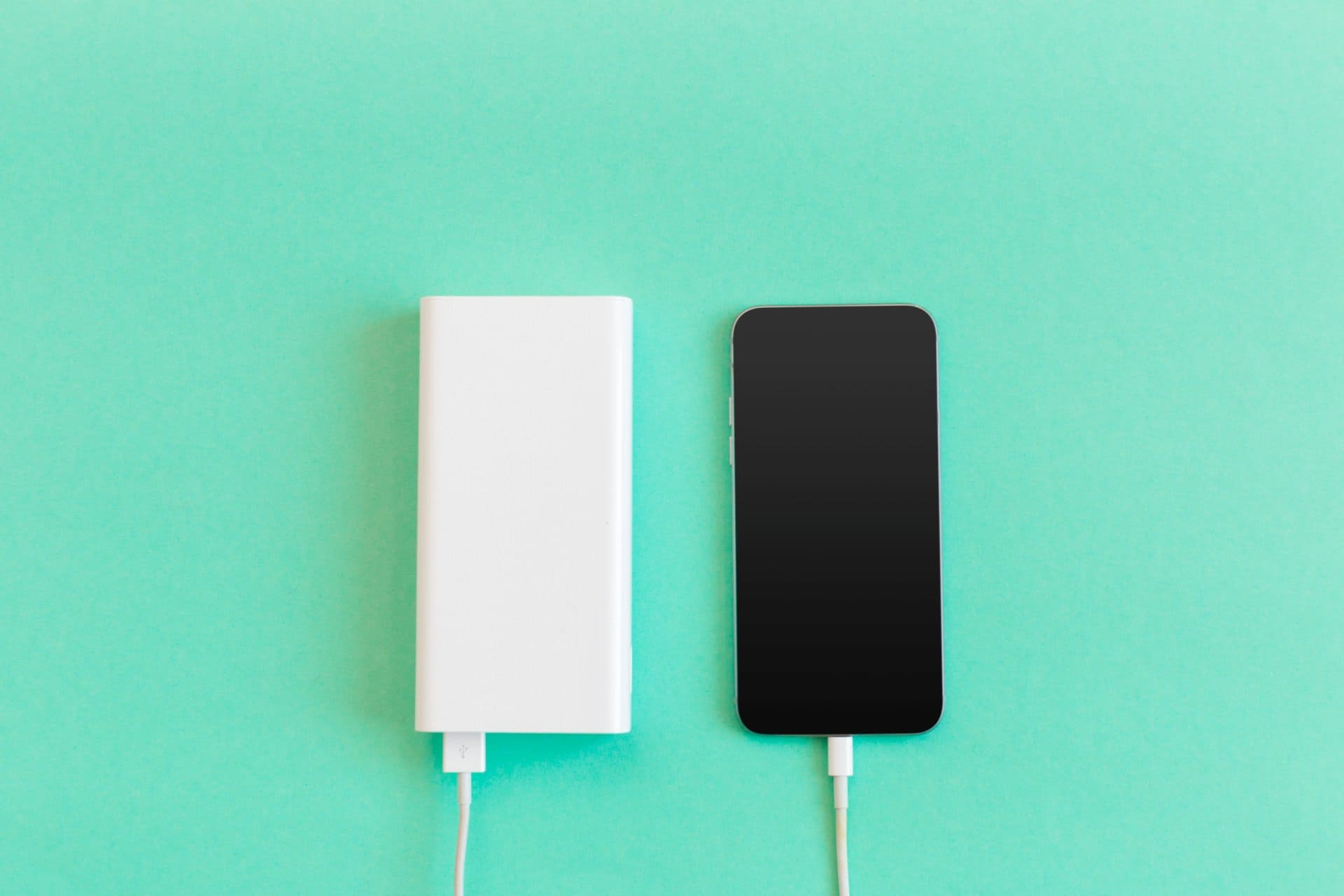
    You should also know how a powerbank works

    This power bank buying guide will help you understand what to look for and how to buy the best power bank for your mobile phone without confusion.


    🟦 What You Must Know Before Choosing a Power Bank

    1. Battery Capacity (mAh)

    Capacity is the first thing people check. It is measured in milliampere-hours (mAh). The higher the number, the more charge cycles the power bank can provide.

    A simple rule is:
    Your power bank should always have at least twice the capacity of your phone battery.

    For example:

    • Phone battery: 3000mAh
    • Ideal power bank: 6000mAh or above

    This accounts for natural energy loss that occurs during charging. If you want your phone to charge multiple times, go even higher — like 10,000mAh or 20,000mAh.

    A 20,000 mAh power bank can charge a 5000 mAh phone about four full times.

    Important points about capacity:

    • Very cheap power banks often inflate the mAh rating, so choose trusted brands.
    • Larger capacity = heavier and bulkier.
    • Smaller power banks (2000–5000mAh) are useful only for emergency top-ups, not full charges.

    For travelers, gamers, vloggers, and remote workers, 20,000mAh or even 30,000mAh models are more practical.

    Read: The 11 Best Battery Packs to Keep Your Gadgets Going


    2. Manufacturer & Build Quality

    The brand matters more than many people realise. A poorly built power bank can damage your smartphone permanently.

    Trusted brands use quality batteries, stable circuits, and better protection layers. Unknown brands may cut corners to offer low prices.

    Why brand matters:

    • Better safety systems
    • Accurate capacity ratings
    • Long-lasting battery cells
    • Stable performance

    Power banks usually come with lithium-ion or lithium-polymer cells. Both work well, and the difference is minimal for regular users. What truly matters is the quality of manufacturing and the safety features.

    Read A Brief history of powerbanks


    3. Connectivity Options & Number of Output Ports

    Power banks today support multiple output types:

    • USB-A
    • USB-C
    • Micro-USB (older)
    • Wireless charging pads

    Having multiple ports allows you to charge different devices:
    phones, tablets, smartwatches, Bluetooth earphones, portable speakers, and more.

    Why ports matter:

    • More ports = charge more devices at once.
    • USB-C ports often support faster output.
    • Some power banks offer bi-directional USB-C which allows both input and output.

    If you switch phones (like Android to iPhone), multiple output options ensure your power bank remains useful.

    Wireless charging power banks have also become popular, offering more convenience.


    4. Input & Output Power (Fast Charging Support)

    This is one of the most important parts of the power bank buying guide.

    Input Power

    Input power decides how fast the power bank itself charges.

    Higher input = faster self-charging
    Examples:

    • 5V/1A → Very slow
    • 5V/2A → Faster
    • USB-C PD → Much faster

    If you buy a high-capacity power bank (20,000mAh+), choose one with fast input to avoid waiting hours to recharge it.

    Output Power

    This is how fast the power bank charges your device.

    Most phones today support fast charging:

    • 10W
    • 18W
    • 22.5W
    • 33W
    • 45W
    • 65W or higher for some brands

    Choose a power bank that supports fast charging standards such as:

    • Quick Charge (QC)
    • Power Delivery (PD)
    • SuperVOOC / Warp / Dash (brand-specific)

    If you buy a slow-output power bank, your phone may take 2–3 hours longer to charge.


    5. LED Indicators & Display Screen

    Charging indicators are essential. They show:

    • How much battery is left
    • Whether fast charging is active
    • Charging input status

    Some premium power banks come with a digital display that shows the exact percentage. This is more accurate than LED dots.

    how to buy the best powerbank.

    6. Your Usage Pattern

    Choosing the right power bank depends heavily on how you use your phone.

    Heavy Users:

    • Long travel
    • Gaming
    • Vlogging
    • Instagram Reels, YouTube, editing apps
    • 5G browsing

    These users should consider 20,000mAh or 30,000mAh models with fast charging.

    Light Users:

    • Only need emergency battery backup
    • Mostly near charging points
    • Occasional trips

    A 10,000mAh power bank is usually enough.


    7. Quality and Safety Features

    This is where you should never compromise. Cheap power banks may overheat, swell, or damage your device.

    Look for these safety protections:

    • Overcharge Protection
    • Short Circuit Protection
    • Overheat Protection
    • Surge Protection
    • Intelligent Power Management
    • Certified battery cells
    quality and safety features of power banks

    Good brands clearly mention safety layers. If specifications look vague, avoid the product.


    8. Weight and Portability

    Higher capacity means more weight. But new models now use improved lithium-polymer cells, making them lighter.

    If you travel daily and prefer something light, choose a compact 10,000mAh model with USB-C.

    If weight does not matter and you want all-day backup, go for a high-capacity model.

    You may find power banks with more than 50,000 mAh, but they are very big and heavy. It’s better to avoid them unless you really need that much power.


    9. Price & Value for Money

    A high-quality power bank does not always mean expensive.

    Before buying, compare:

    • Capacity
    • Build quality
    • Charging speed
    • Safety features
    • Warranty
    • Port options

    Sometimes the same model is priced differently across online stores, so compare before buying.

    Do not buy extremely cheap products—they often use recycled batteries and weak circuits.


    10. Reviews & Real User Experience

    Before buying, check reviews from people who have used the power bank for at least a few months. Early reviews can be misleading.

    You can find helpful comments on:

    • YouTube
    • Reddit
    • Amazon verified reviews
    • Tech forums

    Offline buyers can ask for feedback from people who purchased the same model. Real experience is always more reliable than advertising. If you want to buy electronic devices offline, alfa mobile store is also a good option.


    🟦 New Points to Consider (Updated for Modern Power Banks)

    11. Pass-Through Charging

    Some power banks allow you to charge the power bank itself while it charges your phone.
    Useful for travelers.

    12. Smart Circuit Technology

    Power banks now automatically detect your device’s required current and adjust output.
    This protects battery health.

    13. Solar Power Banks

    Great for camping or areas without electricity.
    Not very fast, but useful as emergency backups.

    14. GaN Technology

    New GaN-based power banks offer:

    • Faster charging
    • Better efficiency
    • Smaller size
    • Lower heat

    These are becoming popular for users who want compact, high-speed charging.


    🟩 Conclusion: How to Buy the Best Power Bank

    Choosing the best power bank depends on:

    • Your usage needs
    • Battery capacity
    • Charging speed
    • Brand quality
    • Safety protections
    • Port options
    • Price vs. features

    The right power bank makes your life easier, especially when traveling or working outdoors.
    With the help of this power bank buying guide, you should now be able to choose the best option confidently.

  • 8 Ways To Make Your Smartphone Battery’s Charge Last Longer

    8 Ways To Make Your Smartphone Battery’s Charge Last Longer

    Where smartphones are concerned, the average time spent by users on these handsets can range from one hour to several hours daily. Many people use their phones nonstop for communication, browsing, entertainment, studying, and work. This puts constant pressure on the battery. One can easily imagine the amount of power consumed by these devices throughout the day.

    If the battery provided by the manufacturer stays stable, that is good. But if it drains faster than expected, it becomes a matter of concern. A weak or fast-draining battery affects productivity and also reduces the performance of the device. Just like you face hardware problems or do Windows troubleshooting when a laptop slows down, your phone also needs small adjustments to run efficiently.

    Here, we share useful and practical tips on how to make your smartphone battery’s charge last longer. These suggestions work on both Android and iOS and are effective on all battery capacities.


    #1 Switch Off Startup Apps

    When you power on the handset, some apps from the operating system and a few apps installed by you start automatically. This uses processing power and battery life in the background. Turning off unnecessary startup apps helps a lot. It reduces battery usage, speeds up the phone at startup, and makes your device feel lighter.

    Technicians in mobile and computer repair fields often find that too many auto-start apps are a hidden reason behind fast battery drain and slow internet issues. So, disable all apps that you do not need during startup. Your battery will last longer, and your phone will run smoother.


    #2 Decrease Screen Brightness

    Your display uses the most power in your handset. More brightness consumes a lot of battery. Lowering the brightness helps save power instantly.

    Modern phones come with adaptive brightness. While useful, it sometimes keeps the brightness higher than necessary. Adjusting it manually when indoors or at night increases battery life.

    OLED and AMOLED screens also save power when dark mode is used. So, enabling dark themes can help reduce battery drain, just as PC maintenance tips help optimize energy consumption on computers.


    #3 Turn Off Vibration Mode

    It is not always necessary to keep the vibrating alert on in all profiles. Vibration is created by a small motor inside the phone, and motors require more power to rotate. So, vibration alerts drain more battery than sound alerts.

    Keeping vibration only on silent mode is a better option. Turning off vibration for calls and keyboard typing can make a noticeable difference in battery life. Many technicians who handle hardware problems also say that older vibration motors put extra load on weak batteries.

    Read How Do You Know When It’s Time to Replace Your Battery?


    #4 Use Power Saving Mode

    Both iOS and Android have a low power mode option. It is also called power saver or battery saver. It reduces background activity, limits visual effects, and pauses non-essential processes. This helps the phone run longer on a single charge. Many phones today also have ultra power saving mode which is the ultimate option and can make your battery last for even 10 hours when its just having 10% charge.

    ultra battery power saving mode in smartphones

    You can enable this mode manually or set it to turn on automatically at a certain battery level. Experts who study smartphone performance agree that using low power mode does not harm the battery. Instead, it prevents fast draining and avoids unnecessary heat. Here are many cell phone battery myths you should stop believing.

    Users who multitask heavily—similar to handling data recovery software or fixing a blue screen error on a computer—benefit greatly from keeping this mode active during long hours.


    #5 Turn Off Data, WiFi, GPS, and Bluetooth When Not Needed

    Keeping Data, Wi-Fi, GPS, Bluetooth, Hotspot, and NFC on when not required drains battery quickly. These features keep searching for signals, which silently uses power.

    Switch them on only when needed. Always check them frequently, as they may turn on accidentally due to taps or pocket touches.

    GPS drains the highest among these. Turning it off when not using navigation can extend your phone’s charge significantly.


    #6 Use Airplane Mode

    When the phone is turned on, the antenna searches for mobile network signals, Wi-Fi networks, and other connections. If the signal is weak, the phone increases its search power. This causes heavy battery drain.

    Airplane mode helps in such situations. If you do not want to be disturbed while watching a movie, studying, writing, or listening to songs, turning on airplane mode saves power and reduces network search strain.

    Experts also recommend airplane mode in low-network areas because constant signal searching heats the battery and drains charge faster.

    There’s been a lot of progress in smartphones, but why can’t we have more powerful batteries? Researchers and scientists need to work a lot harder on this front.


    #7 Do Not Overcharge

    Every phone battery has a limit. Keeping your charger plugged in even after it is fully charged is not ideal for long-term battery health. Overcharging may slowly damage the battery, reduce its lifespan, and in some cases cause swelling.

    Always unplug your charger once the battery reaches 100%. If your phone supports optimized charging, enable it. This slows down charging after a certain level and protects the battery.

    Technicians who repair phones daily strongly advise avoiding unnecessary overnight charging unless the device manages charging safely.

    Read 8 Etiquettes Of Using Cell Phones

    You should also know how to avoid spending too much time on your smartphone.


    #8 Use a Power Bank Wisely

    A power bank does not directly improve battery health, but it ensures you can continue your work when the battery runs low. If you run out of power while traveling or working, a high-quality power bank is helpful.

    Choose certified power banks from reputed brands. Low-quality power banks may deliver unstable voltage and harm the battery. Professionals working in mobile and computer repair fields often warn about this.

    A power bank should be used only when needed and not as a replacement for good charging habits.


    Extra Expert Tips To Make Your Battery’s Charge Last Longer

    Avoid Extreme Heat

    Heat damages lithium-ion batteries. Avoid direct sunlight and heavy gaming when the device is already warm.

    Update Software Regularly

    Updates often include fixes that improve battery performance.

    Check Battery Usage

    Identify apps that consume too much power and reduce their background activity.

    Restart Your Phone Occasionally

    Restarting clears hidden processes and improves performance, similar to rebooting a PC after Windows troubleshooting.

    Here is also a very useful read related to the question whether background apps really drain battery on smartphones or not?


    Final Thoughts

    There are many simple ways to make your smartphone battery’s charge last longer. Small changes, like lowering brightness, turning off vibration, enabling power-saving modes, or disabling unused connections, can make a big difference. These steps are easy to follow and help your phone run more efficiently every day.

    If you know more practical ways to save battery power, feel free to share them. Your suggestions may help others improve their device performance.

    I am sure there are many more ways to increase battery life. Please let me know if I have left something or you have any more suggestions in the comments below.