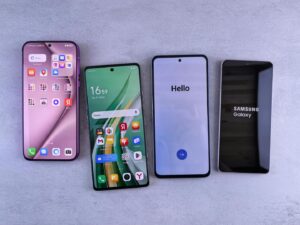
A slow phone can ruin your mood. Apps open late. The screen stutters. Games lag. Even basic scrolling feels heavy. Many people think this happens only because the device is old. That is not always true.
With the right settings, tweaks, and habits, you can boost speed and make your Android phone feel surprisingly fast again. You don’t need expensive tools or risky apps. You just need to know what really works.
“Speed is not always about power. It’s about efficiency.”
This guide explains practical, real-world methods to speed up Android phones. The steps are easy. They work on budget phones and premium smartphones alike. You can apply them on devices from Samsung, Xiaomi, OnePlus, Vivo, Oppo, and Realme.
What Does “Fast Android Phone” Really Mean?
A fast phone does not just score high in benchmarks. In daily life, speed means:
- Apps open quickly
- Smooth scrolling
- No lag while switching apps
- Stable performance over time
- Less heating and battery drain
The goal is not to turn your phone into a gaming monster. The goal is to make it feel light, smooth, and responsive, just like a Ferrari on an open road.
Powerful Hardware Is the Real Secret Behind a Fast Android Phone
If you really want your Android phone to run as fast as a Ferrari, software tweaks alone won’t be enough. Powerful hardware matters just as much. Phones with flagship-level processors—such as Qualcomm’s Snapdragon 8-series or MediaTek’s Dimensity 9000 series flagship chips—are designed to handle heavy multitasking, gaming, and demanding apps without slowing down.
Along with a high-performance CPU, 8–12 GB of RAM is now the standard for smooth everyday use and long-term performance. More RAM helps your phone keep apps running in the background without constant reloads, which directly improves speed and responsiveness. Equally important is fast internal storage. Newer standards like UFS 4.0 and beyond offer much quicker read and write speeds than older storage types, meaning faster app launches, quicker file transfers, and smoother overall performance.
In short, if speed is your priority, choose a smartphone with top-tier processing power, ample RAM, and the fastest storage available. This combination ensures your Android phone stays lightning-fast not just today, but even after months or years of use.
Discover a detailed comparison between Snapdragon and MediaTek Dimensity processors to choose the right chipset to ensure your Android phone runs fast.
Why Android Phones Slow Down Over Time
Before fixing speed, understand the causes:
- Too many apps running in the background
- Heavy animations and visual effects
- Storage almost full
- Old cache and junk files
- Background syncing and services
- Wrong settings in system options
The good news is that most of these are under your control. If your phone is old and has become slow, here is a separate guide on how to make a slow old phone fast. It focuses on simple fixes that work well on older android phones and iPhones. A helpful read before thinking about buying a new phone.
1. Restart Your Phone (The Fastest Speed Boost)
It sounds basic, but it works.
Why it helps
- Clears temporary memory
- Stops stuck background processes
- Refreshes system resources
If your phone hasn’t been restarted for days, performance drops silently.
Restart once every few days.
This alone can speed up your Android phone instantly.
2. Free Up Storage Space (Very Important)
Low storage slows everything.
What happens when storage is full
- Apps load slowly
- Camera lags
- Updates fail
- System processes struggle
What to do
- Delete unused apps
- Remove old videos and photos
- Clear large downloads
- Move media to cloud or SD card
Keep at least 20–25% storage free for smooth performance.
3. Reduce Background Processes (Major Performance Gain)
Apps running in the background eat RAM and CPU power.
How to control them
- Go to Settings → Apps
- Check battery or data usage
- Restrict background activity for unused apps
This step alone can boost speed significantly on budget phones. You can also check Android phone health using free diagnostic tools.
4. Use Developer Options to Boost Speed
Developer options are powerful when used carefully.
How to enable developer options
- Go to Settings → About Phone
- Tap Build Number 7 times
- Developer options appear in settings
Best tweaks inside developer options
- Reduce animation scale (Window, Transition, Animator)
- Set animation scale to 0.5x or off
- Limit background processes (optional)
These tweaks make the phone feel faster instantly.
5. Reduce Animations and Visual Effects
Animations look nice, but they slow things down.
Why disabling animations helps
- Faster app opening
- Faster screen transitions
- Less load on processor
This does not reduce functionality. It only improves speed.
6. Uninstall or Disable Heavy Apps
Some apps are performance killers.
Common heavy apps
- Social media apps
- Video streaming apps
- Shopping apps
- Pre-installed system apps
What you can do
- Uninstall what you don’t use
- Disable system apps you cannot uninstall
- Use lighter alternatives or web versions
Fewer apps = faster phone.
7. Clear Cache (Not Data)
Cache builds up silently over time.
Safe way to clear cache
- Go to Settings → Storage
- Use storage cleaner
- Clear cache for heavy apps
Do not clear app data unless needed. Cache cleaning helps reduce lag without losing personal data.
8. Update Your Phone Software (But Smartly)
Updates can improve or harm speed depending on the device.
Best practice
- Install stable updates
- Avoid beta versions on older phones
- Restart phone after update
Manufacturers often improve memory management and performance with updates.
9. Turn Off Unnecessary Features
Many features run all the time.
Features you can disable
- Always-on Bluetooth
- Nearby device scanning
- Location services for unused apps
- Auto-sync for non-essential accounts
This reduces background load and improves speed.
10. Best App to Speed Up Android Phone (Truth Explained)
Many people search for the best app to speed up Android phone. Be careful.
Reality check
- Most booster apps show fake results
- Some increase ads and background load
- Many repeat actions you can do manually
What actually helps
- Built-in system cleaner
- Manual background control
- Storage management
Your phone already has the tools you need.
Here are some very good hidden tips and tricks of Android phones.
Speed Up Android Phone in 10 Seconds (Quick Fixes)
If you want instant results:
- Restart the phone
- Turn off Wi-Fi and mobile data, then turn on
- Close all recent apps
- Switch animation scale to 0.5x
These steps work across Samsung, Vivo, Oppo, OnePlus, Xiaomi, and Realme devices.
11. Control Auto-Start Apps
Many apps start automatically when the phone boots.
How to manage
- Go to Settings → Apps → Auto-start
- Disable apps you don’t need at startup
This improves boot speed and daily performance.
12. Keep Home Screen Light
Heavy widgets and live wallpapers slow phones.
What to avoid
- Live wallpapers
- Too many widgets
- Animated launchers
Use a simple launcher for smoother performance.
13. Check for Hardware Limitations
Sometimes, the phone itself is the limit.
Signs of hardware limits
- Very old processor
- Low RAM (2GB or less)
- Worn-out battery
In such cases, tweaks help, but expectations must be realistic.
Android vs iPhone: A Quick Note
People often compare Android speed with iPhone. iPhones feel fast mainly due to tight hardware-software control. Android phones rely more on user optimization. Here is a good comparison on Android vs iOS.
The good news is that Android gives you control, and with the right tweaks, it can feel just as smooth in daily use.
Daily Habits That Keep Your Phone Fast
- Restart weekly
- Update apps regularly
- Don’t install unnecessary apps
- Keep storage clean
- Review background activity monthly
“A fast phone is not built in one day. It is maintained every day.”
Here are some valueable similar tips for you If you wish to make your computer run fast.
Common Myths About Speeding Up Android Phones
- ❌ Task killer apps always help
- ❌ Clearing RAM repeatedly improves speed
- ❌ Factory reset is the only solution
- ❌ More RAM always means faster phone
Speed depends on balance, not extremes.
When to Consider a Factory Reset
Factory reset is the last option.
Consider reset if:
- Phone is extremely slow
- Software bugs persist
- You upgraded from very old Android version
Always back up data before resetting.
Final Thoughts: Make Your Android Feel Fast Again
You don’t need a new phone to enjoy speed. With the right tweaks, developer options, and background control, your Android phone can feel fast, smooth, and responsive again.
“Performance is not about how new your phone is. It’s about how well you take care of it.”
Follow these steps calmly. Apply what fits your usage. Your phone may not literally become a Ferrari—but it will definitely feel much faster on the road of daily use.