Introduction
Dropping a phone into water is one of the most stressful moments for any smartphone user. Whether it falls into a sink, gets soaked in rain, or slips into a swimming pool, the real damage often starts inside the phone, long before obvious symptoms appear.
Many people assume that if a phone turns on after getting wet, it is safe. Unfortunately, that is not always true. Water damage is often progressive, meaning the phone may work for days or weeks before sudden failures occur.
This article explains, in simple and clear terms, what actually happens inside a phone after water damage. You will learn how water affects internal components, why corrosion forms, what parts fail first, common myths, and what you should do to limit damage. No technical background is required.
How Smartphones Are Built (Quick Overview)
To understand water damage, it helps to know what is inside a smartphone.
A typical mobile phone contains:
- A motherboard (main circuit board)
- Processor (CPU) and memory chips
- Battery (usually lithium-ion)
- Charging port and connectors
- Display connectors
- Speakers, microphones, and vibration motor
- Multiple flex cables and tiny soldered joints
All these components are packed tightly together. Most are made of metal, copper traces, and electronic circuits that do not mix well with water. Learn how smartphone hardware and software works to understand better.
What Happens the Moment Water Enters a Phone
1. Water Finds a Way In
Water usually enters through:
- Charging port
- Speaker and microphone grills
- SIM tray gaps
- Buttons
- Cracks in the screen or back glass
Even phones advertised as water-resistant are not fully waterproof, especially after months or years of use.
2. Electrical Short Circuits Begin
Once water touches powered circuits:
- Electricity flows where it should not
- Components may short-circuit instantly
- Heat can build up in sensitive areas
This is why keeping a wet phone powered on is dangerous. The damage increases as long as electricity flows through wet components.
3. Minerals and Impurities Stay Behind
Water is rarely pure. Tap water, rainwater, and seawater contain:
- Salts
- Minerals
- Dirt and pollutants
When water evaporates, these materials remain on the circuit board, creating conductive paths that cause long-term damage.
What Happens Over the Next Few Hours
4. Corrosion Starts Forming
Corrosion is one of the most destructive effects of water damage.
Inside the phone:
- Copper traces begin oxidizing
- Solder joints weaken
- Connector pins degrade
Corrosion does not happen instantly. It spreads slowly, which is why phones often fail days or weeks later.
5. Battery Becomes Unstable
Water near the battery can cause:
- Rapid battery drain
- Overheating
- Swelling
- Failure to charge
In rare cases, damaged batteries can become unsafe if corrosion reaches battery contacts.
6. Display and Touch Issues Appear
Moisture near display connectors may cause:
- Flickering screen
- Unresponsive touch
- Ghost touches
- Black spots or lines
These symptoms may appear even after the phone dries externally.
What Happens Days or Weeks Later
This is where many users get confused.
The phone may:
- Work normally for some time
- Suddenly shut down
- Restart randomly
- Lose network, sound, or charging
Why Delayed Failure Happens
Because corrosion:
- Continues even without visible moisture
- Weakens microscopic solder points
- Slowly breaks internal connections
By the time symptoms appear, internal damage is often advanced.
Which Phone Parts Are Most Vulnerable to Water Damage
1. Charging Port
- First point of water entry
- Corrodes easily
- Causes charging problems
2. Speaker and Microphone
- Small metal contacts
- Sound becomes distorted or stops
3. Display Connectors
- Very sensitive
- Responsible for screen and touch failures
4. Motherboard
- Most critical component
- Damage here can make repair uneconomical
If you cannot fix the problem yourself, it is safest to take the phone to a professional repair service center. Prizm Institute also offers economical mobile repairing services in Mumbai which you can avail to fix your water damaged phone.
Understanding Liquid Damage Indicators (LDI)
Most smartphones include Liquid Damage Indicators.
These are:
- Small white stickers inside the phone
- Turn red or pink when exposed to moisture
Technicians know how to read liquid damage indicators to confirm water exposure, even if the phone looks fine externally.
Water-Resistant vs Waterproof Phones (Important Difference)
Many users misunderstand these terms.
Water-Resistant Means:
- Can handle small splashes
- Limited time and depth
- Protection degrades over time
Waterproof (Rare in Phones):
- Fully sealed
- Designed for prolonged submersion
Most smartphones, including premium models, are not truly waterproof.
Common Myths About Water-Damaged Phones
Myth 1: If It Turns On, It’s Safe
False. Internal corrosion may already be forming.
Myth 2: Rice Fixes Water Damage
Rice absorbs surface moisture only. It does not remove internal corrosion. Understand rice vs silica gel for water damage phone repair – which is better?
Myth 3: Drying Overnight Solves Everything
Drying removes water, not mineral residue or corrosion.
Myth 4: Water Damage Always Shows Immediately
Many failures appear days or weeks later.
What Happens During Professional Water Damage Repair
A proper repair involves more than drying.
Typical Professional Steps
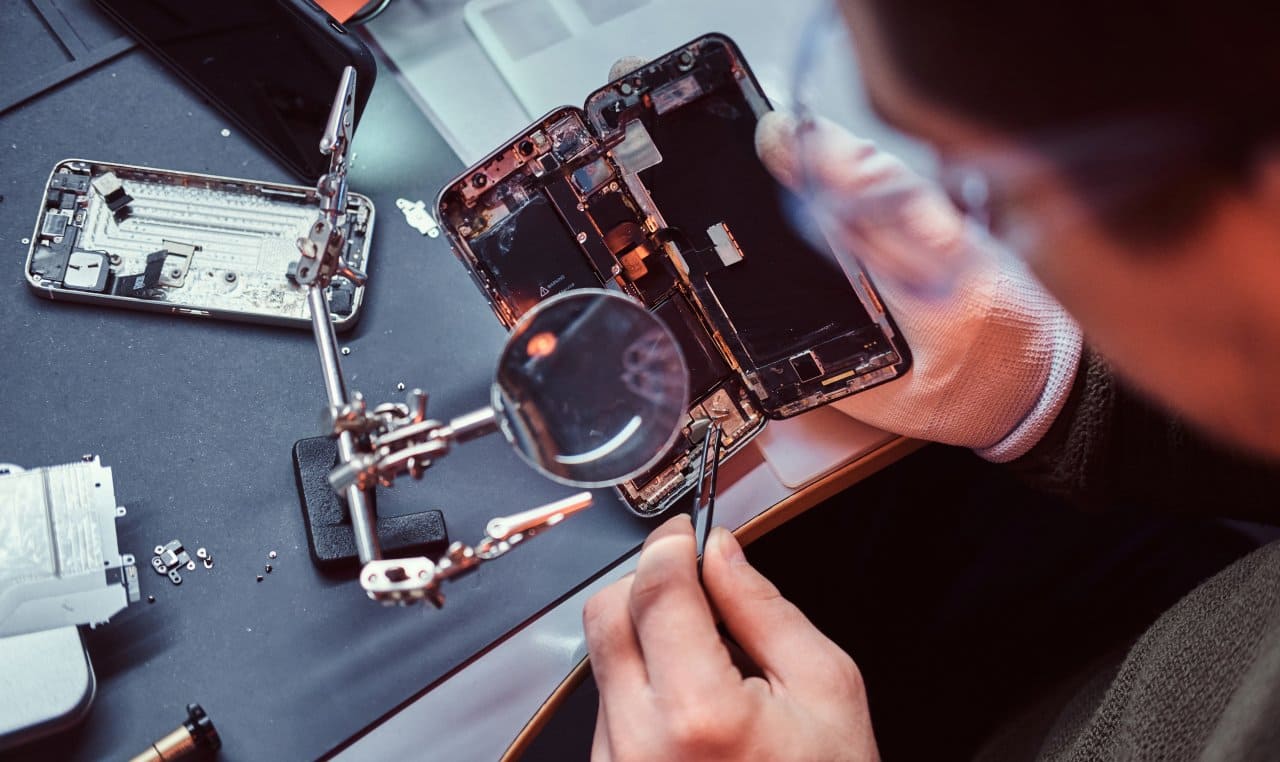
- Power disconnection
- Full phone disassembly
- Motherboard inspection
- Cleaning with electronic-grade solutions
- Corrosion treatment
- Controlled drying
- Component testing
This process addresses hidden internal damage, not just moisture.
Can a Water-Damaged Phone Be Fully Repaired?
It Depends On:
- Type of water (fresh vs salt)
- How quickly power was turned off
- Duration of exposure
- Quality of repair
Some phones recover fully. Others may work temporarily or partially. Learn how to fix a water damaged phone in 7 easy steps. If only a little water entered the phone, you may be able to fix it yourself by acting quickly.
Pros and Cons of Repairing a Water-Damaged Phone
Pros
- Saves data
- Cheaper than replacement (in some cases)
- Environmentally responsible
Cons
- No long-term guarantee
- Future failures possible
- Cost may approach replacement price
A professional assessment helps decide whether repair is worthwhile.
Practical Tips to Minimize Damage (If It Happens Again)
- Turn off the phone immediately
- Do not charge it
- Remove case and SIM tray
- Gently wipe external moisture
- Avoid heat sources
- Seek professional help quickly
Speed makes a huge difference.
Frequently Asked Questions (FAQs)
1. Can a phone work normally after water damage?
Yes, temporarily. Internal corrosion may still cause failure later.
2. How long does water damage take to show effects?
Sometimes immediately, sometimes after days or weeks.
3. Is saltwater damage worse than freshwater?
Yes. Salt accelerates corrosion significantly.
4. Does water damage affect data stored on the phone?
It can, especially if the motherboard or memory chips are damaged.
5. Can software issues be caused by water damage?
Yes. Hardware instability can trigger software crashes and errors.
6. Should I try to open the phone myself?
Not unless you have proper tools and experience. Improper handling can worsen damage.
Conclusion
Water damage does not simply “dry out” and disappear. Inside a phone, water triggers short circuits, corrosion, and gradual component failure. Even if a smartphone appears to survive an incident, hidden damage may already be progressing.
Understanding what happens internally helps users make smarter decisions—acting quickly, avoiding common mistakes, and knowing when professional help is necessary.
If a phone ever gets wet, remember: what you do in the first few hours often determines whether it can be saved.