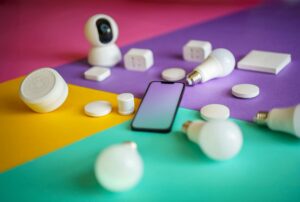
Smart home technology no longer feels complicated or expensive. One of the easiest ways to start is with a smart plug. It looks like a small adapter, but it can turn ordinary appliances into smart ones using your phone or voice commands.
Many beginners worry about complicated wiring, extra hubs, or technical setup. That concern is valid. Earlier smart home devices often required a separate hub and confusing configurations. In 2026, things are much simpler. Several smart plugs now work directly with Wi-Fi and need no hub at all.
This article is written for beginners who want a simple, reliable, and safe smart plug. We will explain how smart plugs work, what to look for, common mistakes, and then review the 10 best no-hub smart plugs you can buy in 2026.
Whether you want to control a lamp, fan, geyser, coffee maker, or charger using your smartphone, this guide will help you choose confidently.
What Is a Smart Plug?
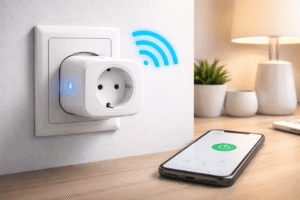
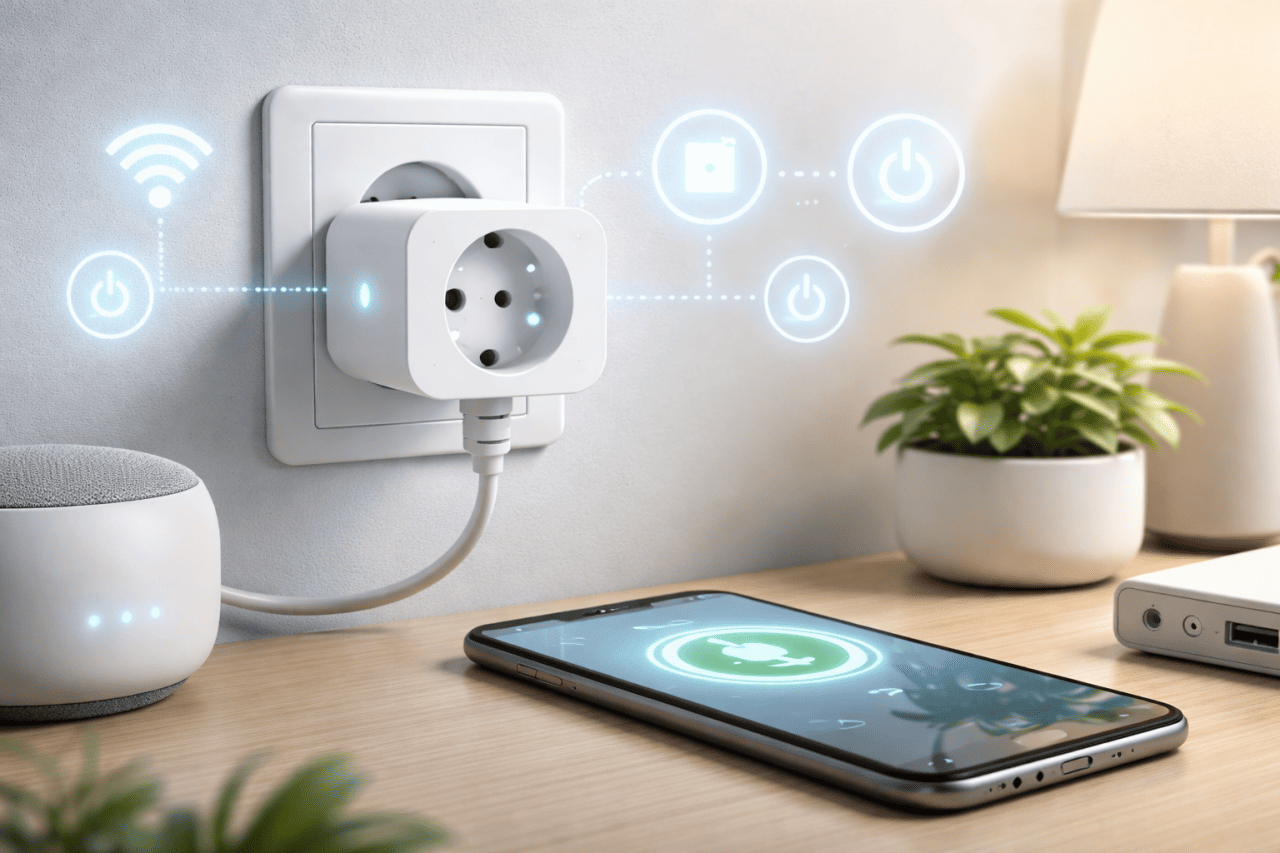
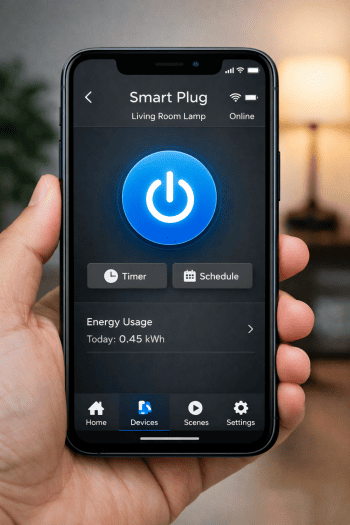
A smart plug is a small device that fits between your wall socket and an electrical appliance. Once connected to Wi-Fi, it allows you to:
- Turn appliances on or off using a smartphone
- Set schedules and timers
- Control devices using voice assistants
- Monitor energy usage in some models
You do not need to modify the appliance itself. The intelligence comes from the plug, not the device.
For example, a regular table lamp becomes smart once plugged into a smart plug.
If you’re new to smart homes and IoT devices, understanding the basics is important. Start with How to Control Your Home With Your Phone: A Beginner’s IoT Guide for a simple, practical overview.
What Does “No Hub Needed” Mean?
Some smart home systems require a hub, which is a central device that connects all smart accessories. Examples include Zigbee or Z-Wave hubs.
A no-hub smart plug connects directly to your home Wi-Fi router. This means:
- Fewer devices to buy
- Lower cost
- Easier setup
- Less troubleshooting
For beginners, no-hub models are strongly recommended.
Who Should Use Smart Plugs?
Smart plugs are ideal if you:
- Are new to smart home devices
- Live in a rented home or apartment
- Want automation without electrical changes
- Use your phone regularly (Android or iPhone)
- Want energy control without replacing appliances
They are especially useful in Indian homes for controlling lights, fans, chargers, water heaters, and decorative lighting.
How Smart Plugs Work – Step by Step
- Plug the smart plug into a wall socket
- Connect your appliance to the smart plug
- Install the companion app on your smartphone
- Connect the plug to your Wi-Fi network
- Control the device from your phone or by voice
Most setups take 5 to 10 minutes.
Key Things Beginners Must Check Before Buying
Before choosing a smart plug, focus on these points.
Wi-Fi Compatibility
Most smart plugs work on 2.4 GHz Wi-Fi only. Dual-band routers are fine, but the plug must see a 2.4 GHz network.
Power Rating
Check the maximum load in amps or watts. High-power appliances like geysers or heaters need plugs rated for 16A.
App Quality
A simple and stable app matters more than advanced features.
Voice Assistant Support
Most beginners prefer Google Assistant or Alexa. Ensure compatibility.
Local Availability
For India, ensure the plug supports Indian socket types and voltage standards.
10 Best Smart Plugs for Beginners – No Hub Needed (2026)
Below are beginner-friendly smart plugs chosen for reliability, ease of use, and safety.
1. TP-Link Tapo P100
Best for first-time users
The Tapo P100 is one of the easiest smart plugs to set up. The app is clean, stable, and beginner-friendly.
Key features
- Wi-Fi control without hub
- Compact design
- Scheduling and timer
- Voice control support
Best use
Lamps, phone chargers, small appliances
2. Amazon Smart Plug (Wi-Fi)
Best for Alexa users
Designed for simplicity, this smart plug works smoothly with Alexa and has one of the easiest setups.
Key features
- No hub required
- Strong app stability
- Reliable Wi-Fi connection
Best use
Lights, coffee makers, decorative lamps
3. Wipro Smart Plug (16A)
Best for Indian high-power appliances
This is ideal for geysers, water heaters, and heavy devices commonly used in Indian homes.
Key features
- 16A support
- Strong build quality
- Indian socket compatibility
- Mobile app control
Best use
Geyser, microwave, washing machine
4. Philips Wiz Smart Plug
Best for lighting automation
Philips Wiz plugs integrate well with smart lighting setups without adding complexity.
Key features
- Simple Wi-Fi setup
- Reliable scheduling
- Trusted brand quality
Best use
Table lamps, floor lamps, festive lighting
5. Xiaomi Mi Smart Plug
Best value for money
Xiaomi offers good reliability at a competitive price. The app interface is clean and regularly updated.
Key features
- Compact size
- Stable Wi-Fi connection
- Automation rules
Best use
Daily-use appliances and chargers
6. Gosund Mini Smart Plug
Best compact design
This plug does not block adjacent sockets and is easy to manage via app.
Key features
- Small footprint
- Quick setup
- Good app responsiveness
Best use
Multi-socket power strips
7. Tapo P110 with Energy Monitoring
Best for tracking electricity usage
Ideal if you want to understand how much power your appliance consumes.
Key features
- Real-time energy monitoring
- Usage history
- No hub required
Best use
Refrigerator, TV, routers
8. Syska Smart Plug
Best Indian budget option
Syska focuses on simplicity and local support.
Key features
- Easy app
- Decent build quality
- Budget friendly
Best use
Small home appliances
9. Meross Smart Plug
Best cross-platform compatibility
Works well across Android and iPhone and supports multiple ecosystems.
Key features
- Stable Wi-Fi
- Automation routines
- Compact design
Best use
Shared households with different smartphones
10. Sonoff Wi-Fi Smart Plug
Best for learning automation
Sonoff offers advanced options later without confusing beginners at the start.
Key features
- Reliable hardware
- Strong app ecosystem
- Expandable automation
Best use
Users planning deeper smart home setups
Comparison Table – At a Glance
| Feature | Basic Plug | Energy Monitoring Plug |
|---|---|---|
| On/off control | Yes | Yes |
| Scheduling | Yes | Yes |
| Power tracking | No | Yes |
| Cost | Lower | Slightly higher |
| Beginner friendly | Yes | Yes |
Real-World Usage Scenarios
Smart plugs are most useful when they fit naturally into daily life. Below are common, practical ways beginners actually use them at home.
- Automating lights and lamps
Many users connect table lamps or night lamps to a smart plug and schedule them to turn on at sunset and off at bedtime. This is especially useful for apartments and study rooms. - Controlling geysers in Indian homes
A 16A smart plug is often used to switch geysers on only during required hours. This helps avoid unnecessary power usage and reduces the risk of forgetting to turn it off. - Managing phone and gadget charging
Smart plugs are used to cut power to chargers once devices are fully charged. This helps reduce standby electricity consumption and heat buildup. - Helping elderly family members
Voice-controlled smart plugs allow elderly users to turn appliances on or off without reaching for switches, improving comfort and safety. - Rental-friendly automation
Renters use smart plugs to add automation without drilling, rewiring, or making permanent changes to the home.
These everyday scenarios show how smart plugs provide convenience and energy control without technical complexity.
Struggling to connect your smart plug to Wi-Fi during setup? Check Why Your Smart Plug Does Not Connect to 5GHz Wi-Fi for fast, practical solutions.
Pros and Cons of Smart Plugs
Pros
- Easy installation
- No wiring required
- Works with existing appliances
- Affordable entry into smart homes
- Improves energy awareness
Cons
- Depends on Wi-Fi stability
- Not suitable for very high-load industrial devices
- Some apps may need permissions
- Limited outdoor use unless rated
Smart Plug vs Smart Switch Comparison
| Feature | Smart Plug | Smart Switch |
|---|---|---|
| Installation | Plug-and-play | Electrician needed |
| Rent-friendly | Yes | No |
| Cost | Lower | Higher |
| Appliance flexibility | High | Fixed |
Safety and Electrical Compliance
When using smart plugs, safety should always come first, especially in homes with high-power appliances.
- Check the amp rating
Always match the smart plug rating with the appliance. Use 16A smart plugs for geysers, heaters, and microwaves. Lower-rated plugs are suitable only for lights and small devices. - Look for certified products
In India, choose smart plugs that follow BIS or equivalent electrical safety standards. Certified products are tested for heat resistance and overload protection. - Avoid overloading
Never connect extension boards or multiple high-power devices to a single smart plug. Overloading can cause overheating and device failure. - Use stable wall sockets
Loose or damaged sockets can lead to sparking or heat buildup. Ensure the wall outlet is in good condition before installation. - Keep firmware updated
Regular app and firmware updates help improve stability and safety features.
Following these basic safety practices ensures reliable operation and long-term peace of mind when using smart plugs at home.
Smart Plug Buying Checklist (Beginner-Friendly)
Use this quick checklist before buying a smart plug to avoid compatibility and safety issues.
- Socket type – Compatible with Indian or local wall sockets
- Amp rating – 6A for lights and chargers, 16A for geysers and heaters
- Wi-Fi support – Works on 2.4 GHz Wi-Fi (most home routers)
- No hub required – Connects directly to your Wi-Fi router
- Mobile app quality – Simple app with good user reviews
- Voice control – Supports Google Assistant or Alexa
- Safety certification – BIS or equivalent electrical compliance
- Warranty and support – At least 1-year warranty preferred
This checklist helps beginners choose a safe, reliable smart plug without unnecessary features or confusion.
Common Mistakes Beginners Make
- Buying a plug without checking amp rating
- Using 5 GHz Wi-Fi only
- Plugging into unstable power sockets
- Overloading with heaters beyond rated capacity
- Ignoring firmware updates
Avoiding these mistakes improves safety and reliability.
Practical Tips for Daily Use
- Label plugs inside the app for easy identification
- Use schedules instead of manual switching
- Group similar devices together
- Turn off standby devices at night
- Keep Wi-Fi router updated
These small steps make smart plugs genuinely useful.
FAQs
1. Can smart plugs work without internet?
They need internet for remote access. Local control may work briefly, but full features require connectivity.
2. Are smart plugs safe for Indian voltage?
Yes, if you buy models designed for Indian standards and respect load limits.
3. Do smart plugs increase electricity bills?
No. In fact, they often help reduce wastage by cutting standby power.
4. Can I use smart plugs with old appliances?
Yes. That is their biggest advantage.
5. What happens during a power cut?
The plug turns off and resumes based on previous settings when power returns.
6. Is installation difficult for beginners?
No. Most setups take under ten minutes using a smartphone.
7. Can one app control multiple smart plugs?
Yes. Most apps support multiple devices and rooms.
Conclusion
Smart plugs are the simplest and safest way to enter the smart home world in 2026. For beginners, no-hub smart plugs offer the perfect balance of ease, affordability, and functionality.
You do not need technical knowledge, wiring changes, or expensive systems. With a smartphone and Wi-Fi, you can automate everyday appliances, save energy, and enjoy convenience.
Start with one plug, learn how it fits your routine, and expand gradually. Smart living does not need to be complicated.
Other Long-Tail Keywords You Can Target
- best wifi smart plug for beginners
- smart plug without hub for Indian homes
- beginner friendly smart home devices
- smart plug for geyser 16A India
- how to use smart plug with smartphone
- energy monitoring smart plug for home
- affordable smart plugs for first time users