Tag: mobile phones

  • 6 Tips To Protect Your Smartphone From Damage

    6 Tips To Protect Your Smartphone From Damage

    Smartphones have become a major part of daily life. We use them for work, communication, banking, travel, entertainment, and more. Because our devices hold so much personal data, it is important to protect your smartphone from physical harm. Even a small crack, scratch, or water splash can lead to costly repairs or a complete loss of data.

    The good news is that most damage can be prevented with simple habits. These updated tips are based on real repair-shop experiences, expert suggestions, and common mistakes users make every day. Each tip is easy to follow and helps you keep your phone safe, secure, and long-lasting.


    1. Use a High-Quality Screen Protector

    The display is the most delicate part of any handset. Modern screens are strong, but they can still crack from a small drop or sharp pressure. A single repair can cost a lot, especially for AMOLED and OLED models.

    Using a tempered glass screen protector is one of the easiest ways to reduce the risk. It acts as a shield against scratches, fingerprints, and sudden impacts. Good quality glass also helps keep the touch response smooth and clear.

    Make sure you choose a protector that:

    • Fits your exact model
    • Has edge-to-edge coverage
    • Does not reduce touch sensitivity

    It is best to apply a protector the same day you buy your phone. This prevents tiny scratches from forming on the original display.

    Read Top 10 Brands of Touchscreen Protectors


    2. Choose a Strong Protective Case

    Today’s smartphones are thinner, lighter, and more slippery. Because of this, accidental drops are extremely common. A sturdy protective case helps absorb shock and prevents dents, cracks, and internal damage.

    You do not need an expensive brand. Even a simple silicone or TPU case provides good protection. For people who travel often or work outdoors, using a rugged or shockproof case is even better.

    When choosing a case, ensure it:

    • Fits tightly
    • Covers the sides, edges, and corners
    • Gives a better grip
    • Has raised edges to protect the camera and LCD

    Cases with textured backs reduce slipping and help you hold the phone comfortably.


    3. Avoid Keeping Your Phone With Sharp Objects

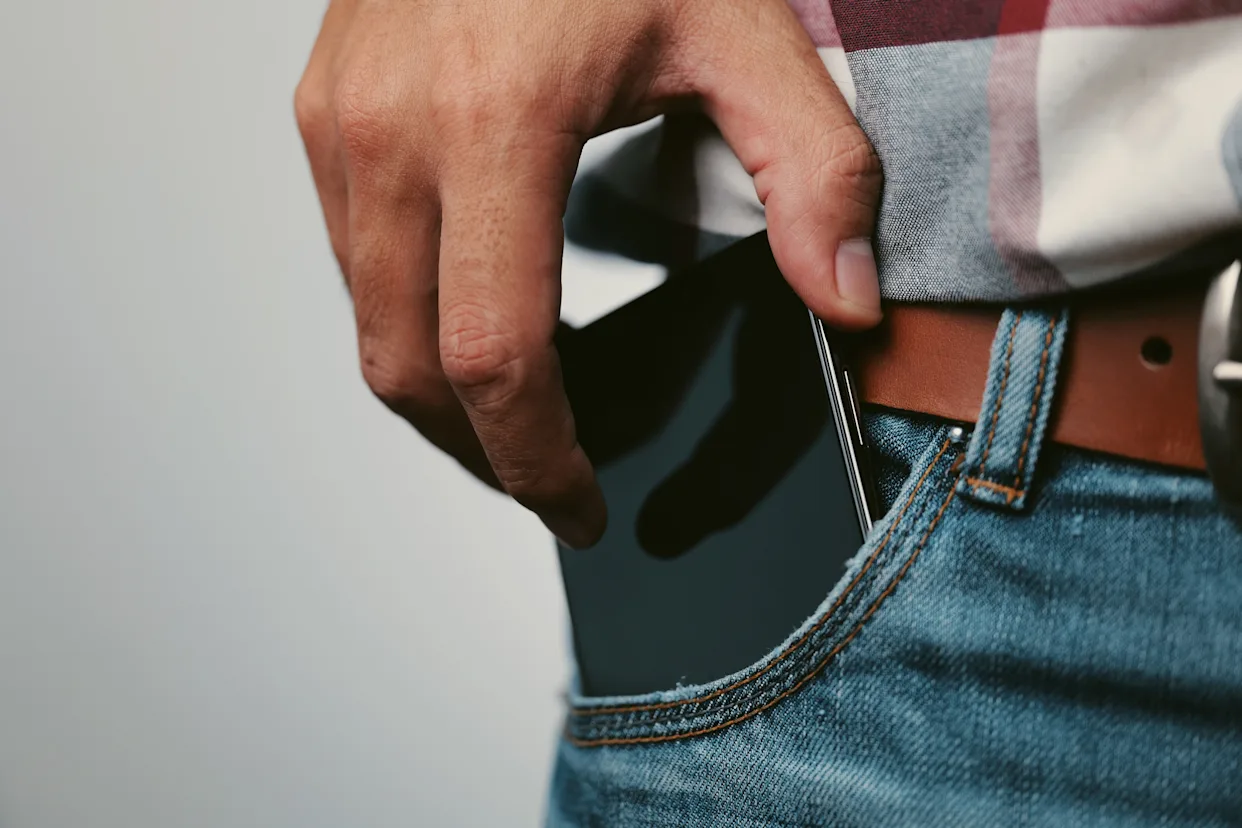
    Many users keep their phones in pockets or bags along with keys, coins, and pens. These sharp objects can scratch the display or damage the back panel. Even metal dust can enter the charging port or speaker openings.

    It is safer to keep your phone in a separate pocket or small pouch inside your bag. Avoid placing it in the back pocket of tight jeans because the phone may bend when you sit.

    Also keep your device away from small children. Kids often pull, throw, or press the screen too hard, which can result in serious physical damage.

    If your children often ask for your phone, you can give them an old device with games so your primary phone stays safe.

    If you do not have a heart to refuse your kids your personal phones, please buy them some old working phones loaded with games to avoid regretting later.


    4. Waterproof the Device Properly

    Water is one of the biggest reasons phones get damaged. A few seconds of exposure can cause short circuits, corrosion, or complete failure of the motherboard. Even sweat and humidity can affect the sensors and speaker.

    If your phone does not have an IP67 or IP68 rating, it is important to use a waterproof case. These cases protect the device during rains, beach trips, poolside activities, or outdoor sports.

    If you travel often, also keep:

    • A waterproof pouch
    • A zip-lock bag
    • A moisture absorber pack in your bag

    In case your phone gets wet, turn it off immediately and avoid charging it. Many repair technicians say that charging a wet phone leads to more internal damage than the water itself. If in case your phone gets water logged, please read our guide to fix water logged cell phones.


    5. Hold the Device With a Firm Grip

    Many drops happen because users hold their phones loosely or use them with one hand while multitasking. Modern phones are larger, so grip becomes important.

    Using a grip accessory like:

    • A ring holder
    • A pop socket
    • A strap attachment

    can help you hold the device firmly. When taking photos or typing in a crowded area, use both hands for better control.

    If you still drop the device, and damage occurs, learning basic repair skills can help. Many institutes teach repair techniques that allow users to fix small issues or understand when a device needs expert help.


    6. Do Not Leave Your Phone Unattended

    Leaving your phone on an unstable surface increases the chance of falls. Placing it near the edge of a table, on a car dashboard, or on a soft bed is risky. Pets or kids can knock it down without noticing.

    Always keep your device in a safe, visible place. Avoid giving the phone to very young children. They may accidentally delete files, change settings, or drop the phone while playing.

    If you are storing sensitive data, enable:

    • Screen lock
    • Fingerprint or face unlock
    • Automatic backup

    This ensures your information stays safe even if the phone falls or gets lost. We also recommend keeping your phone in a fixed spot at home or work to avoid accidental slips.

    Prizm Institute also known as Prizm Mobile Institute conducts course in repairs of mobile phones and tablets. You can join this courses to learn repairing skills yourself and become a certified technician in a few months.

    Read How To Buy The Best Smartphone – Smartphone Buying Guide


    Final Thoughts

    Smartphones are expensive and hold important digital memories. Protecting them is not difficult, but it requires awareness and small daily habits. Using a good case, applying a strong screen protector, keeping the phone away from water, and handling it carefully can save you from high repair bills.

    As technology advances, smartphones have become more powerful but also more delicate. Following these simple tips can help extend the life of your device and keep it looking new for a long time.

    Always stay mindful of where you place your phone and how you carry it. A little care goes a long way in ensuring your device stays safe and functional.

    Please let us know your views in the comments below. We would love to know your opinion. Please also share this article on facebook and other social platforms.

  • What is Fairphone? Why Should You Consider Buying It?

    What is Fairphone? Why Should You Consider Buying It?

    Most of us use smartphones every day, but very few people stop to think about how these devices are made or who makes the materials inside them. Modern smartphones look sleek and advanced, yet the process behind them often hides harsh realities. In many regions, especially in central Africa, essential minerals like gold, tin, tungsten, and tantalum are mined under unsafe and unfair conditions. Workers, including children in some areas, face low wages, dangerous environments, and very little protection. These issues have been reported for years by global human rights organizations.

    In response to these concerns, a unique company stepped forward and created something different—a phone designed to challenge the traditional smartphone industry. This idea led to the creation of Fairphone, a brand that focuses on fairness, repairability, and environmental responsibility. It has become one of the most talked-about ethical smartphone brands in 2026.


    What Is Fairphone?

    Fairphone is a smartphone brand based in Amsterdam, Netherlands. The company began as a social initiative that aimed to create awareness about conflict minerals and poor labor conditions in the electronics industry. Over the years, it has grown into a full-scale manufacturer known globally for its ethical values and transparent approach.

    Visit Fairphone’s official website

    The goal of the company is simple: build phones that cause minimal harm to people and the planet. Every part of their production—from sourcing materials to assembling the handset—is done with fairness and responsibility in mind. While no company can be 100% perfect, Fairphone openly shares the steps it is taking, what it has achieved, and what challenges still remain. This transparency is a major reason why many users trust the brand.

    You’re not just buying a smartphone,

    you’re buying into an ethical ecosystem.

    – Newsweek


    Ethical Material Sourcing

    Modern smartphones require several rare minerals. Many of these are mined in regions where conflict, unsafe labor, and exploitation are still common. Fairphone tries to break this cycle by sourcing materials responsibly.

    Here are the key materials used in Fairphone devices:

    1. Tantalum and Tin

    Fairphone sources these minerals from conflict-free mines. These suppliers follow strict guidelines to ensure miners work in safe conditions and receive fair wages.

    2. Gold

    The brand uses Fairtrade-certified gold, which is mined under ethical standards that protect workers and the environment. Fairtrade gold also ensures that miners receive better compensation compared to conventional gold mining operations.

    3. Tungsten

    The company continues to work with partners to increase the availability of traceable and conflict-free tungsten. Although challenges still exist in this area, Fairphone publicly documents progress each year.

    4. Recycled Plastics and Metals

    Fairphone uses recycled plastic for the phone casing and other small parts. The aim is to reduce the amount of new plastic produced and cut down on electronic waste—one of the fastest-growing waste categories in the world.

    According to Fairphone’s official reports and independent sustainability analysts, the brand consistently ranks as one of the most ethical and transparent smartphone manufacturers in Europe.


    Fairphone and Sustainability in 2025

    One of the biggest strengths of Fairphone devices is their modular design. Unlike most smartphones that are sealed shut, Fairphone models can be opened easily. Users can replace parts like the battery, screen, cameras, and USB port using simple tools. This makes the device last much longer than a typical smartphone.

    In a statement by the company in 2024, CEO Eva Gouwens explained:

    “A longer-lasting phone is the simplest way to reduce environmental impact.”

    This modular approach supports the right-to-repair movement, which has gained strong momentum in the EU and many other countries. Fairphone users save money because they can repair the device themselves instead of buying a new phone every two or three years. This reduces both e-waste and manufacturing emissions.

    Fairphone’s repairability score remains among the highest on independent platforms like iFixit, which rates devices based on how easy they are to repair.

    Read How To Select And Buy The Best Smartphone


    Why Fairphone Costs More Than a Budget Smartphone

    Some people wonder why Fairphone models cost more compared to budget brands. The reason is not related to performance or marketing. Ethical sourcing, fair wages, safe factory conditions, and sustainable materials naturally increase the cost of production.

    Buyers of Fairphone are not just paying for a device. They are supporting:

    • Responsible mining
    • Safe working environments
    • Living wages
    • Recyclable materials
    • A longer-lasting product
    • Reduced electronic waste

    This makes the brand attractive to people who care about environmental and social impact.


    Fairphone Models and Features in 2025

    Fairphone continues to improve its devices every year. The most recent models offer:

    • Long software support
    • Modular parts for easy repairs
    • Strong battery life
    • Good-quality cameras
    • Clean and secure Android experience

    While Fairphone phones are not designed to compete with flagship cameras or high-end gaming devices, they provide reliable performance for everyday tasks. Most importantly, they are built with responsible production practices, which is rare in today’s smartphone market.

    For complete specifications visit https://www.gsmarena.com/fairphone_6-13955.php

    For an unbiased description of Fairphone, please visit https://en.wikipedia.org/wiki/Fairphone


    Why You Should Consider Buying Fairphone

    1. Ethical Production

    Fairphone supports safe labor practices, fair wages, and conflict-free materials. When you buy a Fairphone, you support these values.

    2. Long Life and Easy Repair

    The modular design allows you to replace damaged parts quickly. Even beginners can repair basic modules using online guides.

    3. Good Environmental Impact

    Using recycled materials and reducing waste makes Fairphone one of the greenest smartphone brands available.

    4. Transparent Business Practices

    Fairphone publicly shares its supply chain details, sustainability goals, and challenges. This builds trust and shows the company’s dedication to being fair.

    5. Support for Right-to-Repair Movement

    Many countries are now encouraging repair-friendly electronics. Fairphone has been a leader in this movement since its first model.


    Final Thoughts

    Fairphone is more than just another smartphone. It is a statement. It challenges the traditional electronics industry and proves that ethical production is possible. Users who choose Fairphone support a fairer supply chain, safer working conditions, and a cleaner environment.

    As the need for sustainable technology grows in 2025, Fairphone stands out as a strong example of how a modern device can be built with care, fairness, and transparency. If you want a phone that aligns with responsible values and lasts longer than most regular smartphones, Fairphone is a brand worth considering.

    Please do let us know your views about the fairphone in the comments below.

  • 8 Mistakes Committed By Most Cell Phone Repair Technicians

    8 Mistakes Committed By Most Cell Phone Repair Technicians

    Since mobile phones are the current rage of this age, there are technicians in this field who are working since the advent of this invention. After so many years have passed the technicians have by now become expert as well as professionals. No matter how expert one is, mistakes can be committed by anybody. These errors may slow down the repair process, affect customer satisfaction, or damage the device further.

    This detailed guide explains the most common mistakes made by technicians and how to avoid them. Every point is based on practical experience, honest observations, and real issues faced in repair shops. The aim is to help new and experienced technicians work in a more professional, safe, and accurate manner.

    8 Common Mistakes Committed By Most Cell Phone Repair Technicians

    1. Not repairing in the estimated time

    This is one of the biggest problem with most technicians. There can be several reasons for the delay. It could be due to delay in troubleshooting the fault. Sometimes the fault in the handset is hard to detect and it may take a very long time to rectify the fault.

    One other reason for the delay could be unavailability of spare parts. But delay due to mere laziness is a definite no-no. Repairing the phone and completing the job on time sends a strong message to the customers about how much particular as well as punctual you are.

    Unnecessary delay due to poor time management creates a bad impression. Customers judge a technician not only by skills but also by punctuality. Completing repairs on time builds trust, shows commitment, and improves the technician’s reputation. It also increases repeat customers and referrals. Keeping a clear schedule, updating customers regularly, and planning inventory can prevent such delays.

    Start by doing what’s necessary; then do what’s possible; and suddenly you are doing the impossible.

    -Francis of Assisi

    2. Not replacing all screws after reassembling

    This is a very common and careless mistake. When a mobile phone is dismantled, some technicians are very careless and they just go about placing the screws on the workbench. Now while fixing the phone, they misplace the screws and when they reassemble the handset they fall short of these screws. Some technicians just leave these slots empty, while some of them use other unmatching screws which is bound to damage the original threads in the slots.

    The best way to overcome this common mistake is to keep all the screws and other small parts in a small tray or a magnetic mat. This way you will be ensured that you have replaced all the parts and screws back in place and you have by no means left out anything that has to be replaced. Using different trays for different models of opened handsets will also help you to dismantle many handsets simultaneously.

    Read How to start a mobile repairing business from home


    3. Not Asking the Customer for Correct Problem Details

    Many technicians skip an important step—understanding the issue directly from the customer. Many technicians do not ask the customer about the reason or cause for the fault in their phone. Instead if the customer is asked about the problem you can straight away know the exact problem and start working on it thus saving your precious time. If the technician asks the right questions, the root cause becomes clear.

    Also make it a point to ask the customer about the history of the handset and whether he had already given it to someone else for repairs before for this same fault or some other fault. This way you will know if the handset was already opened before or not.

    Proper communication avoids misunderstandings and ensures transparent service.

    4. Not searching the internet for research and solutions

    Today, almost every repair solution is available online. But still many technicians try to fix the handset with trial and error method and do not take the pains of searching the internet for the solution, thus wasting a lot of time.

    Remember that in todays world, if you are not using internet for solutions to your problems, you are missing out on a great source of useful information. So it would be advisable that you lookup for solutions on the net and most of the time you are bound to be lucky to get the solutions for the trickiest of faults. You can also look for videos on Youtube.

    Here are some of the best websites and resources where you can learn cell phone repair easily for free. Beginners, novices as well as do-it-yourselfers can visit these websites to gain more knowledge and enhance their skills in cell phone repair.

    You have to seek solutions in text search, image search as well as video search.

    Technicians should regularly check:

    • Text guides
    • Image search results
    • Video tutorials
    • Forums and repair communities

    Websites, discussion boards, and YouTube channels provide practical solutions that are proven to work. Many advanced-level repairs become easier when you know what to look for. Using online resources improves knowledge, boosts confidence, and helps technicians fix even the toughest faults.

    5. Ignoringing the basic safety rules

    The basic safety rules for repairing should be followed so as not to damage the handset nor hurt oneself while carrying on the work.

    Basic safety rules include:

    • Disconnecting the battery before any repair
    • Using anti-static tools
    • Handling hot air stations and soldering irons with care
    • Avoiding metal tools on powered circuits
    • Using protective equipment when needed

    Please read  Cell Phone Repair – Safety And Precautions

    6. Not repairing in a professional manner

    A technician’s work should always look clean, organized, and professional. Customers can instantly differentiate between good-quality work and careless work. Many technicians are very careless while repairing a handset. The job that they do is shoddy and also looks awful if watched closely. All procedures and techniques should be carried out in a professional manner.

    Soldering work done by many technicians is very amateurish. The solder flux applied all over should be cleaned up after the work is completed. It is utmost important that a professional technician does a clean job that gets a feeling whether it is factory fitted or if it is fixed at a service center.

    A technician should always aim to give a result that looks like the phone was repaired in an official service center. This builds a strong reputation and shows genuine expertise.

    For further reference, please read how to solder electronic components

    professionalism means consistency of quality

    7. Not following the fault finding steps

    As the handset comes in for repairs, many technicians do not go step by step in fault finding. Instead they just go about by dismantling the phone and carrying out the hardware rectification.

    A proper repair process generally includes:

    1. Inspecting the phone externally
    2. Checking battery condition
    3. Testing with another charger or cable
    4. Checking the charging port or buttons
    5. Testing the display
    6. Verifying software issues
    7. Only then opening the handset

    Skipping these steps can lead to wrong diagnosis and unnecessary repairs. A structured approach saves time and helps identify the correct fault quickly. It is utmost important that repair work of an electronic gadget should go as per the professional repair methods.

    8. Unnecessarily working on the motherboard and chips

    Some technicians unnecessarily start working on the motherboard without any reason. They fiddle with the motherboard as well as the chips applying heat or just reflowing. Working on the motherboard should be the last step while fixing any hardware fault.

    Heating, reflowing, and touching components on the motherboard should be the last option, not the first.

    Building Skills and Avoiding These Mistakes

    The mobile repair industry keeps growing every year. Skilled and responsible technicians are always in demand. Training programs, practice sessions, and online learning all help in improving skills. Working with discipline and patience increases success in every repair job.

    If you want to learn mobile repair from basics to advanced troubleshooting, joining a professional institute can help. Practical training, expert guidance, and hands-on experience make the learning process faster and easier.

    You can also learn how to repair cell phones by joining Prizm Institute. The training starts from basics and goes up to troubleshooting of faults.

    Read 6 Advantages of Choosing Mobile Phone Repair As a Career

    Please let us know your opinions in the comments below. Please also share this article among your friends and fellow technicians.

  • How To Repair Water Damaged Cell Phones In 4 Steps – Easy Guide

    How To Repair Water Damaged Cell Phones In 4 Steps – Easy Guide

    Let’s face it! Most of us have been unlucky at least once in our lifetime by having our precious phone waterlogged. Right?

    It may be due to a coffee spill, dropping it in a bucket of water, getting wet in the rains, or any other clumsy reason.

    Many times, the data inside your handset may be more important than the phone itself. So reviving a liquid-damaged phone becomes even more important today because our phones hold banking apps, passwords, photos, videos, and personal files.

    So how do you deal with a wet phone?

    Step 1 – Disconnect the battery immediately

    As soon as you realize your smartphone is wet, detach the battery. This is the most vital step to save your device. Open the back cover and remove the battery quickly.

    The sooner you remove the battery, the better. If you wait for more than a few seconds, the phone may get short-circuited and may also become irreparable.

    But today, almost all phones come with sealed or non-removable batteries. So this step has become impossible for most users. In such cases, switch off the phone immediately, avoid pressing any buttons, and visit the nearest mobile repair shop to get the handset opened and dried.

    Also remove the SIM card and memory card to avoid damage to them.

    Reason: Water is a good conductor of electricity. If water reaches the motherboard, current starts flowing in unwanted areas and causes short-circuits. Some parts require only 1 volt but may receive 3.8 volts directly from the battery. This is enough to damage sensitive components.

    Remember: No power means no damage.


    Step 2 – Dismantle and dry out the water

    Once the phone is switched off, the next step is to dismantle it and dry out all the water inside. Use YouTube only if you are confident, as modern phones use delicate flex cables, tiny connectors, and multiple layers of shielding.

    To dry the phone, you can use any of these:

    • A hot air gun
    • A hair dryer
    • A heater
    • Direct sunlight
    • Any warm air appliance

    If you use a hair dryer, keep it at a safe distance and move it in a sweeping motion. Focus on the charging port, headset jack, SIM tray, speaker grills, and microphone holes. Dry both sides of the motherboard to ensure the water evaporates completely.

    Important: Never use an oven, microwave, or extreme heat. High temperatures can melt plastic parts and damage chips.

    If you wish to learn mobile repair professionally, you can join Prizm Institute’s online cell phone repair training and learn repair skills from home.


    Step 3 – Clean the motherboard with isopropyl alcohol

    Water contains minerals. These minerals leave deposits and may cause corrosion on the motherboard over time.

    So it is recommended to clean the motherboard with IPA (Isopropyl Alcohol). A concentration of 90% or above works best. It removes moisture, minerals, and corrosion safely. Do not use tap water, perfume, or low-quality thinner because they leave residue.


    Step 4 – Reassemble your device

    After drying and cleaning, check if the motherboard is short-circuited using a multimeter. If it is not short, reassemble your device and switch it on.

    If you are lucky, your phone will return to normal working condition. And if you are not successful, then your phone may need the services of a professional mobile phone repairing service center. Also if any other fault occurs in the handset due to this mishap and you are unable to fix it then undoubtedly you will have to let a technician handle the job.

    If the phone does not start, or if it shows unusual behavior like auto-restarts or battery drain, then it needs professional service. Modern phones have ICs, UFS storage chips, PMIC, and other micro-components that require expert handling.


    The Rice Method – Does It Work?

    how to repair a wet cell phone using rice method.

    Another famous method followed by many people is the rice method. They cover the handset with uncooked rice for a day so that rice absorbs the moisture.

    Other absorbent materials like silica gel packets, which come in shoe boxes and electronics packages, work even better.

    Rice method is explained in detail at www.instructables.com/id/How-to-dry-out-and-fix-a-cell-phone-that-got-water/

    But this method has limitations.
    Use rice only when a few drops of water have entered the device.
    If the phone was fully submerged, rice cannot pull out all the moisture trapped inside the layers.


    Updated Tips

    • There are two types of water exposure:
      minor exposure (few drops) and complete submersion.
    • These guidelines apply to smartphones, iPhones, tablets, and most electronic gadgets.
    • Always back up your data using Google Drive, iCloud, or an external device.
    • Even water-resistant phones rated IP67 or IP68 can get damaged by saltwater or hot water. Never try to test your device purposely.
    • Once you open a water-resistant phone, it loses its water resistance unless resealed professionally.
    • If the phone shows recurring problems after water exposure, you may need to replace the motherboard.
    • If the motherboard is unavailable or expensive, buying a new phone may be the only option.
    • Saltwater, tea, coffee, soft drinks, and soapy water are more harmful than clean water because they contain minerals, sugar, and chemicals that corrode the motherboard faster.

    Extra Expert Advice

    1. Use moisture-indicator tools
    Modern phones contain Liquid Contact Indicators (LCI). Technicians use them to check water exposure. If LCI turns red, it confirms internal water entry.

    2. Never charge a wet phone
    Charging a wet phone increases the chances of total motherboard failure.

    3. Avoid shaking or blowing too hard
    This spreads the water inside the device instead of removing it.

    4. Avoid using vacuum cleaners
    They can create static electricity and damage internal chips.

    5. Time is critical
    Most successful recoveries happen when the phone is handled within 1–2 hours.

    Read: Safety and precausions to be taken for cell phone repairs


    Final Thoughts

    Water damage is common and can happen in seconds. But if you act fast and follow safe and proven steps, you can protect your phone and your valuable data. For complicated cases, always trust a professional repair technician who has the right tools, experience, and training.

    Please consider sharing this post on Facebook and Twitter.

    We would love to hear more ideas, tips, and suggestions. Feel free to write your opinions in the comments below.

  • Cell Phone Repair – Safety And Precautions

    Whenever you commence to repair any device or a gadget, it is utmost important that you follow a few necessary safety guidelines. This is to be taken into consideration so that you do not become prey to any sort of accident due to your carelessness or rough handling of the job. This also sends a message to other people about how disciplined and well organized you are.

    Just remember that it is the law of the trade that no person wants to give his or her precious device or gadget for repairs to someone who is disorganized or has a shoddy style of working. Neatness in your job is a sure sign for attraction of new customers who are willing to leave their expensive handsets in safe hands. Follow the under-mentioned rules and see the sea of change it brings to your regular business.


    Safety Guidelines and Instructions For Cell Phone Repair

    1. A Clean Work Station

    Agreed that cell phone repairs is a mind-eating and stressful job, it does not mean that you be careless and keep your work station disorganized. Keep all your regular tools within your arms reach and at appropriate place so that with time you get so well versed with the setting that when need arises for a particular tool, your hand reaches out to it on its own and you do not even have to see with your eyes to locate it.

    Since the condition and settings of a work station reflects on the character and habits of a person, it is indeed necessary that you keep your workplace spic and span and never leave it cluttered.

    If you wish to learn how to repair phones professionally, you can join our mobile repairing course and become a technician in 3 months.

    Updated Note

    Today, clean workstations are even more important because phones have become slimmer, more sensitive, and include complex parts like foldable displays and multiple cameras. A tidy place reduces dust, which can damage these newer components.


    2. Use Correct Tools

    To work as a professional technician, it is a must that you should have all the tools that are normally required. Additionally, you should have all the specialized tools for the particular device you want to fix.

    Never make do with substitutes even if you are well in hurry. For instance, you will need a Phillips screwdriver to open a screw with a Phillips (plus) head. Do not attempt to open it with a slotted (minus) screwdriver because you will definitely damage the head of the screw.

    Also do not attempt to separate the front or back cover of a handset with your thumb’s nail. Instead use a plastic mobile phone opener because attempting to do the former way will hurt your thumb and this may stop you from carrying on your work for a long time because of the injury.

    Having all relevant as well as specialized tools in your workstation is bound to send a strong message to your customers about how choosy and particular you are about your work.

    Updated Note

    Modern smartphones require tri-point, pentalobe, and Torx screwdrivers. Foldable phones also need special opening tools. Using proper equipment protects both the phone and your reputation.

    Read 20 Killer Tips To Be Successful In Cell Phone Repair Business


    3. ESD Protection

    ESD (Electro Static Discharge) is the sudden flow of electricity between two electrically charged objects caused by any contact between them. The intensity of this current can never be said as it differs from one device to another. It all depends on a person as well so as how much one can absorb it. In some cases it might give you a tingling sensation or even stun you or maybe it is possible that you may not feel it at all.

    To summarize all this into one, it is best you use protection for ESD. For ESD protection, you need to use an anti static wrist strap. The anti static wrist strap is to ground any static buildup in the human body. Additionally, you can also use anti static gloves and an anti static mat and ESD safe tools.

    Read What is Electrostatic Discharge

    Note: I know many (most) technicians worldwide do not use ESD protection! But it is always better to be on a safer side. If you don’t use protection, make sure you touch any metallic part before touching the motherboard. Also it is better if you do not touch any component on the motherboard.

    Note: ESD protection is not required for your safety. It is for the safety of the electronic components on the motherboard.

    cell phone repair safety quote

    Updated Note

    Newer chipsets and high-density motherboards used in 5G phones, gaming phones, and flagship devices are far more sensitive to static discharge. Even a tiny spark can damage display ICs or charging ICs. Experts recommend basic ESD control for long-term reliability.


    4. Accumulate All Small Parts into a Tray

    Whenever you disassemble any handset, always make it a point that you gather all the detached parts in a separate tray (or container) so that you do not have to remember and look for the parts when you reassemble the handset. This way you will not leave out any part to be reassembled and this will also keep you informed about all the screws you have replaced and have not left out any of them.

    Some customers are very much particular about these small things and they may get displeased if you leave out any of these screws. Keeping all the parts into one tray will also save you a lot of time which is bound to be wasted if you do not follow this rule.

    Updated Note

    Magnetic screw mats and labelled trays are now widely used in repair labs. They help you track parts for different models and prevent mix-ups when handling multiple devices.


    5. Take Care of Delicate Parts

    Most of the parts in smartphones are delicate. Hence it is a must that care has to be taken while disassembling these delicate devices. Any attempt to forcefully remove a part can damage the part or the motherboard to an irreparable situation.

    While handling the LCD, make sure you do not have a sharp metallic object in your hand which might cause an ugly scratch on the screen or may even break it.

    Updated Note

    Modern AMOLED displays, punch-hole cameras, and in-display fingerprint sensors are extremely sensitive. A slight bend or pressure can damage them. Battery swelling has also become more common, so always inspect the battery before proceeding.


    6. Care While Using Heating Equipment

    All equipments such as soldering iron, rework station, hot air gun, etc., which are used manually while doing repairs have to be used with utmost caution so that the user does not get scalded or burnt by them. A split second of distraction can cause an accident. So be very much alert while using these tools and have your total concentration into the job.

    Also take extra precaution when you have any highly inflammable liquid such as IPA at hand as this may cause fire if this comes in contact with any of these heating equipments.

    Updated Note

    Newer smartphones use stronger adhesives, so technicians rely heavily on controlled heating. Experts recommend temperature-controlled heat pads instead of random hot air, as they reduce risk to the battery and motherboard.


    7. Take Care of Customer’s Data

    When you perform a factory reset or reinstall the operating system in a phone, all the data stored in it is compulsorily deleted. The data may be very important for some customers, so it is best advised that you inform the customer before doing it.

    Read How To Start A Cell Phone Repair Business From Home

    Updated Note

    Always ask for written consent before wiping data. With today’s advanced security features like Face ID, biometric locks, and cloud backups, transparency builds strong trust.

    Every Day Is Safety Day,

    Safety Has No Holiday!


    Additional Modern Safety Tips (2026)

    8. Handle Water-Damaged Phones Safely

    Water-damaged phones often have corrosion and short circuits. Dry the device completely before connecting any power source. Use ultrasonic cleaners only when needed and avoid switching on the phone immediately.

    9. Be Careful with High-Capacity Batteries

    Modern phones use high-density lithium batteries.
    Avoid bending, piercing, or applying excess heat. A swollen battery must be replaced immediately with proper protection gloves.

    10. Use Proper Lighting and Magnification

    Smartphones now have tiny SMD components.
    Use LED lamps, microscopes, or at least a magnifying glass for accuracy.

    11. Keep Software Tools Updated

    Today many repairs require software-level work like:
    • IMEI issues
    • Network calibration
    • Firmware flashing
    • FRP unlock (with permission)

    Use only legal and authentic tools to avoid errors and protect customer data.


    If you feel any safety instruction is left out, please let us know.

    Please share these important safety precautions among your friends.

  • How To Select And Buy The Best Smartphone

    How To Select And Buy The Best Smartphone

    Most people buy a new smartphone every 2 to 3 years. This is because the features and specifications of the old smartphone get outdated over a period of time and there are better options available.

    If you do not know the latest trends, you may make mistakes and the specifications of your new cell phone may not be up to the mark as per your needs.

    So instead of repenting later, you have to understand what specifications you are being provided in the new smartphone before buying it. There are many specs like processor, camera quality, RAM, storage, screen size, battery, fast charging, 5G support, etc that you have to know before deciding on the brand and model of your choice. It is not easy to choose the handset which is the most suitable for you as there are countless models available, including many from Chinese manufacturers.

    If you are planning to buy a used phone, please read our second-hand mobile phone buying guide.

    Before proceeding further, I would like to specify here that…

    If you are an Apple fan, you will most probably buy the latest iPhone available.

    While if you are a Samsung Galaxy or a Sony Xperia loyalist, you are also most likely to buy their latest flagship model.

    But there are many others all over the world who are searching for good smartphones at an affordable price that suits their pockets. They have a wide range of choices from among Apple iPhone, Samsung, Sony, Motorola, Xiaomi, Vivo, Oppo, OnePlus, Realme, Nothing, Tecno, Infinix, etc.

    The features mentioned below are according to today’s standards and if you read this later, these specifications will obviously be upgraded further. Smartphones continue to evolve rapidly with new technologies every year. It is also obvious that we are going to see a lot of advancements in smartphones of the future.

    Specifications to watch for before buying a smartphone

    1. Price

    The first decision you have to make is how much you are willing to spend on your new phone. You should know the price range of the handset you want. You can increase your budget if you plan to use installment or EMI facilities.

    2. Operating System

    This is the first thing you have to decide. It will help you shortlist your options.

    You now have only two practical choices:

    iOS: iPhone Operating System. Apple users prefer to buy the latest iPhone.
    Android: Gives you plenty of choices from different brands in all price segments.

    Windows, Blackberry OS, Firefox, Symbian, and other older operating systems are outdated and not in use anymore.

    In Android phones, also check the Android version. In 2025, you should prefer a phone running Android 13, 14 or the latest available version, with assured software updates for at least 2–3 years.

    3. Brand

    Selecting a good brand is important. Good brands provide better quality, long-term updates, and reliable after-sales service. Chinese brands are giving tough competition, but only a few maintain high quality over time. Choose a brand that has a strong presence in your country.

    While selecting a brand, you should always go for brands which have a good presence in your country. Otherwise, it becomes a problem to get spares and accessories of that model when you need them.

    4. CPU

    The CPU is the backbone of performance. It should be fast enough to give smooth performance in daily use.

    Earlier we had dual-core and quad-core processors. Now modern phones use advanced chipsets like:

    • Apple A17 / A18 series
    • Qualcomm Snapdragon 8 Gen series
    • MediaTek Dimensity series

    Clock speed, architecture, and efficiency also matter. A latest Snapdragon or Apple processor will always perform better than older or low-quality processors.

    5. GPU

    The GPU processes all images and videos. A good GPU improves the experience while playing games, watching videos, or doing any graphic-intensive task. Modern phones have strong GPUs, and some even support hardware-based AI processing for better photos and videos.

    6. RAM

    RAM is needed to store temporary data of apps. If RAM is less, the phone will lag.

    Earlier 2 GB or 3 GB was enough. Today, you need:

    • At least 6 GB RAM for smooth performance
    • 8 GB or 12 GB for gaming or heavy multitasking

    Basic users who use only WhatsApp and simple apps can work with 4–6 GB.

    7. Phone Memory (Storage)

    Today your phone should have at least 128 GB internal storage.
    64 GB becomes full very fast because apps, photos, videos, and system files take more space now.

    Many phones also offer 256 GB, 512 GB, or even 1 TB storage.
    If the phone does not have expandable storage via microSD card, always choose a higher storage variant.8. Camera

    Megapixels are not the only factor. Sensor size, lens quality, and image processing matter more.

    Modern phones also offer:

    • OIS (Optical Image Stabilization)
    • EIS (Electronic Image Stabilization)
    • Night Mode
    • AI scene detection
    • 4K or 8K video recording
    • High frame rates (60fps, 120fps)

    Judge a camera by clicking photos and zooming them. If the details fade quickly, the sensor is weak.

    Front cameras should also have good quality, especially if you take selfies or video calls.

    9. Display

    A good display enhances user experience.

    Check:

    Resolution: FHD+ or higher is preferred

    • Refresh rate: 90Hz or 120Hz gives smoother scrolling
    • Brightness: Higher brightness helps with outdoor visibility
    • Screen type: OLED is better than IPS and TFT

    LCD resolution can be segregated into:

    • HD (High Definition): 720 x 1280 . It is also called 720p.
    • FHD (Full High Definition): 1080 x 1920. It is called 1080p.
    • QHD (Quad High Definition): 1440 x 2560. It is also called 1440p.
    • UHD (Ultra High Definition, 4K): 2160  x 3840. it is also called 2160p

    See the list of various display resolutions at Wikipedia at https://en.wikipedia.org/wiki/Graphics_display_resolution

    In brightness, check nits also . It shows how bright a phone’s display can get. Higher nits help you see the screen clearly even in strong sunlight.
    A good modern smartphone should offer at least 800–1200 nits, while premium models go much higher.

    Phones today also come with Corning Gorilla Glass 5, 6, Victus, or Victus+ for better protection.

    10. Battery

    Battery capacity is important. Most phones today offer:

    • 4500 mAh to 7000 mAh batteries

    Check for fast charging, which is a major feature now. Many phones support:

    • 30W, 65W, 80W, 100W, or even 150W fast charging
      Premium mobile phones also support wireless charging and reverse wireless charging as well.

    Battery health is also important. Brands now use better power optimization to reduce battery drain.

    Note: More mAh value means bigger size batteries which leads to phone becoming heavier. This is why bigger brands limit the mAh value to around 4000.

    You should also have a powerbank to assist you while travelling or in an emergency. Please read our guide on how to buy the best powerbank for your mobile phone.

    11. Screen Size

    Screen sizes today commonly range from 6.1 to 6.8 inches due to narrow bezels and taller aspect ratios. Choose according to your comfort.

    Smaller phones (below 6 inches) are very rare today.
    Bigger displays are good for gaming and videos but may feel uncomfortable for one-hand use.

    Read whats the perfect smartphone screen size for you.

    12. Launch Date

    Always check the launch date. Older models may have outdated specs or limited software update support. Prefer phones launched within the last 6 to 12 months.

    13. Updates

    Big brands provide regular updates. Smaller companies often fail here.
    For Android phones, check the number of Android version upgrades and security updates promised by the brand.

    In 2025, many brands offer 3-4 years of updates.

    Additional Features you also have to check

    In addition, you also have to check a few more specifications and features.

    5G Support

    5G lets your phone use faster mobile internet. Pages open quicker, videos stream smoothly, and downloads finish in seconds. Most new phones now support 5G as standard.

    Wi-Fi 6 or Wi-Fi 7

    Wi-Fi 6 and Wi-Fi 7 offer stronger and faster wireless connections. They give better speed and stable performance, especially in homes where many devices are connected at the same time.

    Bluetooth 5.2 or Higher

    Bluetooth 5.2 provides better range, clearer audio quality, and lower power use. It is helpful when using wireless earphones, smartwatches, or sharing files quickly.

    NFC

    NFC allows you to make quick contactless payments and pair devices with a single tap. It is useful for apps like Google Pay and for scanning NFC tags.

    Dual SIM

    A Dual SIM phone lets you use two mobile numbers at the same time. It is convenient for people who want separate numbers for work and personal use.

    Fingerprint Sensor (In-Display or Side-Mounted)

    A fingerprint sensor helps you unlock your phone quickly and safely. In-display sensors are inside the screen, while side-mounted ones are placed on the power button.

    Face Unlock

    Face unlock uses your front camera to recognize your face and unlock your phone. It is simple and quick, but works best in good light.

    Phone Weight (Below 200g)

    A phone that weighs below 200 grams feels more comfortable to carry and use. Heavier phones may feel bulky during long use.

    Build Quality, IP Rating & Durability

    Good build quality means the phone feels solid and lasts longer.
    An IP rating shows protection against dust and water. For example, IP67 or IP68 means the phone can survive accidental splashes or rain.
    Durable phones also have strong frames and good glass protection to handle daily wear and tear.

    Where can you find and know the specs and reviews?

    The manufacturer’s website highlights only the best features. To see complete details, check popular review sites:

    You can also Google “model name + specs.”

    If you need the best specs, you have to spend more. Flagship phones are expensive but offer top performance.

    Many people get fooled by low prices. Always read reviews before buying.

    Avoid brands that do not have a presence in your country. Repairing becomes very difficult and spare parts may not be available.

    Read 8 Manners And Etiquettes Of Using Cell Phones

    Please share this article among your friends on Facebook and Twitter.


    If you think any tip is missing or want more updates, feel free to let me know!

  • 8 Manners And Etiquettes Of Using Cell Phones

    Mobile phones have become such a normal part of our everyday life that most of us don’t even think twice before reaching for them. They help us stay connected, get our work done, and even pass time when we’re bored. But like everything else, using a phone also comes with a bit of responsibility. A small lack of attention can easily disturb people around us.

    Here are a few simple manners and etiquettes that can make a big difference when it comes to using your phone in a respectful and sensible way.


    1. Step out if your phone rings in a crowded room

    If you get a call while you’re in a hall, waiting room, lecture, or any crowded place, the polite thing to do is quietly step outside before taking the call. You’ll be able to talk comfortably, and others won’t be disturbed. Keeping your phone on vibration mode also helps avoid awkward moments.


    2. Keep your phone silent during meetings

    Meetings deserve everyone’s attention. A loud ringtone can break the flow and cause embarrassment. If you’re expecting an important call, keep the phone on vibration or silent mode. And if you really must answer, excuse yourself and speak outside.


    3. Switch off your phone in restricted areas

    Places like hospitals, exam halls, airplanes, or religious centres often require phones to be completely switched off. Even texting or browsing can be problematic in some situations. So before entering, take a moment to turn off your device and double-check it.


    4. Avoid long conversations in confined spaces

    Talking for long in places like lifts, buses, trains, clinics, or queues can make people around you uncomfortable—especially if you’re speaking loudly. If the call isn’t urgent, it’s perfectly fine to tell the person that you’ll call them back once you step out.


    5. Talk softly

    Good manners show in small things—your tone, your choice of words, and how gently you speak on the phone. Keeping your voice soft not only shows respect but also avoids drawing unwanted attention.


    6. Never use your phone while driving

    Using a mobile phone while driving is one of the biggest causes of road accidents. No call or message is more important than your safety. If something really can’t wait, pull over safely and then respond.


    7. Keep your phone on silent at night

    A late-night message tone or a random notification can spoil your sleep or disturb others at home. Keeping your phone on silent—or switching it off—helps you rest properly. Even sleep experts suggest avoiding screens before bedtime for better sleep.


    8. Be considerate when using your phone in restaurants

    Restaurants are meant for good food and good company. Talking loudly on your phone can disturb other diners and even irritate the people eating with you. If a call comes in, either keep it short or step out for a minute.


    A Few More Helpful Reminders

    These aren’t rules, just good habits that make daily life smoother:

    • Constantly checking your phone while someone is talking to you makes them feel unimportant.
    • Avoid using loudspeaker mode in public places.
    • Don’t take photos or videos of people without asking first.
    • Keep your ringtones pleasant and not too loud.
    • Respect the silence in prayer places, libraries, classrooms, and hospitals.

    If you wish to learn handset repairs, you can join our mobile repairing course and make a career in it.


    Why These Etiquettes Matter

    These points may look small, but they shape how people see us. Good behavior in public spaces creates a friendly environment. When you follow these habits, you show that you care about others. Experts in communication often say that manners reflect discipline and emotional intelligence.

    Phones are powerful tools, but they should never take away our sensitivity. When we use them wisely, we make life easier for ourselves and for everyone around us.

    If you’re interested in learning how mobile phones work from the inside and want to build a real career in mobile repairing, you can join our Mobile Repairing Course. It’s a practical skill that can open doors to many earning opportunities.

    Read How To Select And Buy The Best Smartphone – A Guide

    Read How To Repair A Water Logged Cell Phone

    If you liked these etiquettes, share them with your friends and colleagues. And if you think we’ve missed something important, feel free to share your suggestions in the comments.